Documentation
Getting started
screen-scraper Quick Start Guide
Learn how to use screen-scraper in under 3 minutes.
Typical steps:
- Use the proxy server to determine which files to scrape. It's frequently necessary to request a few files before you can get at the file that contains the data you need (e.g. you may need to log in to the site first). The proxy server allows you to surf a site as you normally would, then easily select files you need to have scraped.

- Organize and configure files to be scraped. Once you've selected the files to scrape you'll typically need to organize and sequence them. You'll also usually tweak information related to the files, such as POST data to be sent or authentication tokens.

- Create extractor patterns. Extractor patterns provide an intuitive way to selectively identify snippets of data you want extracted from individual pages.
- Create scripts. Scripts let you do something with the data that gets extracted. This might be writing the data out to a formatted file or inserting the information into a database.
The best way to learn to use screen-scraper is by going through our tutorials.
Helpful Links
These links allow you to get a general feel for screen-scraper. They are not representative of all that can be done. Each link will simple jump you to another section of this documentation.
On the proxy server:
On the scraping engine:
- An overview of the scraping engine
- A complete example of a simple site set up for scraping
- Running screen-scraper as a server
- Interacting with screen-scraper externally
On extractor patterns:
On scripts:
Installation
Overview
screen-scraper will run on any operating system that supports version 1.5 or higher of the Java Virtual Machine. The installation process is almost always very simple, but you may want to read through these pages if you run into trouble or would like to know some related details.
Installation Requirements
- Support for Java Runtime Environment of 1.8 or higher
Explanation
The only specific restriction for installing screen-scraper is that your operating system platform supports a Java Runtime Environment of 1.8 or higher. Testing has been done for screen-scraper on Microsoft Windows, Linux, Mac OS X, and other platforms that support a Java Runtime Environment of 1.8 or higher. All systems have managed to run the software without any major changes.
The Windows installer comes with a runtime environment included. Mac OS X and Linux should already have a Java Runtime Environment installed. For help installing screen-scraper on other platforms (e.g., Solaris, FreeBSD) please contact us.
See also:
How much memory and what type of CPU is recommended for screen-scraper?
Scaling & Optimizing screen-scraper
Installation Instructions
Overview
To download screen-scraper, see the page for the edition you'd like to install. Run the installer to set installation options and install screen-scraper. For headless servers, run the installer with a -C flag to indicate the system is headless and the installer shouldn't try to open graphical popups for installation options
You may want to compare editions before choosing which to install.
Troubleshooting Linux Installs
screen-scraper ships with a Java Runtime Environment that should work in most distributions of Linux. Because the distributions can vary quite a bit, however, you may need to install a separate Java Runtime Environment and then point screen-scraper to it. If you're able to successfully install screen-scraper, but are having trouble starting it, try downloading the latest Java Runtime Environment from www.java.com for your particular distribution. Once you've installed the JRE, you can point screen-scraper to it by modifying the screen-scraper and server start scripts located in the screen-scraper installation folder.
- Open the files.
- Locate the INSTALL4J_JAVA_HOME_OVERRIDE property (near the top of both files).
- Uncomment the property by removing the pound (#) in front of it.
- Set the value to the location of the JRE you installed on your system.
As an example: the property might look like this:
This tells screen-scraper to use the JRE located at the given path rather than the one it ships with, or some other JRE that might be on your system.
screen-scraper License Agreement
screen-scraper License Agreement Copyright © 2002-2014 by ekiwi, LLC.
All Rights Reserved.
YOUR AGREEMENT TO THIS LICENSE
After reading this agreement carefully, if you ("Customer") do not agree to all of the terms of this End-User License Agreement ("EULA"), you may not use this Software (hereafter referred to as "Software Product"). Unless you have a different license agreement signed by ekiwi, LLC (hereafter referred to as "ekiwi") that covers this copy of the Software Product, your use of this Software Product indicates your acceptance of this EULA. All updates to the Software Product shall be considered part of the Software Product and subject to the terms of this EULA. Changes to this EULA may accompany updates to the Software Product, in which
case by installing such update Customer accepts the terms of the EULA as changed. The EULA is not otherwise subject to addition, amendment, modification, or exception unless in writing signed by an officer of both Customer and ekiwi. A software license and a license key ("Software Product License"), issued to a designated user only by ekiwi, is required for each concurrent user of the Software Product. By explicitly accepting this EULA you are acknowledging and agreeing to be bound by the following terms:
1. EVALUATION PERIOD
This Software Product may be used in conjunction with a free evaluation Software Product License. You may use the evaluation copy of the Software Product for only thirty (30) days in order to determine whether to purchase the Software Product, after which the Software Product will cease to function. ekiwi bears no liability for any damages resulting from use of the Software Product, and has no duty to provide any support before or after the expiration date of an evaluation license.
2. GRANT OF NON-EXCLUSIVE LICENSE
You may not tamper with, alter, or use the Software Product in a way that disables, circumvents, or otherwise defeats its built-in licensing verification and enforcement capabilities. You may not modify or create derivative copies of the Software Product or this EULA. All rights not expressly granted to you are retained by ekiwi.
ekiwi grants the non-exclusive, non-transferable right for a single user to use this Software Product. Each additional concurrent user of the Software Product must obtain an additional Software Product License. You may install the Software Product on as many computer systems as desired, so long as two copies of the same Software Product License never come into concurrent use.
3. INTELLECTUAL PROPERTY
The Software Product is owned by ekiwi and is protected by international copyright laws and treaties, as well as other intellectual property laws and treaties. You must not remove or alter any copyright notices on any copies of the Software Product. This Software Product copy is licensed, not sold. You may not use, copy, or distribute the Software Product, except as granted by this EULA, without written authorization from ekiwi. ekiwi reserves all intellectual property rights, including copyrights, patents, and trademarks.
4. TRANSFERABILITY
Customer may not rent, lease, lend, or in any way distribute or transfer any rights in this EULA or the Software Product to third parties without ekiwi's written approval, and subject to written agreement by the recipient of the terms of this EULA.
5. PROHIBITION ON REVERSE ENGINEERING AND DECOMPILATION
You may not reverse engineer, decompile, defeat license encryption mechanisms, or disassemble the Software Product or Software Product License except and only to the extent that such activity is expressly permitted by applicable law notwithstanding this limitation.
6. INDEMNIFICATION
You hereby agree to indemnify ekiwi against and hold harmless ekiwi from any claims, lawsuits, liabilty or other losses that arise out of your breach of any provision of this EULA.
7. THIRD PARTY SOFTWARE
Any software provided along with the Software Product that is associated with a separate license agreement is licensed to you under the terms of that license agreement (which license is provided with the Software Product). This license does not apply to those portions of the Software Product.
8. SUPPORT SERVICES
ekiwi may provide you with support services related to the Software Product. Use of any such support services is governed by ekiwi policies and programs described in online documentation and/or other ekiwi-provided materials.
As part of these support services, ekiwi may make available bug lists, planned feature lists, and other supplemental informational materials. ekiwi makes no warranty of any kind for these materials and assumes no liability whatsoever for damages resulting from any use of these materials. Furthermore, you may not use any materials provided in this way to support any claim made against ekiwi.
Any supplemental software code or related materials that ekiwi provides to you as part of the support services, in periodic updates to the Software Product or otherwise, is to be considered part of the Software Product and is subject to the terms and conditions of this EULA.
With respect to any technical information you provide to ekiwi as part of the support services, ekiwi may use such information for its business purposes without restriction, including for product support and development. ekiwi will not use such technical information in a form that personally identifies you without first obtaining your permission.
9. TERMINATION
This EULA terminates on the date of the first occurrence of either of the following events: (1) The expiration of one (1) month from written notice of termination from Customer to ekiwi; or (2) One party materially breaches any terms of this EULA or any terms of any other agreement between Customer and ekiwi, that are either uncorrectable or that the breaching party fails to correct within one (1) month after written notification by the other party.
10. NO WARRANTIES
YOU ACCEPT THE SOFTWARE PRODUCT AND SOFTWARE PRODUCT LICENSE "AS IS," AND EKIWI MAKES NO WARRANTY AS TO ITS USE, PERFORMANCE, OR OTHERWISE. TO THE MAXIMUM EXTENT PERMITTED BY APPLICABLE LAW, EKIWI DISCLAIMS ALL OTHER REPRESENTATIONS, WARRANTIES, AND CONDITIONS, EXPRESSED, IMPLIED, STATUTORY, OR OTHERWISE, INCLUDING, BUT NOT LIMITED TO, IMPLIED WARRANTIES OR CONDITIONS OF MERCHANTABILITY, SATISFACTORY QUALITY, FITNESS FOR A PARTICULAR PURPOSE, TITLE, AND NON-INFRINGEMENT. THE ENTIRE RISK ARISING OUT OF USE OR PERFORMANCE OF THE SOFTWARE PRODUCT REMAINS WITH YOU.
11. LIMITATION OF CONSEQUENTIAL DAMAGES
NEITHER EKIWI NOR ANYONE INVOLVED IN THE CREATION, PRODUCTION, OR DELIVERY OF THIS SOFTWARE SHALL BE LIABLE FOR ANY INDIRECT, CONSEQUENTIAL, OR INCIDENTAL DAMAGES ARISING OUT OF THE USE OR INABILITY TO USE SUCH SOFTWARE EVEN IF EKIWI HAS BEEN ADVISED OF THE POSSIBILITY OF SUCH DAMAGES OR CLAIMS. IN NO EVENT SHALL EKIWI'S LIABILITY FOR ANY DAMAGES EXCEED THE PRICE PAID FOR THE LICENSE TO USE THE SOFTWARE, REGARDLESS OF THE FORM OF CLAIM. EKIWI SHALL IN NO WAY BE HELD LIABLE OR RESPONSIBLE FOR ANY UNLAWFUL OR ILLEGAL USE OF THE SOFTWARE PRODUCT, INCLUDING, BUT NOT LIMITED TO, THE EXTRACTION AND USE OF COPYRIGHTED DATA FROM EXTERNAL SOURCES (E.G. WEB PAGES). THE PERSON USING THE SOFTWARE BEARS ALL RISK AND RESPONSIBILITY AS TO THE USE, QUALITY, AND PERFORMANCE OF THE SOFTWARE.
12. HIGH RISK ACTIVITIES
The Software Product is not fault-tolerant and is not designed, manufactured or intended for use or resale as on-line control equipment in hazardous environments requiring fail-safe performance, including, but not limited to, in the operation of nuclear facilities, aircraft navigation or communication systems, air traffic control, direct life support machines, and weapons systems, in which the failure of the Software Product, or any software, tool, process, or service that was developed using the Software Product, could lead directly to death, personal injury, or severe physical or environmental damage ("High Risk Activities"). Accordingly, ekiwi and its suppliers and licensors specifically disclaim any express or implied warranty of fitness for High Risk Activities. You agree that ekiwi and its suppliers and licensors will not be liable for any claims or damages arising from the use of the Software Product, or any software, tool, process, or service that was developed using the Software Product, in such applications.
13. GENERAL
This EULA is the complete statement of the agreement between the parties on the subject matter, and merges and supersedes all other or prior understandings, purchase orders, agreements and arrangements.
This EULA shall be governed by the laws of the State of Utah. Exclusive jurisdiction and venue for all matters relating to this EULA shall be in courts located in the State of Utah, and you consent to such jurisdiction and venue. If any action is brought by either party to this EULA against the other party regarding the subject matter hereof, the prevailing party shall be entitled to recover, in addition to any other relief granted, reasonable attorney fees and expenses of litigation.
You acknowledge that, in the event of your breach of any of the foregoing provisions, ekiwi will not have an adequate remedy in money or damages. ekiwi shall therefore be entitled to obtain an injunction against such breach from any court of competent jurisdiction immediately upon request. ekiwi's right to obtain injunctive relief shall not limit its right to seek further remedies.
There are no third party beneficiaries of any promises, obligations or representations made by ekiwi, LLC herein. Any waiver by ekiwi, LLC of any violation of this EULA by you shall not constitute or contribute to a waiver of any other or future violation by you of the same provision, or any other provision, of this EULA.
14. CONTACT INFORMATION
If you have any questions about this EULA, or if you want to contact ekiwi for any reason, please direct correspondence to [email protected].
Browser Configuration
Overview
screen-scraper's proxy server is a valuable tool for manipulating server interactions and building scrapes. In order for the proxy server to gather information from a browser, the browser must be configured to make requests to the server. As many people have never done this before we have provided instructions on how to setup some common browsers to use a proxy server. It is a simple process but one that might be a little foreign.
When you are done developing your sessions you will likely want to reset the proxy settings back to their normal state. This is not required so long as the proxy server is still running but once the proxy server is stopped the proxy settings will cause configured browsers to stop working until the settings are reset.
Alternate Proxy
We've also added support to import proxy sessions from Charles proxy. You can proxy using Charles and then export the data to a "JSON Session File" and import that into screen-scraper. This can be a helpful alternative for proxying SSL sites.
Choosing a Proxy Browser
Though any browser can be used to record transactions on the proxy server, we have found that some tend to experience less problems, complications, ans issues compared to others. On that note you might want to take some time to think about what browser you want to use when proxying a site.
If you are experiencing issues with transactions being recorded as errors, these can often be the results of browser plug-ins/add-ons. We have found that Internet Explorer is especially prone to them where as Opera tends to have the fewest issues.
Configure Chrome
Chrome Proxy Settings
Windows users:
- Open Options under the wrench icon
 .
. - Click on Under the Hood link on the left-hand navigation.
- Under Network click on the Change proxy settings... button.
- Click on LAN Settings
- Click on the checkbox beginning with Use a proxy server for...
- Click on the Advanced button.
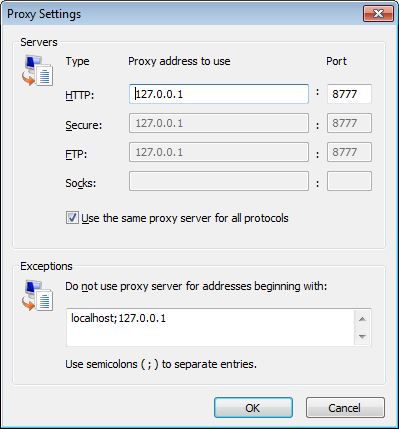
- In the HTTP and Secure fields type localhost under the Proxy address to use column, and 8777 under Port
If you have changed your proxy server settings to use a port other than 8777 then type your selected port in place of 8777.
- Hit the OK button a few times till you get back to your web browser.
If you're using a dial-up connection the setup will differ slightly. Instead of the LAN Settings button you'll want to find your dial-up connection under the Dial-up and Virtual Private Network settings dialog box, then configure it via the Settings button.
Depending on your operating system, instead of localhost you may need to use either 127.0.0.1 or the IP address of the machine. If you have trouble connecting to screen-scraper's proxy with your web browser, please see this FAQ.
Linux users:
- Open Preferences under the wrench icon .
- Click on Under the Hood link on the left-hand navigation.
- Under Network click on the Change proxy settings... button.
-
Under the Proxy Configuration tab select the Manual proxy configuration radio button.
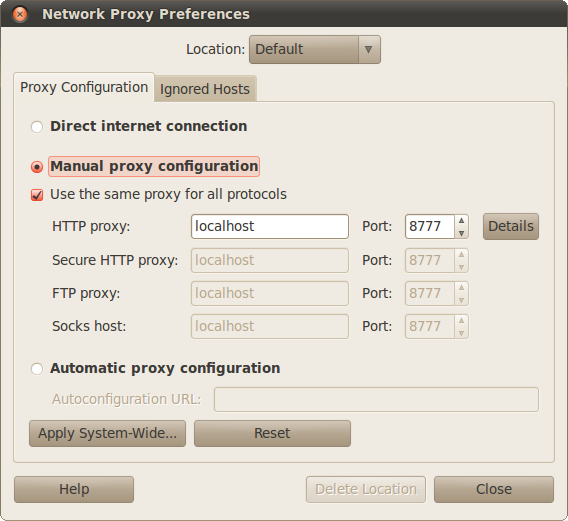
- Check the box next to Use the same proxy for all protocols.
- Enter localhost in the HTTP proxy field.
- Enter 8777 in the Port field.
- Click on the Ignored Hosts tab.
- Enter the following in the Ignore Host List:
- localhost
- 127.0.0.0/8
- *.local
- Click Close
- We recommend selecting Close when prompted Do you want to apply these settings system-wide...
If you're using a dial-up connection the setup will differ slightly. Instead of the LAN Settings button you'll want to find your dial-up connection under the Dial-up and Virtual Private Network settings dialog box, then configure it via the Settings button.
Depending on your operating system, instead of localhost you may need to use either 127.0.0.1 or the IP address of the machine. If you have trouble connecting to screen-scraper's proxy with your web browser, please see this FAQ.
Mac OS X users:
- Open Preferences under the wrench icon .
- Click on Under the Hood link on the left-hand navigation.
- Under Network click on the Change proxy settings... button.
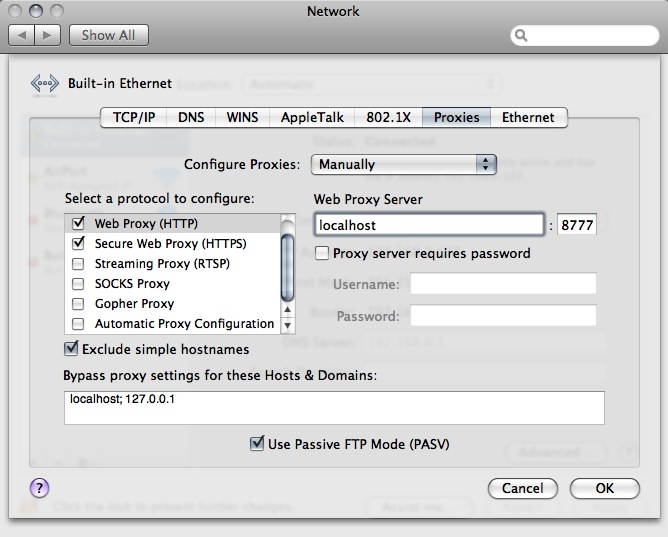
Select "Manually" next to Configure Proxies- Check box next to Web Proxy (HTTP)
- Enter Localhost under Web Proxy Server and 8777 in adjoining port field
- Check box next to Secure Web Proxy (HTTPS)
- Enter Localhost under Web Proxy Server and 8777 in adjoining port field
- Under Bypass proxy settings for these Hosts & Domains enter localhost; 127.0.0.1
If you're using a dial-up connection the setup will differ slightly. Instead of the LAN Settings button you'll want to find your dial-up connection under the Dial-up and Virtual Private Network settings dialog box, then configure it via the Settings button.
Depending on your operating system, instead of localhost you may need to use either 127.0.0.1 or the IP address of the machine. If you have trouble connecting to screen-scraper's proxy with your web browser, please see this FAQ.
Configuring Firefox
Firefox Proxy Settings
- Open Options/Preferences window.
Windows users: click Options from the menu.
Linux users: click Preferences from the menu.
Mac OS X users: click Preferences from the menu.
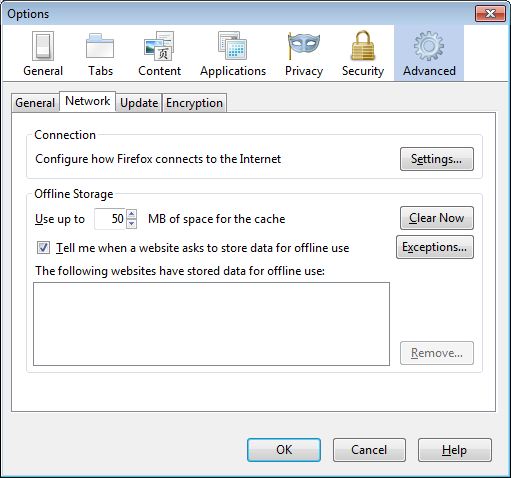
- Click on the Advanced button at the top of the window (if not already selected).
- Click on the Settings... button at the top of the Network tab.
- Click the Manual proxy configuration radio button.
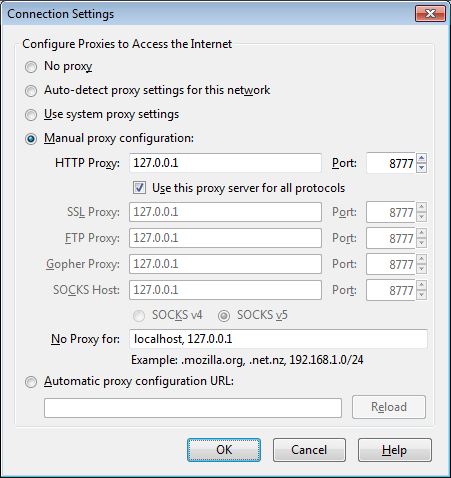
- In the HTTP Proxy field type localhost, and 8777 in Port.
If you have changed your proxy server settings to use a port other than 8777 then type your selected port in place of 8777.
- Click on the Use this proxy server for all protocols check box.
- Hit the OK button to get back to your web browser.
If you're using a dial-up connection the setup will differ slightly. Instead of the LAN Settings button you'll want to find your dial-up connection under the Dial-up and Virtual Private Network settings dialog box, then configure it via the Settings button.
Depending on your operating system, instead of localhost you may need to use either 127.0.0.1 or the IP address of the machine. If you have trouble connecting to screen-scraper's proxy with your web browser, please see this FAQ.
For useful add-ons, visit the Browser Tools page.
Configuring Internet Explorer
Internet Explorer Proxy Settings
- Click Internet Options in the menu.
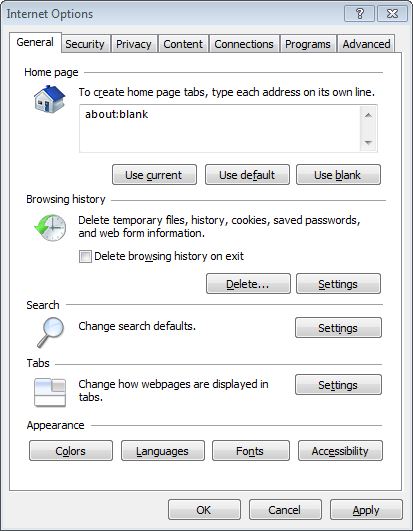
- Go to the Connections tab.
- Click on LAN Settings.
- Click on the checkbox beginning with Use a proxy server for....
- Click on the Advanced... button.
- In the HTTP and Secure fields type localhost under the Proxy address to use column, and 8777 under Port
If you have changed your proxy server settings to use a port other than 8777 then type your selected port in place of 8777.
- Hit the OK button a few times till you get back to your web browser.
If you're using a dial-up connection the setup will differ slightly. Instead of the LAN Settings button you'll want to find your dial-up connection under the Dial-up and Virtual Private Network settings dialog box, then configure it via the Settings button.
Depending on your operating system, instead of localhost you may need to use either 127.0.0.1 or the IP address of the machine. If you have trouble connecting to screen-scraper's proxy with your web browser, please see this FAQ.
Configuring Opera
Opera Proxy Settings
- Click Preferences in the menu.
Windows 7 users will need to select Preferences from the Settings menu after clicking to open Opera's menu.
Mac OS X users will need to select Preferences... from the Opera menu.
- Click on the Advanced tab.
- Click on the Network section listed near the bottom on the left.
- Click on the Proxy Servers... button.

- Enable the first HTTP checkbox, and enter localhost or 127.0.0.1 in the first field and 8777 in the port box.
If you have changed your proxy server settings to use a port other than 8777 then type your selected port in place of 8777.

If you're using a dial-up connection the setup will differ slightly. Instead of the LAN Settings button you'll want to find your dial-up connection under the Dial-up and Virtual Private Network settings dialog box, then configure it via the Settings button.
Depending on your operating system, instead of localhost you may need to use either 127.0.0.1 or the IP address of the machine. If you have trouble connecting to screen-scraper's proxy with your web browser, please see this FAQ.
Add a Quick On/Off Button to Toolbar
To simplify the whole process of turning the proxy server on and off, you can add a proxy button to a toolbar. One handy location is on the far right of the tab bar. To add the button,
- Right-click just about any of Opera's interface toolbars and select Customize....
You might need to select Appearance... explicitly before continuing.
- Click on the buttons tab.
- Select preferences to open its options.
- Drag and drop the Enable Proxy Servers button onto your toolbar.

Dragonfly
New to Opera 9.5.x is a feature called Dragonfly. You can access it by selecting Developer Tools from > Advanced, or alternately pressing control-shift-I. If you're familiar with Firefox's Firebug add-on, then you'll quickly recognize Dragonfly. It's built off of the same ideas, allowing you to manipulate CSS in realtime, seeing which properties are being overwritten by another. You can debug Javascript running on the page, find HTML elements on the page by clicking on them so that Dragonfly shows you the corresponding page source, see all final properties of elements, etc. It's a great tool for sifting through a website.
Settings
Overview
Most of the general settings for screen-scraper are available through the workbench settings window. There are a handful of settings that are rarely used, so we don't provide a way to adjust them in the workbench. These properties can be edited manually in the screen-scraper.properties file in screen-scraper's resources/conf directory. You can edit it in your favorite text editor.
If running either the Basic Edition or Professional Edition note that when you alter the file you should do so when screen-scraper is not running. It won't get the new settings until the application restarts, and if you edit while it's running it may overwrite your changes.
If running the Enterprise Edition you have two options for reloading the screen-scraper.properties file while screen-scraper is running in server mode.
- From the Settings button in the upper-right corner of the Web Interface.
- Via the REST Interface "Reload Settings" call.
Notable Settings not available in the Workbench
- AllowUnstableWindowsFeatures: Earlier editions of screen-scraper included features that were specific to working with Windows and Internet Explorer. This included allowing for scripting in JScript, Perl, and VBScript. These features were very prone to bugs and so discontinued. They are still available, though not advisably so, if you change this setting to true.
- DatabasePort: The port used to load the objects. If you have multiple instances of screen-scraper on the same machine then you will want to use different database ports so that objects created in one instance don't bleed over to other instances.
If you want to run multiple instances of screen-scraper on a single machine we advise that you modify and/or add several properties in the properties file (not just this one).
- DisplayBreakpointWindowOutsideOfWorkbench: Allow a breakpoint window to open even when screen-scraper is running in server mode. The window is only visible on the machine that is running screen-scraper. If this setting is false or not listed, breakpoint method calls are changed to logVariables instead of opening the window.
- EnableWebServer: This takes a value of true or false, and defaults to true. In some cases for security reasons you may not want to run screen-scraper's built-in web server. Setting this value to false will disable the SOAP and RSS functionality in screen-scraper.
- MaxScrapeableSessionsToLoad: How many scraping sessions should be listed in the Run/Running Tab of the web interface. This is to cut down on the amount of memory being allocated to this feature. It defaults to 50. Note that once the limit is reached the entries in the Run/Running Tab will be removed, as well as the corresponding scraping session log files found in screen-scraper's "log" folder.
- MaxScrapingSessionLogFileSize: The largest a log file can get. This can help with logs that are starting to eat too much memory.
- Nickname: This value may be set to whatever you'd like. In cases where you have multiple instances of screen-scraper installed on a single machine, setting this property on each instance can help you to distinguish between them. It will show up in the title bar of the workbench.
- SaveLargeFields: Whether request and response details should be stored in the database. It defaults to false to save memory. If you set it to true for a specific task then you will want to change it back when you are done to avoid the bloating of your database.
- SpawnSeparateDatabaseProcess: You can use true or false for this one, and it will default to true. Normally when screen-scraper runs it spawns a separate process for its database (which holds scraping sessions and such). This has a number of advantages, but in one particular instance you may not want it to happen. If you're running screen-scraper as a server on a Windows box and you log out Windows will kill the database process, even though screen-scraper's server is still running. To avoid this problem simply set this property to false.
- WebInterfaceUser: The username which can be used to login to the web interface (enterprise edition) if the accessing IP is not in the allowed IPs list. If this property is not present or has an empty value, login from unauthorized IPs will not be permitted
- WebInterfacePassword: The password which can be used to login to the web interface (enterprise edition) if the accessing IP is not in the allowed IPs list. If this property is not present or has an empty value, login from unauthorized IPs will not be permitted. Note the web interface doesn't use SSL, so this password will not be transmitted securely (don't use something that is used anywhere else)
- WebServerShutdownPort: The port used to shutdown screen-scraper connections to other processes. With multiple instances it is best to set this to be different for each instance so that you are not closing an instance other than the one that you mean to close.
Example Properties File
Overview
The screen-scraper.properties file can be found in the resource/conf directory of screen-scraper's installation. Most available settings and some sample values are listed below.
For the sake of readability the settings are listed in alphabetical order here. In a settings file they are ordered by a serialized value and so not alphabetical.
Example File Contents
#Wed Mar 31 16:43:33 MDT 2017
AllowMultipleSimultaneousInstances=true
AllowProxyScripting=false
AnonymousProxyAllowedIPs=192.168,127.0,localhost,0\:0\:0\:0\:0\:0
AnonymousProxyPassword=
AnonymousProxyMaxRunning=5
AutoSaveTime=600
BreakpointFrame.LastHeight=545
BreakpointFrame.LastWidth=711
BreakpointFrame.LastX=1064
BreakpointFrame.LastY=289
CheckForUpdatesOnStartup=true
CheckLogAutoScroll=true
CommandLine.NumTimesRun=1
ConnectionTimeout=180
DatabaseHost=localhost
DatabasePort=9003
DataExtractorTimeout=30
DefaultCharacterSet=UTF-8
DefaultFont=ArialUnicodeMS
DefaultProxySession=
DefaultRepeatDays=
DefaultRepeatHours=
DefaultRepeatMinutes=
DefaultRepeatSeconds=
DefaultThresholdRecordCount=
DefaultThresholdTime=
DefaultTimeout=
DividerLocation=269
DontLogBinaryFiles=true
DownloadUnstableUpdates=true
Edition=Enterprise
EnableWebServer=true
EnableCachingAndFilteringDataSets=false
EnableCodeFoldingInLastResponse=true
ExternalNTProxyAuthentication=
ExternalNTProxyDomain=
ExternalNTProxyHost=
ExternalNTProxyPassword=
ExternalNTProxyUsername=
ExternalProxyAuthentication=foo\:bar
ExternalProxyHost=
ExternalProxyPassword=
ExternalProxyPort=
ExternalProxyUsername=
FilterHTTPTransactions=false
ForceOverwriteScripts=false
GenericCompletions=true
HelpBrowser=the bulit-in help browser
InstallDirectory=C\:\\Program Files\\screen-scraper Enterprise Edition\\
IPAddressesToAllow=
LastSelectedDirectory=C\:\\Program Files\\screen-scraper Enterprise Edition\\
LogDebugColor=\#000000
LogDebugBackgroundColor=\#ffffff
LogErrorColor=\#ff0000
LogErrorBackgroundColor=\#ffffff
LogHighMemoryUseInformation=true
LogInfoColor=\#0000ff
LogInfoBackgroundColor=\#ffffff
LogWarnColor=\#ffcc33
LogWarnBackgroundColor=\#000000
LookAndFeel=Native
MailServerHost=
MailServerPassword=
MailServerPort=
MailServerUsername=
MailServerUsesTLS=
MainFrame.LastHeight=847
MainFrame.LastWidth=1095
MainFrame.LastX=591
MainFrame.LastY=201
MaximumDisplayedLastResponseLength=1500
MaximumMemoryAllocation=314
MaxConcurrentScrapingSessions=100
MaxScrapeableSessionsToLoad=50
MaxScrapingSessionLogFileSize=10
Messages.DoesUserWantToViewTutorials=false
Nickname=My screen-scraper
OutputLogFiles=true
OverrideServerEncoding=true
ProxyForceAllHTTPRequestsToHTTPS=false
ProxyPort=8777
SaveLargeFields=true
Server.NumTimesRun=2186
ServerPort=8778
SettingsFrame.LastHeight=485
SettingsFrame.LastWidth=677
SettingsFrame.LastX=121
SettingsFrame.LastY=22
ShowVariableCompletionsAt=2
SOAPPort=8779
SpawnSeparateDatabaseProcess=true
TokenEditor.LastHeight=369
TokenEditor.LastWidth=418
TruncateWorkbenchRequestPOSTDataLength=100000
UseGlobalExternalProxyForAllScrapingSessions=false
Version=7.0
WebInterfaceUser=username
WebInterfacePassword=password
WebServerShutdownPort=8551
Workbench.MaxLogLines=1000
Workbench.NumTimesRun=9415
WrapScriptText=true
Proxy Server
Description
When running, the proxy server listens on a specified port for incoming HTTP requests from your web browser. Upon receiving a request from your browser the proxy server records it, then sends it along to the server for which it was intended. When that server responds it is received by the proxy server, which, once again, makes a record of it, then sends it along to your web browser.
Purpose
screen-scraper's proxy server allows you to view HTTP requests and responses as they pass between your web browser and remote servers. In scraping files from web sites there are a few more details than you typically worry about when surfing, such as HTTP headers and POST data. The proxy server makes all of these details visible to you.
Viewing HTTPS requests
Often one of the headaches of scraping information from sites that use HTTPS is that it's not always easy to tell what's getting passed back and forth in the way of cookies, POST data, etc. Even if you put a proxy server in the way that lets you view the requests and responses, the information is encrypted as it's leaving your browser and as it's leaving the web server that responds to the request. screen-scraper gets around this problem by using it's own temporary certificate to encrypt traffic from itself to the browser and then encrypting each request before sending it up to the server. The result of this is that your browser will issue a warning about the certificate that screen-scraper returned. You can safely accept the certificate and be assured that all your traffic is encrypted.
We've also used other proxy software, such as Charles proxy, for handling SSL sites. They have additional features to allow the browser to trust the certificates so you don't see a warning in the browser. We've also added an import proxy session feature so you can import a JSON Session File from Charles and use it in screen-scraper to build a scraping session.
Running the proxy in server mode
This feature is only available to Professional and Enterprise editions of screen-scraper.
screen-scraper has the ability to act as a proxy while in server mode. Combined with the ability to execute scripts, this functionality opens up many possibilities for how you use screen-scraper. More information about how to go about using screen-scraper in this capacity is available on our using scripts with the proxy server page.
Using the Proxy Server
Configure the proxy server
First, create a proxy session to organize your interactions with the specific web sites.
Configure your web browser
Configuring a web browser to use a proxy server is generally pretty straightforward, but varies somewhat for each browser. We have provided instructions on how to setup different browsers:
Run the proxy server
Assuming you've configured everything and set up a proxy session, from here you should be able to start up the proxy server by selecting your proxy session in the objects tree and then clicking on the Start Proxy Server button in the general tab. Now just surf the pages that you want to record.
View requests and responses
After you've surfed a bit with your web browser click on the progress tab. From here you can view all of the HTTP and HTTPS requests and responses logged by the proxy server. Clicking on a transaction brings up its details in the lower pane.
Viewing encrypted transactions
If you are using Internet Explorer 7 you have to adjust your security settings. To do this open Internet Options in the menu and under the security tab change the security level to medium.
If security settings are not updated you will see an error page when accessing a site that uses HTTPS encryption.
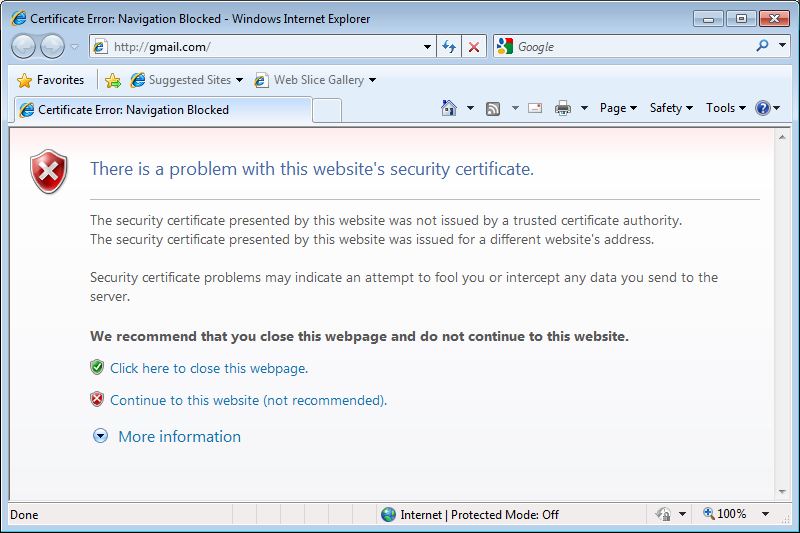
IE domain mismatch warning
This warning occurs because screen-scraper is using a temporary certificate for encryption that will not match the url that you are accessing. You can safely ignore this warning by clicking Continue to this website. This practice is, however, not recommended.
Most browsers have recently started preventing you from accepting the certificate. As a work-around you can use another proxy service, such as Charles, to proxy SSL sites by installing their root authority certificate on your server (which prevents an error from showing up while using them). You can then import the proxy data into screen-scraper for building your scrape
Using an external proxy server
If you normally use an external proxy server when connecting to the internet (on your local area network, for example), you'll need to specify this information in screen-scraper's external proxy settings. Before you can run the proxy server.
Using Scripts
This feature has been deprecated and by default is not available in the workbench interface. To enable proxy scripting please add AllowProxyScripting=true to your resource/conf/screen-scraper.properties file and restart screen-scraper.
Overview
screen-scraper has the ability to run custom-made scripts while the proxy server is running (more information on starting and stopping the server is available). This allows you to setup blacklists, filter web pages, or otherwise manipulate browser requests and server responses. It is recommended that you read about managing and using scripts before continuing.
Using the scripts
The scripts tab is used to associate scripts with a proxy. Depending on when you decide to run your script, certain built in objects will be in scope that are unique to the proxy environment.
Built-in objects
screen-scraper offers a few objects that you can work with in a script in the proxy environment. See the variable scope section and/or API documentation for more details.
- proxySession: This object allows for interaction with the currently running proxy session.
- request: This object allows for interaction with the currently received HTTP request.
- response: This object allows for interaction with the currently received HTTP response.
Variable scope
Depending on when a script gets run different variables may be in scope (available). The table that follows specifies what variables will be in scope depending on when a given script is run.
| When Script is Run | proxySession in scope | request in scope | response in scope |
|---|---|---|---|
| Beginning of proxy session | X | ||
| Before HTTP request | X | X | |
| After HTTP request | X | X | |
| Before HTTP response | X | X | X |
| After HTTP response | X | X | X |
Debugging scripts
One of the best ways to fix errors is to simply watch the proxy session log (under the log tab in the proxy session) and the error.log file (located in the log directory of screen-scraper's install directory) for script errors. When a problem arises in executing a script screen-scraper will output a series of error-related statements to the logs. Often a good approach in debugging is to build your script bit by bit, running it frequently to ensure that it runs without errors as you add each piece.
Running screen-scraper in Server Mode
Overview
This feature is only available to Professional and Enterprise editions of screen-scraper.
It is strongly advised NOT to run both the server and workbench simultaneously.
There are two main reasons to run screen-scraper as a server:
- Interaction with screen-scraper in external scripts: Start/stop and otherwise manage scrapes from your own scripts (including PHP, Java, Ruby, and others). This can be helpful when doing application integration and other such development. More information regarding managing screen-scraper from scripts is available.
- Use screen-scraper as a proxy server: Use screen-scraper to set up blacklists or otherwise manipulate browser requests and server responses on an on-going basis.
Managing Server
Windows
If you're running Microsoft Windows screen-scraper will run as a service. This allows it to be run in a background process, and doesn't require you to be logged in to the machine on which it's running. screen-scraper gets registered as a service upon installation, and may be run as a server using either the Start server and Stop server links from the menu, or using the Services control panel applet.
In Windows XP, when the server is running an icon will appear in the system tray. You can right-click this icon to stop the server.
Windows Vista and Windows 7
The screen-scraper service can be started, stopped, and monitored via the Services control panel applet under Administrative Tools. The server can also be started and stopped via the Start server and Stop server shortcuts found under the menu.
When the server is running, the system tray icon will not appear, as it does in other versions of Windows.
There are a few ways to determine whether or not the server is running in Vista:
- Look at the Services control panel applet.
- Open a web browser and type in the URL for the web interface (enterprise edition only).
Windows Prompt
As of 5.0 there are three batch files that have been added to screen-scraper to aid in managing the server from the command line.
- server_status.bat
- stop_server.bat
- start_server.bat
These files are created when screen-scraper installs and keyed specifically to the new instance of screen-scraper.
Unix/Linux or Mac OS X
Under Unix/Linux or Mac OS X the server is controlled via the server script, which operates much like a typical Unix daemon. The server will run in a background process, allowing you to start and stop the server remotely, or log out of your session after starting it. You can issue the following commands to the server script:
- server start
- server stop
- server status
Connection Restrictions
While screen-scraper is running as a server it will accept connections from any other machine unless you specify otherwise. It is important to consider the security of your machine when running any service of this type. screen-scraper allows you to specify the IP addresses of the machine(s) you wish to allow to connect to it in the IP addresses to allow to connect in the settings window.
In this field it expects a comma-delimited list of IP addresses that screen-scraper should accept connections from. You can also specify just the beginning portions of IP addresses. For example, if you enter 111.22.333 screen-scraper would accept connections from 111.22.333.1, 111.22.333.2, 111.22.333.3, etc.
If nothing is entered into this text box screen-scraper will accept connections from any IP address. This is discouraged unless the computer running screen-scraper is protected by an external firewall.
If you need to alter this setting in a GUI-less environment, you can close screen-scraper and edit the resource/conf/screen-scraper.properties file. The setting to change is IPAddressesToAllow. When you start screen-scraper, it will make use of the new setting.
Troubleshooting Server Mode
If you're having trouble starting screen-scraper in server mode or running scraping sessions in server mode please see our FAQ on troubleshooting server mode issues.
Scraping Engine
Description
The scripting engine requests files which it then parses, manipulates, and/or stores according to user defined processes. It is the heart of screen-scraper and has been optimized at all points of development to be as efficient as possible. It is made up of multiple parts which can be manipulated using the workbench:
- Scraping Sessions: Series of scrapeable files, that screen-scraper will request in a designated sequence. It may also contain calls to scripts.
- Scrapeable Files: File interaction (usually a webpage) that can be called from a scraping session or script. They may contain variables for file location or url parameters (GET or POST).
- Extractor Patterns: Snippits used to gather information from scrapeable files. They contain any number of extractor tokens.
- Extractor Tokens: Named regular expression matches used to indicate what information from the extractor pattern to make available to subsequent scripts and scrapeable files.
- Scripts: User defined custom scripts that process the information gathered in the progression of the scrape.
The rest of this section contains information about using screen-scraper, through the workbench, to achieve different goals. These can be difficult to understand without some exposure to the software. That is why we would like to encourage you to go through our first few tutorials before continuing.
Adding Java Libraries
Overview
screen-scraper allows for Java libraries to be added to the classpath. Simply copy any jar files you'd like to reference into the lib\ext folder found in screen-scraper's directory. The next time you start up screen-scraper it will automatically add the jar files to its classpath. Note that you'll still need to use the import statement within your scripts to refer to specific classes:
import com.foo.bar.*;
screen-scraper was built on a Java 1.5 platform. Your Java scripts must accept at least a version 1.5 JRE in order to compile and run properly.
Anonymization
Overview
Under certain circumstances you may want to anonymize your scraping so that the target site is unable to trace back your IP address. For example, this might be desirable if you're scraping a competitor's site, or if the web site blocks IP addresses that make too many requests.
There are a few different ways to go about this using screen-scraper:
If you choose to run anonymous scripts from an external script, it is valuable to read through the documentation on controlling anonymization externally.
Aside from the above methods, you might find our blog posting on how to surf and screen-scrape anonymously helpful. It's slightly dated, but still very relevant.
Automatic Anonymization
Overview
The screen-scraper automatic anonymization service works by sending each HTTP request made in a scraping session through a separate high-speed HTTP proxy server. The end effect of this is that the site you're scraping will see any request you make as coming from one of several different IP addresses, rather than your actual IP address. These HTTP proxy servers are actually virtual machines that get spawned and terminated as you need them. You'll use screen-scraper to either manually or automatically spawn and terminate the proxy servers.
Steps to take
- Request an Anonymization account
- Pay set up fee
- Enter your anonymization password
- Check the "anonymize this scraping session" checkbox
- Run your scraping session
Cost
- $150 setup
- 25 cents per proxy per hour
Note: When using the automatic anonymization method, while the remote web site may not be able to determine your IP address, your activity will still be logged. If you attempt to use the proxy service for any illegal activities, the chances are very good that you will be prosecuted.
Limitations
While the automatic anonymization service provides an excellent way to cloak your IP address it is still possible that the target web site will block enough of the anonymized IP addresses that the anonymization could fail. Unfortunately we can't make any guarantees that you won't get blocked; however, by using the automatic anonymization service the chances of getting blocked are reduced dramatically.
Miscellaneous
- Anonymization REST Interface
- Workbench Interface: Scraping Session: Anonymization tab
- AnonymousProxyPassword: The password that you were sent.
- AnonymousProxyAllowedIPs: The IP addresses permitted to access anonymous sessions.
- AnonymousProxyMaxRunning: Maximum number of proxy servers used to do the scrape.
- AnonymizationURLPrepend: Which server to use for anonymization. By default http://anon.screen-scraper.com will be used.
Acceptable values are http://anon.screen-scraper.com and http://anon2.screen-scraper.com.
Automatic Anonymization: Setup
Controlling your Account
The anonymous proxy servers will be set up in such a way that they only allow connections from your IP address. This way no one else can use any of the proxies without your authorization. This configuration is tied to your password. For more on restricting connections see documentation on managing the screen-scraper server.
If you'll be running your anonymized scraping sessions on the same machine (or local network) you're currently on and you are using the workbench, you can click the Get the IP address for this computer button to determine your current IP address.
screen-scraper Setup
Using Workbench
Anonymization settings can be configured using screen-scraper's workbench. Settings are determined in the anonymous proxy settings of the settings dialog box.
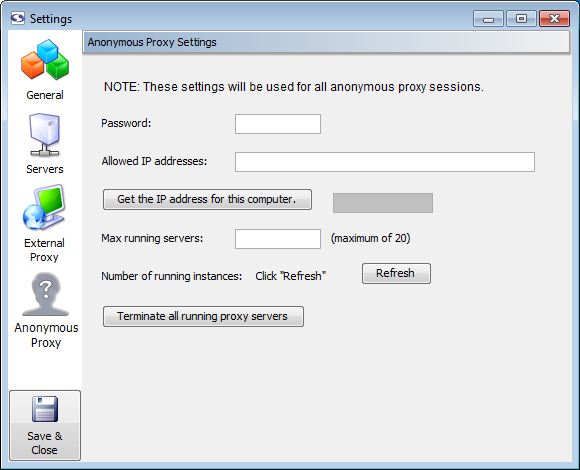
When you sign up for the anonymization service you'll be given the password that allows your instance of screen-scraper to manage anonymous proxies for you. You'll enter it into the Password textbox in the settings.
As the proxy servers get spawned and terminated, it's a good idea to establish the maximum number of running proxy servers you'd like to allow. This is done via the Max running servers setting. Because you pay for proxy servers by the hour, if you don't have your scraping session set up to automatically shut them down at the end, you'll use the Terminate all running proxy servers button in order to do that.
We find that as many as 10 proxy servers but no fewer than five are adequate for most situations.
Using screen-scraper.properties File
If you're setting this value in a GUI-less environment (i.e., a server with no graphical interface), you'll want to set these values in the resource/conf/screen-scraper.properties file (if these property is not already in the file you'll want to add it).
Be sure to modify the resource/conf/screen-scraper.properties file only when screen-scraper is not running.
Scraping Session Setup
Aside from these global settings, there are a few settings that apply to each scraping session you'd like to anonymize. You can edit these settings under the anoymization tab of your scraping session.
Once you've configured all of the necessary settings, try running your scraping session to test it out. You'll see messages in the log that indicate what proxy servers are being used, how many have been spawned, etc.
As your anonymous scraping session runs, you'll notice that screen-scraper will automatically regulate the pool of proxy servers. For example, if screen-scraper gets a timed out connection or a 403 response (authorization denied), it will terminate the current proxy server, and automatically spawn a new one in its place. This way you will likely always have a complete set of proxy servers, regardless of how frequently the target web site might be blocking your requests. You can also manually report a proxy server as blocked by calling session.currentProxyServerIsBad() in a script. When this method is called the current proxy server will be shut down and replaced by another.
Anonymization via Manual Proxy Pools
Overview
If the automatic anonymization method isn't right for you, the next best alternative might be to manually handle working with screen-scraper's built-in ProxyServerPool object. The basic approach involves running a script at the beginning of your scraping session that sets up the pool, then calling session.currentProxyServerIsBad() as you find that proxy servers are getting blocked. In order to use a proxy pool, you'll also need to get a list of anonymous proxy servers. Generally you can find these by Googling around a bit.
See available methods:
ProxyServerPool
Anonymization API
Example
// Create a new ProxyServerPool object. This object will
// control how screen-scraper interacts with proxy servers.
proxyServerPool = new ProxyServerPool();
// We give the current scraping session a reference to
// the proxy pool. This step should ideally be done right
// after the object is created (as in the previous step).
session.setProxyServerPool( proxyServerPool );
// This tells the pool to populate itself from a file
// containing a list of proxy servers. The format is very
// simple--you should have a proxy server on each line of
// the file, with the host separated from the port by a colon.
// For example:
// one.proxy.com:8888
// two.proxy.com:3128
// 29.283.928.10:8080
// But obviously without the slashes at the beginning.
proxyServerPool.populateFromFile( "proxies.txt" );
// screen-scraper can iterate through all of the proxies to
// ensure theyre responsive. This can be a time-consuming
// process unless it's done in a multi-threaded fashion.
// This method call tells screen-scraper to validate up to
// 25 proxies at a time.
proxyServerPool.setNumProxiesToValidateConcurrently( 25 );
// This method call tells screen-scraper to filter the list of
// proxy servers using 7 seconds as a timeout value. That is,
// if a server doesnt respond within 7 seconds, it's deemed
// to be invalid.
proxyServerPool.filter( 7 );
// Once filtering is done, it's often helpful to write the good
// set of proxies out to a file. That way you may not have to
// filter again the next time.
proxyServerPool.writeProxyPoolToFile( "good_proxies.txt" );
// You might also want to write out the list of proxy servers
// to screen-scraper's log.
proxyServerPool.outputProxyServersToLog();
// This is the switch that tells the scraping session to make
// use of the proxy servers. Note that this can be turned on
// and off during the course of the scrape. You may want to
// anonymize some pages, but not others.
session.setUseProxyFromPool( true );
// Check number of available proxies
if (proxyServerPool.getNumProxyServers() < 4)
{
// As a scrapiing session runs, screen-scraper will filter out
// proxies that become non-responsive. If the number of proxies
// gets down to a specified level, screen-scraper can repopulate
// itself. Thats what this method call controls.
proxyServerPool.setRepopulateThreshold( 5 );
}
That's about all there is to it. Aside from occasionally calling session.currentProxyServerIsBad(), you may also want to call session.setUseProxyFromPool to turn anonymization on and off within the scraping sesison.
Mapping Extracted Data
The web interface is only available for enterprise edition users of screen-scraper.
Overview
The mapping tab allows you to alter extracted values. Often once you extract data from a web page you need to put it into a consistent format. For example, you may want products with very similar names to have identical names.
screen-scraper makes use of mapping sets when determining how to map a given extracted value. A mapping set may contain any number of mappings, which screen-scraper will analyze in sequence until it finds a match, or runs out of mappings. As such, you'll often want to put more specific mappings higher in sequence than more general mappings.
Example
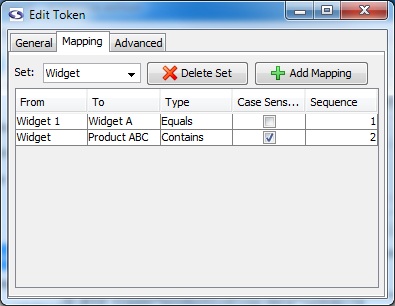
Consider the screen-shot of the mapping tab: if the extracted value were Widget 123 screen-scraper would first try to match using the Widget 1 mapping. Because this is an equals match the mapping wouldn't occur, so screen-scraper would proceed to the second mapping. The second mapping would match because a contains type was designated. That is, the text Widget 123 contains the text Widget. As such, the extracted data Widget 123 would become Product ABC, because that is the To value designated for the second mapping.
Using Regular Expressions
When using regular expressions in your mapping you can also make use of back references. Back references allow you to preserve values in the original text when mapped to the To value. For example, if you were mapping the value Widget 123 you could use the regular expression Widget (\d*). In the To column you could then enter the value Product \1, which, when mapped, would convert Widget 123 to Product 123. The value in parentheses in the From column gets inserted via the \1 marker found in the To column.
Running Scraping Sessions within Scraping Sessions
Overview
This feature is only available to Professional and Enterprise editions of screen-scraper.
It is possible to run a scraping session within a scraping session that is already running. This is done with the RunnableScrapingSession class. Detailed documentation on methods available for the RunnableScrapingSession class are available in our API documentation. Here's a specific example of how the RunnableScrapingSession might be used in a screen-scraper script:
// Generate a new RunnableScrapingSession object that will inherit
// from the current scraping session. This object will be used
// to run the scraping session "My Scraping Session"
myRunnableScrapingSession = new RunnableScrapingSession( "My Session", session );
// Because we passed the "session" object to the RunnableScrapingSession
// it will have access to all of the session variables within the
// currently running session. As such, there's no need to explicitly
// set any new session variables. We simply tell it to scrape.<
myRunnableScrapingSession.scrape();
// Once it's done scraping, because it inherited from our currently
// running scraping session, we have access to any session variables
// that were set when the RunnableScrapingSession ran in the context
// of our currently running scraping session. For example, let's
// suppose that when the RunnableScrapingSession ran it set a new
// variable called "MY_VAR". Because of the inheritance, we could
// do something like this to see th new value:<
session.log( "MY_VAR: " + session.getVariable( "MY_VAR" ) );
Script Overwriting
Overview
Scripts attached to a scraping session are exported along with it. When you subsequently import that scraping session into another instance of screen-scraper it might overwrite existing scripts in that instance. In some cases, though, you might have a series of general scripts shared by many scraping sessions. In these cases you often want to ensure that the very latest versions of these general scripts get retained in a given instance.
Using the Workbench
In the main pane of the script there is a Overwrite this script on import checkbox. When checked, any name clashes between existing scripts and imported versions will prompt you whether it should overwrite the script or not. If the local version's Overwrite this script on import checkbox is unchecked this file will not be overwritten even if you click to have it overwritten.
In a GUI-less environment
Checking the Overwrite this script on import requires access to the screen-scraper workbench, which you may not have access to if screen-scraper is running in a GUI-less environment. In these cases you can make use of the ForceOverwriteScripts property in the resource/conf/screen-scraper.properties file to allow scripts that have this box un-checked to be overwritten. In order to overwrite scripts that have this checkbox un-checked in a GUI-less environment you would follow these steps:
- Stop screen-scraper (or ensure that it isn't currently running).
- Open the resource/conf/screen-scraper.properties file.
- Add this line to the properties file: ForceOverwriteScripts=true (or edit the line, if it already exists).
- Save and close the properties file.
- Start up screen-scraper and import the scraping sessions or scripts.
Once you're finished importing you may want to stop screen-scraper, set the property back to false, then start up again. Note that when you import scripts with the ForceOverwriteScripts property set to true screen-scraper will import the scripts regardless of whether or not the Overwrite this script on import checkbox is checked.
Using Extractor Patterns
Overview
Extractor patterns allow you to pinpoint select snippets of data that you want extracted from a web page. It is a block of text (usually HTML) that contains special tokens that will match pieces of data you're interested in extracting. These tokens are text labels surrounded by the delimiters ~@ and @~ (e.g. ~@NAME@~). The identifier between the delimiters can contain only alpha-numeric characters and underscores.
Extractor patterns are added to scrapeable files under the extractor patterns tab.
You can think of an extractor pattern like a stencil. A stencil is an image in cut-out form, often made of thin cardboard. As you place a stencil over a piece of paper, apply paint to it, then remove the stencil, the paint remains only where there were holes in the stencil. Analogously, you can think of placing an extractor pattern over the HTML of a web page. The tokens correspond to the holes where the paint would pass through. After an extractor pattern is applied it reveals only the portions of the web page you'd like to extract.
Extractor tokens designate regions where data elements are to be captured. For example, given the following HTML snippet:
you would extract piece of text by creating an extractor pattern with a token positioned like so:
The extracted text could then be accessed via the identifier EXTRACTED_TEXT.
If you haven't done so already, we'd recommend going through our first tutorial to get a better feel for using extractor patterns.
Tips/Suggestions
- Test your patterns frequently. Extractor patterns take some practice. Especially when you're first trying them out you'll want to test them as you're working with them. It often helps to test it after every couple of tokens you insert.
- Use regular expressions to make your extractor patterns more precise. One of the most common problems encountered occurs when an extractor pattern matches too much data, which usually includes a lot of HTML. There are a couple of ways to address this problem. One is to extend the pattern outward. That is, include HTML that falls before and after the block you're trying to match. The second approach, which is generally the easier of the two, is to include regular expressions. We've included a number of common regular expressions that you can select from the drop-down list. In general, if you can use more precise regular expressions you can reduce the amount of HTML in the extractor pattern. Doing so makes your patterns more resilient to changes that might be made to the web site you're scraping.
If an extractor pattern takes too long to match a block of text it will timeout. The timeout setting may be adjusted from the general tab of the Settings located in the menu. If you find that your extractor pattern is timing out you might try adjusting it by using more precise regular expressions.
- Ensure that the pattern extracts the number of data records you expect it to. Oftentimes your pattern might not be as flexible as you think it is. Test it out to make sure it matches as many times as you think it should.
- Try tidying the HTML. This will ensure that white space is handled consistently and will often clean up extraneous characters. The setting that determines whether or not HTML gets tidied is adjusted under the advanced tab of the scrapeable file.
Using Scripts
Overview
screen-scraper's scraping engine allows you to associate custom scripts with various events in the scraping process. It is recommended that you read about managing and scripting in screen-scraper before continuing.
Using the scripts
Depending on what event triggers a script to be run different objects will be in-scope. Triggers regarding the scraping session are added on the general tab of the scraping session, file request/response triggers are associated on the properties tab of the scrapeable file, and extractor pattern events in the scripts section of the main tab in the extractor patterns tab of the scrapeable file.
Scripts can also be used to run scripts using the session.executeScript method.
Built-in objects
screen-scraper offers a few objects that you can work with in a script in the scraping engine. See the variable scope section and/or API documentation for more details.
- session: The running scraping session.
- scrapeableFile: The file interaction including request and response, it also holds the extractor pattern requests.
- dataSet: All of the matches from an extractor pattern's tokens.
- dataRecord: A single match of an extractor pattern's tokens.
Variable scope
Depending on when a script gets run different variables may be in or out of scope. When associating a script with an object, such as a scraping session or scrapeable file, you're asked to specify when the script is to be run. The table that follows specifies what variables will be in scope depending on when a given script is run. Only variables that are in scope are accessible to the script.
| When Script is Run | session in scope | scrapeableFile in scope | dataSet in scope | dataRecord in scope |
| Before scraping session begins | X | |||
| After scraping session ends | X | |||
| Before file is scraped | X | X | ||
| After file is scraped | X | X | ||
| Before pattern is applied | X | X | ||
| After pattern is applied | X | X | X | |
| Once if pattern matches | X | X | X | X |
| Once if no matches | X | X | ||
| After each pattern match | X | X | X | X |
Debugging scripts
One of the best ways to fix errors is to simply watch the scraping session log and the error.log file (located in the log directory where screen-scraper was installed) for script errors. When a problem arises in executing a script screen-scraper will output a series of error-related statements to the logs. Often a good approach in debugging is to build your script bit by bit, running it frequently to ensure that it runs without errors as you add each piece.
When screen-scraper is running as a server it will automatically generate individual log files in the log directory for each running scraping session (this can be disabled in the settings window). An error.log file will also be generated in that same directory when internal screen-scraper errors occur.
The breakpoint window can also be invaluable in debugging scripts. You can invoke it by inserting the line session.breakpoint() into your script.
Using Session Variables
Overview
Session variables allow you store values that will persist across the life of a scraping session.
Setting session variables
There are a few different ways to set session variables.
- Within a script using the setVariable method of the session object
- Designate that the value matched by a extractor token should be saved in a session variable (check Save in session variable in the main tab of the extractor token).
- Using the RemoteScrapingSession object from external sources (such as a PHP or ASP script) via their setVariable methods (see scripting in screen-scraper for more details).
Retrieving values from session variables
As with setting session variables, there is more than one way to retrieve values of session variables.
- Within a script using the getVariable method of the session object.
- Embed the identifier for the session variable, surrounded by ~# and #~ delimiters.
If you have a session variable identified by QUERY_PARAM you might embed it into the URL field of a scrapeable file using http://www.mydomain.com/myscript.php?query=~#QUERY_PARAM#~. screen-scraper will automatically replace the ~#QUERY_PARAM#~ with the value of the session variable.
Using Sub-Extractor Patterns
Overview
Sub-extractor patterns allow you to extract data in the context of an extractor pattern, providing significantly more flexibility in pinpointing the specific pieces you're after. Consider a search results page consisting of rows and columns of data. Using normal extractor patterns you would use a single pattern to extract the data from all columns for a single row. In many cases this works just fine; however, the process gets more complicated when each row differs significantly. For example, certain cell rows may be in different colors or their contents may be completely missing. With a normal extractor pattern it would be difficult to account for the variability in the cells. By using sub-extractor patterns you could create a normal extractor pattern to extract an entire row, then use individual sub-extractor patterns to pull out the individual cells.
When using sub-extractor patterns only the first match will be used. That is, even if a sub-extractor pattern could match multiple times, only the data corresponding to the first match will be extracted. Because of this sub-extractor patterns are not always the correct method for getting data within a larger context. To get multiple matches in a larger context, like all rows in a table, you would instead use manual extractor patterns.
Example
Consider the following HTML table:
| Name | Phone | Address |
|---|---|---|
| Juan Ferrero | 111-222-3333 | 123 Elm St. |
| Joe Bloggs | No contact information available | |
| Sherry Lloyd | 234-5678 (needs area code) | 456 Maple Rd. |
Here is the corresponding HTML source:
<tr>
<th>Name</th>
<th>Phone</th>
<th>Address</th>
</tr>
<tr>
<td class="Name">Juan Ferrero</td>
<td class="Phone">111-222-3333</td>
<td class="Address">123 Elm St.</td>
</tr>
<tr class="even">
<td class="Name">Joe Bloggs</td>
<td colspan="2">No contact information available</td>
</tr>
<tr>
<td class="Name">Sherry Lloyd</td>
<td class="Phone warning">234-5678 (needs area code)</td>
<td class="Address">456 Maple Rd.</td>
</tr>
</table>
It would be difficult to write a single extractor pattern that would extract the information for each row because the contents of the cells differ so significantly. The different colored cells and the cell spanning two columns make the data too inconsistent to be easily extracted using a single pattern (which would require lots of regular expressions and might still prove impossible or inconsistent).
Consider this extractor pattern:
The ~@DATARECORD@~ extractor pattern token is special in that it defines the block of data to which you wish to apply sub-extractor patterns. Sub-extractor patterns cannot be applied to a token with a name other than DATARECORD
If applied to the HTML above the extractor pattern would produce the following three matches:
2. class="even"><td class="Name">Joe Bloggs</td><td colspan="2">No contact information available</td>
3. ><td class="Name">Sherry Lloyd</td><td class="Phone warning">234-5678 (needs area code)</td><td class="Address">456 Maple Rd.</td>
Sub-extractor patterns would allow you to extract individual pieces of information from each row. For example, consider this sub-extractor pattern:
If applied to each of the individual extracted rows above the following three pieces of information would be extracted:
2. Joe Bloggs
3. Sherry Lloyd
This is a simple case. Now consider the extractor pattern for the phone number:
If applied to each of the individual extracted rows above the following three pieces of information would be extracted:
2.
3.
In the case of Sherry Lloyd this presents a serious problem because she does have a phone number listed. It is not selected because of the additional class. Let's adjust the sub-extractor pattern slightly:
The ~@nondoublequotes@~ represents an extractor token that uses the Non-double quotes regular expression: [^"]*. Matching anything between where it is covering until it encounters double quotes. In this particular case Sherry's phone number also gets extracted.
We now have the case of the cell in the second row that spans two columns, which would not get extracted by our current sub-extractor patterns. We may still want this information, however, so we create the following sub-extractor pattern, just in case the cell exists:
If applied to our data we'd get the following results:
2. No contact information available
3.
When multiple sub-extractor patterns hold a token with the same name (in this case, PHONE), the last one to match is the one that determines the value of the token. In this example either one or the other will match. If both could match then we would want to have the first phone extractor pattern ordered later than the one to match the no-data-available pattern
Sub-extractor patterns aggregate everything that's extracted into a single data set. Using all of our extractor and sub-extractor patterns together we'd get the following data set:
| Data record # | Name | Phone |
|---|---|---|
| Data record #1 | Juan Ferrero | 111-222-3333 |
| Data record #2 | Joe Bloggs | No contact information available |
| Data record #3 | Sherry Lloyd | 234-5678 (needs area code) |
Important Notes
- When two sub-extractor patterns hold a token with the same name, the one that doesn't match anything will have no effect. Sub-extractor patterns are applied in sequence, and those that match something will take precedence over those that don't.
- ~@DATARECORD@~ is the extractor token identifier that defines the block of data to which you wish to apply sub-extractor patterns. You cannot use sub-extractor patterns without using this token name in the main extractor pattern.
- When using sub-extractor patterns only the first match will be used. That is, even if it could match multiple times, only the data corresponding to the first match will be extracted.
Workbench
To launch the Workbench, double-click the screen-scraper icon
Overview
The workbench provides an intuitive and convenient way to interact with screen-scraper's scraping engine. This section of our documentation covers the interfaces provided in the workbench to develop and manage scrapes. If you're interested in learning to use screen-scraper, the best approach is to go through at least our first few tutorials.
Introduction
To ensure clarity, the first thing that you need to know about the workbench is the names for the various regions of the window. This will help to keep us oriented correctly during the documentation of the workbench.
Workbench Layout
- Menu Bar: Options available at the very top of the page (just below the title bar) starting with File on the far left.
- Buttons Bar: Just below the File Menu this area contains buttons for such common tasks as saving, creating new objects, cut, copy, and paste.
- Objects Tree: Located on the left side of the window, this pane lists all of the screen-scraper objects that are currently available to this instillation of screen-scraper.
If this is your first time opening screen-scraper the only item listed will be the root folder.
- Main Pane: This is the largest pane in the workbench and usually takes up at least two-thirds of the window. It changes to reflect the content of the object that is selected in the assets pane. Because of this feature, it is most commonly referred to by the name of the screen being displayed in it.
- Status Bar: Strip at the bottom of the window that reports on the current memory usage of screen-scraper. Occasional messages will also show up, such as when screen-scraper has saved your work.
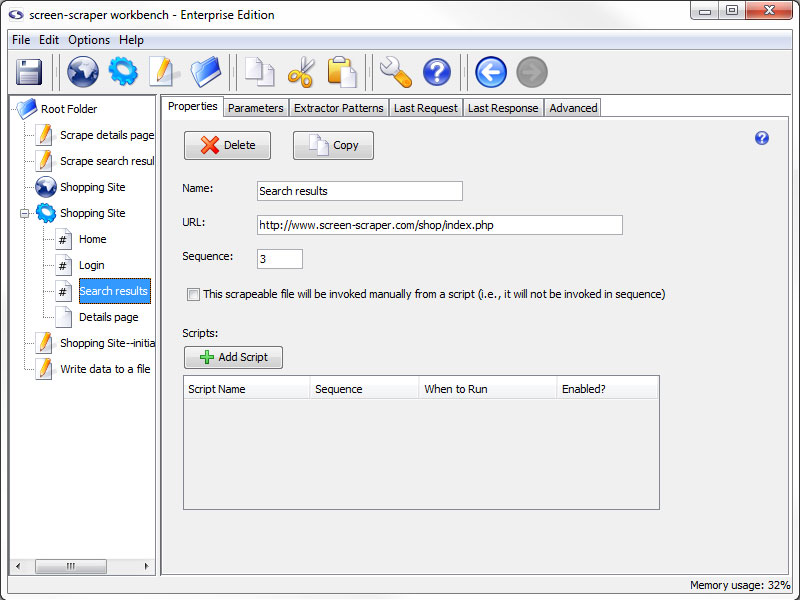
The size of the two panes can be adjusted to your liking by clicking on the vertical bar that divides the two panes and dragging it to the left or right.
Settings
Overview
This section contains a description of each of the screens found in the Settings window, which can be displayed by selecting Settings from the menu, or by clicking the wrench icon in the button bar.
General Settings
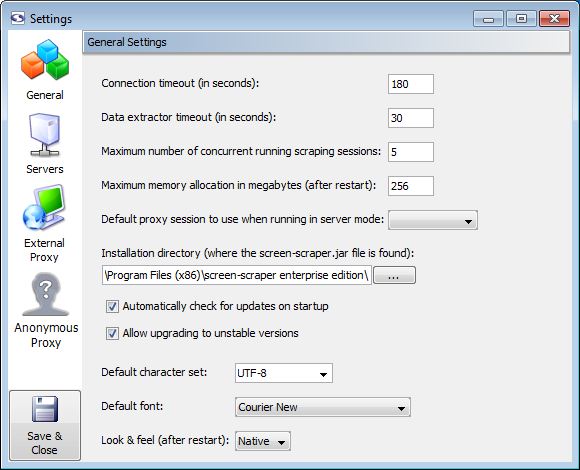
General Settings
- Connection timeout: At times remote web servers will experience problems after screen-scraper has made a connection. When this happens the server will often hold on to the connection to screen-scraper, causing it to appear to freeze. Designating a connection timeout avoids this situation. Generally around 30 seconds is sufficient.
- Data extractor timeout: In certain cases complex extractor patterns can take an abnormally long time when being applied. You'll likely want to designate a timeout so that screen-scraper doesn't get stuck while applying a pattern. Typically it should not take longer than 2 or 3 seconds to apply a pattern.
- Maximum number of concurrent running scraping sessions (professional and enterprise editions only): When screen-scraper is running as a server you'll often want to limit the number of scraping sessions that can be run simultaneously, so as to avoid consuming too many resources on a machine. This setting controls how many will be allowed to run at a time. Note that this only applies when a lazy scrape is being performed.
- Maximum application memory allocation in megabytes: This setting controls the amount of memory screen-scraper will be allowed to consume on your computer. In cases where you notice sluggish behavior or OutOfMemoryError messages appearing in the error.log file (found in the log directory for your screen-scraper installation folder), you'll likely want to increase this number.
- Default proxy session to use when running in server mode (enterprise edition only): When screen-scraper is running as a server it can also run the proxy server. If you designate a proxy session in this drop-down box screen-scraper will make use of its scripts.
- Installation directory: In virtually all cases this setting can be left untouched. If you move the screen-scraper installation directory you may need to manually set this.
- Automatically check for updates on startup (professional and enterprise editions only): If this box is checked screen-scraper will automatically check for updates and notify you if one is available.
- Allow upgrading to unstable versions (professional and enterprise editions only): If this box is checked when you select Check for updates from the menu screen-scraper will give you the option to download alpha/unstable versions of the software.
- Default character set (professional and enterprise editions only): Indicates the character set that should be used when not designated by the remote server. When scraping sites that use a Roman character set you'll likely want to use ISO-8559-1; otherwise, UTF-8 is probably what you'll want to use. A comprehensive list of supported character sets can be found here. Your web browser will also generally be able to tell you what character set a particular site is using. Even with that, though, when scraping international character sets it can sometimes require trial and error to isolate what character set is best to use. For more information see
Server Settings
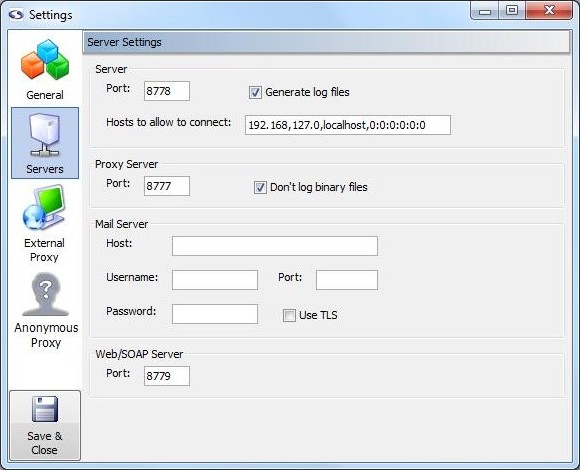
Server Settings (professional and enterprise editions only)
Server (professional and enterprise editions only)
These settings apply when screen-scraper is running in server mode.
- Port: Sets the port screen-scraper will listen on when running as a server.
- Generate log files: If checked, a log file will be generated in the log folder each time a scraping session is run.
- Hosts to allow to connect: Caution should be exercised whenever a network service is running on a computer. This is no exception with screen-scraper. If this box is blank screen-scraper will allow any machine to connect to it. This is not recommended unless the machine on which screen-scraper is running is protected by external firewalls. A comma-delimited list of host names and IP addresses that should be allowed to connect to screen-scraper should be entered into this box. For example, if localhost is designated screen-scraper will only allow connections from the local machine. Note also that portions of IP addresses can be designated. For example, if 192.168 were designated, the following IP addresses would be allowed to connect: 192.168.2.4, 192.168.4.93, etc. Note that this setting applies both to the proxy server as well as when screen-scraper is running in server mode.
Proxy Server (professional and enterprise editions only)
These settings apply only to the proxy server portion of screen-scraper.
- Port: Sets the port screen-scraper's proxy server should listen on.
- Don't log binary files: If this box is checked screen-scraper will not log any binary files (e.g., images and Flash files) in the HTTP Transactions table for proxy sessions.
Mail Server (professional and enterprise editions only)
These settings are used with the sutil.sendMail method in screen-scraper scripts.
- Host: The host the mail should be sent through.
- Username: The username required to authenticate to the mail server in order to send mail through it. Note that this may not be required by the mail server.
- Password: The password required to authenticate to the mail server in order to send mail through it. Note that this may not be required by the mail server.
- Port: The port that should be used when connecting to the host (corresponding setting in resource/conf/screen-scraper.properties file: MailServerPort=PortNumber).
- Use TLS/SSL: Whether or not TLS/SSL encryption should be used when communicating with the host (corresponding setting in resource/conf/screen-scraper.properties file: MailServerUsesTLS=true).
Web/SOAP Server (professional and enterprise editions only)
These settings apply only to the web interface and SOAP server features of screen-scraper.
- Port: Sets the port screen-scraper's web/SOAP server should listen on. When accessing the web interface, this number will determine what goes after the colon in the URL. For example, if this number is left at the default value (8779), you would access screen-scraper's web interface with this URL: http://localhost:8779/.
External Proxy Settings
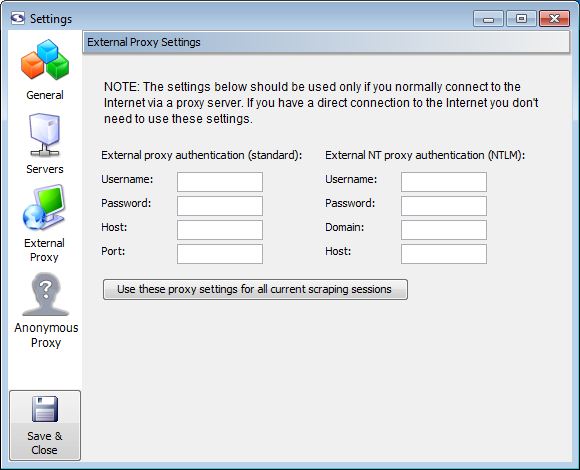
External Proxy Settings
Unless you normally connect to the Internet through an external proxy server, you don't need to modify these settings.
- External proxy authentication: These text boxes are used in cases where you need to connect to the Internet via an external proxy server.
- Username: Your username on the proxy server.
- Password: Your password on the proxy server.
- Host: The host/domain of the proxy server
- Port: The port that you use on the host server.
- External NT proxy authentication: These text boxes are used in cases where you need to connect to the Internet via an external NT proxy server.
If you are using NTLM (Windows NT) authentication you'll need to designate settings for both the standard proxy as well as the NTLM one.
- Username: Your username on the NT proxy server.
- Password: Your password on the NT proxy server.
- Domain: The domain/group name that the NT proxy server uses.
- Host: The host of the proxy server.
Anonymous Proxy Settings
Anonymous Proxy Settings (professional and enterprise editions only)
- Password: The password your received from screen-scraper when you setup your anonymazation account.
This setting is available in the screen-scraper.properties file as
AnonymousProxyPassword - Allowed IP addresses: The IP addresses of the machine(s) you wish to allow to connect to your screen-scraper server
In this field it expects a comma-delimited list of IP addresses that screen-scraper should accept connections from. You can also specify just the beginning portions of IP addresses. For example, if you enter 111.22.333 screen-scraper would accept connections from 111.22.333.1, 111.22.333.2, 111.22.333.3, etc.
If nothing is entered into this text box screen-scraper will accept connections from any IP address. This is not generally encouraged.
This setting is available in the screen-scraper.properties file as
AnonymousProxyAllowedIPs - Get the IP address for this computer: Retrieves the IP address of the computer that screen-scraper is running on. This is provided to help you specify the correct IP address for the Allowed IP addresses field.
- Max running servers: IP addresses that are blocked will be replaced with the maximum number of servers indicated. Greater than 5 & less than 10 are recommended.
This setting is available in the screen-scraper.properties file as
AnonymousProxyMaxRunning - Number of running instances: The total number of proxy servers running anonymous scrapes.
- Refresh: Retrieves the current number of running proxy servers.
- Terminate all running proxy servers: Shuts down all running proxy servers.
As you pay for proxy servers by the hour, if you don't have your scraping session set up to automatically shut them down at the end you will need to use this button to end the proxy servers.
Under certain circumstances you may want to anonymize your scraping so that the target site is unable to trace back your IP address. For example, this might be desirable if you're scraping a competitor's site, or if the web site is blocking too many requests from a given IP address.
There are a few different ways to go about this using screen-scraper. We will discuss how to setup anonymazation in screen-scraper later in the documentation.
Proxy Sessions
Overview
A proxy session in screen-scraper is a record of the requests and responses that go between a browser and a proxy server. It is useful in learning how to scrape a site and is used to configure screen-scraper's proxy server. For more information see our documentation about using the proxy server.
Managing Proxy Sessions
Adding
- Select New Proxy Session from the menu.
- Click on the globe in the button bar.
- Right click on a folder in teh objects tree and select New Proxy Session.
- Use the keyboard shortcut Ctrl-J
Removing
- Press the Delete key when it is selected in the objects tree
- Right-click on the proxy session in the objects tree and select Delete.
- Click the Delete button in the proxy session general tab.
Proxy Session: General Tab
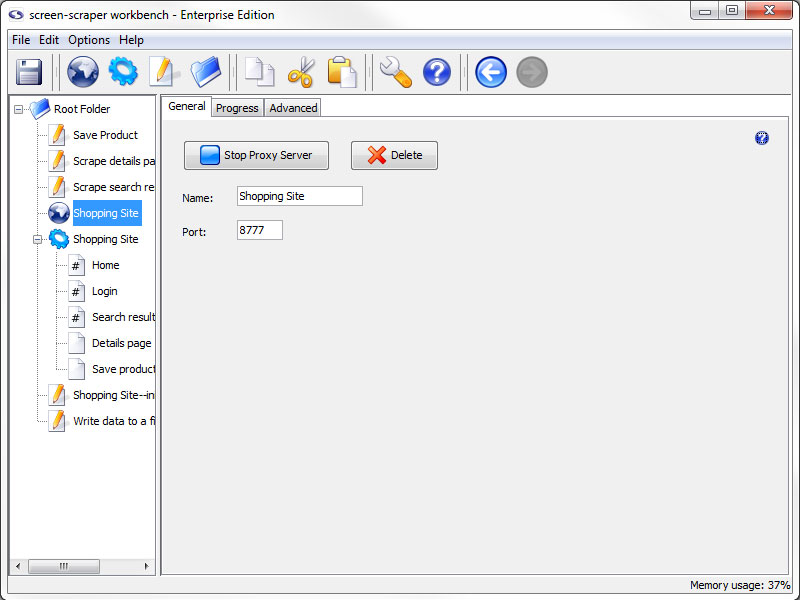
General Tab
- Start Proxy Server: Starts the proxy server and records the requests and responses that go through it.
- Delete: Removes the proxy session from screen-scraper
- Name: The name used to refer to the proxy session
- Port: The port that this proxy session should connect to in the proxy server
Proxy Session: Progress Tab
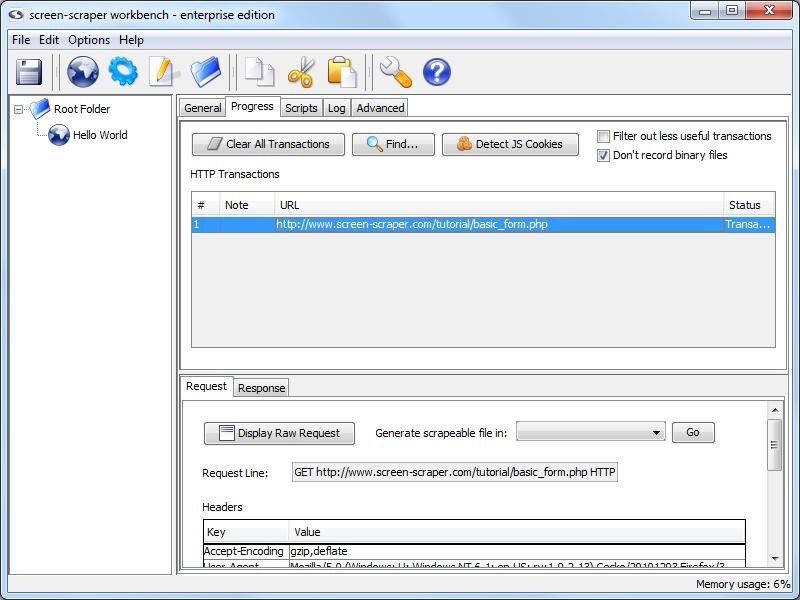
Progress Tab
- Clear All Transactions: Remove all of the transaction records currently in the list.
- Find (professional and enterprise editions only): Search transactions for text string.
- Detect JS Cookies: Show cookies that were not set by the server.
For the button to work correctly you will want to clear your browser cookies before having the proxy session record all transactions. This makes it so that cookies already in existence are not considered to be javascript cookies.
- Filter out less useful transactions (professional and enterprise editions only): When checked files that are unlikely to contain desired information do not show up in the transactions list. This includes such things as JavaScript and CSS files.
- Don't record binary files: When checked this option will cause screen-scraper to not display files such as images or other media files to the list of transactions under the progress tab. This will make it easier to find the files that you want without having to look through everything that goes through the server.
Transactions not included in the list are still recorded to the proxy session log.
- HTTP Transactions: A log of each of the transactions that has taken place (except for binary files if you have selected not to log them).
- #: The order in which the requests were initiated.
- Note: Editable field to help keep track of the transactions, when transactions are turned into scrapeable files the note becomes the initial name of the scrapeable file.
- URL: The requested URL of the transaction.
- Status: Indication of the current state of the transaction.
When a transaction is selected more information regarding the request and response is displayed.
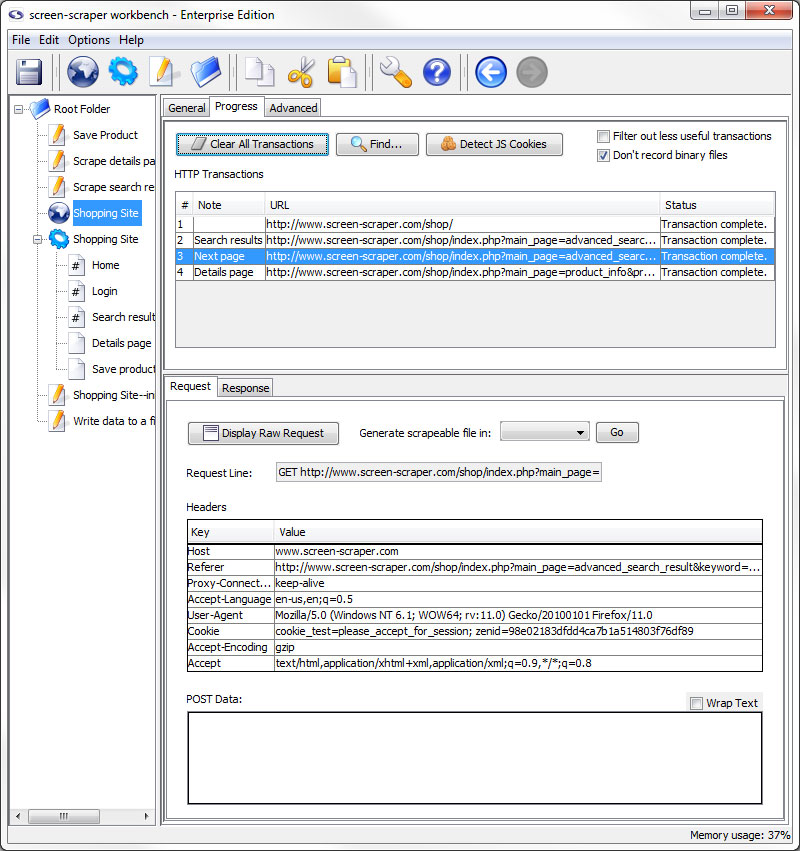
Request Sub-tab
- Display Raw Request: Displays the whole request as it was sent to the server.
- Generate scrapeable file in: Creates scrapeable files in the specified scraping session for each of the selected transactions. The names of the scrapeable files are the text specified in the note section of each transaction.
- Request Line: The first line of the request.
- Headers: Any additional headers specified in the request.
- POST Data: All POST data that was sent along with the request.
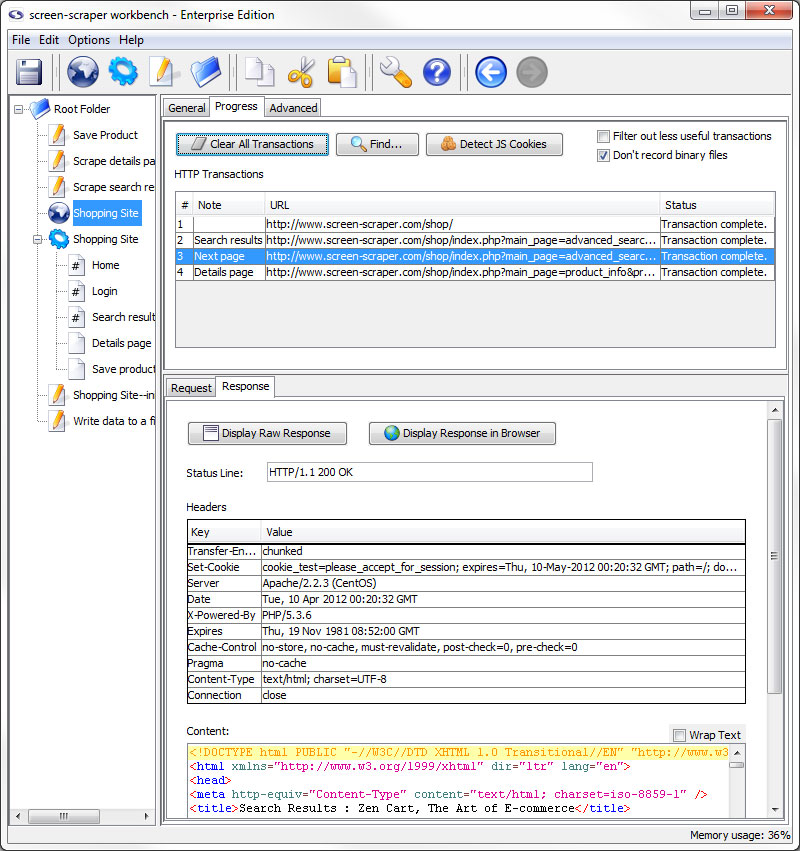
Response Sub-tab
- Display Raw Response: Displays the whole response as it came from the server.
- Display Response in Browser: Opens your system's default browser and displays the contents of the response as they would appear when passed through a browser.
- Status Line: HTTP status of the transaction.
- Headers: Headers sent along with the response from the server.
- Content: The content of the response with headers and such removed.
Detect JS Cookie
Overview
screen-scraper has always kept track of server set cookies and does that for you automatically; however, when the cookies are set by javascript screen-scraper does not catch them. This saves on the time lost having screen-scraper scrape every javascript file when most of the time there is nothing there that matters.
This mean that you have to set any javascript added cookies using the setCookie method. To help find where javascript cookies are being set we have added a button in the proxy session progress tab.
For the button to work correctly you will want to clear your browser cookies before having the proxy session record all transactions. This makes it so that cookies already in existence are not considered to be javascript cookies.
Proxy Session: Scripts Tab
This feature has been deprecated and by default is not available in the workbench interface. To enable proxy scripting please add AllowProxyScripting=true to your resource/conf/screen-scraper.properties file and restart screen-scraper.
You are unlikely to use this tab unless you are running screen-scraper as a proxy in server mode.
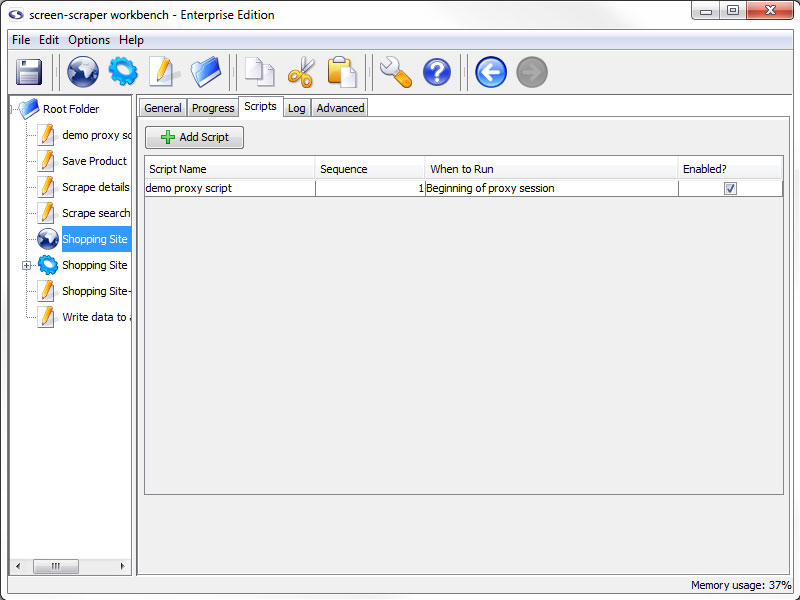
Scripts Tab (enterprise edition only)
- Add Script: Adds a script association to filter requests and/or responses on the Proxy Server.
- Script Name: Specifies which script should be run.
- Sequence: The order in which the scripts should be run.
- When to Run: When the proxy server should request to run the script.
- Enabled: A flag to determine which scripts should be run and which shouldn't be.
Proxy Session: Log Tab
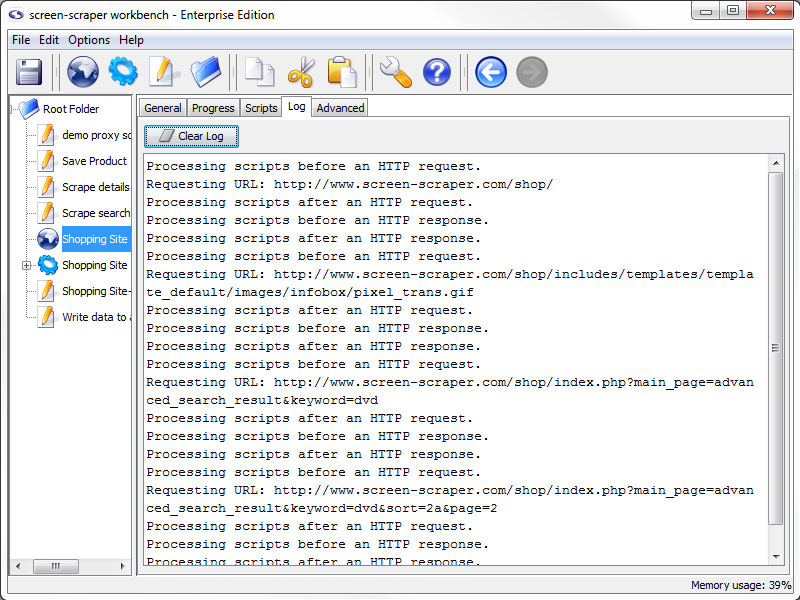
Log Tab
- Clear Log: Erase the current contents of the proxy session log.
If you are trying to troubleshoot problems with scripts not working the way you expected the log can give you clues as to where problems might exists. Likewise, you can have your scripts write to the log to help identify what they are doing. If you have selected to filter out binary files and/or less useful transactions a log of those transactions will be available here.
The proxy session log is not saved in the workbench, if you close screen-scraper you will lose the current contents of the proxy session log.
Proxy Session: Advanced Tab
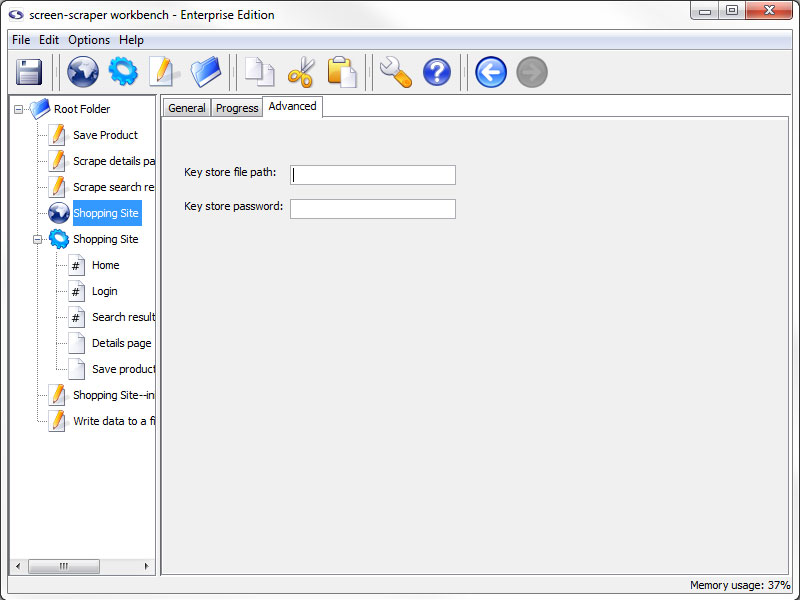
Advanced Tab
- Key store file path: The path to a JKS file that contains the certificates required for this scrape
- Key store password: The password used when generating the JKS file
Some web sites require that you supply a client certificate, that you would have previously been given, in order to access them. This feature allows you to access this type of site while using screen-scraper.
For more info see our blog entry on the topic.
Scraping Sessions
Overview
A scraping session is simply a way to collect together files that you want scraped. Typically you'll create a scraping session for each site from which you want to scrape information.
Managing Scraping Sessions
Adding
- Select New Scraping Session from the menu.
- Click the gear in the button bar.
- Right click on a folder in the objects tree and select New Scraping Session.
- Use the keyboard shortcut Ctrl-K
Removing
- Press the Delete key when it is selected in the objects tree
- Right-click on the scraping session in the objects tree and select Delete.
- Click the Delete button in the general tab of the scraping session.
Importing
- Right-click on the folder in the objects tree that you want to import the files into (other than the root folder) and select Import Into. In the window that opens, navigate to and select the scraping session you want to import.
- Select Import from the menu. In the window that opens, navigate to and select the scraping session you want to import.
- Add the scraping session to the import folder in screen-scraper's install directory
screen-scraper should not be running when you add the file into the folder. All files will be imported into the root folder the next time screen-scraper starts.
Exporting
When a scraping session is exported it will use the character set indicated under the advanced tab. If a value isn't indicated there it will use the character set indicated in the general settings.
- Right-click on the scraping session in the objects tree and select Export.
- Click the Export button in the general tab of the scraping session.
Scraping Session: General tab
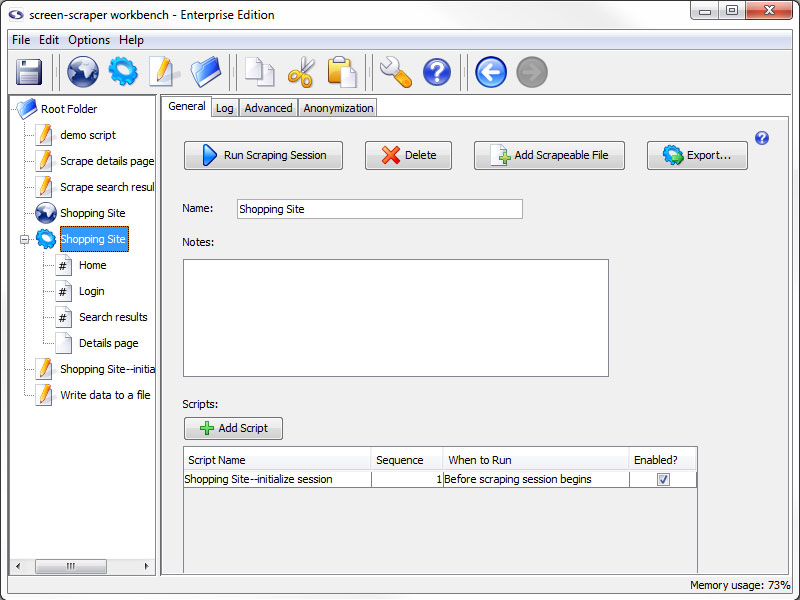
General Tab
- Run Scraping Session: Starts the scraping session. Once the scraping session begins running you can watch its progress under the Log tab.
- Delete: Deletes the scraping session.
- Add Scrapeable File: Adds a new scrapeable file to this scraping session.
- Export: Allows you to export the scraping session to an XML file. This might be useful for backing up your work or transferring information to a different screen-scraper installation.
- Name: Used to identify the scraping session. The name should be unique relative to other scraping sessions.
- Notes: Useful for keeping notes specific to the scraping session.
- Scripts: All of the scripts associated with the scraping session.
- Add Script: Adds a script association to direct and manipulate the flow of the scraping session.
- Script Name: Specifies which script should be run.
- Sequence: The order in which the scripts should be run.
- When to Run: When the scraping session should run the script.
- Enabled: A flag to determine which scripts should be run and which shouldn't be.
Each script can be designated to run either before or after the scraping session runs. This can be useful for functions like initializing session variables and performing clean-up after the scraping session is finished. It's often helpful to create debugging scripts in your scraping session, then disable them once you're ready to run your scraping session in a production environment.
Scraping Session: Log tab
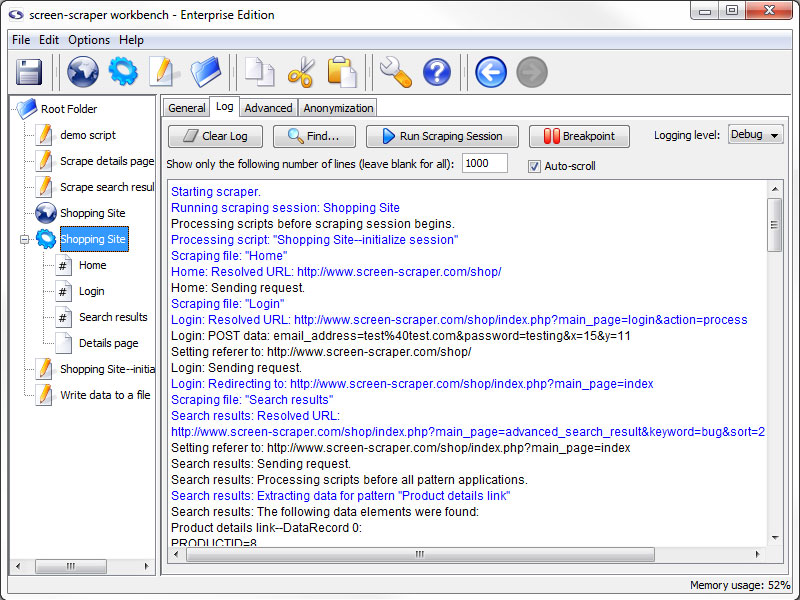
Log Tab
- Clear Log: Erase the current contents of the log.
- Find: Search the log for the specified text.
- Run Scraping Session / Stop Scraping Session: Start/Stop the scraping session.
- Breakpoint (professional and enterprise editions only): Pause the scrape and open a breakpoint window.
- Logging Level (professional and enterprise editions only): Determines what types of messages appear on the log. This is often referred to as the verbosity of the log. This effects the file system logs as well as the workbench log.
- Show only the following number of lines: The number of lines that the log should maintain as it runs. When it is left blank it will keep everything.
- Auto-scroll: When checked, the log will make sure that you can always see the most recent entries into the log on the screen.
If you are trying to troubleshoot problems with scripts not working the way you expected the log can give you clues as to where problems might exists. Likewise, you can have your scripts write to the log to help identify what they are doing.
This tab displays messages as the scraping session is running. This is one of the most valuable tools in working with and debugging scraping sessions. As you're creating your scraping session you'll want to run it frequently and check the log to ensure that it's doing what you expect it to.
Scraping Session: Advanced tab
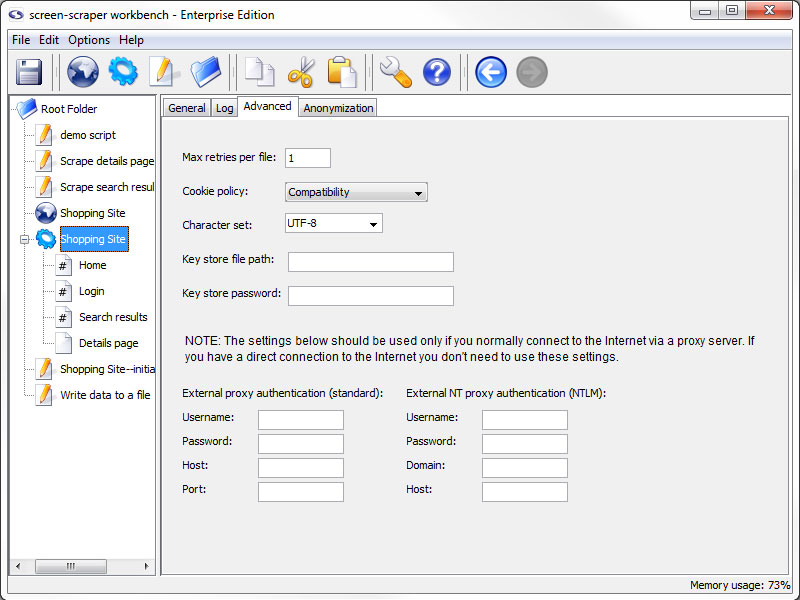
Advanced tab
- Max retries per file (professional and enterprise editions only): The number of times that screen-scraper should attempt to request a page, in the case that a request fails. In some cases web sites may not be completely reliable, which could necessitate making the request for a given page more than once.
- Cookie policy (professional and enterprise editions only): The way screen-scraper works with cookies. In most cases you won't need to modify this setting.
There may be instances where you find yourself unable to log in to a web site or advance through pages as you're expecting. If you've checked other settings, such as POST and GET parameters, you may need to adjust the cookie policy. Some web sites issue cookies in uncommon ways, and adjusting this setting will allow screen-scraper to work correctly with them.
- Character set (professional and enterprise editions only): Set the character set for the scraping session.
If pages are rendering with strange characters then you likely have the wrong character set. You should also try turning off tidying if international characters aren't being rendered properly.
- Key store file path: The path to a JKS file that contains the certificates required for this scrape
- Key store password: The password used when generating the JKS file
Some web sites require that you supply a client certificate, that you would have previously been given, in order to access them. This feature allows you to access this type of site while using screen-scraper.
- External proxy authentication: These text boxes are used in cases where you need to connect to the Internet via an external proxy server.
- Username: Your username on the proxy server.
- Password: Your password on the proxy server.
- Host: The host/domain of the proxy server
- Port: The port that you use on the host server.
- External NT proxy authentication: These text boxes are used in cases where you need to connect to the Internet via an external NT proxy server.
If you are using NTLM (Windows NT) authentication you'll need to designate settings for both the standard proxy as well as the NTLM one.
- Username: Your username on the NT proxy server.
- Password: Your password on the NT proxy server.
- Domain: The domain/group name that the NT proxy server uses.
- Host: The host of the proxy server.
Scraping Session: Anonymization tab
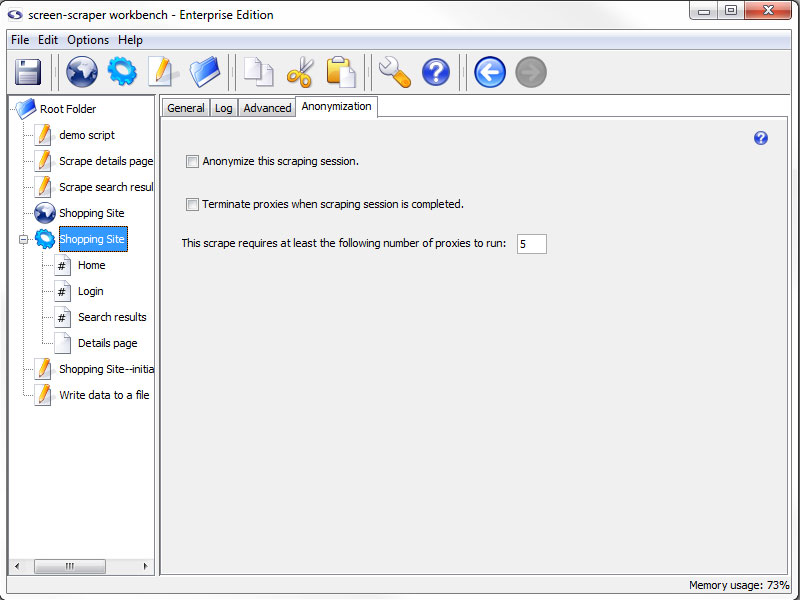
Anonymization Tab (professional and enterprise editions only)
- Anonymize this scraping session (professional and enterprise editions only): Specifies that this scraping session should make use of the anonymization settings of screen-scraper.
- Terminate proxies when scrapping session is completed (professional and enterprise editions only): Determines whether the scraping session should terminate proxies or leave them open.
- This scrape requires at least the following number of proxies to run (professional and enterprise editions only): The required number of proxies for the scrape to run.
Should proxy servers fail to spawn screen-scraper will proceed forward with the scraping session once at least 80% of the minimum required proxy servers are available.
This tab is specific for automatic anonymization For more information on anonymization, see our page on how to set it up anonymization in screen-scraper.
Scrapeable Files
Overview
A scrapeable file is a URL-accessible file that you want to have retrieved as part of a scraping session. These files are the core of screen-scraping as they determine what files will be available to extract data from.
In addition to working with files on remote servers, screen-scraper can also handle files on local file systems. For example, the following is a valid path to designate in the URL field: C:\wwwroot\myweb\my_file.htm.
Managing Scrapeable Files
Adding
- Click the Add Scrapeable File button on the general tab of the desired scraping session.
- Right click on the desired scraping session in the objects tree and select Add Scrapeable File.
Removing
- Press the Delete key when it is selected in the objects tree
- Right-click on the desired scrapeable file and select Delete.
- Click the Delete button in the properties tab of the scrapeable file.
Scrapeable File: Properties tab
Properties Tab
- Delete: Deletes the scrapeable file.
- Copy (professional and enterprise editions only): Copies the scrapeable file.
- Name: Identifies the scrapeable file.
- URL: The URL of the file to be scraped. This is likely something like http://www.mysite.com/, but can also contain embedded session variables, like this: http://www.mysite.com/cgi-bin/test.cgi?param1=~#TEST#~. In the latter case the text ~#TEST#~ would get replaced with the value of the session variable TEST.
- Sequence: Indicates the order in which the scraping session will request this file.
- This scrapeable file will be invoked manually from a script: Indicates that this scrapeable file will be invoked within a script, so it should not be scraped in sequence. If this box is checked the Sequence text box becomes grayed out.
You can tell what files are being scraped manually and which are in sequence using the objects tree. Sequenced scrapeable files are displayed with a pound sign (#) on them.
- Scripts: All of the scripts associated with the scrapeable file.
- Add Script: Adds a script association to direct and manipulate the flow of the scrapeable file.
- Script Name: Specifies which script should be run.
- Sequence: The order in which the scripts should be run.
- When to Run: When the scrapeable file should run the script.
- Enabled: A flag to determine which scripts should be run and which shouldn't be.
Scrapeable File: Parameters tab
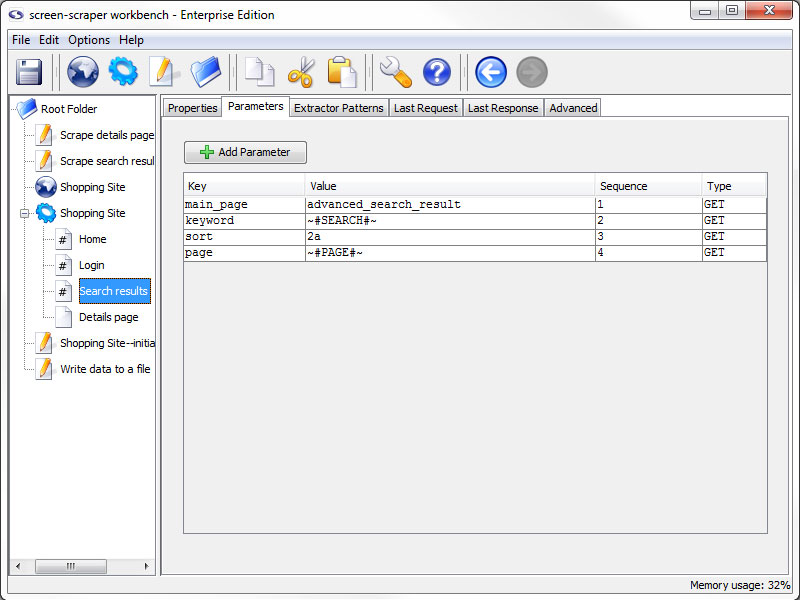
Parameters Tab
- Add Parameter: Adds a parameter to scrapeable file request.
- Key: The name of the parameter.
- Value: The value to be associated with the parameter.
- Sequence: Order in which the parameters appear on the request strings.
- Type: Indicates if the parameter should be sent using a GET or POST method when the file is requested.
GET parameters can also be embedded in the URL field under the Properties tab.
Parameters can be deleted by selecting them and either hitting the Delete key on the keyboard, or by right-clicking and selecting Delete.
Using Session Variables
Session variables can be used in the Key and Value fields. For example, if you have a POST parameter, username, you might embed a USERNAME session variable in the Value field with the token ~#USERNAME#~. This would cause the value of the USERNAME session variable to be substituted in place of the token at run time.
Upload a File (enterprise edition only)
In the enterprise edition of screen-scraper you can also designate files to be uploaded. This is done by designating FILE as the parameter type. The Key column would contain the name of the parameter (as found in the corresponding HTML form), and the value would be the local path to the file you'd like to upload (e.g., C:\myfiles\this_file.txt).
Scrapeable File: Extractor Patterns tab
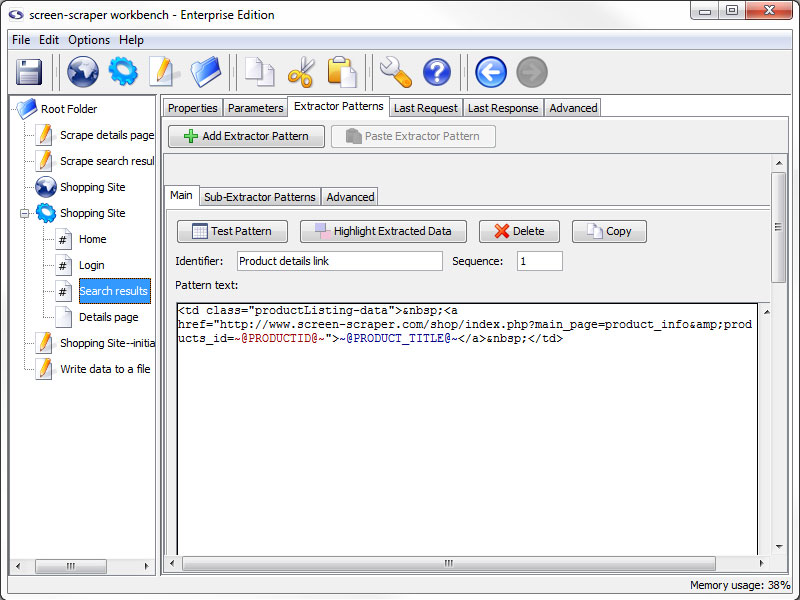
Extractor Patterns Tab
- Add Extractor Pattern: Add a blank extractor pattern to the scrapeable file.
- Paste Extractor Pattern (professional and enterprise editions only): Creates a new extractor pattern from a previously copied one.
This button is grayed out if there is not a extractor pattern currently copied.
This tab holds the various extractor patterns that will be applied to the HTML of this scrapeable file. The inner frame will be discussed in more detail when discussing them.
Scrapeable File: Last Request tab
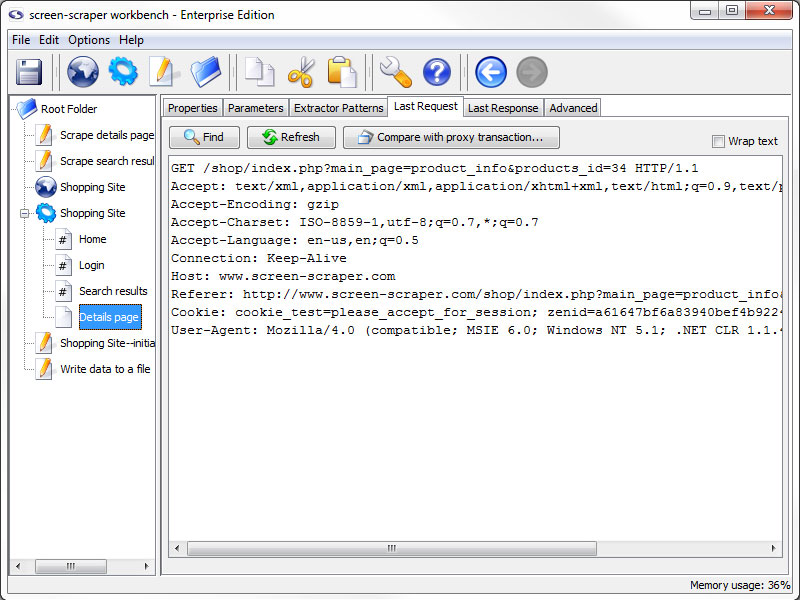
Last Request Tab
- Refresh: Requests the newest version of the last requested file.
- Compare with proxy transaction (professional and enterprise editions only): Open a Compare Last Request and Proxy Transaction window, allowing you to compare the last request of the scrapeable file with a proxy session HTTP Transaction request.
This can be very helpful for pages that are very specific on request settings or where you are getting unexpected results from the page. This is the best place to start when you experience this type of issue.
This tab will display the raw HTTP request for the last time this file was retrieved. This tab can be useful for debugging and looking at POST and GET parameters that were sent to the server.
Scrapeable File: Last Response tab
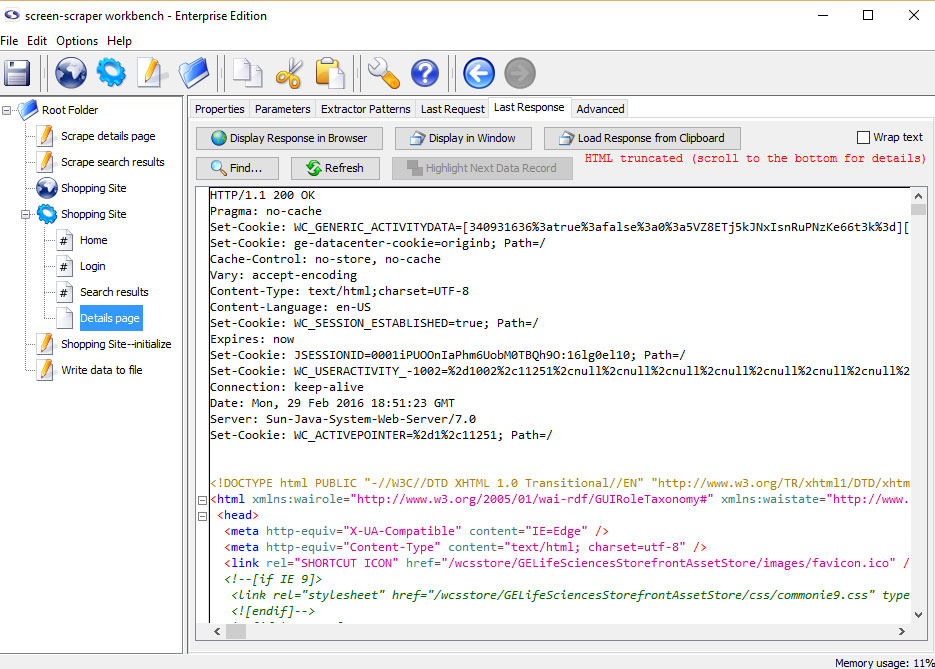
Last Response Tab
- Display Response in Browser: Displays the web page in your default web browser.
- Find: Search the source code for a string of text.
- Refresh: Reload display with the most recent response.
- Load Response from Clipboard: Loads an html response from the clipboard.
The contents shown under the this tab might appear differently from the original HTML of the page. screen-scraper has the
ability to tidy the HTML, which is done to facilitate data extraction. See using extractor patterns for more details.
Creating Extractor Patterns from Last Response
The most common use for this tab is in generating and testing extractor patterns. You can generate
an extractor patterns by highlighting a block of text or HTML, right-clicking and selecting
Generate extractor pattern from selected text.
Scrapeable File: Advanced tab
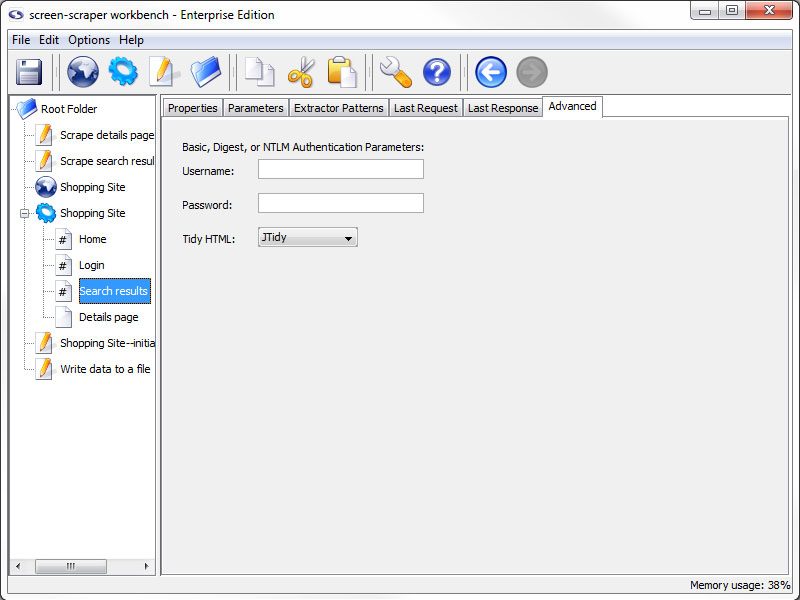
Advanced Tab (professional and enterprise editions only)
- Username and Password (professional and enterprise editions only): These two text fields are used with sites that make use of Basic, Digest, NTLM authentication.
You can generally recognize when a web site requires this type of authentication because, after requesting the page, a small box will pop up requesting a username and password.
- Tidy HTML (professional and enterprise editions only): Which tidier screen-scraper should use to tidy the HTML after requesting the file. This cleans up the HTML, which facilitates extracting data from it.
A minor performance hit is incurred, however, when tidying. In cases where performance is critical Don't Tidy HTML should be selected.
Extractor Patterns
Overview
Extractor patterns allow you to pinpoint snippets of data that you want extracted from a web page. They are made up of text (usually HTML), extractor tokens, and possibly even session variables. The text and session variables give context to the tokens that represent the data that you want to extract from the page.
Extractor patterns can be difficult to understand at first. We recommend that you read about using extractor patterns or go through our first tutorial before continuing.
Managing Extractor Patterns
When creating extractor patterns you should use the HTML that will be found under the last response tab associated with a scrapeable file. By default, screen-scraper will tidy the HTML once it's been scraped, meaning that it will format it in a consistent way that makes it easier to work with. If you use the HTML by viewing the source for a page in your web browser it will likely be different from the HTML that screen-scraper generates.
Adding
- Click the Add Extractor Pattern button in the extractor patterns tab of the scrapeable file
- Select desired text in the last response tab of the scrapeable file, right click and select Generate extractor pattern from selected text.
Removing
- Click the Delete on the desired extractor pattern.
Extractor Pattern: Main tab
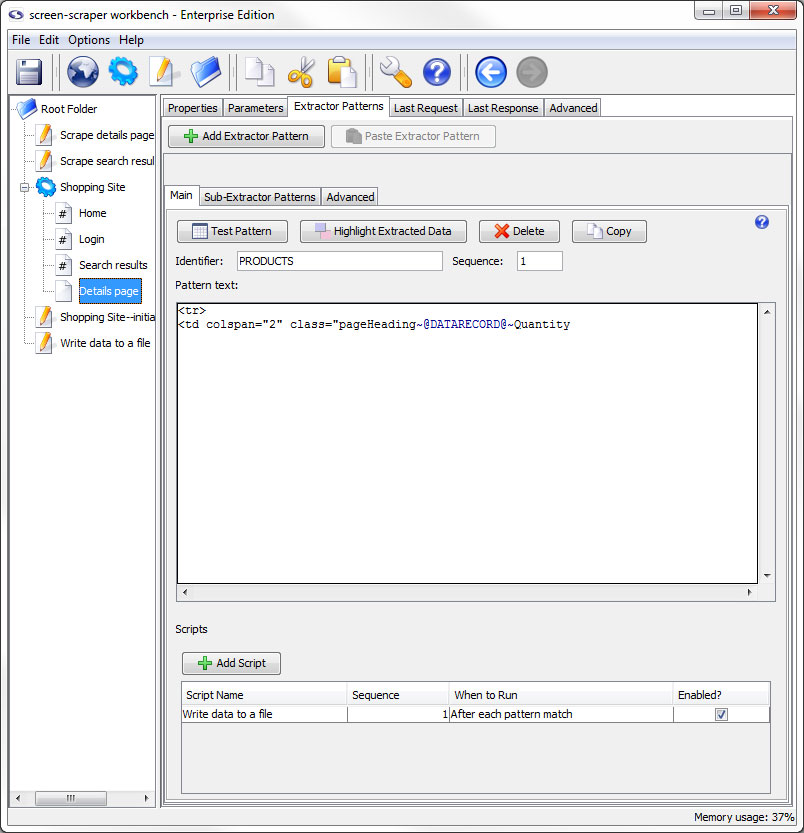
Main Tab
- Test Pattern: Opens a DataSet window with the results of the extractor pattern matches applied to the the HTML that appears in the last response tab.
- Highlight Extracted Data (professional and enterprise editions only): Opens the last response tab and places a colored background on all text that matches to the extractor tokens.
- Delete Extractor Pattern: Deletes the current extractor pattern.
- Copy Pattern (professional and enterprise editions only): Copies the extractor pattern so that it can be pasted into a different scrapeable file.
- Identifier: A name used to identify the pattern. You'll use this when invoking the extractData and extractOneValue methods.
- Sequence: Determines the order in which the extractor pattern will be applied to the HTML.
- Pattern text: Used to hold the text for the extractor pattern. This will also include the extractor pattern tokens that are analogous to the holes in the stencil.
- Scripts: This table allows you to indicate scripts that should be run in relationship to the extractor pattern's match results. Much like other programming languages, screen-scraper can invoke code based on specified events. In this case, you can invoke scripts before the pattern is applied, after each match it finds, after all matches have been made, once if a pattern matches, or once if a pattern doesn't match. For example, if your pattern finds 10 matches, and you designate a script to be run After each pattern match, that script will get invoked 10 separate times.
- Add Script: Adds a script association to the extractor pattern.
- Script Name: Specifies which script should be run.
- Sequence: The order in which the script should be run.
- When to Run: When the scrapeable file should request to run the script.
- Enabled: A flag to determine which scripts should be run and which shouldn't be.
Extractor Pattern: Sub-Extractor Patterns tab
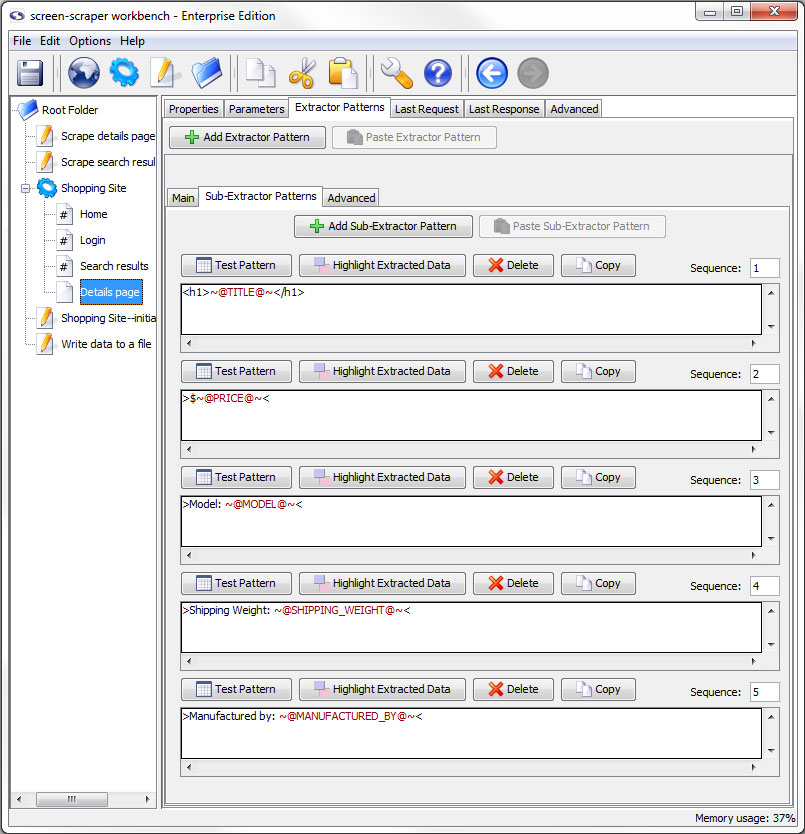
Sub-Extractor Patterns Tab
- Add Sub-Extractor Pattern: Adds a sub-extractor pattern.
- Paste Sub-Extractor Pattern (professional and enterprise editions only): Paste a previously copied sub-extractor pattern.
The buttons specific to the sub-extractor pattern are discussed in more detail later in this documentation.
Extractor Pattern: Advanced tab
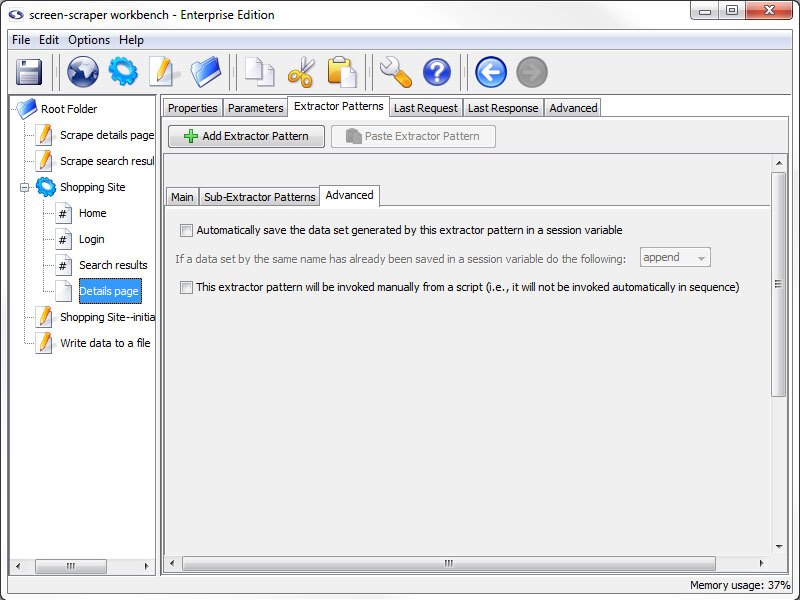
Advanced tab (professional and enterprise editions only)
- Automatically save the data set generated by this extractor pattern in a session variable (professional and enterprise editions only): If this box is checked screen-scraper will place the dataSet object generated when this extractor pattern is applied into a session variable using the identifier as the key (i.e. session variable name). For example, if your extractor pattern were named PRODUCTS, and you checked this box, screen-scraper would apply the pattern and place the resulting dataSet into a session variable named PRODUCTS.
It is recommend that you generally avoid checking this box unless it's absolutely needed because of memory issues it may cause. If this box is checked, screen-scraper will continue to append data to the dataSet, and all of that data will be kept in memory. The preferred method is to save data as it's being extracted, generally by invoking a script with a script association After each pattern match that pulls the data from dataRecord objects or session variables.
- If a data set by the same name has already been saved in a session variable do the following: The action that should be taken when conflicts occur. If this page is on an iterator you might want to append so that you don't loose previous data, but this makes your variable very large.
- Filter duplicate records (enterprise editions only): When this box and the Cache the data set box are checked screen-scraper will filter duplicates from extracted records. See the Filtering duplicate records section for more details.
- Cache the data set (enterprise editions only): In some cases you'll want to store extracted data in a session variable, but the dataSet will potentially grow to be very large. The Cache the data set checkbox will cause the extracted data to be written out to the file system as it's being extracted so that it doesn't consume RAM. When you attempt to access the data set from a script or external code it will be read from the disk into RAM temporarily so that it can be used. You'll also need to check this box if you want to filter duplicates.
- This extractor pattern will be invoked manually from a script (professional and enterprise editions only): If you check this box the extractor pattern will not be invoked automatically by screen-scraper. Instead, you'll invoke it in a script using the extractData and extractOneValue methods.
Sub-Extractor Patterns
Overview
Sub-extractor patterns allow you to extract data within the context of an extractor pattern, providing significantly more flexibility in pinpointing the specific pieces you're after. Please read our documentation on using sub-extractor patterns before deciding to use them.
Sub-extractor patterns only match the first element they can. To get multiple matches, you would use manual extractor patterns instead.
Managing Sub-Extractor Patterns
Adding
- Click the Add Sub-Extractor Pattern button in the sub-extractor patterns tab of the extractor pattern.
Removing
- Click the Delete Sub-Extractor Pattern button in the main pane of the sub-extractor pattern in the sub-extractor patterns tab of the extractor pattern.
Sub-Extractor Pattern: Main Pane
- Test Pattern: Opens a dataSet window with the information extracted from the last scrape of the file.
- Highlight Extracted Data (professional and enterprise editions only): Opens the last response tab and places a colored background on all text that matches to the extractor tokens.
- Delete: Removes the sub-extractor pattern from the extractor pattern.
- Copy (professional and enterprise editions only): Removes the sub-extractor pattern from the extractor pattern.
- Sequence: Order in which the sub-extractor patterns should be applied.
Extractor Tokens
Overview
Extractor tokens select the information from a file that you want to be able to access. The purpose of an extractor pattern is to give context to the extractor token(s) that it contains. This is to assist in getting the tokens to only return the information that you desire to have. Without extractor tokens you will not gather any information from the site.
Extractor tokens become available to dataRecord, dataSet, and session objects depending on their settings and the scope of the scripts invoked. All extractor tokens are surrounded by the delimiters ~@ and @~ (one for each side of the token). Between the two delimiters is where the name/identifier of the token is specified.
Managing Extractor Tokens
Adding
- Type ~@TOKEN_NAME@~ in the appropriate location in the Pattern text of the extractor or sub-extractor pattern.
Make appropriate changes to the TOKEN_NAME text to reflect the desired name of the token.
- Select a portion of the extractor pattern, right click, and select Generate extractor pattern token from selected text
Removing
- Remove the token and delimiters from the Pattern text of the extractor pattern like you would with any text editor
Editing
- Double-click on the desired extractor token's name
- Select the extractor token's name, right click, and choose Edit token
Extractor Token: General tab
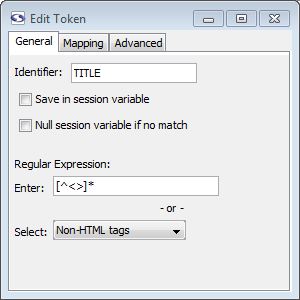
General Tab
- Identifier: This is a string that will be used to identify the piece of data that gets extracted as a result of this token. You can use only alphanumeric characters and underscores here.
- Save in session variable: Checking this box causes the value extracted by the token to be saved in a session variable using the token's identifier.
- Null session variable if no match (enterprise edition only): When checked, if a session variable was matched previously but not this time, the value will be set to null. If unchecked the unmatched token would do nothing to the session variable so that the old session variable persists.
- Regular Expression: Here you can designate a regular expression that will be used to match the text covered by this token. In most cases you should designate a regular expression for tokens. This makes the extraction more efficient and helps to guard against future changes that might be made to the target web site.
- Enter: Type in your own regular expression.
- Select: Select a predefined regular expression by name.
The regular expressions that appear in the drop-down list can be edited by selecting Edit regular expressions from the menu.
Extractor Token: Mapping tab
Mapping Tab (enterprise edition only)
We would encourage you to read our documentation on mapping extracted data before you start using mappings.
- Set (enterprise edition only): Name of the mapping group.
To create a new set, select the text in the Set textbox and start typing the name of the new set.
- Delete Set (enterprise edition only): Deletes the currently selected set.
- Add Mapping (enterprise edition only): Adds a mapping to the currently selected set.
- From: The value screen-scraper should match.
- To: Once a match is found, indicates the new value the extracted data will assume.
- Type: Determines the type of match that should be made in working with the value in the From field. The Equals option will match if an exact match is found, the Contains value will match if the value contains the text in the From field, and the regular expression type uses the From value as a regular expression to attempt to find a match (see regular expression help for more information on regular expressions).
- Case Sensitive: Indicates whether or not the match should be case sensitive.
- Sequence: Determines the sequence in which the particular mapping should be analyzed.
Mappings can be deleted by pressing the Delete key on your keyboard after selecting them.
Extractor Token: Advanced tab
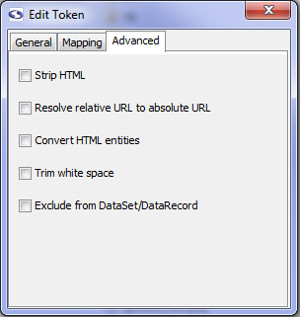
Advanced Tab (enterprise edition only)
- Strip HTML (enterprise edition only): Check this box if you'd like screen-scraper to pull out HTML tags from the extracted value.
- Resolve relatively URL to absolute URL (enterprise edition only): If checked, this will resolve a relative URL (e.g., /myimage.gif) into an absolute URL (e.g., http://www.mysite.com/myimage.gif).
- Convert HTML entities (enterprise edition only): This will cause any html entities to be converted into plain text (e.g., it will convert & into &).
- Trim white space (enterprise edition only): This will cause any white space characters (e.g., space, tab, return) to be removed from the start and end of the matched string.
- Exclude from DataSet/DataRecord (enterprise edition only): This will cause this token to not be saved in the DataRecord from each match of the extractor pattern
Scripts
Overview
screen-scraper has a built-in scripting engine to facilitate dynamically scraping sites and working with data once it's been extracted. Scripts can be helpful for such things as interacting with databases and dynamically determining which files get scraped at when.
Invoking scripts in screen-scraper is similar to other programming languages in that they're tied to events. Just as you might designate a block of code to be run when a button is clicked in Visual Basic, in screen-scraper you might run a script after an HTML file has been downloaded or data has been extracted from a page. For more information see our documentation on scripting triggers.
Depending on your preferences, there are a number of languages that scripts can be written in. You can learn more in the scripting in screen-scraper section of the documentation.
If you haven't done so already, we'd highly recommend taking some time to go through our tutorials in order to get more familiar with how scripts are used.
Managing Scripts
Adding
- Select New Script from the menu.
- Click on the pencil and paper icon in the button bar.
- Right click on a folder in the objects tree and select New Script.
- Use the keyboard shortcut Ctrl-L.
Removing
- Press the Delete key when it is selected in the objects tree.
- Right-click on the script in the objects tree and select Delete.
- Click the Delete button in the main pane of the script.
Importing
- Right-click on the folder in the objects tree that you want to import the script into (other than the root folder) and select Import Into. In the window that opens, navigate to and select the script you want to import.
- Select Import from the menu. In the window that opens, navigate to and select the script you want to import.
- Add the script to the import folder in screen-scraper's install directory
If screen-scraper is running when you copy the files into the import folder they will be imported and hot-swapped in the next time a scraping session is invoked. They will also be imported if you start or stop screen-scraper.
Exporting
- Right-click on the script in the objects tree and select Export.
- Click the Export button in main pane of the script.
Scripts: Main Pane
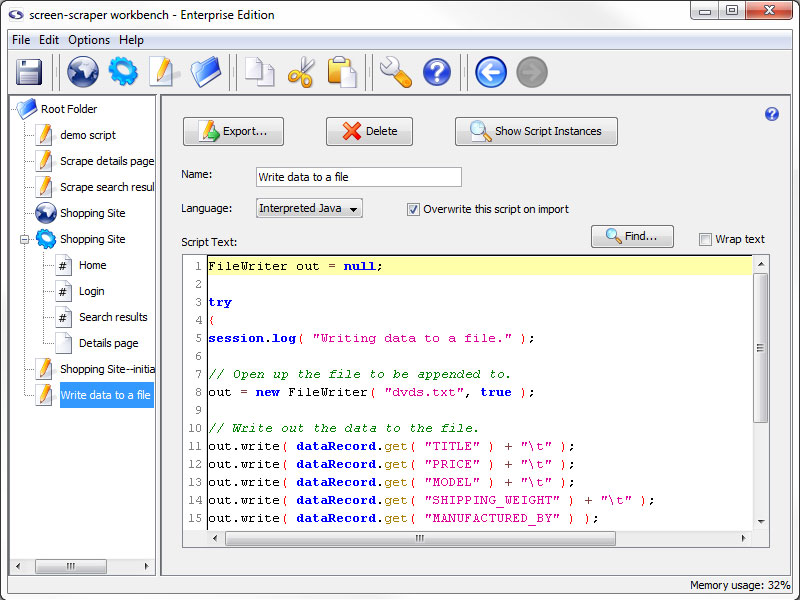
- Export: Export the script to a file so that it can be backed up or transferred to other instances of screen-scraper.
- Delete: Delete the script.
- Show Script Instances: Display any locations where this script is invoked in the format scraping session: scrapeable file: extractor pattern (opens in a new window).
- Name: A unique name so that you can easily indicate when it should be invoked.
- Language: Select the language in which the script is written.
- Overwrite this script on import (professional and enterprise editions only): Determines whether or not the current script can be overwritten by another that gets imported.
For example, scripts attached to a scraping session are exported along with it. When you subsequently import that scraping session into another instance of screen-scraper it might overwrite existing scripts in that instance. For more information read our documentation on script overwriting.
- Script Text: A text box in which to write your script.
- Find: Opens a search window to help locate text in your script.
- Wrap text: Determines whether single lines of code should be displayed on multiple lines when they are wider than the Script Text area.
Script Triggers
Overview
You designate a script to be executed by associating it with some event. For example, if you click on a scraping session, you'll notice that you can designate scripts to be invoked either before a scraping session begins or after it completes. Other events that can be used to invoke scripts relate to scrapeable files and extractor patterns.
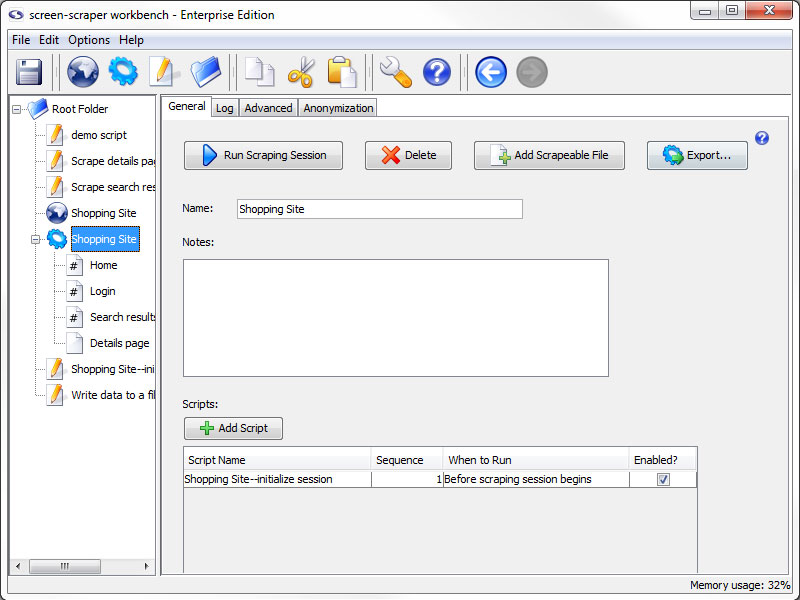
Available associations (based on object location) are listed with a brief description of how they can be useful.
- Scraping Session
- Before scraping session begins - Script to initialize or debug work well here.
- After scraping session ends - This association is good for closing any open processes or finishing data processes.
- Always at the end - Forces scripts to run at the end of a scraping session, even if the scraping session is stopped prematurely.
- Scrapeable File
- Before file is scraped - Helpful for files used with iterators to get product lists and such.
- After file is scraped - Good for processing the information scraped in the file.
- Extractor Pattern
- Before pattern is applied - Good for giving default values to variables, in case they don't match.
- After pattern is applied - Good if you want to work with the data set as a whole and it's methods.
- Once if pattern matches - Simplifies the issue of matching the same link multiple times but only wanting to follow it once.
- Once if no matches - Helpful in catching and reporting possible errors.
- After each pattern match - Gives access to data records and their associated methods.
Managing Associations
Adding
All objects that can have scripts associated with them have buttons to add the script association with the exception of scripts. To create a association between scripts you would use the executeScript method of the session object.
Locations to specify script associations are listed below.
Removing
- Press the Delete key when the association is selected.
- Right-click the association and select Delete.
Ordering
Script associations are ordered automatically in a natural order based on their relation to the object they are connected to: scripts called after the file is scraped cannot be ordered before associations the are called before the file is scraped. Beyond the natural ordering you can specify the order of the scripts using the Sequence number.
Enable/Disable
You can selectively enable and disable scripts using the Enabled checkbox in the rightmost column. It's often a good practice to create scripts used for debugging that you'll disable once you run scraping sessions in a production environment.
Other Windows
Overview
So far we have explained each of the windows in the workbench of screen-scraper. Here we would like to make you aware of a few other windows that you will likely come across in your work with screen-scraper.
Breakpoint Window
Overview
The breakpoint window opens when the scraping session runs into a session.breakpoint method call in a script. It is a very effective tool when trouble shooting your scrapes.
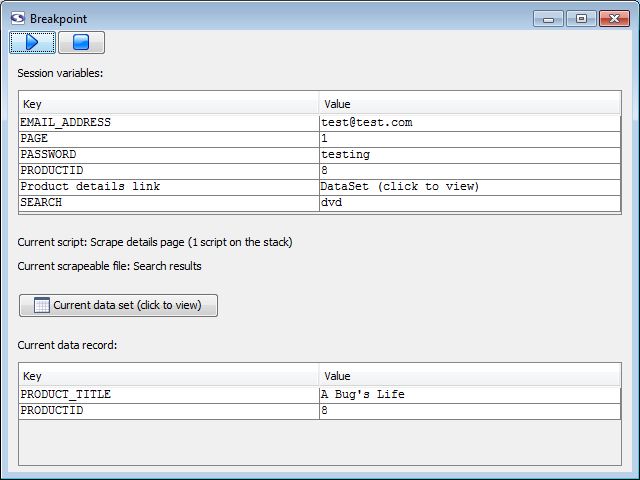
Breakpoint Window
- (run): Instructs the scrape to continue from the stop point.
- (stop): Ends the scrape (as soon as it can).
- Session variables: Lists all of the session variables that are currently available.
The value of any variable can be edited here by double clicking on it, changing it, and deselecting or hitting enter.
- Current script: The script that initiated the breakpoint as well as a count of currently active scripts.
- Current scrapeable file: The scrapeable file that called the script that initiated the breakpoint.
- Current data set: Opens a dataset window with the contents of the active data set.
- Current data record: Lists all of the data record variables that are currently available.
The value of any variable can be edited here by double clicking on it, changing it, and deselecting or hitting enter.
Compare Last Request and Proxy Transaction
Overview
This feature is only available to Professional and Enterprise editions of screen-scraper.
At times in developing a scraping session a particular scrapeable file may not be giving you the results you're expecting. Even if you generated it from a proxy session parameters or cookies may be different enough that the response from the server is very different than what you were anticipating, including even errors. Generally in cases like this the best approach is to compare the request produced by the scrapeable file in the running scraping session with the request produced by your browser in the proxy session. That is, ideally your scraping session mimics as closely as possible what your web browser does.
The Compare Last Request and Proxy Transaction window facilitates just such a comparison. I can be accessed in the last request tab of the scrapreable file. After clicking the Compare Last Request and Proxy Transaction button, you will be prompted to select the proxy transaction to which the request should be compared. Simply navigate to the proxy session that it is connected to and select the desired transaction and the window will open.
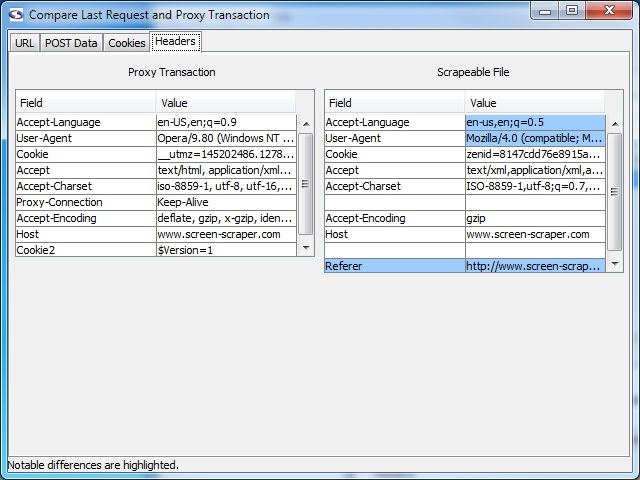
The screen has four tabs to aid in comparing transaction and request: URL, POST data, Cookies, and Headers. Parameters in any of these areas can be controlled using the scrapeableFile object and its methods.
DataSet Window
Overview
The DataSet window displays the values matched by the extractor tokens. It can be view in two basic ways:
- Clicking the Apply Pattern to Last Scraped Data button on an extractor pattern or sub-extractor pattern.
- Selecting a DataSet or clicking the Current data set button in a breakpoint window.
The DataSet window has two rendering styles. The default is grid view, but you can switch between views using the button at the top of the screen (after view as:).
Grid View
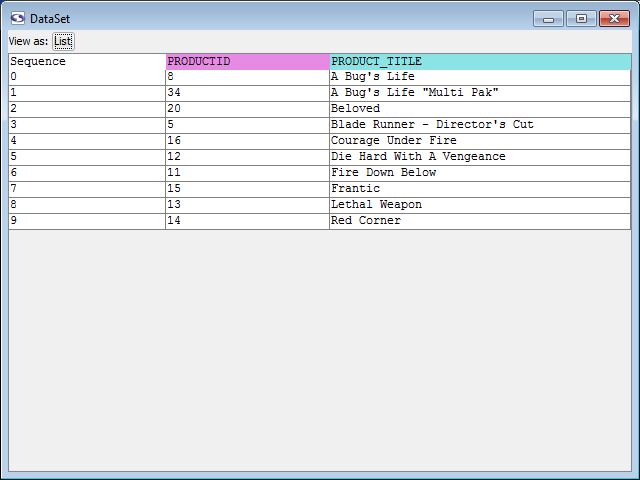
The names of the columns correspond to the tokens that matched data in the most recent scrapeable file's response. The one addition is the Sequence column that is used by screen-scraper to identify the order in which the matches occurred on the page.
If a column is not showing up for an extractor token it is because that token does not match anything in any of the data records.
List View
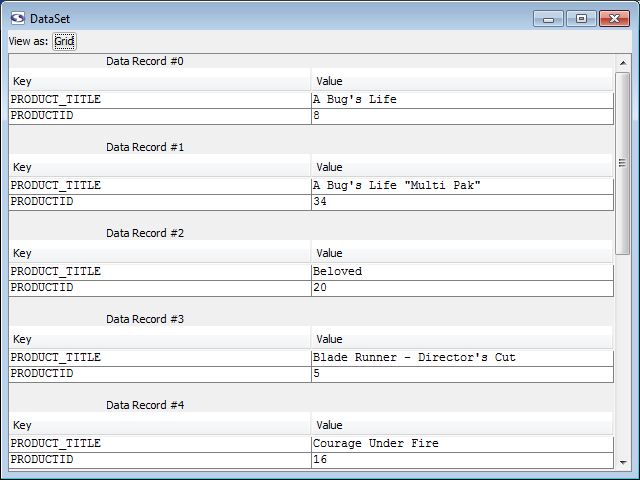
This view can be a little easier for viewing the matched data in data record groups.
Regular Expressions Editor
Overview
The regular expressions that you can select for extractor tokens are stored in screen-scraper and can be edited in the Regular Expressions Editor window. The window is accessed by selecting Edit Regular Expressions from the menu.
This can be helpful if you have a regular expression that you use regularly. You can also edit the provided regular expressions though we encourage you not to do so without good reason. These regular expressions have been tested over time and updated when required; they are very stable expressions.
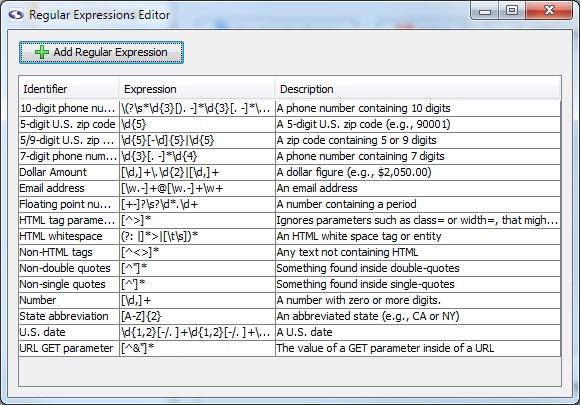
- Add Regular Expression: Adds a new regular expression to the list.
- (list of regular expressions)
- Identifier: Name for the pattern. This is what will be selected when adding a regular expression to the extractor token.
- Expression: The regular expression.
- Description: A brief description of the regular expression. This is primarily to help you remember when you come back to it later.
Listed regular expressions can be edited by double clicking in the field that you would like to edit.
Scripting in screen-scraper
Overview
One of the most powerful features of screen-scraper is its built-in scripting engine. Through scripting web sites can be crawled in a very dynamic way. Scripting also allows you to insert business logic, clean and normalize data, and write data out to external repositories, such as files and databases. This section of the documentation will familiarize you with scripting in screen-scraper, as well as cover specifics on the various scripting languages that screen-scraper supports.
Before reading through this section you might find it helpful to first read the section on using scripts with the scraping engine. Also, if you haven't done so already, we'd highly recommend going through our first few tutorials, which provides several examples of scripting in screen-scraper.
File Path Delimiters
Overview
Because screen-scraper internally uses Java it is important that file paths follow the requirements of Java. That is that file paths follow the Unix/Linux structure (e.g., /usr/local/file.txt). If you are working on a machine that follows these conventions then it will not look any different to you; however, if you are working on a Windows machine this is an important difference to keep in mind.
Windows uses the backslash (\) as a file delimiter but Java uses it as an escape character. That means that on a Windows machine you need to pay closer attention to file paths as they will look a little different.
Windows file paths should use either a forward slash (/) or two backslashes (\\) to delimit file paths.
Windows Example
// Set file path<br />
outputFilePath = "C:/tmp/output/output.txt";<br />
// "C:\\tmp\\output\\output.txt"; would also work<br />
<br />
// Create a FileWriter objec<br />
FileWriter out = new FileWriter(outputFilePath);<br />
<br />
// Write in the file<br />
out.write("I love scripting in Screen-Scraper");<br />
<br />
//Closes the stream.<br />
<br />
out.close();<br />
<br />
}<br />
catch(Exception e)<br />
{<br />
// Log error if exists<br />
session.log(e.getMessage());<br />
}
Scripting in Interpreted Java
Overview
screen-scraper uses the BeanShell library to allow for scripting in Java. If you've done some programming in C or JavaScript you'll probably find BeanShell's syntax familiar. Documentation for BeanShell is excellent, and we'd recommend referring to it as you program.
Interpreted Java is just a phrase used to mean that it is java that does not require being compiled.
See the using scripts and API pages for details on objects and methods that you can make use of in a script. We also use Interpreted Java in all of our tutorials, which should get you familiar with how it's used in screen-scraper.
It is possible to access Java libraries in screen-scraper. See adding Java libraries for more details.
Example
// RunnableScrapingSession is reserved for these editions
// Import the RunnableScrapingSession class.
import com.screenscraper.scraper.*;
// Generate a new "Weather" scraping session.
runnableScrapingSession = RunnableScrapingSession( "Weather" )
// Put the zip code in a session variable so we can reference it later.
runnableScrapingSession.setVariable( "ZIP_CODE", "90001" )
// Tell the scraping session to scrape.
runnableScrapingSession.scrape()
Java Tutorials
We use Java in the screen-scraper tutorials but if you would like to learn more about Java you can look for tutorials online. The following are some good Java resources:
Scripting in JScript
This scripting language is not available by default any more. To use it you will need to edit the AllowUnstableWindowsFeatures in the screen-scraper.properties file.
Overview
Writing scripts in JScript gives you the familiarity of a widely used language, while still providing access to commonly useed Windows libraries. Using JScript within screen-scraper can only be done on a Windows platform, and requires that the JScript runtime be installed. The chances are good that you've already got the JScript runtime on your system.
screen-scraper will automatically detect if the JScript runtime is installed, which you can see by selecting a script from the objects tree in the workbench and clicking on the Language drop-down list. If you don't see JScript in the list then the runtime needs to be installed.
If you do not have JScript runtime on your system you can download it from Microsoft's script downloads page.
Please be aware that because of a bug in the third-party library that allows screen-scraper to integrate with the Microsoft Scripting Engine problems can occur if multiple JScript scripts are run simultaneously. If you're using the professional edition of screen-scraper and plan on running multiple scraping sessions simultaneously you should use Interpreted Java, JavaScript, or Python as a scripting language.
Available Objects
Because screen-scraper uses the native JScript engine, all Active X objects installed on the computer (such as ADO or the FileSystemObject) can be accessed. Additionally, all of the objects mentioned on the Using scripts and API pages are also available.
Example
Java classes can also be instantiated within a script using the CreateBean function. For example, the following script will instantiate a RunnableScrapingSession and run it:
// RunnableScrapingSession is reserved for these editions
// Generate a new "Weather" scraping session.
var runnableScrapingSession = CreateBean( "com.screenscraper.scraper.RunnableScrapingSession", "Weather" );
// Put the zip code in a session variable so we can reference it later.
runnableScrapingSession.setVariable( "ZIP_CODE", "90001" );
// Tell the scraping session to scrape.
runnableScrapingSession.scrape();
Scripting in JavaScript
Overview
Mozilla's Rhino scripting engine is used by screen-scraper to allow scripts to be written in JavaScript. Documentation for Rhino is sparse, but the interpreter does adhere strictly to the established ECMAScript standard, so just about any reference on JavaScript could be referred to. If you try writing scripts using JavaScript, and run into difficulties (because of lack of documentation), you may want to consider using Interpreted Java instead, which has very similar syntax and provides significantly better documentation. If you've worked with client-side JavaScript in web programming, you'll probably be comfortable using JavaScript in screen-scraper.
Examples
Classes in standard Java Library
var myArrayList = new java.util.ArrayList();
// Add two elements.
myArrayList.add( "one" );
myArrayList.add( "two" );
// Log the size.
session.log( "Size: " + myArrayList.size() );
Packages outside standard Java Library
These must be prefaced with the Packages keyword.
var myDR = new Packages.com.screenscraper.common.DataRecord();
// Give it a key/value pair.
myDR.put( "foo", "bar" );
// Log the value of the key.
session.log( "foo: " + myDR.get( "foo" ) );
Scripting in Perl
This scripting language is not available by default any more. To use it you will need to edit the AllowUnstableWindowsFeatures in the screen-scraper.properties file.
Overview
screen-scraper uses ActiveState's ActivePerl library for scripts written in Perl. Using Perl within screen-scraper can only be done on a Windows platform, and requires that the ActivePerl runtime be installed.
screen-scraper will automatically detect if the ActivePerl runtime is installed, which you can see by selecting a script from objects tree in the workbench and clicking on the Language drop-down. If you don't see Perl in the list then the runtime needs to be installed.
The ActivePerl runtime can be downloaded from ActiveState's download page for free.
Example
Java classes can be instantiated within a script using the CreateBean function. For example, the following script will instantiate a RunnableScrapingSession for the "Weather" scraping session (which is found in the default screen-scraper installation) and run it:
# RunnableScrapingSession is reserved for these editions
# Generate a new "Weather" scraping session.
$runnableScrapingSession = CreateBean( "com.screenscraper.scraper.RunnableScrapingSession", "Weather" );
# Put the zip code in a session variable so we can reference it later.
$runnableScrapingSession->setVariable( "ZIP_CODE", "90001" );
# Tell the scraping session to scrape.
$runnableScrapingSession->scrape();
Scripting in Python
Overview
The Jython interpreter is used by screen-scraper to for scripting in Python. Jython is a very fast interpreter, and we'd recommend using it if you're familiar with the Python programming language.
Importing External Java Classes
Importing your externally-compiled classes is as easy as placing them in the ./lib/ext folder of your installation. The Jython interpreter will automatically include that folder on your PythonPath.
Generator Objects
The generator objects are implemented in Jython and the folders lib/ext, lib/jython-lib, and lib/jython-lib/site-packages are included in python's system path.
Example
When scripting in Python all of the standard Java classes can be used. Classes must be imported using the Java package hierarchy of screen-scraper, which is also required if you'd like to create one of screen-scraper's RunnableScrapingSession objects. Here's an example that will run a scraping session called "Weather":
# RunnableScrapingSession is reserved for these editions
# Import the RunnableScrapingSession class.
from com.screenscraper.scraper import RunnableScrapingSession
# Generate a new "Weather" scraping session.
runnableScrapingSession = RunnableScrapingSession( "Weather" )
# Put the zip code in a session variable so we can reference it later.
runnableScrapingSession.setVariable( "ZIP_CODE", "90001" )
# Tell the scraping session to scrape.
runnableScrapingSession.scrape()
Notice that before the RunnableScrapingSession class can be used it first must be imported.
Scripting in VBScript
This scripting language is not available by default any more. To use it you will need to edit the AllowUnstableWindowsFeatures in the screen-scraper.properties file.
Overview
If you've programmed in Visual Basic or Active Server Pages you should find scripting in screen-scraper to be similar. Using VBScript within screen-scraper can only be done on a Windows platform, and requires that the VBScript runtime be installed. The chances are good that you've already got the VBScript runtime on your system.
screen-scraper will automatically detect if the VBScript runtime is installed, which you can see by selecting a script from the objects tree in the workbench and clicking on the Language drop-down list. If you don't see VBScript in the list then the runtime needs to be installed.
If you do not have VBScript runtime on your system you can download it from Microsoft's script downloads page.
Please be aware that because of a bug in the third-party library that allows screen-scraper to integrate with the Microsoft Scripting Engine problems can occur if multiple VBScript scripts are run simultaneously. If you're using the professional edition of screen-scraper and plan on running multiple scraping sessions simultaneously you should use Interpreted Java, JavaScript, or Python as a scripting language.
Available Objects
Because screen-scraper uses the native VBScript engine, all Active X objects installed on the computer (such as ADO or the FileSystemObject) can be accessed. Additionally, all of the objects mentioned on the using scripts and API pages are also available.
Example
Java classes can also be instantiated within a script using the CreateBean function. For example, the following script will instantiate a RunnableScrapingSession and run it:
' RunnableScrapingSession is reserved for these editions
' Generate a new "Weather" scraping session.
Set runnableScrapingSession = CreateBean( "com.screenscraper.scraper.RunnableScrapingSession", "Weather" )
' Put the zip code in a session variable so we can reference it later.
runnableScrapingSession.SetVariable "ZIP_CODE", "90001"
' Tell the scraping session to scrape.
runnableScrapingSession.Scrape
Web Interface
The web interface is only available for enterprise edition users of screen-scraper.
Overview
The screen-scraper web interface allows you to administer aspects of the scraping process. This includes monitoring running scraping sessions, importing and exporting scraping sessions, and scheduling scraping sessions to be run on a periodic basis.
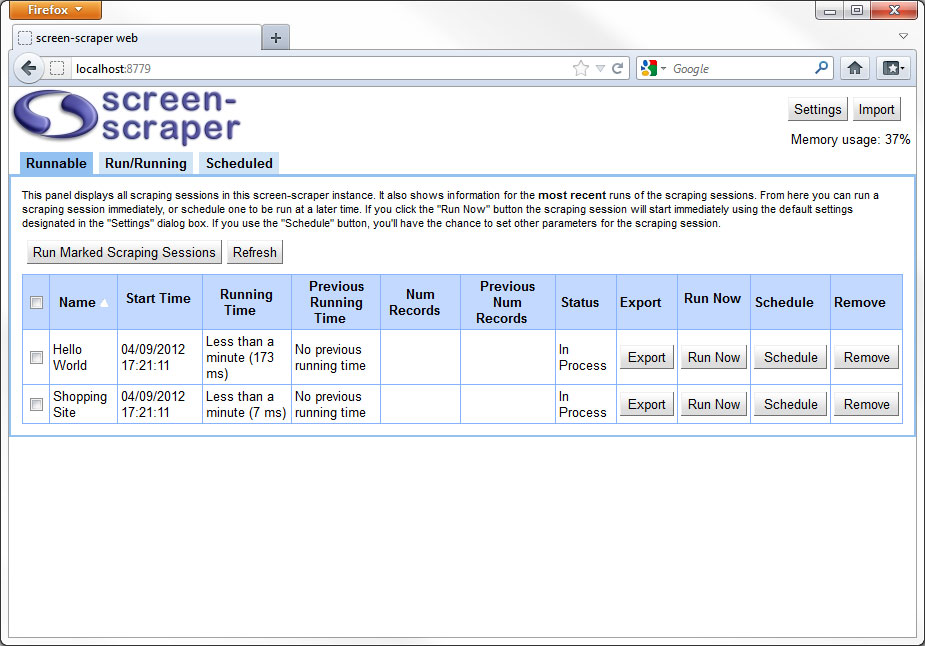
When screen-scraper is running in server mode, you can access the web interface on your local machine at the following URL: http://localhost:8779/.
If you've changed the Web/SOAP Server port in the workbench or the SOAPPort in the screen-scraper.properties file, you'll need to use the port you designated.
Depending on the operating system you're running, instead of localhost, you may need to use 127.0.0.1 or the IP address of the machine.
Managing Scraping Sessions
Importing
- Click the Import button in the upper-left corner of the browser. It will open a dialog which prompts you to navigate to the scraping session you want to import.
If a scraping session or script with the same name already exists in this instance of screen-scraper then script overwriting properties will determine which one is discarded. If a script cannot be overwritten then a warning message will inform you of that the script that was trying to import was discarded.
- Add the scraping session to the import folder in screen-scraper's install directory
If screen-scraper is running when you copy the files into the import folder they will be imported and hot-swapped in the next time a scraping session is invoked. They will also be imported if you start or stop screen-scraper.
Exporting
- Click the Export button in the Runnable tab that corresponds to the scraping session.
Web Interface: Settings
Overview
The web interface settings can be opened by clicking on the settings button in the upper-right corner of the screen.
Settings
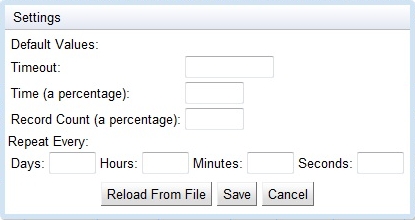
- Timeout: The default number of minutes the scraping session is allowed to run before a request to stop is inserted.
If this value is blank, 0, or negative, the scraping session will not time out.
- Time: The default percentage of time whereby two runs of a scraping session may differ without being flagged as a possible error.
- Record Count: The default percentage of records scraped whereby two runs of a scraping session may differ without being flagged as a possible error.
- Repeat Every: How often the scrape should be rerun by default.
- Reload From File: If you directly edit the screen-scraper.properties file this causes the new settings to be reloaded.
- Save: Save settings and close dialog.
- Cancel: Close without saving changes to settings.
Flagged scrapes are highlighted in red in the run/running tab.
Web Interface: Runnable tab
Overview
This tab displays all scraping sessions loaded into the current instance of screen-scraper. It will display basic information on scraping sessions that are currently running, as well as scraping sessions that have run in the past. It also allows you to start and schedule scraping sessions.
The runnable tab will display all of the scraping sessions listed alphabetically by name, and the messages from the most recently started instance of the scrape.
- View as: Change from list to folders view using this drop-down menu.
- Refresh: Update the contents of the scraping session list.
- (List of available scraping sessions):
- Name: The name of the scraping session.
- Start Time: The date and time the scraping session was last started.
- Running Time: The amount of time the scraping session has been running (the number will update each time you click the Refresh button at the top right of the table).
If the scraping session is not currently running it shows is how long is took to run last time it was run.
- Previous Running Time: The amount of time the scraping session took the last time it ran.
If the scraping session is not currently running it show the amount of time it took to run two times ago.
- Num Records: The number of records the scraping session has extracted as recorded by the session.addToNumRecordsScraped method. If the method is never called then this number will always be zero.
- Previous Num Records: The number of records the scraping scraping session the last time it ran.
- Status: Indicates the current status of the scraping session. Possibilities include "In Process", "Completed", "Interrupted", and "Error".
- Export: Exports the scraping session, just as you would from the workbench.
- Run Now: Runs the scraping session.
- Schedule: Allows you to schedule the scraping session to be run. See schedule scraping sessions for more information.
- Remove: Deletes the scraping session from screen-scraper.
- Notes: Allows you to view the notes specified in the scraping session.
Web Interface: Run/Running tab
Overview
This tab displays information on scraping sessions that are either currently running or have run in the past. You can use this table to compare run times, the number of records scraped, and also to monitor scraping session logs. If scraping sessions have timed out (see settings) the stop button will gray and the status will change to interupted. If a script has flagged a fatal error (see setFatalErrorOccurred) then the error cell will display in red for that scrape.
Scrapes can be ordered in ascending and descending order using any of the fields. This is done by clicking on the column header that you want to sort by.
Run/Running tab
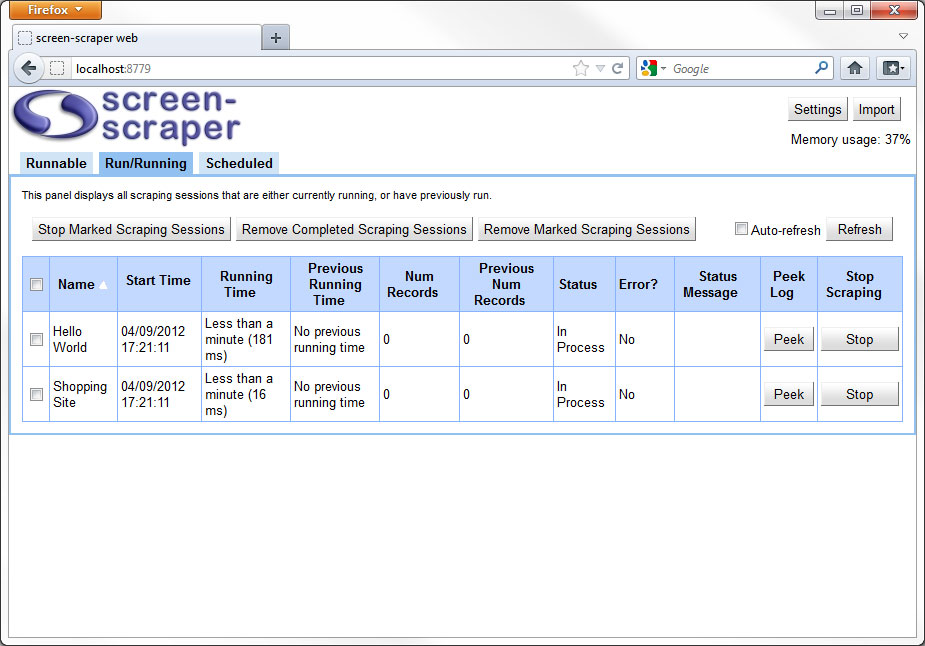
- Stop Marked Scraping Sessions: Stops the scraping sessions whose rows are checked on the far left.
- Remove Completed Scraping Sessions: Removes the scraping sessions which have a status of complete.
Removing records for scraping sessions that have run doesn't remove the scraping sessions themselves, just the records related to the time when they were run.
- Remove Marked Scraping Sessions: Removes the scraping sessions whose rows are checked on the far left from the run/runnable tab.
Removing records for scraping sessions that have run doesn't remove the scraping sessions themselves, just the records related to the time when they were run.
- Auto-refresh: Refreshes the table of running files regularly.
- Refresh: Refreshes the table of running files.
- (List of running and completed scraping session runs):
- Name: The name of the scraping session.
- Start Time: The date and time the scraping session was last started.
- Running Time: The amount of time the scraping session has been running (the number will update each time you click the Refresh button at the top right of the table).
If the scraping session is not currently running it shows is how long is took to run last time it was run.
- Previous Running Time: The amount of time the scraping session took the last time it ran.
If the scraping session is not currently running it show the amount of time it took to run two times ago.
- Num Records: The number of records the scraping session has extracted as recorded by the session.addToNumRecordsScraped method. If the method is never called then this number will always be zero.
- Previous Num Records: The number of records the scraping scraping session the last time it ran.
- Status: Indicates the current status of the scraping session. Possibilities include "In Process", "Completed", "Interrupted", and "Error".
- Error: Indicates whether or not a fatal error has been flagged in the scraping session (see setFatalErrorOccurred).
- Error Message: In the event of a flagged error, displays the provided message (see setErrorMessage).
- Peek: Pops up a box that allows you to view the most recent section of the log.
- Stop: Stops the scraping session.
Web Interface: Scheduled tab
Overview
On this tab you can manage scraping sessions that have been scheduled to be run. The columns can be sorted by clicking on the column headers.
Scheduled Tab
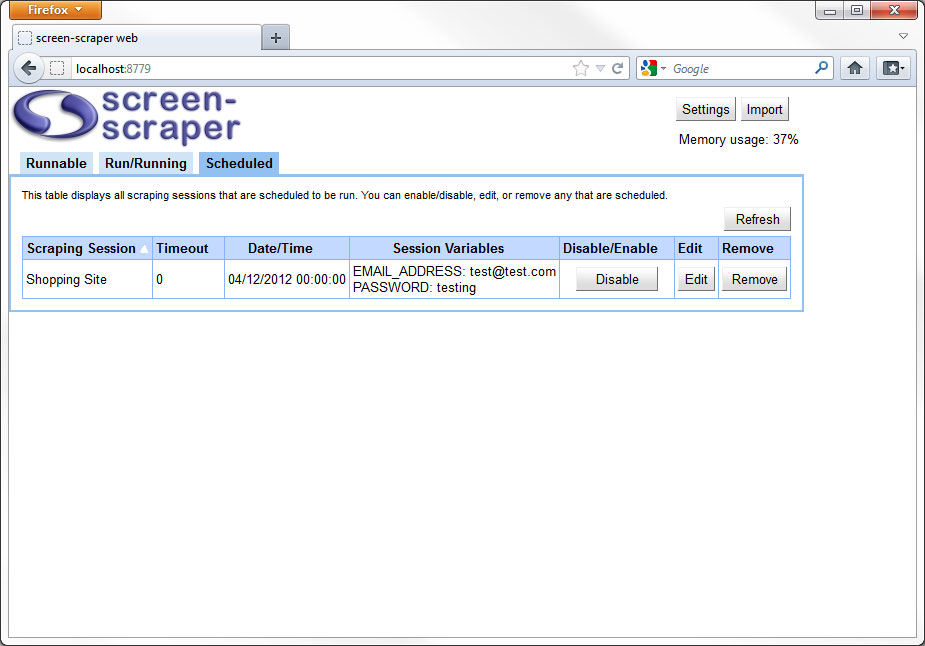
- Refresh: Reloads the table of scheduled scraping sessions.
- (List of scheduled runs for scraping sessions):
- Scraping Session: The name of the scheduled scraping session.
- Timeout: The amount of time in minutes the scraping session should be allowed to run.
If this value is 0 or a negative number, the scraping session will not time out.
- Date/Time: The date and time the scraping session is next scheduled to be run.
- Session Variables: Any session variables that are to be passed to the scraping session when it runs.
- Disable/Enable: Allows you to temporarily enable or disable the scheduled run of the scraping session.
If the run of the scraping session is disabled, it will not run even if it's scheduled to do so.
- Edit: Pops up a dialog box that allows you to manage the scheduled run of the scraping session.
- Remove: Removes the scheduled run of the scraping session.
Web Interface: Schedule Scraping Session
Overview
It can be very helpful to have scraping sessions run automatically or on an on going basis. The web interface makes this simple allowing you to schedule and manage multiple scrapes in a single location.
Managing Scheduled Scrapes
Scheduling Run
- Click the Schedule button on the runnable tab.
Editing Scheduled Run
- You can alter the settings for an already scheduled scraping session by clicking on teh Edit button on the scheduled tab.
Removing Scheduled Run
- You can remove an already scheduled scraping session by clicking on the Remove button on the scheduled tab.
Schedule Scraping Session: General tab
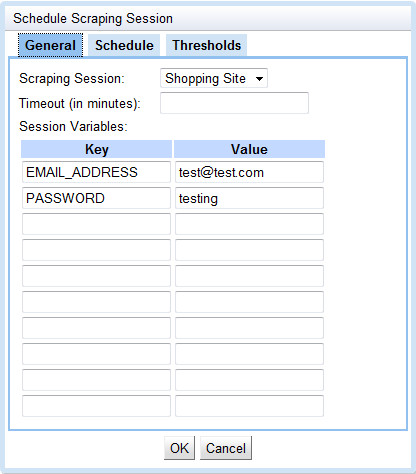
General Tab
- Scraping Session: The name of the scheduled scraping session.
- Timeout: The number of minutes the scraping session is allowed to run before a request to stop is inserted.
If this value is blank, 0, or negative, the scraping session will not time out.
- Session Variables: This is a list of session variables that will be passed to the scraping session when it is run.
Schedule Scraping Session: Schedule tab
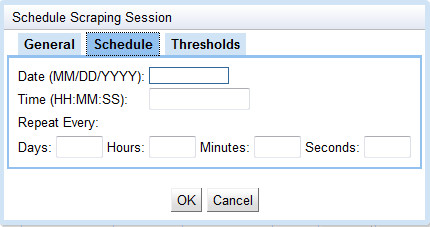
Schedule Tab
- Date: The calendar date when the scraping session is to run next. Click the box to bring up a graphical calendar from which you can select the desired date.
- Time: The time of day when the scraping session is to run next. This should be a 24-hour (military) time.
- Repeat Every: Use this to set the frequency with which the scraping session is to run. For example, if you enter 2 into the Hours box, the scraping session will run when it is scheduled, then be re-scheduled to run once again two hours from the time it started.
If these boxes are left blank, the scraping session will run once and not be re-scheduled.
Schedule Scraping Session: Thresholds tab
Thresholds Tab
- Time: The percentage of time whereby two runs of a scraping session may differ without being flagged as a possible error.
- Record Count: The percentage of records scraped whereby two runs of a scraping session may differ without being flagged as a possible error.
Flagged scrapes are highlighted in red in the run/running tab.
API
Overview
When writing scripts within screen-scraper, there are a number of objects and methods available to you. The Using Scripts page provides an overview of working with scripts, where this page provides details on specific objects and methods you'll use when scripting within screen-scraper.
The API documentation emphasizes Interpreted Java as Java is the language in which screen-scraper proper is written. That should not deter you from using whatever language you desire; all the methods are available in what ever language you choose.
The examples given here assume you're using Interpreted Java as the scripting language, but there should be very little difference in syntax if you decide to use another language. For example, if you're scripting in VBScript, you would simply omit the semi-colon at the end of each line, and for methods that don't return a value you would precede them with the VBScript keyword Call (either that, or omit the parentheses around the method parameters).
screen-scraper Object APIs
The screen-scraper, internal API has been divided into three groups for convenience.
- Scraping Engine: Request, parse, manipulate, and store data according to user defined processes.
- log
- session
- scrapeableFile
- RunnableScrapingSession (com.screenscraper.scraper)
- sutil
- Proxy Server: Manipulate browser-server interactions to filter, track, or otherwise control the experience of the user.
- Utilities: Helpful screen-scraper objects for processing and storing data.
- CsvWriter (com.screenscraper.csv)
- DataManagerFactory (com.screenscraper.datamanager)
- ProxyServerPool (com.screenscraper.util)
- RetryPolicy (com.screenscraper.util.retry)
- SqlDataManager (com.screenscraper.datamanager)
- XmlWriter (com.screenscraper.xml)
The two main groups are the scraping engine and the proxy server. The various objects available in these sections are exclusive to running screen-scraper for in one of these two ways. The one exception is the RunnableScrapingSession which has been grouped with the scraping engine simply because it is unlikely to be needed or used with the proxy server.
The utilities are available to scripts run in either the scraping engine or the proxy server and have since been separated from both. These represent classes that we have written to simplify some common tasks that are performed with retrieved data.
Java Libraries/Classes of Note
There are many additional classes that are available through Java Libraries that we did not create/modify that are especially worthy of note. Regardless of the language that you are using to program in screen-scraper you can have access to these.
- CSVReader (au.com.bytecode.opencsv)
- Apache Lang Library (org.apache.commons.lang3)
Other screen-scraper APIs
There are a few other APIs to be aware of. They are particular to dealing with screen-scraper in certain ways or certain versions. Make sure that you understand the implications of using these APIs before you start playing with them.
- REST Interface: Issue commands to screen-scraper through GET requests to the server.
- Anonymization REST Interface: Configure and run anonymous scrapes through the REST Interface.
- Alpha Version: Methods and objects that have been introduced to screen-scraper since the last stable release.
Scraping Engine API
Overview
The scraping engine is the backbone of screen-scraper and provides four built-in objects. These objects are: session, scrapeableFile, dataSet, and dataRecord. We have also included the RunnableScrapingSession class as it best pertains to the engine.
For details on which objects are available to scripts in the context of a scrape see the variable scope section of the documentation.
Objects
- dataRecord: This gives access to the most recently extracted data record. This will most likely only be used in scripts that get accessed after each time an extractor pattern is applied. This object simply extends Hashtable, and documentation on the Hashtable's methods can be found in Java's documentation.
The dataRecord object is populated using the names of tokens from extractor patterns.
- dataSet: The dataSet object holds all data records extracted by an extractor pattern after it has been applied as many times as possible to the HTML retrieved by a scrapeable file. A data set is analogous to a result or record set that would be returned from a database query. A data set contains any number of data records, which are analogous to rows in a database.
- log: Methods used for logging information.
- RunnableScrapingSession (com.screenscraper.scraper.RunnableScrapingSession): This is a class that can be instantiated within a script in order to run a scraping session. The Maximum number of concurrent running scraping sessions in the settings dialog box will control how many scraping sessions can be run simultaneously.
- scrapeableFile: This refers to the scrapeable file that is currently being requested and analyzed.
- session: This variable refers to the currently running scraping session.
- sutil: General methods for checking and manipulating data.
dataRecord
Overview
This object gives access to the most recently extracted data record. This will most likely only be used in scripts that get accessed after each time an extractor pattern is applied. This object simply extends Hashtable (documentation on its methods can be found in Java's documentation).
The dataRecord is populated using the token names in the extractor patterns. You'll find a few of the most commonly used methods below. DataRecord objects can also be created from scratch, and subsequently added to DataSet objects using the addDataRecord method.
See example usage: Iterate over DataSets & DataRecords.
DataRecord
Description
Create a new DataRecord object.
Parameters
This method does not receive any parameters.
Return Values
Returns DataRecord object.
Change Log
| Version | Description |
|---|---|
| 4.5 | Available for all editions. |
Class Location
com.screenscraper.common.DataRecord
Examples
Create New DataRecord
myDataRecord = new DataRecord();
// Populate it with a few fields.
myDataRecord.put( "CITY", "Los Angeles" );
myDataRecord.put( "ZIP", "90001" );
myDataRecord.put( "STATE", "CA" );
// Add it to an existing dataSet object.
dataSet.addDataRecord( myDataRecord );
See additional example usage: Iterate over DataSets & DataRecords.
get
Description
Get the value of a DataRecord field.
Parameters
- key The name of the associative key, usually a string but, if you have manually added fields, it can be an integer, etc.
Return Values
Returns the value associated with the specified key. Usually it will be a string but, if you have manually added fields, it can be an integer, boolean, long, or other object.
Change Log
| Version | Description |
|---|---|
| 4.5 | Available for all editions. |
Examples
Retrieve DataRecord Information
// and outputs it to the log.
city = dataRecord.get( "CITY" );
session.log( "City: " + city );
put
Description
Add a new field to the DataRecord or update the value of an existing field.
Parameters
- key The name of the associative key, usually a string but, if you have manually added fields, it can be an integer, etc.
- value The new value to be associated with the key.
Return Values
Returns the value previously associated with the specified key. If the key did not exist then it will return null.
Change Log
| Version | Description |
|---|---|
| 4.5 | Available for all editions. |
Examples
Add/Change DataRecord Field
// the value "Los Angeles".
dataRecord.put( "CITY", "Los Angeles" );
See additional example usage: Iterate over DataSets & DataRecords.
remove
Description
Remove a field from the DataRecord.
Parameters
- key The name of the associative key, usually a string but, if you have manually added fields, it can be an integer, etc.
Return Values
Returns the value previously associated with the specified key. If the key did not exist then it will return null.
Change Log
| Version | Description |
|---|---|
| 4.5 | Available for all editions. |
Examples
Add/Change DataRecord Field
dataRecord.remove( "CITY" );
dataSet
Overview
The dataSet object holds all data records extracted by an extractor pattern after it has been applied as many times as possible to the HTML retrieved by a scrapeable file. A data set is analogous to a result or record set that would be returned from a database query. A data set contains any number of data records, which are analogous to rows in a database.
The dataSet object provides methods to aid in getting at the information that has been gathered.
See example usage: Iterate over DataSets & DataRecords.
DataSet
DataSet DataSet ( ArrayList dataRecords )
Description
Manually create a DataSet.
Parameters
- dataRecords (optional) Java ArrayList of DataRecord elements.
Return Values
Returns DataSet object.
Change Log
| Version | Description |
|---|---|
| 4.5 | Available for all editions. |
Class Location
com.screenscraper.common.DataSet
Examples
Manually Create DataSet
myDataSet = new DataSet();
// Create DataRecord
myDataRecord = new DataRecord();
myDataRecord.put( "STATE", "AZ");
// Add DataRecord to DataSet
myDataSet.addDataRecord( myDataRecord );
Create DataSet from Array List
ArrayList dataRecords = new ArrayList();
// Create DataRecord
myDataRecord = new DataRecord();
myDataRecord.put( "STATE", "AZ");
// Add DataRecord to "dataRecords" DataSet
dataRecords.add( myDataRecord );
// Create DataSet From ArrayList.
myDataSet = new DataSet( dataRecords );
See additional example usage: Iterate over DataSets & DataRecords.
addDataRecord
Description
Add a DataRecord to a DataSet.
Parameters
- dataRecord A DataRecord object.
Return Values
Returns void.
Change Log
| Version | Description |
|---|---|
| 4.5 | Available for all editions. |
Examples
Add Data Record to DataSet
myDataSet = DataSet();
// Create DataRecord
myDataRecord = new DataRecord();
myDataRecord.put( "STATE", "AZ");
// Add DataRecord to DataSet
myDataSet.addDataRecord( myDataRecord );
See Also
- clearDataRecords() [dataSet] - Removes all DataRecords from the DataSet
- deleteDataRecord() [dataSet] - Deletes a DataRecord from the DataSet
- getAllDataRecords() [dataSet] - Returns a list of all DataRecords in the DataSet
- getDataRecord() [dataSet] - Gets a DataRecord from the DataSet
See additional example usage: Iterate over DataSets & DataRecords.
clearDataRecords
Description
Remove all DataRecord objects from the DataSet.
Parameters
This method does not receive any parameters.
Return Values
Returns void.
Change Log
| Version | Description |
|---|---|
| 4.5 | Available for all editions. |
Examples
Remove DataRecords from DataSet
dataSet.clearDataRecords();
See additional example usage: Iterate over DataSets & DataRecords.
See Also
- addDataRecord() [dataSet] - Adds a DataRecord to the DataSet
- deleteDataRecord() [dataSet] - Deletes a DataRecord from the DataSet
- getAllDataRecords() [dataSet] - Returns a list of all DataRecords in the DataSet
- getDataRecord() [dataSet] - Gets a DataRecord from the DataSet
deleteDataRecord
Description
Remove a DataRecord from the DataSet.
Parameters
- dataRecordNumber Index of the DataRecord in the DataSet, as an integer. Remember that the DataRecords set is zero based and so the first DataRecord would be at the index of zero.
Return Values
Returns void.
Change Log
| Version | Description |
|---|---|
| 4.5 | Available for all editions. |
Examples
Remove one DataRecords from DataSet
// are zero-based.
dataSet.deleteDataRecord( 2 );
See Also
- addDataRecord() [dataSet] - Adds a DataRecord to the DataSet
- clearDataRecords() [dataSet] - Removes all DataRecords from the DataSet
- getAllDataRecords() [dataSet] - Returns a list of all DataRecords in the DataSet
- getDataRecord() [dataSet] - Gets a DataRecord from the DataSet
- getNumDataRecords() [dataSet] - Returns the number of DataRecords in the DataSet
findValue
Description
Retrieve a field's value in a data set based on another field.
Parameters
- valueToFind Value being looked for, as a string.
- columnToMatch Column/token name where the value is being searched for, as a string.
- columnToReturn Column/token name whose value should be returned, as a string.
Return Values
Returns the value in the returned column, usually a string (unless records have been manually added). If no match is found, null is returned.
Change Log
| Version | Description |
|---|---|
| 5.0 | Added for all editions. |
Examples
Get Value of Token based on Another Token
DataSet myDataSet = new DataSet();
// Create DataRecords<
DataRecord john = new DataRecord();
john.put("FIRST_NAME", "John");
john.put("LAST_NAME", "Doe");
DataRecord jill = new DataRecord();
jill.put("FIRST_NAME", "Jill");
jill.put("LAST_NAME", "Smith");
// Add dataRecords to dataSet
myDataSet.addDataRecord(john);
myDataSet.addDataRecord(jill);
// Search dataSet for "John" in the "FIRST_NAME"
// field. Return the value of the "LAST_NAME" in
// the same record
String result = myDataSet.findValue("John", "FIRST_NAME", "LAST_NAME");
// Write result to log
session.log(result); // Logs "Doe"
See Also
- get() [dataSet] - Get a single piece of data held by a DataRecord in the DataSet.
get
Description
Get a single piece of data held by a DataRecord in the DataSet.
Parameters
- dataRecordNumber Index of the DataRecord in the DataSet, as an integer. Remember that the DataRecords set is zero based and so the first DataRecord would be at the index of zero.
- identifier The name of the element to retrieve from the DataRecord, as a string.
Return Values
Returns the value associated with the DataRecord identifier. It will be a string unless you have added values to the DataRecord whose values are not strings.
Change Log
| Version | Description |
|---|---|
| 4.5 | Available for all editions. |
Examples
Get Token Value From DataRecord
// data set.
firstCityCode = dataSet.get( 0, "CITY_CODE" );
See Also
- getDataRecord() [dataSet] - Gets a DataRecord from the DataSet
- getNumDataRecords() [dataSet] - Returns the number of DataRecords in the DataSet
getAllDataRecords
Description
Get all DataRecords in the DataSet.
Parameters
This method does not receive any parameters.
Return Values
Returns an ArrayList of DataRecord objects.
Change Log
| Version | Description |
|---|---|
| 4.5 | Available for all editions. |
This method is provided as a convenience, the recommended way to iterate over data records in a data set is to use getNumDataRecords and getDataRecord.
Examples
Loop Through DataRecords
allData = dataSet.getAllDataRecords();
// Loop through each of the data records.
for( i = 0; i < allData.size(); i++ )
{
// Store the current data record in the variable myDataRecord.
myDataRecord = allData.get( i );
// Output the "PRODUCT_NAME" value from the data record to the log.
session.log( "Product name: " + myDataRecord.get( "PRODUCT_NAME" ) );
}
See Also
- addDataRecord() [dataSet] - Adds a DataRecord to the DataSet
- clearDataRecords() [dataSet] - Removes all DataRecords from the DataSet
- deleteDataRecord() [dataSet] - Deletes a DataRecord from the DataSet
- getDataRecord() [dataSet] - Gets a DataRecord from the DataSet
getCharacterSet
Description
Get the character set being applied the scraped data.
Parameters
This method does not receive any parameters.
Return Values
Returns the character set applied to the scraped data, as a string. If a character set has not been specified then it will default to the character set specified in settings dialog box.
Change Log
| Version | Description |
|---|---|
| 5.0 | Added for all editions. |
Examples
Get Character Set
charSetValue = dataSet.getCharacterSet();
See Also
- setCharacterSet [dataSet] - Set the character set of collected data.
getDataRecord
Description
Get one DataRecord in the DataSet.
Parameters
- dataRecordNumber Index of the DataRecord in the DataSet, as an integer. Remember that the DataRecords set is zero based and so the first DataRecord would be at the index of zero.
Return Values
Returns a DataRecord (Hashtable object). If there is not a DataRecord at the specified index an error will be thrown.
Change Log
| Version | Description |
|---|---|
| 4.5 | Available for all editions. |
Examples
Get DataRecords in a Loop
for( i = 0; i < dataSet.getNumDataRecords(); i++ )
{
// Store the current data record in the variable myDataRecord.
myDataRecord = dataSet.getDataRecord( i );
// Output the "PRODUCT_NAME" value from the data record to the log.
session.log( "Product name: " + myDataRecord.get( "PRODUCT_NAME" ) );
}
See Also
- addDataRecord() [dataSet] - Adds a DataRecord to the DataSet
- clearDataRecords() [dataSet] - Removes all DataRecords from the DataSet
- deleteDataRecord() [dataSet] - Deletes a DataRecord from the DataSet
- getAllDataRecords() [dataSet] - Returns a list of all DataRecords in the DataSet
getFirstValueForKey
Description
Get the first non-null value, in a data set, for a given token.
Parameters
- key Name of the column whose value is returned, as a string.
Return Values
Returns the first non-null value in the column, usually a string (unless records have been manually added). If none is found, null is returned.
Change Log
| Version | Description |
|---|---|
| 5.0 | Added for all editions. |
Examples
Get First Non-null Token Value
// data set.
fieldValue = dataSet.getFirstValueForKey("CITY_CODE");
See Also
- get() [dataSet] - Get a single piece of data held by a DataRecord in the DataSet.
- findValue() [dataSet] - Retrieve a field's value in a data set based on another field.
getNumDataRecords
Description
Get the number of DataRecords in the DataSet.
Parameters
This method does not receive any parameters.
Return Values
Returns the number of DataRecords in the DataSet, as an integer.
Change Log
| Version | Description |
|---|---|
| 4.5 | Available for all editions. |
Examples
Get the Number of DataRecords in the DataSet
for( i = 0; i < dataSet.getNumDataRecords(); i++ )
{
// Store the current data record in the variable myDataRecord.
myDataRecord = dataSet.getDataRecord( i );
// Output the "PRODUCT_NAME" value from the data record to the log.
session.log( "Product name: " + myDataRecord.get( "PRODUCT_NAME" ) );
}
See Also
- size() [dataSet] - Return the number of dataRecords in the dataSet.
join
Description
Merge data records from two data sets.
Parameters
- dataSet Data set whose records are to be merged.
Return Values
Returns void.
Change Log
| Version | Description |
|---|---|
| 5.0 | Added for all editions. |
Examples
Merge DataRecords from DataSets
DataSet dataSet = new DataSet();
// Load dataSet with information
for (i = 0; i < 3; ++i)
{
DataRecord record = new DataRecord();
record.put("DATA_SET_ONE", i);
dataSet.addDataRecord(record);
}
// Create another dataSet
DataSet anotherDataSet = new DataSet();
// Load dataSet with information
for (i = 0; i < 2; ++i)
{
DataRecord record = new DataRecord();
record.put("DATA_SET_TWO", i);
anotherDataSet.addDataRecord(record);
}
// Join DataSets
dataSet.join(anotherDataSet);
// Write merged DataSet to Log (in dataRecords)
for (i = 0; i < dataSet.getNumDataRecords(); ++i)
{
DataRecord record = dataSet.getDataRecord(i);
session.log("DataRecord " + i + ": " + record.toString());
}
// Log Output:
// DataRecord 0: {DATA_SET_TWO=0, DATA_SET_ONE=0}
// DataRecord 1: {DATA_SET_TWO=1, DATA_SET_ONE=1}
// DataRecord 2: {DATA_SET_ONE=2}
setCharacterSet
Description
Set the character set to be used for rendering dataSet values.
Parameters
- characterSet Java recognized character set, as a string. Java provides a list of supported character sets in its documentation.
Return Values
Returns void.
Change Log
| Version | Description |
|---|---|
| 5.0 | Added for all editions. |
This will only change the character set on the current data set. If you want it to be changed for all data sets, you would need to change it in the settings dialog box or screen-scraper.properties file.
Examples
Set Character Set
dataSet.setCharacterSet("UTF-8");
See Also
- getCharacterSet [dataSet] - Get the character set of collected data.
size
Description
Get the number of DataRecords in the DataSet.
Parameters
This method does not receive any parameters.
Return Values
Returns the number of DataRecords in the DataSet, as an integer.
Change Log
| Version | Description |
|---|---|
| 6.0.3a | Available for all editions. |
Examples
Get the Number of DataRecords in the DataSet
for( i = 0; i < dataSet.size(); i++ )
{
// Store the current data record in the variable myDataRecord.
myDataRecord = dataSet.getDataRecord( i );
// Output the "PRODUCT_NAME" value from the data record to the log.
log.info( "Product name: " + myDataRecord.get( "PRODUCT_NAME" ) );
}
See Also
- getNumDataRecords() [dataSet] - Return the number of dataRecords in a dataSet.
writeToFile
Description
Write DataSet string and integer contents to a file. The fields will be tab-delimited and records hard-return delimited.
Parameters
- fileName File path where the contents of the DataSet should be written. If the file already exists the contents will be appended to the file.
Return Values
Returns void. If the file cannot be written to then an error will be thrown.
Change Log
| Version | Description |
|---|---|
| 4.5 | Available for professional and enterprise editions. |
Examples
Write DataSet Contents to a File
// "extracted_data.txt".
dataSet.writeToFile( "C:/site_data/extracted_data.txt" );
log
Overview
This object contains various methods used to log information about a running scraping session to log files, the workbench "Log" tab, and the web interface.
addAutoProgressBar
void log.addAutoProgressBar ( String name, String[][] values ) (enterprise edition only)
void log.addAutoProgressBar ( String name, Collection<String> values ) (enterprise edition only)
void log.addAutoProgressBar ( String name, String[][] values, int keyIndex ) (enterprise edition only)
void log.addAutoProgressBar ( String name, DataSet values, String key ) (enterprise edition only)
Description
Creates an automatic progress bar and adds it to the progress bars. These progress bars match their progress to a value from a session variable and a list of values. When web messages are output with the webDebug, webInfo, webWarn, or webError methods, a progress bar will be drawn to give a visual representation of the current progress of the scrape.
Note that when using auto progress bars, it is advised to not use any manually monitored ones, as it can cause conflicts. Anytime an auto progress bar has no session variable set for its monitored key, it deletes itself and all children progress bars (including manual ones). As long as you keep that in mind, it should be safe to use both types together.
Parameters
- name The name of the progress bar, which should match the session variable where the value for updating this bar will be stored
- values The values this progress bar can have, in the order they will be queried. For example, if the session variable can be "1" or "2", the values should also be "1" and "2"
- keyIndex (optional) The index in each inner array of the value that will be set in the session variable. This is only applicable when a 2D array is given. When a 2D array is given but no index is given, 0 is used.
- key (optional) The key in the DataRecords that will be used for the session variable matching name. Used only with the DataSet method option
Return Value
This method returns void.
Change Log
| Version | Description |
|---|---|
| 5.5.29a | Available in all editions. |
| 5.5.31a | Available in enterprise edition. |
| 5.5.43a | Moved from session to log class. |
Examples
Create an auto progress bar to track the search
String[] letters = new String[26];
for(char c = 'a'; c <= 'z'; c++)
letters[ c - 'a' ] = "" + c;
// Using this approach is more convenient when values will get changed in various scripts
log.addAutoProgressBar("SEARCH_LETTER", letters);
for(int i = 0; i < letters.length; i++)
{
session.setVariable("SEARCH_LETTER", letters[ i ]);
session.scrapeFile("Search");
log.logMonitoredValues("Completed Letter");
}
addMonitoredPostfix
Description
Watches for all session variables whose keys end with the postfix specified, and will output their values when monitored variables are logged.
Parameters
- postfix The postfix to monitor
Return Value
This method returns void.
Change Log
| Version | Description |
|---|---|
| 5.5.29a | Available in all editions. |
| 5.5.42a | Moved from session to log class. |
Examples
Watch all variables ending with _PARAM and log their values
// Log the current value of all session variables whose name end with _PARAM
log.logMonitoredValues();
addMonitoredPrefix
Description
Watches for all session variables whose keys begin with the prefix specified, and will output their values when monitored variables are logged.
Parameters
- prefix The prefix to monitor
Return Value
This method returns void.
Change Log
| Version | Description |
|---|---|
| 5.5.29a | Available in all editions. |
| 5.5.42a | Moved from session to log class. |
Examples
Watch all variables starting with SEARCH_ and log their values
// Log the current value of all session variables whose name starts with SEARCH_
log.logMonitoredValues();
addMonitoredValue
Description
Adds a specific name and value to be logged with the web messages methods or logMonitoredValues method
Parameters
- name The name for the value being monitored
- value The value to associate with the given name
Return Value
The previous value associated with the name, or null if there wasn't one
Change Log
| Version | Description |
|---|---|
| 5.5.29a | Available in all editions. |
| 5.5.42a | Moved from session to log class. |
Examples
Add and log a value
// That way a future script could log the set, and any other values set.
log.addMonitoredValue("The dataSet", dataSet);
// Each time this method is called, it will log the above dataSet
log.logMonitoredValues();
addMonitoredVariable
Description
Watches the value of a session variable, and will output it each time monitored variables are output
Parameters
- key The key in the session corresponding to a value
Return Value
This method returns void.
Change Log
| Version | Description |
|---|---|
| 5.5.29a | Available in all editions. |
| 5.5.42a | Moved from session to log class. |
Examples
Watch a variable and log its value
// Log the current value of NAME, as well as any other currently monitored values
log.logMonitoredVariables();
addProgressBar
ProgressBar log.addProgressBar ( String title, String total ) (enterprise edition only)
ProgressBar log.addProgressBar ( String title, double total ) (enterprise edition only)
ProgressBar log.addProgressBarIfNotStopped ( String title ) (enterprise edition only)
ProgressBar log.addProgressBarIfNotStopped ( String title, String total ) (enterprise edition only)
ProgressBar log.addProgressBarIfNotStopped ( String title, double total ) (enterprise edition only)
Description
Adds a new progress bar. If no progress bar exists, this will be set as the root, otherwise it will be the child of the lowest progress bar. When web messages are output with the webDebug, webInfo, webWarn, or webError methods, a progress bar will be drawn to give a visual representation of the current progress of the scrape. The addProgressBarIfNotStopped versions remove the progress bar if the scrape has not been stopped, which is useful for determining when a scrape was stopped.
Parameters
- title The title for the new progress bar
- total (optional) The total for the new progress bar. This should be the total number of things this is tracking the progress of. For example, if used when iterating over each letter of the alphabet for a search, the total would be 26 (one for each letter).
Return Value
This method returns a reference to the new progress bar, which can be used to update the current progress
Change Log
| Version | Description |
|---|---|
| 5.5.29a | Available in all editions. |
| 5.5.31a | Available in enterprise edition. |
| 5.5.43a | Moved from session to log class. |
Examples
Track the progress of a search over the alphabet
ProgressBar bar = log.addProgressBar("Letter", 26);
for(char c = 'a'; c <= 'z'; c++)
{
session.setVariable("SEARCH_LETTER", c);
session.scrapeFile("Search");
bar.add(1);
// For Professional and Enterprise Editions
log.webInfo("Completed Search on: " + c);
// For Basic Edition ** Note that this method is available in Professional and Enterprise editions also
log.logMonitoredValues();
}
// Now that we have completed the search, remove the progress bar
log.removeProgressBar(bar);
appendStatusMessage
Description
Appends a status message to be displayed in the web interface.
Parameters
- message The message to be appended.
Return Values
None
Change Log
| Version | Description |
|---|---|
| 5.5.32a | Available in Enterprise edition. |
| 5.5.43a | Moved from session to log class. |
Examples
Append a status message
{
log.appendStatusMessage( "Extractor pattern timed out." );
}
cacheFile
Description
Adds a file to the cache. This can be used to add anything to the cache, from a text file to an image that was downloaded, or any other file that would be useful.
Parameters
- outputFilenameAndPath The name of the file in the cache, including any directory it should be placed in
- fileToCache The file that should be cached. This cannot be a directory
Return Value
A File that represents the cached file.
Change Log
| Version | Description |
|---|---|
| 5.5.29a | Available in professional and enterprise editions. |
| 5.5.43a | Moved from session to log class. |
Examples
Cache a file
log.cacheFile("images/products/" + dataRecord.get("PRODUCT_NAME") + ".jpg", new File("output/downloadedImage.jpg"));
cacheScrapeableFile
Description
Caches the HTML and headers of the scrapeable file. This will include both the request and response headers.
Parameters
- scrapeableFile The scrapeable file to cache.
Return Value
A File that represents the cached file.
Change Log
| Version | Description |
|---|---|
| 5.5.29a | Available in professional and enterprise editions. |
| 5.5.43a | Moved from session to log class. |
Examples
Cache the current file
// It may be useful in some cases if file manipulation is going to be performed on the returned File
log.cacheScrapeableFile(scrapeableFile);
cacheText
File log.cacheText ( String name, String content ) (professional and enterprise editions only)
Description
Adds text to the cache. This will create a new text file in the cache and store the given content in it.
Parameters
- name The name of the file in the cache, including any directory it should be placed in
- content The content to place in the cache
- encoding The encoding to use for the text, or null to use the default encoding for the session
Return Value
A File that represents the cached file.
Change Log
| Version | Description |
|---|---|
| 5.5.29a | Available in professional and enterprise editions. |
| 5.5.43a | Moved from session to log class. |
Examples
Cache the extracted section for a DataRecord
debug
Description
Write message to the log.
Parameters
- message Message to be written to the log after being converted to a String using String.valueOf( message ).
Return Values
Returns void.
Change Log
| Version | Description |
|---|---|
| 5.5 | Now accepts any Object as a message |
| 4.5 | Available for all editions. |
When the workbench is running, this will be found under the log tab for the scraping
session. When screen-scraper is running in server mode, the message will get sent to the corresponding .log file found in screen-scraper's log folder. When screen-scraper is invoked from the command
line, the message will get sent to standard out.
Examples
Write to Log
log.debug( "Inserting extracted data into the database." );
See Also
- info() [log] - Sends a message to the log as an informative message
- warn() [log] - Sends a message to the log as an warning message
- error() [log] - Sends a message to the log as a error message
- logDebug() [session] - Write message to the log as a debug message
- log() [log] - Write message to the log
- log() [session] - Write message to the log
enableCaching
Description
Enables caching for this scrape. When caching is enabled, each time a scrapeable file is downloaded it will be saved to the file system. Once the session is completed the cache will be either zipped or the directory renamed, depending on the conditions that were specified when the cache was enabled. Optionally this will save the log files to the cached location, and will save everything from the error.log file that was added while the cache was enabled.
Parameters
- description A description to use in the cached file name
- saveLogs True if logs should be included in the cache
- zipCachedFiles True if the cached files should be zipped once the scrape ends.
Return Value
This method returns void.
Change Log
| Version | Description |
|---|---|
| 5.5.29a | Available in professional and enterprise editions. |
| 5.5.32a | Renamed from enableCache to enableCaching |
| 5.5.43a | Moved from session to log class. |
Examples
Cache the pages requested by the scrape
log.enableCaching("", true, true);
endCaching
Description
Ends the caching for the scrape. This method will be called once all the scripts and files are run/scraped. It can be called in a script to end the caching early (thereby only caching a portion of the scrape). This only deals with saving downloaded content to the file system, not with reading it back in during a scrape.
Parameters
This method takes no parameters
Return Value
This method returns void.
Change Log
| Version | Description |
|---|---|
| 5.5.29a | Available in professional and enterprise editions. |
| 5.5.32a | Renamed from endCache to endCaching. |
| 5.5.43a | Moved from session to log class. |
Examples
Cache the pages requested by the scrape
log.endCaching();
error
Description
Write message to the log.
Parameters
- message Message to be written to the log after being converted to a String using String.valueOf( message ).
Return Values
Returns void.
Change Log
| Version | Description |
|---|---|
| 5.5 | Now accepts any Object as a message |
| 4.5 | Available for all editions. |
When the workbench is running, this will be found under the log tab for the scraping
session. When screen-scraper is running in server mode, the message will get sent to the corresponding .log file found in screen-scraper's log folder. When screen-scraper is invoked from the command
line, the message will get sent to standard out.
Examples
Write to Log
log.error( "Inserting extracted data into the database." );
See Also
- info() [log] - Sends a message to the log as an informative message
- debug() [log] - Sends a message to the log as a debugging message
- warn() [log] - Sends a message to the log as an warning message
- logError() [session] - Sends a message to the log as an error message
- log() [log] - Write message to the log
- log() [session] - Sends a message to the log
getCachingEnabled
Description
Returns whether or not the cache is enabled for the scrape. When enabled, it simply means that each ScrapeableFile will save the content it downloads from the server to the file system so it can be viewed later, generally for debugging purposes.
Parameters
This method takes no parameters
Return Value
Returns true if caching is currently enabled for this session
Change Log
| Version | Description |
|---|---|
| 5.5.29a | Available in all editions. |
| 5.5.32a | Available enterprise and professional editions (Returns false in basic edition, but doesn't throw an Exception). Renamed from getCacheEnabled to getCachingEnabled. |
| 5.5.43a | Moved from session to log class. |
Examples
Log the cache state
{
session.log("Currently caching the session.");
}
getProgressBar
ProgressBar log.getProgressBar ( String title ) (enterprise edition only)
Description
Returns the progress bar specified. If the index if given, returns the progress bar at that index (0 is the root, 1 is the first child, etc...). If the title is given, returns the most recently added progress bar with the given title
Parameters
- index (optional) The desired ProgressBar's index
- title (optional) The title to search for
Return Value
The ProgressBar indicated, or null if none was found matching the required criteria
Change Log
| Version | Description |
|---|---|
| 5.5.29a | Available in all editions. |
| 5.5.31a | Available in enterprise edition. |
| 5.5.43a | Moved from session to log class. |
Examples
Track the progress of a search over the alphabet
ProgressBar bar = log.addProgressBar("Letter", 26);
for(char c = 'a'; c <= 'z'; c++)
{
session.setVariable("SEARCH_LETTER", c);
session.scrapeFile("Search");
bar.add(1);
// For Professional and Enterprise Editions
log.webInfo("Completed Search on: " + c);
// For Basic Edition ** Note that this method is available in Professional and Enterprise editions also
log.logMonitoredValues();
}
// Now that we have completed the search, remove the progress bar
log.removeProgressBar(bar);
// Increment the value of the Category progress bar (created in a separate script).
// It is generally recommended to save a reference as a session variable rather than using this method
log.getProgressBar("Category").add(1);
info
Description
Write message to the log.
Parameters
- message Message to be written to the log after being converted to a String using String.valueOf( message ).
Return Values
Returns void.
Change Log
| Version | Description |
|---|---|
| 5.5 | Now accepts any Object as a message |
| 4.5 | Available for all editions. |
When the workbench is running, this will be found under the log tab for the scraping
session. When screen-scraper is running in server mode, the message will get sent to the corresponding .log file found in screen-scraper's log folder. When screen-scraper is invoked from the command
line, the message will get sent to standard out.
Examples
Write to Log
log.info( "Inserting extracted data into the database." );
See Also
- debug() [log] - Sends a message to the log as a debugging message
- warn() [log] - Sends a message to the log as an warning message
- error() [log] - Sends a message to the log as a error message
- logInfo() [session] - Sends a message to the log as an info message
- log() [log] - Write message to the log
- log() [session] - Write message to the log
log
Description
Write message to the log.
Parameters
- message Message to be written to the log after being converted to a String using String.valueOf( message ).
Return Values
Returns void.
Change Log
| Version | Description |
|---|---|
| 5.5 | Now accepts any Object as a message |
| 4.5 | Available for all editions. |
When the workbench is running, this will be found under the log tab for the scraping
session. When screen-scraper is running in server mode, the message will get sent to the corresponding .log file found in screen-scraper's log folder. When screen-scraper is invoked from the command
line, the message will get sent to standard out.
Examples
Write to Log
log.log( "Inserting extracted data into the database." );
See Also
- debug() [log] - Sends a message to the log as a debugging message
- info() [log] - Sends a message to the log as an informative message
- warn() [log] - Sends a message to the log as an warning message
- error() [log] - Sends a message to the log as a error message
- log() [session] - Write message to the log
logDataRecord
void log.logDataRecord ( DataRecord record, int logLevel )
void log.logDataRecordDebug ( DataRecord record ) (professional and enterprise editions only)
void log.logDataRecordInfo ( DataRecord record ) (professional and enterprise editions only)
void log.logDataRecordWarn ( DataRecord record ) (professional and enterprise editions only)
void log.logDataRecordError ( DataRecord record ) (professional and enterprise editions only)
Description
Logs all the values in a Data Record to the log, with one line per value. If a value in the record is a List, Set, Map, Data Set, Scrapeable File, or Exception, it will have detailed output as well.
Parameters
- record The Data Record to output to the log
- logLevel (optional) The level to log the data record at, as an int
Values are 1-Debug, 2-Info, 3-Warn, 4-Error, or can be obtained from com.screenscraper.common.Notifiable.LEVEL_(DEBUG/INFO/WARN/ERROR)
When omitted, the log level used is the session logging level.
Return Values
This method returns nothing
Change Log
| Version | Description |
|---|---|
| 5.5.26a | Available in all editions. |
| 5.5.43a | Moved from session to log class. |
Examples
Log a Data Record
log.logDataRecord(dataRecord);
The output from the above call might look something like this:
DataRecord
--- A_FLOAT : 3.14159
--- A_LIST : List
------ Element 0 : Value 1
------ Element 1 : Value 2
------ Element 2 : Value 3
------ Element 3 : Set
--------- Element : A value
--------- Element : More value
--------- Element : Other stuff
--- A_MAP : Map
------ KEY_1 : 1
------ KEY_2 : 2
------ KEY_3 : 3
--- A_SET : Set Logged above as "------ Element 3 : "
--- A_STRING : Screen-Scraper
--- AN_INT : 5
logException
Description
Logs an Exception, with a full stack trace, at the Error level
Parameters
- exception The Exception to log
Return Value
This method returns void.
Change Log
| Version | Description |
|---|---|
| 5.5.29a | Available in all editions. |
| 5.5.43a | Moved from session to log class. |
Examples
Log an exception
{
int result = Integer.parseInt(dataRecord.get("SCRAPED_VALUE"));
}
catch(Exception e)
{
log.logException(e);
}
logMonitoredValues
void log.logMonitoredValues ( Object message, int logLevel )
void log.logMonitoredValuesDebug ( Object message ) (professional and enterprise editions only)
void log.logMonitoredValuesInfo ( Object message ) (professional and enterprise editions only)
void log.logMonitoredValuesWarn ( Object message ) (professional and enterprise editions only)
void log.logMonitoredValuesError ( Object message ) (professional and enterprise editions only)
Description
Logs the values of all the currently monitored variables, the progress of the scrape, if known, and puts the message at the top. Also logs any additional values being watched. Logs values at the specified level.
Parameters
- message A message to output as a header for this log entry
- logLevel (optional) The level to log at
Return Value
This method returns void.
Change Log
| Version | Description |
|---|---|
| 5.5.29a | Available in all editions. |
| 5.5.43a | Moved from session to log class. |
Examples
Log the currently monitored values and progress bars
logMonitoredValuesClose
Description
Logs closing values to indicate the scrape is complete and what values were when everything finished. It will log at whatever the highest level logged to was. For instance, if a webWarn had been logged during the scrape, this will log at the warning level.
Parameters
- message A message to output as a header for this log entry
Return Value
This method returns void.
Change Log
| Version | Description |
|---|---|
| 5.5.29a | Available in all editions. |
| 5.5.43a | Moved from session to log class. |
Examples
Log the currently monitored values at the end of the scrape
logObjectByType
void log.logObjectByType ( Object object, int logLevel )
void log.logObjectByTypeDebug ( Object object ) (professional and enterprise editions only)
void log.logObjectByTypeInfo ( Object object ) (professional and enterprise editions only)
void log.logObjectByTypeWarn ( Object object ) (professional and enterprise editions only)
void log.logObjectByTypeError ( Object object ) (professional and enterprise editions only)
Description
Logs the Object in a semi intelligent way. For example, Maps are logged as key-value pairs, lists are logged with one element per line, all elements of a set are logged, etc... Some objects will just log their value using String.valueOf() if it isn't a standard type of data set/list
Parameters
- object The Object to write to the log
- logLevel (optional) The level to log the data record at, as an int
Return Value
This method returns void.
Change Log
| Version | Description |
|---|---|
| 5.5.29a | Available in all editions. |
| 5.5.43a | Moved from session to log class. |
Examples
Log the dataSet
logScreenScraperInformation
Description
Logs useful information about the current instance of Screen-Scraper, as well as the Java VM and the General Utility version being used. Information will be logged as an info message in the web interface (when running in server mode) and the log.
Parameters
This method takes no parameters
Return Value
This method returns void.
Change Log
| Version | Description |
|---|---|
| 5.5.29a | Available in all editions. |
| 5.5.43a | Moved from session to log class. |
Examples
Log Current Info
removeMonitoredPostfix
Description
Stops watching for a postfix in session variables
Parameters
- postfix Postfix to remove from monitoring
Return Value
This method returns void.
Change Log
| Version | Description |
|---|---|
| 5.5.29a | Available in all editions. |
| 5.5.43a | Moved from session to log class. |
Examples
Stop watching and logging the value of all session variables ending with _PARAM
removeMonitoredPrefix
Description
Stops watching for a prefix in session variables
Parameters
- prefix Prefix to remove from monitoring
Return Value
This method returns void.
Change Log
| Version | Description |
|---|---|
| 5.5.29a | Available in all editions. |
| 5.5.43a | Moved from session to log class. |
Examples
Stop watching and logging the value of all session variables starting with SEARCH_
removeMonitoredValue
Description
Removes a specific name from the manually set values to be logged. Doesn't affect the value of session variables
Parameters
- name The name for the value being monitored
Return Value
The previous value associated with the name, or null if there wasn't one
Change Log
| Version | Description |
|---|---|
| 5.5.29a | Available in all editions. |
| 5.5.43a | Moved from session to log class. |
Examples
Remove a value so it won't be logged by logMonitoredValues
removeMonitoredVariable
Description
Stops watching the specified variable
Parameters
- key Key for the variable to stop watching
Return Value
This method returns void.
Change Log
| Version | Description |
|---|---|
| 5.5.29a | Available in all editions. |
| 5.5.43a | Moved from session to log class. |
Examples
Stop watching and logging the value of the session varaible NAME
removeProgressBar
void log.removeProgressBarIfNotStopped ( ProgressBar progressBar ) (enterprise edition only)
Description
Removes the specified progress bar. The removeProgressBarIfNotStopped version removes the progress bar if the scrape has not been stopped, which is useful for determining when a scrape was stopped.
Parameters
- progressBar The ProgressBar to remove
Return Value
This method returns void.
Change Log
| Version | Description |
|---|---|
| 5.5.29a | Available in all editions. |
| 5.5.31a | Available in enterprise edition. |
| 5.5.43a | Moved from session to log class. |
Examples
Track the progress of a search over the alphabet
ProgressBar bar = log.addProgressBar("Letter", 26);
for(char c = 'a'; c <= 'z'; c++)
{
log.setVariable("SEARCH_LETTER", c);
session.scrapeFile("Search");
bar.add(1);
// For Professional and Enterprise Editions
log.webInfo("Completed Search on: " + c);
// For Basic Edition ** Note that this method is available in Professional and Enterprise editions also
log.logMonitoredValues();
}
// Now that we have completed the search, remove the progress bar
log.removeProgressBar(bar);
warn
Description
Write message to the log.
Parameters
- message Message to be written to the log after being converted to a String using String.valueOf( message ).
Return Values
Returns void.
Change Log
| Version | Description |
|---|---|
| 5.5 | Now accepts any Object as a message |
| 4.5 | Available for all editions. |
When the workbench is running, this will be found under the log tab for the scraping
session. When screen-scraper is running in server mode, the message will get sent to the corresponding .log file found in screen-scraper's log folder. When screen-scraper is invoked from the command
line, the message will get sent to standard out.
Examples
Write to Log
log.warn( "Inserting extracted data into the database." );
See Also
- info() [log] - Sends a message to the log as an informative message
- debug() [log] - Sends a message to the log as a debugging message
- error() [log] - Sends a message to the log as a error message
- logWarn() [session] - Write message to the log as a warning message
- log() [log] - Write message to the log
- log() [session] - Write message to the log
webClose
Description
Logs closing values to indicate the scrape is complete and what values were when everything finished. It will log at whatever the highest level logged to was. For instance, if a webWarn had been logged during the scrape, this will log at the warning level. When running in Professional edition, this simply outputs to the log.
Using this method is preferred over logMonitoredValuesClose (which only logs to the log), because if at a later point the scrape is run in server mode for enterprise edition, a useful message is output in the web interface without needing to modify the scrape.
Parameters
- object The message to display as a header
Return Value
This method returns void.
Change Log
| Version | Description |
|---|---|
| 5.5.29a | Available in professional and enterprise editions. |
| 5.5.43a | Moved from session to log class. |
Examples
Log monitored variables at the end of the scrape
webDebug
void log.webDebug ( Object object, boolean saveMessage ) (professional and enterprise editions only)
void log.webDebug ( Object object, Object loggable ) (professional and enterprise editions only)
void log.webDebug ( Object object, boolean saveMessage, Object loggable ) (professional and enterprise editions only)
Description
Logs a debug message to the web interface status message area. Uses the message header as the top of the message, and then logs all currently monitored session variables underneath as well as the current progress (if known) of the scrape. Also outputs the message to the log. When running in Professional edition, this simply outputs to the log.
Using this method is preferred over logMonitoredValues (which only logs to the log), because if at a later point the scrape is run in server mode for enterprise edition, a useful message is output in the web interface without needing to modify the scrape.
Parameters
- object The message to display as a header
- saveMessage (optional) Whether or not to save this message and continue to display it below future web messages. By default debug messages are not saved.
- loggable (optional) An additional object to log, most likely a DataRecord. This will only be logged with this message, and not 'monitored' like other values
Return Value
This method returns void.
Change Log
| Version | Description |
|---|---|
| 5.5.29a | Available in professional and enterprise editions. |
| 5.5.43a | Moved from session to log class. |
Examples
Log monitored variables and progress
webError
void log.webError ( Object object, boolean saveMessage ) (professional and enterprise editions only)
void log.webError ( Object object, Object loggable ) (professional and enterprise editions only)
void log.webError ( Object object, boolean saveMessage, Object loggable ) (professional and enterprise editions only)
Description
Logs an error message to the web interface status message area. Uses the message header as the top of the message, and then logs all currently monitored session variables underneath as well as the current progress (if known) of the scrape. Also outputs the message to the log. When running in Professional edition, this simply outputs to the log.
Using this method is preferred over logMonitoredValues (which only logs to the log), because if at a later point the scrape is run in server mode for enterprise edition, a useful message is output in the web interface without needing to modify the scrape.
Parameters
- object The message to display as a header
- saveMessage (optional) Whether or not to save this message and continue to display it below future web messages. By default error messages are saved.
- loggable (optional) An additional object to log, most likely a DataRecord. This will only be logged with this message, and not 'monitored' like other values
Return Value
This method returns void.
Change Log
| Version | Description |
|---|---|
| 5.5.29a | Available in professional and enterprise editions. |
| 5.5.43a | Moved from session to log class. |
Examples
Log monitored variables and progress
webInfo
void log.webInfo ( Object object, boolean saveMessage ) (professional and enterprise editions only)
void log.webInfo ( Object object, Object loggable ) (professional and enterprise editions only)
void log.webInfo ( Object object, boolean saveMessage, Object loggable ) (professional and enterprise editions only)
Description
Logs an info message to the web interface status message area. Uses the message header as the top of the message, and then logs all currently monitored session variables underneath as well as the current progress (if known) of the scrape. Also outputs the message to the log. When running in Professional edition, this simply outputs to the log.
Using this method is preferred over logMonitoredValues (which only logs to the log), because if at a later point the scrape is run in server mode for enterprise edition, a useful message is output in the web interface without needing to modify the scrape.
Parameters
- object The message to display as a header
- saveMessage (optional) Whether or not to save this message and continue to display it below future web messages. By default info messages are not saved.
- loggable (optional) An additional object to log, most likely a DataRecord. This will only be logged with this message, and not 'monitored' like other values
Return Value
This method returns void.
Change Log
| Version | Description |
|---|---|
| 5.5.29a | Available in professional and enterprise editions. |
| 5.5.43a | Moved from session to log class. |
Examples
Log monitored variables and progress
webWarn
void log.webWarn ( Object object, boolean saveMessage ) (professional and enterprise editions only)
void log.webWarn ( Object object, Object loggable ) (professional and enterprise editions only)
void log.webWarn ( Object object, boolean saveMessageloggable> ) (professional and enterprise editions only)
Description
Logs a warning message to the web interface status message area. Uses the message header as the top of the message, and then logs all currently monitored session variables underneath as well as the current progress (if known) of the scrape. Also outputs the message to the log. When running in Professional edition, this simply outputs to the log.
Using this method is preferred over logMonitoredValues (which only logs to the log), because if at a later point the scrape is run in server mode for enterprise edition, a useful message is output in the web interface without needing to modify the scrape.
Parameters
- object The message to display as a header
- saveMessage (optional) Whether or not to save this message and continue to display it below future web messages. By default warn messages are saved.
- loggable (optional) An additional object to log, most likely a DataRecord. This will only be logged with this message, and not 'monitored' like other values
Return Value
This method returns void.
Change Log
| Version | Description |
|---|---|
| 5.5.29a | Available in professional and enterprise editions. |
| 5.5.43a | Moved from session to log class. |
Examples
Log monitored variables and progress
RunnableScrapingSession
Overview
This is a class that can be instantiated within a script in order to run a scraping session.
Also see:
- Using RunnableScrapingSesssion Class example scraping sessions
- running scraping sessions within scraping sessions documentation
The Maximum number of concurrent running scraping sessions in the settings dialog box will control how many scraping sessions can be run simultaneously.
RunnableScrapingSession
RunnableScrapingSession RunnableScrapingSession ( String name, ScrapingSession inheritedScrapingSession ) (professional and enterprise editions only)
RunnableScrapingSession RunnableScrapingSession ( String name, ScrapingSession inheritedScrapingSession, boolean inheritHttpState ) (professional and enterprise editions only)
Description
Initiates a RunnableScrapingSession object using the name of an existing scraping session.
Parameters
- name The name of the scraping session to be run, as a string.
- inheritedScrapingSession (optional) Scraping session whose session variables should be copied to the new scraping session. If it is left off no session variables will be passed to the new scrape.
- inheritHttpState (optional) Whether HTTP state information, like cookies, should be inherited. This can be important if you have logged into a site and want the runnable scraping sessions to also be logged in.
Return Values
Returns a RunnableScrapingSession. On failure an error will be thrown.
Change Log
| Version | Description |
|---|---|
| 5.0 | inheritHttpState added as optional parameter. |
| 4.5 | Available for professional and enterprise editions. |
Class Location
com.screenscraper.scraper
Examples
Creating RunnableScrapingSession
myScrapingSession = new com.screenscraper.scraper.RunnableScrapingSession( "My Session" );
// Creates a new runnable session for the scraping session "My Session"
// and passes it the current scraping session from which it will inherit
// session variables and logging.
myScrapingSession = new com.screenscraper.scraper.RunnableScrapingSession( "My Session", session );
Catching Error
// you can use the thrown error to identify a problem that can be solved using
// the older name
try {
// Attempt to create scrape using the new name
myScrapingSession = new com.screenscraper.scraper.RunnableScrapingSession( "My Session - New" );
} catch ( error ) {
session.logWarn( error.toString() );
session.logWarn( "Attemping to start scrape with old name." );
myScrapingSession = new com.screenscraper.scraper.RunnableScrapingSession( "My Session" );
}
getName
Description
Retrieve the name of the scraping session in the runnableScrapingSession.
Parameters
This method does not receive any parameters.
Return Values
Returns a string with the name of the scraping session.
Change Log
| Version | Description |
|---|---|
| 4.5 | Available for professional and enterprise editions. |
Examples
Retrieve Scrape Name
// Stores the name of the scraping session in the variable sessionName.
sessionName = runnableScrapingSession.getName();
getTimeout
Description
Get the timeout of the session in the runnableScrapingSession.
Parameters
This method does not receive any parameters.
Return Values
Returns a integer representing the timeout length in minutes.
Change Log
| Version | Description |
|---|---|
| 4.5 | Available for professional and enterprise editions. |
Examples
Write Timeout to Log
// Outputs the value of the timeout of the runnable scraping session
// to the log.
session.log( "Session timeout: " + runnableScrapingSession.getTimeout() );
See Also
- setTimeout() [RunnableScrapingSession] - Sets the timeout
getVariable
Description
Retrieve the the value of a session variable. This method should be called after scrape method has returned.
Parameters
- variableName Name of the variable, as a string.
Return Values
Returns the value of the session variable: object, boolean, int, string, etc. If the variable doesn't exists it returns null.
Change Log
| Version | Description |
|---|---|
| 4.5 | Available for professional and enterprise editions. |
Examples
Write Variable to Log
// Ensure scrape will be run before the script continues
runnableScrapingSession.setDoLazyScrape( false );
// Start the scrape
runnableScrapingSession.scrape();
// Outputs the value of the variable FOO to the log.
session.log( "FOO: " + runnableScrapingSession.getVariable( "FOO" ) );
See Also
- setVariable() [RunnableScrapingSession] - Sets a variable for the scraping session
scrape
Description
Run the session scraping.
Parameters
This method does not receive any parameters.
Return Values
Returns void.
Change Log
| Version | Description |
|---|---|
| 4.5 | Available for professional and enterprise editions. |
The default is for the script to continue executing without waiting for the scraping session to finish. You can use setDoLazyScrape to force the script to wait until the scape finishes before continuing the script.
Examples
Start Scrape in Separate Thread
// Tells the session to start scraping.
runnableScrapingSession.scrape();
// Script continues execution without waiting for end of scrape
Start Scrape in Same Thread
// Turn off LazyScrape
runnableScrapingSession.setDoLazyScrape( false );
// Tells the session to start scraping.
runnableScrapingSession.scrape();
// Script halts execution until the scrape is finished
setDoLazyScrape
Description
Indicate whether or not the scraping session should run concurrently with (at the same time as) other scraping sessions. The default for doLazyScrape is true.
Parameters
- doLazyScrape If lazy (concurrent) scraping should be used, as a boolean.
Return Values
Returns void.
Change Log
| Version | Description |
|---|---|
| 4.5 | Available for professional and enterprise editions. |
We recommend not setting this value to false! When running scraping sessions in the workbench, it will cause the interface to freeze up until sessions have completed.
If you'd like to run multiple scraping sessions serially (one after another), the best option is to set the Maximum number of concurrent running scraping sessions to 1 in the settings window.
Examples
Turn off LazyScrape
// Indicates that the runnable scraping session should not be run
// in a separate thread.
runnableScrapingSession.setDoLazyScrape( false );
// Start the scrape
runnableScrapingSession.scrape();
setTimeout
Description
Sets the timeout of the session. That is, after the given number of minutes have passed the session will automatically terminate.
Parameters
- timeout An integer representing the timeout length in minutes.
Return Values
Returns void.
Change Log
| Version | Description |
|---|---|
| 4.5 | Available for professional and enterprise editions. |
This method must be called before scrape.
Examples
Set Scrape Timeout
// Sets the timeout of the session to 60 minutes.
runnableScrapingSession.setTimeout( 60 );
runnableScrapingSession.scrape();
See Also
- getTimeout() [RunnableScrapingSession] - Retrieves the timeout for the session
setVariable
Description
Set the value of a session variable.
Parameters
- identifier Name of the variable, as a string.
- value What to store in the variable: object, boolean, int, string, etc.
Return Values
Returns void.
Change Log
| Version | Description |
|---|---|
| 4.5 | Available for professional and enterprise editions. |
Examples
Set Session Variable
// Sets the session variable "LOGIN_USERNAME" with the value
// "my_username".
runnableScrapingSession.setVariable( "LOGIN_USERNAME", "my_username" );
// Start the scrape
runnableScrapingSession.scrape();
See Also
- getVariable() [RunnableScrapingSession] - Retrieves the value of a session variable from the scraping session
scrapeableFile
Overview
The scrapeableFile object refers to the current file being requested from a given server. It houses both the request for a file and response and can be manipulated to meet any necessary requirements: GET and POST parameters, referer information, cookies, FILE parameters, HTTP headers, characterset, and such.
addGETHTTPParameter
Description
Dynamically adds a GET parameter to the URL of the current scrapeable file. If a parameter with the given sequence already exists, it will be replaced by the one created from this method call. Calling this method is the equivalent in the workbench of adding a parameter under the "Parameters" tab, and designating the type as GET. Once the scraping session is completed the original HTTP parameters (those under the "Parameters" tab in the workbench) will be restored.
Parameters
- key The key portion of the parameter. For example, if the parameter were foo=bar, the key portion would be "foo".
- value The value portion of the parameter. For example, if the parameter were foo=bar, the value portion would be "bar".
- sequence The sequence the parameter (equivalent to the value under the "Sequence" column in the workbench).
Return Values
None
Change Log
| Version | Description |
|---|---|
| 5.5.32a | Available in Professional and Enterprise editions. |
Examples
Add a GET HTTP parameter to a scrapeable file
addHTTPHeader
Description
Add an HTTP header to be sent along with the request.
Parameters
- key Name of the variable, as a string.
- value Value of the variable, as a string
Return Values
Returns void. If you are not using enterprise edition it will throw an error.
Change Log
| Version | Description |
|---|---|
| 5.0 | Available for professional and enterprise edition. |
| 4.5 | Available for enterprise edition. |
In certain rare cases it may be necessary to explicitly add a custom header of the POST data of an HTTP request. This may be required in cases where a site is using AJAX, and the POST payload of a request is sent as XML (e.g., using the setRequestEntity method). This method must be invoked before the HTTP request is made (e.g., "Before file is scraped" for a scrapeable file).
Examples
Add AJAX header
// Add and set AJAX-Method header to true.
scrapeableFile.addHTTPHeader( "AJAX-Method", "true" );
See Also
- removeHTTPHeader() [session] - Remove an HTTP header from the scrapeable file
addHTTPParameter
Description
Dynamically add an HTTPParameter to the current scrapeable file.
Parameters
- parameter HTTPParameter object.
Return Values
Returns void.
Change Log
| Version | Description |
|---|---|
| 4.5 | Available for all editions. |
The HTTPParameter constructor is as follows: HTTPParameter( String key, String value, int sequence, String type ). Valid types for the constructor are GET, POST, and FILE. Calling this method will have no effect unless it's invoked before the file is scraped.
Examples
Add GET HTTP Parameter
// Create HTTP parameter "page" with a value of "3" in the first location (GET is default)
httpParameter = new com.screenscraper.common.HTTPParameter("page", "3", 1);
// Adds a new GET HTTP parameter to the current file.
scrapeableFile.addHTTPParameter( httpParameter );
Add POST HTTP Parameter
// Create HTTP parameter "page" with a value of "3" in the first location
httpParameter = new com.screenscraper.common.HTTPParameter("page", "3", 1, "POST");
// Adds a new POST HTTP parameter to the current file.
scrapeableFile.addHTTPParameter( httpParameter );
See Also
- removeHTTPParameter() [scrapeableFile] - Removes an HTTP Parameter from the request that will be made by the scrapeable file
- removeAllHTTPParameters() [scrapeableFile] - Remove all the HTTP Parameters from the request that will be made by the scrapeable file
addPOSTHTTPParameter
void scrapeableFile.addPOSTHTTPParameter ( String key, String value, int sequence )(professional and enterprise editions only)
Description
Dynamically adds a POST parameter to the existing set of POST parameters. If a parameter with the given sequence already exists, it will be replaced by the one created from this method call. If the method call is used that doesn't take a sequence, the new POST parameter will carry a sequence just higher than the highest existing sequence. Calling this method is the equivalent in the workbench of adding a parameter under the "Parameters" tab, and designating the type as POST. Once the scraping session is completed the original HTTP parameters (those under the "Parameters" tab in the workbench) will be restored.
Parameters
- key The key portion of the parameter. For example, if the parameter were foo=bar, the key portion would be "foo".
- value The value portion of the parameter. For example, if the parameter were foo=bar, the value portion would be "bar".
- sequence The sequence the parameter (equivalent to the value under the "Sequence" column in the workbench).
Return Values
None
Change Log
| Version | Description |
|---|---|
| 5.5.32a | Available in Professional and Enterprise editions. |
Examples
Add a POST HTTP parameter to a scrapeable file
scrapeableFile.addPOSTHTTPParameter( "EVENTTARGET", session.getv( "EVENTTARGET" ) );
// Replaces the existing POST parameter with a sequence of 2 with a new one.
scrapeableFile.addPOSTHTTPParameter( "VIEWSTATE", session.getv( "VIEWSTATE" ), 2 );
extractData
Description
Manually apply an extractor pattern to a string.
Parameters
- text The string to which the extractor pattern will be applied.
- extractorPatternName Name of extractor pattern in the scrapeable file, as a string. Optionally the scraping session and scrapeable file where the extractor pattern can be found can be specified in the form [scraping session:][scrapeable file:]extractor pattern.
Return Values
Returns DataSet on success. Failures will be written out to the log as errors.
Change Log
| Version | Description |
|---|---|
| 4.5 | Available for professional and enterprise editions. |
An example of how to manually extract data is available.
Examples
Extract DataSet
// productDescriptionText variable. The resulting DataSet from
// extractData is stored in the variable productData.
DataSet productData = scrapeableFile.extractData( productDescriptionText, "PRODUCT" );
Loop Through DataRecords
// productDescriptionText variable. The resulting DataSet from
// extractData is stored in the variable myDataSet, which has multiple dataRecords.
// Each myDataRecord has a PRICE and a PRODUCT_ID.<br />
myDataSet = scrapeableFile.extractData( productDescriptionText, "PRODUCT" );
for (i = 0; i < myDataSet.getNumDataRecords(); i++) {
myDataRecord = myDataSet.getDataRecord(i);
session.setVariable("PRICE", myDataRecord.get("PRICE"));
session.setVariable("PRODUCT_ID", myDataRecord.get("PRODUCT_ID"));
}
Extractor Pattern from another Scrapeable File
// to the variable productDescriptionText
DataSet productData = scrapeableFile.extractData( productDescriptionText, "Another scrapeable file:PRODUCT" );
Extractor Pattern from another Scraping Session
// in "Other scraping session" to the variable productDescriptionText
DataSet productData = scrapeableFile.extractData( productDescriptionText,
"Other scraping session:Another scrapeable file:PRODUCT" );
extractOneValue
String scrapeableFile.extractOneValue ( String text, String extractorPatternName, String extractorTokenName ) (professional and enterprise editions only)
Description
Manually retrieve the value of a single extractor token.
Parameters
- text The string to which the extractor pattern will be applied.
- extractorPatternName Name of extractor pattern in the scrapeable file, as a string. Optionally the scraping session and scrapeable file where the extractor pattern can be found can be specified in the form [scraping session:][scrapeable file:]extractor pattern.
- extractorTokenName (optional) Extractor token name, as a string, whose matched value should be returned. If left off the matched value for the first extractor token in the data set will be returned.
Return Values
Returns the match from the last data record, as a string, on success. On failure it returns null and writes a error to the log.
Change Log
| Version | Description |
|---|---|
| 4.5 | Available for professional and enterprise editions. |
If you want it to be from the first data record you could use getDataRecord.
Examples
Extract Value
// the variable productDescriptionText. The extracted string is
// stored in the productName variable.
// Returns the value found in the first token found in the extractor pattern
// or null if no token is found.
productName = scrapeableFile.extractOneValue( productDescriptionText, "Product Name" );
Extract Value of Specified Token
// the variable productDescriptionText. The extracted string is
// stored in the productName variable.
// Returns the value found in the token "NAME" found in the extractor pattern
// or null if no token is found.
productName = scrapeableFile.extractOneValue( productDescriptionText, "Product Name", "NAME" );
Extractor Pattern from another Scrapeable File
// to the variable productDescriptionText return the first "NAME"
String productName = scrapeableFile.extractOneValue( productDescriptionText, "Another scrapeable file:Product Name", "NAME" );
Extractor Pattern from another Scraping Session
// in "Other scraping session" to the variable productDescriptionText
// return the first "NAME"
String productName = scrapeableFile.extractData( productDescriptionText,
"Other scraping session:Another scrapeable file:Product Name",
"NAME" );
getASPXValues
Description
Gets the ASPX .NET values from the string. The standard values are __VIEWSTATE, __EVENTTARGET, __EVENTVALIDATION, and __EVENTARGUMENT. Values will be stored in the returned DataRecord as ASPX_VIEWSTATE, ASPX_EVENTTARGET, etc...
Parameters
- onlyStandard Sets whether or not to only get the four standard tags, or look for any tags that begin with __
Return Values
A DataRecord object with each ASPX name as ASPX_[NAME] mapped to it's value. Note that when onlyStandard is false, any parameter that starts with the name __ will be returned in this DataRecord
Change Log
| Version | Description |
|---|---|
| 5.5.26a | Available in all editions. |
Examples
Get the .NET values for a page
getAuthenticationPreemptive
Description
Retrieve the authentication expectation of the request.
Parameters
This method does not receive any parameters.
Return Values
Returns whether the scrapeable file expects to have to authenticate and so will send the information initially instead of waiting for the request for it, as a boolean.
Change Log
| Version | Description |
|---|---|
| 5.0 | Available for all editions. |
Examples
Write Expectation Status to Log
if ( scrapeableFile.getAuthenticationPreemptive() )
{
session.log( "Expecting Authentication" );
}
See Also
- setAuthenticationPreemptive() [scrapeableFile] - Sets the authentication expectation of the request
getCharacterSet
Description
Get the character set being used in the page response rendering.
Parameters
This method does not receive any parameters.
Return Values
Returns the character set applied to the scraped page, as a string. If a character set has not been specified then it will default to the character set specified in settings dialog box.
Change Log
| Version | Description |
|---|---|
| 4.5 | Available for all editions. |
If you are having trouble with characters displaying incorrectly, we encourage you to read about how to go about finding a solution using one of our FAQs.
Examples
Get Character Set
charSetValue = scrapeableFile.getCharacterSet();
See Also
- setCharacterSet() [scrapeableFile] - Set the character set used to responses to a specific scrapeable file.
- setCharacterSet() [session] - Set the character set used to render all responses.
- getCharacterSet() [session] - Gets the character set used to render all responses.
getContentAsString
Description
Retrieve contents of the response.
Parameters
This method does not receive any parameters.
Return Values
Returns contents of the last response, as a string. If the file has not been scraped it will return an empty string.
Change Log
| Version | Description |
|---|---|
| 4.5 | Available for all editions. |
Examples
Log Response
// Sends the HTML of the current file to the log.
session.log( scrapeableFile.getContentAsString() );
getContentType
Description
Retrieve the POST payload type being used to interpret the page. This can be important with scraping some site's implementation of AJAX, where the payload in explicitly set as xml.
Parameters
This method does not receive any parameters.
Return Values
Returns the content type, as a string (e.g., text/html or text/xml).
Change Log
| Version | Description |
|---|---|
| 5.0 | Available for all editions. |
Examples
Write Content Type to Log
session.log( "Content Type: " + scrapeableFile.getContentType( "text/xml" ) );
See Also
- setContentType() [scrapeableFile] - Sets the POST payload type
getCurrentPOSTData
Description
Retrieve the POST data.
Parameters
This method does not receive any parameters.
Return Values
Returns the POST data for the scrapeable file, as a string. If called after the file has been scraped the session variable token will be resolved to their values; otherwise, the tokens will simply be removed from the string.
Change Log
| Version | Description |
|---|---|
| 4.5 | Available for all editions. |
Examples
Collect POST data
// Stores the POST data from the scrapeable file in the
// currentPOSTData variable.
currentPOSTData = scrapeableFile.getCurrentPOSTData();
getCurrentURL
Description
Get the URL of the file.
Parameters
This method does not receive any parameters.
Return Values
Returns the URL of the scrapeable file, as a string. If called after the file has been scraped the session variable tokens will be resolved to their values; otherwise, the tokens will simply be removed from the string.
Change Log
| Version | Description |
|---|---|
| 4.5 | Available for all editions. |
Examples
Collect URL
// Stores the current URL in the variable currentURL.
currentURL = scrapeableFile.getCurrentURL();
getExtractorPatternTimedOut
Description
Indicates whether or not the most recent extractor pattern application timed out.
Parameters
None
Return Values
- true or false
Change Log
| Version | Description |
|---|---|
| 5.5.36a | Available in all editions. |
Examples
Find out about the last extractor pattern attempt
{
session.log( "Most recent extractor pattern timed out." );
}
getForceNonBinary
Description
Determine whether or not the contents of this response are being forced to be recognized as non-binary.
Parameters
This method does not receive any parameters.
Return Values
Returns true if the scrapeable file is being forced to be treated as non-binary; otherwise, it returns false.
Change Log
| Version | Description |
|---|---|
| 5.0 | Added for all editions. |
Examples
Check Binary Status of File
// to be recognized as non-binary
forced = scrapeableFile.getForceNonBinary();
See Also
- setForceNonBinary() [scrapeableFile] - Sets whether or not the contents of the file are forced to be interpreted as non-binary
getHTTPResponseHeader
Description
Gets the value of the header in the response of the scrapeable file, or returns null if it couldn't be found
Parameters
- header The header name (case-insensitive) to get
Return Value
The value of the header, or null if not found
Change Log
| Version | Description |
|---|---|
| 5.5.29a | Available in professional and enterprise editions. |
Examples
Log the Content-Type
getHTTPResponseHeaderSection
Description
Gets the header section of the HTTP Response
Parameters
This method takes no parameters
Return Value
A String containing the HTTP Response Headers
Change Log
| Version | Description |
|---|---|
| 5.5.29a | Available in professional and enterprise editions. |
Examples
Log the headers
String[] headers = scrapeableFile.getHTTPResponseHeaderSection().split("[\\r\\n]");
for(int i = 0; i < headers.length; i++)
{
session.log(headers[i]);
}
getHTTPResponseHeaders
Description
Gets the headers of the HTTP Response as a map, and returns them.
Parameters
This method takes no parameters
Return Value
A Map from header name to header value for the response headers.
Change Log
| Version | Description |
|---|---|
| 5.5.29a | Available in professional and enterprise editions. |
Examples
Get the Content-Type header
Iterator it = headers.keySet().iterator();
while(it.hasNext())
{
String next = it.next();
if(next.equalsIgnoreCase("Content-Type"))
session.log("Content-Type was: " + headers.get(next));
}
getLastTidyAttemptFailed
Description
Indicates whether or not the most recent attempt to tidy the HTML failed.
Parameters
None
Return Values
- true or false
Change Log
| Version | Description |
|---|---|
| 5.5.36a | Available in all editions. |
Examples
Find out about the last HTML tidy attempt
{
session.log( "Most recent tidy attempt failed." );
}
getMaxRequestAttemptsReached
Description
Indicates whether or not the maximum attempts to request a given scrapeable file were reached.
Parameters
None
Return Values
- true or false
Change Log
| Version | Description |
|---|---|
| 5.5.36a | Available in all editions. |
Examples
Find out about the last request attempt
{
session.log( "Maximum request attempts were reached." );
}
getMaxResponseLength
Description
Retrieve the kilobyte limit for information retrieved by the scrapeable file, any additional information will not be retrieved.
Parameters
This method does not receive any parameters.
Return Values
Returns the current kilobyte limit on the response, as an integer.
Change Log
| Version | Description |
|---|---|
| 5.0 | Add for professional and enterprise editions. |
Examples
Log Response Size Limit
session.log( "Max Response Length: " + scrapeableFile.getMaxResponseLength() + " KB" );
See Also
- setMaxResponseLength() [scrapeableFile] - Sets the maximum number of kilobytes that will be retreived by the scrapeable file
getName
Description
Get the name of the scrapeable file.
Parameters
This method does not receive any parameters.
Return Values
Returns the name of the scrapeable file, as a string.
Change Log
| Version | Description |
|---|---|
| 4.5 | Available for all editions. |
Examples
Write Scrapeable File Name to Log
session.log( "Current scrapeable file: " + scrapeableFile.getName() );
getNonTidiedHTML
Description
Retrieve the non-tidied HTML of the scrapeable file.
Parameters
This method does not receive any parameters.
Return Values
Returns the non-tidied contents of the scrapeable file, as a string. On failure it returns null.
Change Log
| Version | Description |
|---|---|
| 4.5 | Available for enterprise edition. |
By default non-tidied html is not retained. For this method to return anything other than null you must use setRetainNonTidiedHTML to force non-tidied html to be retained.
Examples
Write Untidied HTML to Log if Retained
// to the log based on whether it was retained or not.
if (scrapeableFile.getRetainNonTidiedHTML())
{
session.log( "Non-tidied HTML: " + scrapeableFile.getNonTidiedHTML() );
}
else
{
session.log( "The non-tidied HTML was not retained or the file has not yet been scraped." );
}
See Also
- setRetainNonTidiedHTML() [scrapeableFile] - Retain non-tidied HTML for a scrapeable file.
- getRetainNonTidiedHTML() [scrapeableFile] - Determine if non-tidied HTML is being retained by the scrapeable file.
- getRetainNonTidiedHTML() [session] - Determine if non-tidied HTML is to be retained for all scrapeable files.
- setRetainNonTidiedHTML() [session] - Retain non-tidied HTML for all scrapeable files.
getRedirectURLs
Description
Gets an array of strings containing the redirect URL's for the current scrapeable file request attempt.
Parameters
This method does not receive any parameters.
Return Values
Returns the array of strings; may be empty.
Change Log
| Version | Description |
|---|---|
| 6.0.24a | Available in Professional and Enterprise editions. |
getRetainNonTidiedHTML
Description
Determine if the scrapeable file is set to retain non-tidied html.
Parameters
This method does not receive any parameters.
Return Values
Returns boolean flag for non-tidied contents being retained.
Change Log
| Version | Description |
|---|---|
| 4.5 | Available for enterprise edition. |
Examples
Write Untidied HTML to Log if Retained
// to the log if it was retained otherwise just a message.
if (scrapeableFile.getRetainNonTidiedHTML())
{
session.log( "Non-tidied HTML: " + scrapeableFile.getNonTidiedHTML() );
}
else
{
session.log( "The non-tidied HTML was not retained or the file has not yet been scraped." );
}
See Also
- getNonTidiedHTML() [scrapeableFile] - Retrieve the non-tidied HTML.
- setRetainNonTidiedHTML() [scrapeableFile] - Retain non-tidied HTML for a scrapeable file.
- getRetainNonTidiedHTML() [session] - Determine if non-tidied HTML is to be retained for all scrapeable files.
- setRetainNonTidiedHTML() [session] - Retain non-tidied HTML for all scrapeable files.
getRetryPolicy
Description
Returns the retry policy. Note that in any 'After file is scraped' scripts this is null
Parameters
This method takes no parameters.
Return Value
The Retry Policy that will be used by this scrapeable file
Change Log
| Version | Description |
|---|---|
| 5.5.29a | Available in professional and enterprise editions. |
Examples
Check for a retry policy
{
session.log(scrapeableFile.getName() + ": Retry policy has been set for this scrapeable file.");
}
getStatusCode
Description
Determine the HTTP status code sent by the server.
Parameters
This method does not receive any parameters.
Return Values
Returns integer corresponding to the HTTP status code of the response.
Change Log
| Version | Description |
|---|---|
| 4.5 | Available for professional and enterprise editions. |
Examples
Write warning to log on 404 error
if( scrapeableFile.getStatusCode() == 404 )
{
url = scrapeablefile.getCurrentURL();
session.log( "Warning! The server returned a 404 response for the url ( " + url + ")." );
}
getUserAgent
Description
Retrieve the name of the user agent making the request.
Parameters
This method does not receive any parameters.
Return Values
Returns the user agent, as a string.
Change Log
| Version | Description |
|---|---|
| 4.5 | Available for professional and enterprise editions. |
Examples
Write User Agent to Log
session.log( scrapeableFile.getUserAgent( ) );
See Also
- setUserAgent() [scrapeableFile] - Sets the name of the user agent that will make the request
inputOutputErrorOccured
Description
Determine if an input or output error occurred when requesting file.
Parameters
This method does not receive any parameters.
Return Values
Returns true if an error has occurred; otherwise, it returns false.
Change Log
| Version | Description |
|---|---|
| 5.0 | Added for all editions. |
This method should be run after the scrapeable file has been scraped.
Examples
End scrape on Error
if (scrapeableFile.inputOutputErrorOccurred())
{
// Log error occurrence
session.log("Input/output error occurred.");
// End scrape
session.stopScraping();
}
noExtractorPatternsMatched
Description
Determine whether any extractor patterns associated with the scrapeable file found a match.
Parameters
This method does not receive any parameters.
Return Values
Returns boolean corresponding to whether any extractor pattern matched in the scrapeable file.
Change Log
| Version | Description |
|---|---|
| 4.5 | Available for all editions. |
Examples
Warning if no Extractor Patterns matched
// to the session log.
if( scrapeableFile.noExtractorPatternsMatched() )
{
session.log( "Warning! No extractor patterns matched." );
}
removeAllHTTPParameters
Description
Remove all of the HTTP parameters from the current scrapeable file.
Parameters
This method does not receive any parameters.
Return Values
Returns void.
Change Log
| Version | Description |
|---|---|
| 4.5 | Available for professional and enterprise editions. |
Examples
Delete HTTP Parameters
scrapeableFile.removeAllHTTPParameters();
See Also
- removeHTTPParameter() [scrapeableFile] - Removes an HTTP Parameter from the request that will be made by the scrapeable file
- addHTTPParameter() [scrapeableFile] - Add an HTTP Parameter to the request that will be made by the scrapeable file
removeHTTPHeader
void scrapeableFile.removeHTTPHeader ( String key, String value ) (enterprise edition only)
Description
Remove an HTTP header from a scrapeable file.
Parameters
- key The name of the HTTP header to be removed, as a string.
- value (optional) The value of the HTTP header that is to be removed, as a string. If this is left off then all headers of the specified key will be removed.
Return Values
Returns void.
Change Log
| Version | Description |
|---|---|
| 5.0.5a | Introduced for enterprise edition. |
Examples
Remove All Values of a Header
// this can be done on a global scale
// using session.clearCookies
scrapeableFile.removeHTTPHeader( "User-Agent" );
See Also
- addHTTPHeader() [scrapeableFile] - Adds an HTTP Header to the scrapeable file
removeHTTPParameter
void scrapeableFile.removeHTTPParameter ( String key ) (professional and enterprise editions only)
Description
Dynamically removes an HTTPParameter. The order of the remaining parameters are adjusted immediately.
Parameters
- sequence The ordered location of the parameter.
- key The key identifying the HTTP parameter to be removed.
Return Values
Returns void.
Change Log
| Version | Description |
|---|---|
| 4.5 | Available for all editions. |
| 5.5.32a: Added method call that takes a String. | Available for Professional and Enterprise editions. |
If calling this method more than once in the same script, when used in conjunction with the addHTTPParameter method, it is important to keep track of how the list is reordered before calling either method again.
Calling this method will have no effect unless it's invoked before the file is scraped.
This method can be used for both GET and POST parameters.
Examples
Remove HTTP parameter
// Removes the eighth HTTP parameter from the current file.
scrapeableFile.removeHTTPParameter( 8 );
See Also
- addHTTPParameter() [scrapeableFile] - Adds an HTTP Parameter to the request that will be made by the scrapeable file
- removeAllHTTPParameters() [scrapeableFile] - Remove all the HTTP Parameters from the request that will be made by the scrapeable file
resequenceHTTPParameter
Description
Resequences an HTTP parameter.
Parameters
- key The key identifying the HTTP parameter to be resequenced.
- sequence The new sequence the parameter should have.
Return Values
None
Change Log
| Version | Description |
|---|---|
| 5.5.32a | Available in Professional and Enterprise editions. |
Examples
Resequence an HTTP parameter
scrapeableFile.resequenceHTTPParameter( "VIEWSTATE", 3 );
resolveRelativeURL
Description
Resolves a relative URL to an absolute URL based on the current URL of this scrapeable file.
Parameters
- urlToResolve Relative file path, as a string.
Return Values
Returns string containing the complete url to the file. On failure it will return the relative path and an error will be written to the log.
Change Log
| Version | Description |
|---|---|
| 4.5 | Available for professional and enterprise editions. |
Examples
Resolve relative URL into an absolute URL
// "https://www.screen-scraper.com/path/to/file/"
// the method call would result in the URL
// "https://www.screen-scraper.com/path/to/file/thisfile.php"
// begin assigned to the "fullURL" variable.
fullURL = scrapeableFile.resolveRelativeURL( "thisfile.php" );
saveFileBeforeTidying
Description
Write non-tidied contents of the scrapeable file response to a text file.
Parameters
- filePath File path, as a string, where the file should be saved.
Return Values
Returns void.
Change Log
| Version | Description |
|---|---|
| 4.5 | Available for professional and enterprise editions. |
This method must be called before the file is scraped.
Because the response header are also saved in the file, if the file is anything except a text file it will not be valid (e.g. images, pdfs).
Examples
Save Untidied Request and Response
// Causes the non-tidied HTML from the scrapeable file
// to be output to the file path.
scrapeableFile.saveFileBeforeTidying( "C:/non-tidied.html" );
saveFileOnRequest
Description
Save the file returned from a scrapeable file request.
Parameters
- filePath Location where the file should be saved as a string.
Return Values
Returns void.
Change Log
| Version | Description |
|---|---|
| 4.5 | Available for enterprise edition. |
This method must be called from a scrapeable file before the file is scraped. Do not call this method from a script which is invoked by other means such as after an extractor pattern match or from within another script.
It is preferable to use downloadFile; however, at times you may have to send POST parameters in order to access a file. If that is the case, you would use this method.
This method cannot save local file requests to another location.
Examples
Save requested file
// When the current file is requested it will be saved to the
// local file system as "sample.pdf".
scrapeableFile.saveFileOnRequest( "C:/downloaded_files/sample.pdf" );
setAuthenticationPreemptive
Description
Set the authentication expectation of the request.
Parameters
- preemptiveAuthentication Whether the scrapeable file expects to have to authenticate and so will send the information initially instead of waiting for the request for it, as a boolean.
Return Values
Returns void.
Change Log
| Version | Description |
|---|---|
| 5.0 | Available for all editions. |
Examples
Set Preemptive Authentication
scrapeableFile.setAuthenticationPreemptive( false );
See Also
- getAuthenticationPreemptive() [scrapeableFile] - Gets the authentication expectation of the page
setCharacterSet
Description
Set the character set used in a specific scrapeable file's response renderings. This can be particularly helpful when the page renders characters incorrectly.
Parameters
- characterSet Java recognized character set, as a string. Java provides a list of supported character sets in its documentation.
Return Values
Returns void.
Change Log
| Version | Description |
|---|---|
| 4.5 | Available for all editions. |
This method must be called before the file is scraped.
If you are having trouble with characters displaying incorrectly, we encourage you to read about how to go about finding a solution using one of our FAQs.
Examples
Set Character Set of Scrapeable File
// Sets the character set to be applied to the last response.
scrapeableFile.setCharacterSet( "ISO-8859-1" );
See Also
- getCharacterSet() [scrapeableFile] - Gets the character set used to responses to a specific scrapeable file.
- setCharacterSet() [session] - Set the character set used to render all responses.
- getCharacterSet() [session] - Gets the character set used to render all responses.
setContentType
Description
Set POST payload type. This is particularly helpful with scraping some site's implementation of AJAX, where the payload in explicitly set as xml.
Parameters
- setContentType Desired content type of the POST payload, as a string.
Return Values
Returns void.
Change Log
| Version | Description |
|---|---|
| 4.5 | Available for professional and enterprise editions. |
This method must be called before the file is scraped.
This method is usually used in connection with setRequestEntity as that method specifies the content of the POST data.
Examples
Set Content Type for XML payload in AJAX
// Sets the type of the POST entity to XML.
scrapeableFile.setContentType( "text/xml" );
// Set content of POST data
scrapeableFile.setRequestEntity( "<person><name>John Smith</name></person>" );
See Also
- getContentType() [scrapeableFile] - Returns the POST payload type
setForceMultiPart
Description
Set content type header to multipart/form-data.
Parameters
- forceMultiPart Boolean representing whether the request contains multipart data (e.g. images, files) as opposed to plain text. The default is false.
Return Values
Returns void.
Change Log
| Version | Description |
|---|---|
| 4.5 | Available for professional and enterprise editions. |
This method must be called before the file is scraped.
Occasionally a site will expect a multi-part request when a file is not being sent in the request.
If you include a file upload parameter under the parameters tab of the scrapeable file the request will automatically be multi-part.
Examples
Specify that Request contains Files
// Will cause the request to be made as a multi-part request.
scrapeableFile.setForceMultiPart( true );
setForceNonBinary
Description
Set whether or not the contents of this response should be forced to be treated as non-binary. Default forceNonBinary value is false.
Parameters
- forceNonBinary Whether or not the scrapeable file should be forced to be non-binary.
Return Values
Returns void.
Change Log
| Version | Description |
|---|---|
| 5.0 | Added for all editions. |
This is provided in the case where screen-scraper misidentifies a non-binary file as a binary file. It doesn't happen often but is possible.
Examples
Check Binary Status of File
scrapeableFile.setForceNonBinary( true );
See Also
- getForceNonBinary() [scrapeableFile] - Returns whether or not this scrapeable file response will be forced to be treated as non-binary
setForcePOST
Description
Determines whether or not a POST request should be forced.
Parameters
- forcePOST Whether a POST
Return Values
Returns void.
Change Log
| Version | Description |
|---|---|
| 6.0.14a | Available in Professional and Enterprise editions. |
setForcedRequestType
Description
Sets the request type to use.
Parameters
-
type The type of request to issue, or null to let screen-scraper decide.
ScrapeableFile.RequestType is an enum with the following options as values
- GET
- POST
- HEAD
- DELETE
- OPTIONS
If the method sets the request to one of those types, all paramenters set as GET in the paramenters tab will be appended to the url (like normal) and all parameters set as POST parameters will be used to buld the request entity. If there are POST values on a type that doesn't support a request entity an exception will be thrown when the request is issued.
Return Values
Returns void.
Change Log
| Version | Description |
|---|---|
| 6.0.55a | Available in Professional and Enterprise editions. |
Examples
Sets the request type
setLastScrapedData
Description
Overwrite the content of the "last response"
Parameters
- String Desired new content of the last response
Return Values
Returns void.
This method must be called from an extractor pattern before the pattern is run.
Examples
Replace new line characters with a space
scrapeableFile.setLastScrapedData(newLastResponse );
setMaxResponseLength
Description
Limit the amount of information retrieved by the scrapeable file. This method can be useful in cases of very large responses where the desired information is found in the first portion of the response. It can also help to make the scraping process more efficient by only downloading the needed information.
Parameters
- maxKBytes Kilobytes to be downloaded, as an integer.
Return Values
Returns void.
Change Log
| Version | Description |
|---|---|
| 5.0 | Add for professional and enterprise editions. |
This method must be called before the file is scraped.
Examples
Limit Response Size
// Only download the first 50 KB
scrapeableFile.setMaxResponseLength(50);
See Also
- getMaxResponseLength() [scrapeableFile] - Returns the maximum response length that is read by the scrapeable file
setReferer
Description
Set referer HTTP header.
Parameters
- url URL of the referer, as a string.
Return Values
Returns void.
Change Log
| Version | Description |
|---|---|
| 4.5 | Available for professional and enterprise editions. |
This method must be called before the file is scraped.
Examples
Specify that Request contains Files
// Sets the value of url as the HTTP header
// referer for the current scrapeable file.
scrapeableFile.setReferer( "http://www.foo.com/" );
setRequestEntity
Description
Set POST payload data. This is particularly helpful with scraping some site's implementation of AJAX, where the payload in explicitly set as xml.
Parameters
- requestEntity Desired content of the POST payload, as a string.
Return Values
Returns void.
Change Log
| Version | Description |
|---|---|
| 4.5 | Available for professional and enterprise editions. |
This method must be called before the file is scraped.
This method is usually used in connection with setContentType as that method specifies the content of the POST data.
Though you can set plain text POST data using this method it is preferable to use the addHTTPParameter method for this task.
Examples
Set POST data as XML
// Sets the type of the POST entity to XML.
scrapeableFile.setContentType( "text/xml" );
// Set content of POST data
scrapeableFile.setRequestEntity( "<person><name>John Smith</name></person>" );
setRetainNonTidiedHTML
Description
Set whether or not non-tidied HTML is to be retained for the current scrapeable file.
Parameters
- retainNonTidiedHTML Whether the non-tidied HTML should be retained, as a boolean. The default is false.
Return Values
Returns void.
Change Log
| Version | Description |
|---|---|
| 4.5 | Available for enterprise edition. |
If, after the file is scraped, you want to be able to use getNonTidiedHTML this method has to be called before the file is scraped.
Examples
Retain Non-tidied HTML
// Tells screen-scraper to retain tidied HTML for the current
// scrapeable files.
scrapeableFile.setRetainNonTidiedHTML( true );
See Also
- getNonTidiedHTML() [scrapeableFile] - Retrieve the non-tidied HTML.
- getRetainNonTidiedHTML() [scrapeableFile] - Determine if non-tidied HTML is being retained by the scrapeable file.
- getRetainNonTidiedHTML() [session] - Determine if non-tidied HTML is to be retained for all scrapeable files.
- setRetainNonTidiedHTML() [session] - Retain non-tidied HTML for all scrapeable files.
setRetryPolicy
Description
Sets a Retry Policy that will be run to check if a page should be re-downloaded or not. The policy will be checked after all the extractors have run, and will check for an error on the page based on a set of conditions. If the policy shows an error on the page, it can run scripts or other code to attempt to remedy the situation, and then it will rescrape the file.
The file will be re-downloaded without rerunning any of the scripts that run before the file is downloaded, and before any of the scripts marked to run after the file is scraped. If there is any change that needs to be made to session variables/headers, etc... they should be made in the script or runnable that will be executed. Also, the policy can specify that session variables should be restored to their previous values before the file is rescraped. If it does, they will be reset after the error checking portion of the policy but before the policy runs the code to make changes before a retry.
The retry policy should be set in a script run 'Before file is scraped', but can also be set by a script on an extractor pattern. It it is set on an extractor pattern, session variables will not be restored if the retry is required
Parameters
- policy The policy that should be run. See the RetryPolicyFactory for standard policies, or one can be created by implementing the RetryPolicy interface
Return Value
This method returns void.
Change Log
| Version | Description |
|---|---|
| 5.5.29a | Available in professional and enterprise editions. |
Examples
Set a basic retry policy
// Use a policy that will retry up to 5 times, and on each failed attempt to load
// the page, it will execute the "Get new Proxy" script
scrapeableFile.setRetryPolicy(RetryPolicyFactory.getBasicPolicy(5, "Get new Proxy"));
setUserAgent
Description
Explicitly state the user agent making the request.
Parameters
- userAgent User agent name, as a string. There are a lot of possible user agents, a list is maintained by User-Agents.org. The default is Mozilla/4.0 (compatible; MSIE 6.0; Windows NT 5.1; .NET CLR 1.1.4322).
Return Values
Returns void.
Change Log
| Version | Description |
|---|---|
| 4.5 | Available for professional and enterprise editions. |
This method must be called before the file is scraped.
Examples
Set User Agent
// Causes screen-scraper to identify itself as Firefox
// running on Linux.
scrapeableFile.setUserAgent( "Mozilla/5.0 (X11; U; Linux i686; en-US; rv:1.1) Gecko/20020826" );
See Also
- getUserAgent() [scrapeableFile] - Returns the name of the user agent that will make the request
wasErrorOnRequest
Description
Determine if an error occurred with the request. Errors are considered to be server timeouts as well as any status code outside of the range 200-399.
Parameters
This method does not receive any parameters.
Return Values
Returns true for server timeouts as well as any status code outside of the range 200-399; otherwise, it returns false.
Change Log
| Version | Description |
|---|---|
| 4.5 | Available for all editions. |
This method must be called after the file is scraped.
If you want to know what the status code was you can use getStatusCode.
Examples
Check for Request Errors
// If an error occurred when the file was requested, an error
// message indicating such gets output to the log.
if( scrapeableFile.wasErrorOnRequest() )
{
session.log( "Connection error occurred." );
}
session
Overview
This object refers to the current scraping session that is running. To make the methods a little easier to sort through they have been grouped into related methods. The groups have been named to ease in finding them when they are needed.
Anonymization
Overview
The following methods are provided to aid you in setting up an anonymous scraping session. If you are using your own server proxy pool you will use the methods to allow screen-scraper to interact with and manage your proxy pool. If you are using automatic anonymization then the only method you will use is currentProxyServerIsBad as screen-scraper will manage the servers using the anonymization settings from your setup.
See an example of Anonymization via Manual Proxy Pools.
currentProxyServerIsBad
Description
Remove proxy server from proxy pool. This is only used with anonymization and indicates that one server in the pool is bad and should be removed.
Parameters
This method does not receive any parameters.
Return Values
Returns void.
Change Log
| Version | Description |
|---|---|
| 4.5 | Available for professional and enterprise editions. |
If you are using automatic anonymization or manual proxy pools, a new proxy server will be created as a result of the method call.
When checking if a request you have made is invalid it is best not to rely on the HTTP status code (eg. 404) alone as the status codes are not always accurate. It is recommended that you also scrape a known string (eg. "Not found") from the response HTML that validates the status code.
Examples
Flag Proxy Server
session.currentProxyServerIsBad();
getCurrentProxyServerFromPool
Description
Get the current proxy server from the proxy server pool.
Parameters
This method does not receive any parameters.
Return Values
Returns the current proxy server being used.
Change Log
| Version | Description |
|---|---|
| 4.5 | Available for all editions. |
Examples
Write Proxy Server Description to Log
proxyServer = session.getCurrentProxyServerFromPool();
// Log Server Description
session.log( "Proxy Server: " + proxyServer.getDescription() );
getProxyServerPool
Description
Holds the proxy server pool object that allows proxies to be cycled through.
Parameters
- This method does not receive any parameters.
Return Values
Returns true if there is an available proxy server pool.
Change Log
| Version | Description |
|---|---|
| 4.5 | Available for all editions. |
Examples
Check if ProxyServerPool object exists.
// Create a new ProxyServerPool object.
if ( !session.getProxyServerPool() )
{
// The ProxyServerPool object will
// control how screen-scraper interacts with proxy servers.
proxyServerPool = new ProxyServerPool();
// We give the current scraping session a reference to
// the proxy pool. This step should ideally be done right
// after the object is created (as in the previous step).
session.setProxyServerPool( proxyServerPool );
}
getTerminateProxiesOnCompletion
Description
Determine whether proxies are set to be terminated when the scrape ends.
Parameters
This method does not receive any parameters.
Return Values
Returns true if a proxy will be terminated; otherwise, it returns false.
Change Log
| Version | Description |
|---|---|
| 5.0 | Available for all editions. |
Examples
Check Termination Setting
if ( session.getTerminateProxiesOnCompletion() )
{
session.log( "Anonymous Proxies are set to be terminated with the scrape." );
}
else
{
session.log( "Anonymous Proxies are set to continue running after the scrape is finished." );
}
See Also
- setTerminateProxiesOnCompletion() [session] - Sets whether or not proxies should terminate when the scrape has finished
getUseProxyFromPool
Description
Determine whether proxies are being used from proxy pool.
Parameters
This method does not receive any parameters.
Return Values
Returns true if a proxy pool is being used; otherwise, it returns false.
Change Log
| Version | Description |
|---|---|
| 4.5 | Available for all editions. |
Examples
Turn On Proxy Pool Usage If Not Running
if ( !session.getUseProxyFromPool() )
{
session.setUseProxyFromPool( true );
}
See Also
- setUseProxyFromPool() [session] - Sets whether a proxy from the proxy pool should be used when making a request
setProxyServerPool
Description
Associate a proxy pool with a scraping session.
Parameters
- proxyServerPool A ProxyServerPool object.
Return Values
Returns void.
Change Log
| Version | Description |
|---|---|
| 4.5 | Available for all editions. |
Examples
Associate Proxy Pool with Scraping Session
// control how screen-scraper interacts with proxy servers.
proxyServerPool = new ProxyServerPool();
// We give the current scraping session a reference to
// the proxy pool. This step should ideally be done right
// after the object is created (as in the previous step).
session.setProxyServerPool( proxyServerPool );
setTerminateProxiesOnCompletion
Description
Manually set the outcome of proxies when the scrape ends.
Parameters
- terminateProxies Whether proxies should be terminated at the end of the session or not, as a boolean.
Return Values
Returns void.
Change Log
| Version | Description |
|---|---|
| 5.0 | Available for all editions. |
Examples
Make Sure Proxies are Deleted on Scrape Completion
if ( session.getTerminateProxiesOnCompletion() )
{
session.log( "Anonymous Proxies are set to be terminated with the scrape." );
}
else
{
// Set proxies to be terminated with the scrape
session.setTerminateProxiesOnCompletion( true );
session.log( "Anonymous Proxies updated to be terminated with the scrape." );
}
See Also
- getTerminateProxiesOnCompletion() [sesison] - Gets whether or not proxies are set to terminate once the scrape ends
setUseProxyFromPool
Description
Determine if proxies from a proxyServerPool be used when making scrapeable file request.
Parameters
- useProxyFromPool Whether proxies in the proxyServerPool should be used, as a boolean.
Return Values
Returns void.
Change Log
| Version | Description |
|---|---|
| 4.5 | Available for all editions. |
Examples
Anonymize Scrapeable Files
// control how screen-scraper interacts with proxy servers.
proxyServerPool = new ProxyServerPool();
// We give the current scraping session a reference to
// the proxy pool. This step should ideally be done right
// after the object is created (as in the previous step).
session.setProxyServerPool( proxyServerPool );
... Proxy Server Pool Setup ...
// This is the switch that tells the scraping session to make
// use of the proxy servers. Note that this can be turned on
// and off during the course of the scrape. You may want to
// anonymize some pages, but not others.
session.setUseProxyFromPool( true );
See Also
- getUseProxyFromPool() [session] - Returns whether or not a proxy from the proxy pool will be used upon making a request
External Proxy Settings
Overview
If you are already going through a proxy server, screen-scraper must be told the credentials in order to get out to the internet. These methods are all provided to manually tell screen-scraper how to get through your external proxy.
If you always go through the same external proxy you would probably want to set the credentials in screen-scraper's proxy settings so that you don't have to specify them in all of your scrapes.
getExternalNTProxyDomain
Description
Retrieve the external NT proxy domain.
Parameters
This method does not receive any parameters.
Return Values
Returns the external NT domain, as a string.
Change Log
| Version | Description |
|---|---|
| 5.0 | Added for all editions. |
Examples
Log External NT Proxy Settings
session.log( "Username: " + session.getExternalNTProxyUsername( ) );
session.log( "Password: " + session.getExternalNTProxyPassword( ) );
session.log( "Domain: " + session.getExternalNTProxyDomain( ) );
session.log( "Host: " + session.getExternalNTProxyHost( ) );
See Also
- setExternalNTProxyDomain() [session] - Sets the external NT proxy domain
- getExternalNTProxyHost() [session] - Gets the external NT proxy host
- getExternalNTProxyPassword() [session] - Gets the external NT proxy password
- getExternalNTProxyUsername() [session] - Gets the external NT proxy username
getExternalNTProxyHost
Description
Retrieve the external NT proxy host.
Parameters
This method does not receive any parameters.
Return Values
Returns the external NT host, as a string.
Change Log
| Version | Description |
|---|---|
| 5.0 | Added for all editions. |
Examples
Log External NT Proxy Settings
session.log( "Username: " + session.getExternalNTProxyUsername( ) );
session.log( "Password: " + session.getExternalNTProxyPassword( ) );
session.log( "Domain: " + session.getExternalNTProxyDomain( ) );
session.log( "Host: " + session.getExternalNTProxyHost( ) );
See Also
- setExternalNTProxyHost() [session] - Sets the external NT proxy host
- getExternalNTProxyDomain() [session] - Gets the external NT proxy domain
- getExternalNTProxyPassword() [session] - Gets the external NT proxy password
- getExternalNTProxyUsername() [session] - Gets the external NT proxy username
getExternalNTProxyPassword
Description
Retrieve the external NT proxy password.
Parameters
This method does not receive any parameters.
Return Values
Returns the external NT password, as a string.
Change Log
| Version | Description |
|---|---|
| 5.0 | Added for all editions. |
Examples
Log External NT Proxy Settings
session.log( "Username: " + session.getExternalNTProxyUsername( ) );
session.log( "Password: " + session.getExternalNTProxyPassword( ) );
session.log( "Domain: " + session.getExternalNTProxyDomain( ) );
session.log( "Host: " + session.getExternalNTProxyHost( ) );
See Also
- setExternalNTProxyPassword() [session] - Sets the external NT proxy password
- getExternalNTProxyDomain() [session] - Gets the external NT proxy domain
- getExternalNTProxyHost() [session] - Gets the external NT proxy host
- getExternalNTProxyUsername() [session] - Gets the external NT proxy username
getExternalNTProxyUsername
Description
Retrieve the external NT proxy username.
Parameters
This method does not receive any parameters.
Return Values
Returns the external NT username, as a string.
Change Log
| Version | Description |
|---|---|
| 5.0 | Added for all editions. |
Examples
Log External NT Proxy Settings
session.log( "Username: " + session.getExternalNTProxyUsername( ) );
session.log( "Password: " + session.getExternalNTProxyPassword( ) );
session.log( "Domain: " + session.getExternalNTProxyDomain( ) );
session.log( "Host: " + session.getExternalNTProxyHost( ) );
See Also
- setExternalNTProxyUsername() [session] - Sets the external NT proxy username
- getExternalNTProxyDomain() [session] - Gets the external NT proxy domain
- getExternalNTProxyHost() [session] - Gets the external NT proxy host
- getExternalNTProxyPassword() [session] - Gets the external NT proxy password
getExternalProxyHost
Description
Retrieve the external proxy host.
Parameters
This method does not receive any parameters.
Return Values
Returns the external host, as a string.
Change Log
| Version | Description |
|---|---|
| 5.0 | Available for all editions. |
Examples
Log External Proxy Settings
session.log( "Username: " + session.getExternalProxyUsername( ) );
session.log( "Password: " + session.getExternalProxyPassword( ) );
session.log( "Host: " + session.getExternalProxyHost( ) );
session.log( "Port: " + session.getExternalProxyPort( ) );
See Also
- setExternalProxyHost() [session] - Sets the external proxy host
- getExternalProxyPassword() [session] - Gets the external proxy password
- getExternalProxyPort() [session] - Gets the external proxy port
- getExternalProxyUsername() [session] - Gets the external proxy username
getExternalProxyPassword
Description
Retrieve the external proxy password.
Parameters
This method does not receive any parameters.
Return Values
Returns the external password, as a string.
Change Log
| Version | Description |
|---|---|
| 5.0 | Available for all editions. |
Examples
Log External Proxy Settings
session.log( "Username: " + session.getExternalProxyUsername( ) );
session.log( "Password: " + session.getExternalProxyPassword( ) );
session.log( "Host: " + session.getExternalProxyHost( ) );
session.log( "Port: " + session.getExternalProxyPort( ) );
See Also
- setExternalProxyPassword() [session] - Sets the external proxy password
- getExternalProxyHost() [session] - Gets the external proxy host
- getExternalProxyPort() [session] - Gets the external proxy port
- getExternalProxyUsername() [session] - Gets the external proxy username
getExternalProxyPort
Description
Retrieve the external proxy port.
Parameters
This method does not receive any parameters.
Return Values
Returns the external port, as a string.
Change Log
| Version | Description |
|---|---|
| 5.0 | Available for all editions. |
Examples
Log External Proxy Settings
session.log( "Username: " + session.getExternalProxyUsername( ) );
session.log( "Password: " + session.getExternalProxyPassword( ) );
session.log( "Host: " + session.getExternalProxyHost( ) );
session.log( "Port: " + session.getExternalProxyPort( ) );
See Also
- setExternalProxyPort() [session] - Sets the external proxy port
- getExternalProxyHost() [session] - Gets the external proxy host
- getExternalProxyPassword() [session] - Gets the external proxy password
- getExternalProxyUsername() [session] - Gets the external proxy username
getExternalProxyUsername
Description
Retrieve the external proxy username.
Parameters
This method does not receive any parameters.
Return Values
Returns the external username, as a string.
Change Log
| Version | Description |
|---|---|
| 5.0 | Available for all editions. |
Examples
Log External Proxy Settings
session.log( "Username: " + session.getExternalProxyUsername( ) );
session.log( "Password: " + session.getExternalProxyPassword( ) );
session.log( "Host: " + session.getExternalProxyHost( ) );
session.log( "Port: " + session.getExternalProxyPort( ) );
See Also
- setExternalProxyUsername() [session] - Sets the external proxy username
- getExternalProxyHost() [session] - Gets the external proxy host
- getExternalProxyPassword() [session] - Gets the external proxy password
- getExternalProxyPort() [session] - Gets the external proxy port
setExternalNTProxyDomain
Description
Manually set external NT proxy domain.
Parameters
- domain Domain for the external NT proxy, as a string.
Return Values
Returns void.
Change Log
| Version | Description |
|---|---|
| 5.0 | Added for all editions. |
If you are using this method on all of your scripts you might want to set it in screen-scraper's external NT proxy settings.
If you are using NTLM (Windows NT) authentication you'll need to designate settings for both the standard external proxy as well as the external NT proxy.
Examples
Manually Setup External NT Proxy
session.setExternalNTProxyUsername( "guest" );
session.setExternalNTProxyPassword( "guestPassword" );
session.setExternalNTProxyDomain( "Group" );
session.setExternalNTProxyHost( "proxy.domain.com" );
See Also
- getExternalNTProxyDomain() [session] - Gets the external NT proxy domain
- setExternalNTProxyHost() [session] - Sets the external NT proxy host
- setExternalNTProxyPassword() [session] - Sets the external NT proxy password
- setExternalNTProxyUsername() [session] - Sets the external NT proxy username
setExternalNTProxyHost
Description
Manually set external NT proxy host/domain.
Parameters
- host Host/domain for the external NT proxy, as a string.
Return Values
Returns void.
Change Log
| Version | Description |
|---|---|
| 5.0 | Added for all editions. |
If you are using this method on all of your scripts you might want to set it in screen-scraper's external NT proxy settings.
If you are using NTLM (Windows NT) authentication you'll need to designate settings for both the standard external proxy as well as the external NT proxy.
Examples
Manually Setup External NT Proxy
session.setExternalNTProxyUsername( "guest" );
session.setExternalNTProxyPassword( "guestPassword" );
session.setExternalNTProxyDomain( "Group" );
session.setExternalNTProxyHost( "proxy.domain.com" );
See Also
- getExternalNTProxyHost() [session] - Gets the external NT proxy host
- setExternalNTProxyDomain() [session] - Sets the external NT proxy domain
- setExternalNTProxyPassword() [session] - Sets the external NT proxy password
- setExternalNTProxyUsername() [session] - Sets the external NT proxy username
setExternalNTProxyPassword
Description
Manually set external NT proxy password.
Parameters
- password Password for the external NT proxy, as a string.
Return Values
Returns void.
Change Log
| Version | Description |
|---|---|
| 5.0 | Added for all editions. |
If you are using this method on all of your scripts you might want to set it in screen-scraper's external NT proxy settings.
If you are using NTLM (Windows NT) authentication you'll need to designate settings for both the standard external proxy as well as the external NT proxy.
Examples
Manually Setup External NT Proxy
session.setExternalNTProxyUsername( "guest" );
session.setExternalNTProxyPassword( "guestPassword" );
session.setExternalNTProxyDomain( "Group" );
session.setExternalNTProxyHost( "proxy.domain.com" );
See Also
- getExternalNTProxyPassword() [session] - Gets the external NT proxy password
- setExternalNTProxyDomain() [session] - Sets the external NT proxy domain
- setExternalNTProxyHost() [session] - Sets the external NT proxy host
- setExternalNTProxyUsername() [session] - Sets the external NT proxy username
setExternalNTProxyUsername
Description
Manually set external NT proxy username.
Parameters
- username Username for the external NT proxy, as a string.
Return Values
Returns void.
Change Log
| Version | Description |
|---|---|
| 5.0 | Added for all editions. |
If you are using this method on all of your scripts you might want to set it in screen-scraper's external NT proxy settings.
If you are using NTLM (Windows NT) authentication you'll need to designate settings for both the standard external proxy as well as the external NT proxy.
Examples
Manually Setup External NT Proxy
session.setExternalNTProxyUsername( "guest" );
session.setExternalNTProxyPassword( "guestPassword" );
session.setExternalNTProxyDomain( "Group" );
session.setExternalNTProxyHost( "proxy.domain.com" );
See Also
- getExternalNTProxyUsername() [session] - Gets the external NT proxy username
- setExternalNTProxyDomain() [session] - Sets the external NT proxy domain
- setExternalNTProxyHost() [session] - Sets the external NT proxy host
- setExternalNTProxyPassword() [session] - Sets the external NT proxy password
setExternalProxyHost
Description
Manually set external proxy host/domain.
Parameters
- host Host/domain for the external proxy, as a string.
Return Values
Returns void.
Change Log
| Version | Description |
|---|---|
| 5.0 | Added for all editions. |
If you are using this method on all of your scripts you might want to set it in screen-scraper's external proxy settings.
Examples
Manually Setup External Proxy
session.setExternalProxyUsername( "guest" );
session.setExternalProxyPassword( "guestPassword" );
session.setExternalProxyHost( "proxy.domain.com" );
session.setExternalProxyPort( "80" );
See Also
- getExternalProxyHost() [session] - Gets the external proxy host
- setExternalProxyPassword() [session] - Sets the external proxy password
- setExternalProxyPort() [session] - Sets the external proxy port
- setExternalProxyUsername() [session] - Sets the external proxy username
setExternalProxyPassword
Description
Manually set external proxy password.
Parameters
- password Password for the external proxy, as a string.
Return Values
Returns void.
Change Log
| Version | Description |
|---|---|
| 5.0 | Added for all editions. |
If you are using this method on all of your scripts you might want to set it in screen-scraper's external proxy settings.
Examples
Manually Setup External Proxy
session.setExternalProxyUsername( "guest" );
session.setExternalProxyPassword( "guestPassword" );
session.setExternalProxyHost( "proxy.domain.com" );
session.setExternalProxyPort( "80" );
See Also
- getExternalProxyPassword() [session] - Gets the external proxy password
- setExternalProxyHost() [session] - Sets the external proxy host
- setExternalProxyPort() [session] - Sets the external proxy port
- setExternalProxyUsername() [session] - Sets the external proxy username
setExternalProxyPort
Description
Manually set external proxy port.
Parameters
- port Port for the external proxy, as a string.
Return Values
Returns void.
Change Log
| Version | Description |
|---|---|
| 5.0 | Added for all editions. |
If you are using this method on all of your scripts you might want to set it in screen-scraper's external proxy settings.
Examples
Manually Setup External Proxy
session.setExternalProxyUsername( "guest" );
session.setExternalProxyPassword( "guestPassword" );
session.setExternalProxyHost( "proxy.domain.com" );
session.setExternalProxyPort( "80" );
See Also
- getExternalProxyPort() [session] - Gets the external proxy port
- setExternalProxyHost() [session] - Sets the external proxy host
- setExternalProxyPassword() [session] - Sets the external proxy password
- setExternalProxyUsername() [session] - Sets the external proxy username
setExternalProxyUsername
Description
Manually set external proxy username.
Parameters
- username Username for the external proxy, as a string.
Return Values
Returns void.
Change Log
| Version | Description |
|---|---|
| 5.0 | Added for all editions. |
If you are using this method on all of your scripts you might want to set it in screen-scraper's external proxy settings.
Examples
Manually Setup External Proxy
session.setExternalProxyUsername( "guest" );
session.setExternalProxyPassword( "guestPassword" );
session.setExternalProxyHost( "proxy.domain.com" );
session.setExternalProxyPort( "80" );
See Also
- getExternalProxyUsername() [session] - Gets the external proxy username
- setExternalProxyHost() [session] - Sets the external proxy host
- setExternalProxyPassword() [session] - Sets the external proxy password
- setExternalProxyPort() [session] - Sets the external proxy port
Logging
Overview
Use of log is a great tool to ensure that your scrapes are working correctly as well as troubleshooting problems that arise. Though logging large amounts of information may slow down a scrape, the best way around this is not to remove log writing requests but rather change the verbosity of the logging when running the scrape in a production environment. If you do this, know that you make it harder to troubleshoot some problems should they arise.
The number of methods provided is merely to enhance your ability to log information according to importance.
See Also
- debug() [log] - Sends a message to the log as an debug message
- info() [log] - Sends a message to the log as an info message
- warn() [log] - Sends a message to the log as an warning message
- error() [log] - Sends a message to the log as a error message
getLogFileName
Description
Get the name of the current log file.
Parameters
This method does not receive any parameters.
Return Values
Returns the name of the log file, as a string.
Change Log
| Version | Description |
|---|---|
| 4.5 | Available for professional and enterprise editions. |
This method can be very helpful when screen-scraper is running in server mode and you are tracking the log where the scrape of a record is located, or for tracking the location of errors in larger scrapes.
Examples
Get Log's File Name
logName = session.getLogFileName();
log
Description
Write message to the log.
Parameters
- message Message to be written to the log after being converted to a String using String.valueOf( message ).
Return Values
Returns void.
Change Log
| Version | Description |
|---|---|
| 5.5 | Now accepts any Object as a message |
| 4.5 | Available for all editions. |
When the workbench is running, this will be found under the log tab for the scraping session. When screen-scraper is running in server mode, the message will get sent to the corresponding .log file found in screen-scraper's log folder. When screen-scraper is invoked from the command line, the message will get sent to standard out.
Examples
Write to Log
session.log( "Inserting extracted data into the database." );
See Also
- logDebug() [session] - Sends a message to the log as a debugging message
- logInfo() [session] - Sends a message to the log as an informative message
- logWarn() [session] - Sends a message to the log as a warning
- logError() [session] - Sends a message to the log as an error message
- log() [log] - Write message to the log
logCurrentDateAndTime
Description
Write current date and time to log (at most verbose level). It is formatted to be human readable.
Parameters
This method does not receive any parameters.
Return Values
Returns void. If an error occurs, an error will be thrown.
Change Log
| Version | Description |
|---|---|
| 4.5 | Available for professional and enterprise editions. |
Examples
Log Date and Time
session.logCurrentDateAndTime();
logCurrentTime
Description
Write current time to log (at most verbose level). The time is formatted to be human readable.
Parameters
This method does not receive any parameters.
Return Values
Returns void. If an error occurs, an error will be thrown.
Change Log
| Version | Description |
|---|---|
| 4.5 | Available for professional and enterprise editions. |
Examples
Log Formatted Time
session.logCurrentTime();
logDebug
Description
Write message to the log, at the the debug level (most verbose).
Parameters
- message Message to be written to the log after being converted to a String using String.valueOf( message ).
Return Values
Returns void.
Change Log
| Version | Description |
|---|---|
| 5.5 | Now accepts any Object as a message |
| 4.5 | Available for professional and enterprise editions. |
Examples
Write to Log at Debug level
session.logDebug( "Index: " + session.getVariable( "INDEX" ) );
- log() [session] - Sends a message to the log as a debugging message
- logInfo() [session] - Sends a message to the log as an informative message
- logWarn() [session] - Sends a message to the log as a warning
- logError() [session] - Sends a message to the log as an error message
- debug() [log] - Sends a message to the log as a debug message
logElapsedRunningTime
Description
Write scrape run time to the log (at most verbose level). It is formatted to be human readable, including breaking it into days, hours, minutes, and seconds.
Parameters
This method does not receive any parameters.
Return Values
Returns void. If an error occurs, an error will be thrown.
Change Log
| Version | Description |
|---|---|
| 4.5 | Available for professional and enterprise editions. |
Examples
Log Time the Scrape has been Running
session.logElapsedRunningTime();
See Also
- getElapsedRunningTime() [session] - Returns the elapsed running time
logError
Description
Write message to the log, at the the error level (least verbose).
Parameters
- message Message to be written to the log after being converted to a String using String.valueOf( message ).
Return Values
Returns void. If an error occurs, an error will be thrown.
Change Log
| Version | Description |
|---|---|
| 5.5 | Now accepts any Object as a message |
| 4.5 | Available for professional and enterprise editions. |
Examples
Write to Log at Error level
session.logError( "Error parsing date: " + session.getVariable( "DATE" ) );
- log() [session] - Sends a message to the log as a debugging message
- logDebug() [session] - Sends a message to the log as a debugging message
- logInfo() [session] - Sends a message to the log as an informative message
- logWarn() [session] - Sends a message to the log as a warning
- error() [log] - Sends a message to the log as an error message
logInfo
Description
Write message to the log, at the the info level (second most verbose).
Parameters
- message Message to be written to the log after being converted to a String using String.valueOf( message ).
Return Values
Returns void. If an error occurs, an error will be thrown.
Change Log
| Version | Description |
|---|---|
| 5.5 | Now accepts any Object as a message |
| 4.5 | Available for professional and enterprise editions. |
Examples
Write to Log at Info level
session.logInfo( "Traversing search results pages..." );
- log() [session] - Sends a message to the log as a debugging message
- logDebug() [session] - Sends a message to the log as a debugging message
- logWarn() [session] - Sends a message to the log as a warning
- logError() [session] - Sends a message to the log as an error message
- info() [log] - Sends a message to the log as an info message
logVariables
Description
Write all session variables to log.
Parameters
This method does not receive any parameters.
Return Values
Returns void.
Change Log
| Version | Description |
|---|---|
| 5.0 | Added for all editions. |
Examples
Log All Session Variables
session.logVariables();
See Also
- berakpoint [dataSet] - Pause scrape and display breakpoint window.
logWarn
Description
Write message to the log, at the the warn level (third most verbose).
Parameters
- message Message to be written to the log after being converted to a String using String.valueOf( message ).
Return Values
Returns void. If an error occurs, an error will be thrown.
Change Log
| Version | Description |
|---|---|
| 5.5 | Now accepts any Object as a message |
| 4.5 | Available for professional and enterprise editions. |
Examples
Write to Log at Info level
session.logWarn( "Warning! Received a 404 response." );
- log() [session] - Sends a message to the log as a debugging message
- logDebug() [session] - Sends a message to the log as a debugging message
- logInfo() [session] - Sends a message to the log as an informative message
- logError() [session] - Sends a message to the log as an error message
- warn() [log] - Sends a message to the log as an warning message
Web Interface Interactions
Overview
These methods are used in connection with the web interface of screen-scraper. Their use will provide the interface with more detailed information regarding the state of a running scrape. If you are not running the scrapes using the web interface then these methods are not particularly helpful to you.
As the web interface is an enterprise edition feature, these methods are only available in enterprise edition users.
addToNumDuplicateRecordsScraped
Description
Add to the value of duplicate records scraped. (As opposed to new or error records.)
Parameters
- value Value to be added to the count. Usually a integer but if it is given a string (e.g. "10") it will try to transform it into an integer before adding.
Return Values
Returns void.
Change Log
| Version | Description |
|---|---|
| 7.0 | Available for enterprise edition. |
Examples
Record New Records Scraped
session.addToNumDuplicateRecordsScraped(10);
Have session record each time a new record saved to the database
import java.sql.PreparedStatement;
import java.sql.ResultSet;
dm = session.getv("_DM");
con = dm.getConnection();
try
{
String sql = "SELECT id FROM table WHERE did = ?";
PreparedStatement pstmt = con.prepareStatement(sql);
pstmt.setString(1, dataRecord.get("ID"));
ResultSet rs = pstmt.executeQuery();
if (rs.next())
{
log.log("---Already in DB");
session.addToNumDuplicateRecordsScraped(1);
}
else
{
session.scrapeFile("Results");
}
}
catch (Exception e)
{
log.logError(e);
session.setFatalErrorOccurred(true);
session.setErrorMessage(e);
}
finally
{
con.close();
}
addToNumErrorRecordsScraped
Description
Add to the value error records. (As opposed to duplicate or new records.)
Parameters
- value Value to be added to the count. Usually a integer but if it is given a string (e.g. "10") it will try to transform it into an integer before adding.
Return Values
Returns void.
Change Log
| Version | Description |
|---|---|
| 7.0 | Available for enterprise edition. |
Examples
Record New Records Scraped
session.addToNumErrorRecordsScraped(10);
Have session record each time a dataRecord is missing a vital datam
if (sutil.isNullOrEmptyString(dataRecord.get("VITAL_DATUM")))
{
log.logError("Missing VITAL_DATUM");
session.addToNumErrorRecordsScraped(1);
}
addToNumNewRecordsScraped
Description
Add to the value of new records scraped. (As opposed to duplicate or error records.)
Parameters
- value Value to be added to the count. Usually a integer but if it is given a string (e.g. "10") it will try to transform it into an integer before adding.
Return Values
Returns void.
Change Log
| Version | Description |
|---|---|
| 7.0 | Available for enterprise edition. |
Examples
Record New Records Scraped
session.addToNumNewRecordsScraped(10);
Have session record each time a new record saved to the database
dm = session.getv("_DM");
dm.addData("db_table", dataRecord);
dm.commit("db_table");
if (dm.flush())
{
session.addToNumNewRecordsScraped(1);
}
addToNumRecordsScraped
Description
Add to the value of number of records scraped.
Parameters
- value Value to be added to the count. Usually a integer but if it is given a string (e.g. "10") it will try to transform it into an integer before adding.
Return Values
Returns void.
Change Log
| Version | Description |
|---|---|
| 4.5 | Available for enterprise edition. |
Examples
Record Number of Records Scraped
session.addToNumRecordsScraped( 10 );
Have session record each time a DataRecord exists
// Adds number of DataRecords in DataSet
// to the value of the number of records scraped.
session.addToNumRecordsScraped( dataSet.getNumDataRecords() );
See Also
- getNumRecordsScraped() [session] - Get how many records have been scraped.
- setNumRecordsScraped() [session] - Set how many records have been scraped.
- resetNumRecordsScraped() [session] - Sets the number of scraped records to zero
appendErrorMessage
Description
Append an error message to any existing error messages.
Parameters
- errorMessage Error message that should be added, as a string.
Return Values
Returns void.
Change Log
| Version | Description |
|---|---|
| 4.5 | Available for enterprise edition. |
Examples
User Specified Error
session.setFatalErrorOccurred( true );
// Append an error message.
session.appendErrorMessage( "An error occurred in the scraping session." );
See Also
- getErrorMessage() [session] - Retrieve the current error message.
- setErrorMessage() [session] - Set the error message.
getErrorMessage
Description
Get the current error message.
Parameters
This method does not receive any parameters.
Return Values
Returns current error message, as a string.
Change Log
| Version | Description |
|---|---|
| 4.5 | Available for enterprise edition. |
Examples
Write Error Message to the Log
session.log( "Error message: " + session.getErrorMessage() );
See Also
- appendErrorMessage() [session] -Add to the error message.
- setErrorMessage() [session] - Set the error message.
getFatalErrorOccurred
Description
Determine the fatal error status of the scrape.
Parameters
This method does not receive any parameters.
Return Values
Returns whether a fatal error has occurred, as a boolean .
Change Log
| Version | Description |
|---|---|
| 4.5 | Available for enterprise edition. |
Examples
Write Fatal Error State to Log
session.log( "Fatal error occurred: " + session.getFatalErrorOccurred() );
See Also
- setFatalErrorOccurred() [session] - Determine that a fatal error has occurred.
getNumRecordsScraped
Description
Get the number of records that have been scraped.
Parameters
This method does not receive any parameters.
Return Values
Returns number of records scraped, as a integer.
Change Log
| Version | Description |
|---|---|
| 4.5 | Available for enterprise edition. |
Examples
Write Number of Records Scraped to Log
session.log( "Num records scraped so far: " + session.getNumRecordsScraped() );
See Also
- setNumRecordsScraped() [session] - Set record of how many records have been scraped.
- addToNumRecordsScraped() [session] - Add to record of how many records have been scraped.
- resetNumRecordsScraped() [session] - Sets the number of scraped records to zero
resetNumRecordsScraped
Description
Reset the count on the number of scraped records.
Parameters
This method does not receive any parameters.
Return Values
Returns void.
Change Log
| Version | Description |
|---|---|
| 5.0 | Available for all editions. |
Examples
Reset Count
session.resetNumRecordsScraped();
See Also
- addToNumRecordsScraped() [session] - Adds (or subtracts) a number from the scraped records count
- setNumRecordsScraped() [session] - Set the number of records that have been scraped
- getNumRecordsScraped() [session] - Get the number of records that have been scraped
setErrorMessage
Description
Set the current error message.
Parameters
- errorMessage Desired error message, as a string.
Return Values
Returns void.
Change Log
| Version | Description |
|---|---|
| 4.5 | Available for enterprise edition. |
Examples
Specify an Error Message
session.setFatalErrorOccurred( true );
// Append an error message.
session.setErrorMessage( "An error occurred in the scraping session." );
Web Interface Feedback
// This will hijack the error message so it is more just a
// status message. Don't hijack if there was a fatal error.
if ( !session.getFatalErrorOccurred() )
{
session.appendErrorMessage( "Scraping Page: " + session.getv( "PAGE" ) );
}
See Also
- appendErrorMessage() [session] -Add to the error message.
- getErrorMessage() [session] - Get the current error message.
setFatalErrorOccurred
Description
Set the fatal error status of the scrape.
Parameters
- fatalErrorOccurred Desired fatal error status to set, as a boolean.
Return Values
Returns void.
Change Log
| Version | Description |
|---|---|
| 4.5 | Available for enterprise edition. |
Examples
Set Fatal Error Flag
session.setFatalErrorOccurred( true );
See Also
- getFatalErrorOccurred() [session] - Determine that a fatal error has occurred.
setNumRecordsScraped
Description
Set the number of records that have been scraped.
Parameters
- value Value to set the count of the number of records scraped.
Return Values
Returns void.
Change Log
| Version | Description |
|---|---|
| 4.5 | Available for enterprise edition. |
Examples
Set the Number of Records Scraped
session.setNumRecordsScraped( 10 );
See Also
- addToNumRecordsScraped() [session] - Add to record of how many records have been scraped.
- getNumRecordsScraped() [session] - Get record of how many records have been scraped.
- resetNumRecordsScraped() [session] - Sets the number of scraped records to zero
addEventCallback
void session.addEventCallbackWithPriority ( EventFireTime eventTime, EventHandler callback, int priority ) (professional and enterprise editions only)
Description
Add a runnable that will be executed at the given time.
Note: session.addEventCallback is automatically executed at a priority of 0.
Parameters
- eventTime The time to execute a callback.
- callback The callback to execute.
- priority The prority for this callback. Lower numbers are higher priority.
Return Values
Returns void.
Change Log
| Version | Description |
|---|---|
| 6.0.55a | Introduced for pro and enterprise editions. |
Examples
Sets a handler to do something after the scripts set to run at the end of the session have run.
session.addEventCallback(SessionEventFireTime.AfterEndScripts, handler);
// if we need to set the priority to be something else (or variable) use the second option
// in this case the priority could still be set to 0 if you wanted to.
session.addEventCallbackWithPriority(SessionEventFireTime.AfterEndScripts, handler, 3);
EventFireTime
The EventFireTime is an interface which defines the methods that a fire time must have and so the addEventCallback method can take different types of fire times.
A number of different types of classes based on this interface have been defined for you which call out the various parts of a scrape that you can add event handlers to. Those are defined below.
ExtractorPatternEventFireTime
Enum
- BeforeExtractorPattern Before an extractor is applied (including before any scripts on it run). The returned value should be a boolean and indicates whether the extractor should be run or not. Any non-boolean result is the same as true. Also note that regardless of whether the extractor will be run or not, the event for after extractor pattern will still be fired.
- AfterExtractorPatternAppliedButBeforeScripts After an extractor is applied (but before any scripts on it run &emdash; including the after apparent match scripts).
- AfterEachExtractorMatch After each match of an extractor. This will be applied before any of the "After each pattern match" scripts are applied.
- AfterExtractorPattern After an extractor is applied (including any scripts on it run).
Change Log
| Version | Description |
|---|---|
| 6.0.55a | Introduced for pro and enterprise editions. |
Examples
How to use the EventFireTime with the session.addEventcallback method.
ScrapeableFileEventFireTime
Enum
- BeforeScrapeableFile Before a scrapeable file is launched (inlcuding before any scripts on it run).
- BeforeHttpRequest Fired right before the http request (after any "before scrapeable fie" scripts, and wil fire each time the request is retired). If it returns a non-null String, that will be used as the response instead of issuing a request. This response will still get passed into the AfterHttpRequest even, but it will not pass through any tidying.
- AfterHttpRequest Fire right after the http response and running tidy, if set, but before anything else happens. Returns the data that should be used as the response data.
- AfterScrapeableFile After a scrapeable file is completed (including afer any scripts on it run).
- OnHttpRedirect* Called when a redirect will occur, and returns true if a redirect should occur or false if it should not (any non boolean results in no chanage).
*Note: When using the Async HTTP client you will have access to the request builder from ScrapeableFileEventData.getRedirectRequestBuilder() which can be used to modify and adjust the request before it is sent. If you use the Apache HTTP client the getRedirectRequestBuilder() method will always return null.
Change Log
| Version | Description |
|---|---|
| 6.0.55a | Introduced for pro and enterprise editions. |
Examples
How to use the EventFireTime with the session.addEventcallback method.
getRedirectToURL
Description
Returns the RedirectToURL value for the object.
Parameters
This method does not receive any parameters.
Return Values
Returns the RedirectToURL value for the object.
Change Log
| Version | Description |
|---|---|
| 6.0.55a | Available for all editions. |
Examples
Get the redirect URL
String url = data.getRedirectToURL();
// do something
}
ScriptEventFireTime
Enum
- AfterScript After a script is executed
- BeforeScript Before a script is executed
- OnScriptEnd Run when the script finishes executing. The difference between AfterScript and this is that AfterScript fires after the script is done running, and this runs after all the developer code has run but the script engine is still active. The return value is an injected string to execute, or null (or the empty string) to do nothing aside from execute the script code.
- OnScriptError Executes when an error occurs in a script.
- OnScriptStart Run when the script beings to execute. The difference between BeforeScript and this is that BeforeScript fires as preparation is made to launch a script, and this runs after all the default pre-script code is executed by the script engine, but before the developer code in the script. The return value is an injected string to execute, or null (or the empty string) to do nothing aside from execute the script code.
Change Log
| Version | Description |
|---|---|
| 6.0.55a | Introduced for pro and enterprise editions. |
Examples
How to use the EventFireTime with the session.addEventcallback method.
SessionEventFireTime
Enum
- AfterEndScripts After the scrape finishes and all
- NumRecordsSavedModified When the ScrapingSession.addToNumRecordsScraped(Object) is called, this will also be called. The returned value will be the actual value to add.
- StopScrapingCalled When the session is stopped, either by calling the stopScraping method or clicking the stop scraping button in the workbench.
- SessionVariableSet* Called whenever a session variable is set. This is called before the value is actually set. The variable value passed in will be the new value to be set, and the return value of the handler will be the actual value returned.
- SessionVariableRetrieved* Called whenever a session variable is retrieved. This is called after the value is retrieved. The variable value passed in will be the current value, and the return value of the handler will be the actual value returned.
*Note: Calling a setVariable or getVariable method in here WILL trigger the events for those again. Avoid infinite recursion please!
Change Log
| Version | Description |
|---|---|
| 6.0.55a | Introduced for pro and enterprise editions. |
Examples
How to use the EventFireTime with the session.addEventcallback method.
StringOperationEventFireTime
Enum
- HttpParameterEncodeKey Called when an http parameter key (GET or POST) is encoded. The input string will be the value that is already encoded, and the return value should be the value to actually use.
- HttpParameterEncodeValue Called when an http parameter value (GET or POST) is encoded. The input string will be the value that is already encoded, and the return value should be the value to actually use.
Change Log
| Version | Description |
|---|---|
| 6.0.55a | Introduced for pro and enterprise editions. |
Examples
How to use the EventFireTime with the session.addEventcallback method.
EventHandler
Description
Creates an EventHandler callback object which will be called when the event triggers
Change Log
| Version | Description |
|---|---|
| 6.0.55a | Introduced for pro and enterprise editions. |
Examples
Define a handler for the session.addEventCallback to use.
EventHandler handler = new EventHandler()
{
/**
* Returns the name of the handler. This method doens't need to be implemented
* but helps with debugging (on error executing the callback it will output this)
*/
public String getHandlerName()
{
return "A test event handler";
}
/**
* Processes the event, and potentially returns a useful value modifying something
* in the internal code
*
* @param fireTime The fire time of the event. This helps when using the same handler
* for multiple event times, to determine which was called
* @param data The actual data from the event. Based on the event time this
* will be a different type. It could be SessionEventData, ScrapeableFileEventData,
* ScriptEventData, StringEventData, etc... It will match the fire time class name
*
* @return A value indicating how to proceed (or sometimes the value is ignored)
*/
public Object handleEvent(EventFireTime fireTime, AbstractEventData data)
{
// While you can specifically grab any data from the data object,
// if this is a method that has a return value that matters,
// it's best to get it as the last return value, so that multiple
// events can be chained together. The input data object
// will always have the original values for all the other getters
Object returnValue = data.getLastReturnValue();
// Do stuff...
// The EventFireTime values describe in the documentation what the return
// value will do, or says nothing about it if the value is ignored
// If you don't intend to modify the return, always return data.getLastReturnValue();
return returnValue;
}
};
getHandlerName
Description
Returns the name of the handler. This method doesn't need to be implemented but helps with debugging.
Parameters
This method does not receive any parameters.
Return Values
Returns the name of the handler. This method doesn't need to be implemented but helps with debugging.
Change Log
| Version | Description |
|---|---|
| 6.0.55a | Available for all editions. |
Examples
EventHandler handler = new EventHandler()
{
/**
* Returns the name of the handler. This method doens't need to be implemented
* but helps with debugging (on error executing the callback it will output this)
*/
public String getHandlerName()
{
return "A test event handler";
}
public Object handleEvent(EventFireTime fireTime, AbstractEventData data)
{
// do something
}
};
See Also
handleEvent
Description
Processes the event, and potentially returns a useful value modifying something in the internal code as defined by the EventFireTime used to launch this event.
Parameters
- fireTime Defines the methods that a fire time must have.
- data Allows for the accessing of various data values found within ScreenScraper dependent on the class used.
Return Values
Returns a value based on which AbstractEventData class is used.
Change Log
| Version | Description |
|---|---|
| 6.0.55a | Available for all editions. |
{
public String getHandlerName()
{
// return something
}
/**
* Processes the event, and potentially returns a useful value modifying something
* in the internal code
*
* @param fireTime The fire time of the event. This helps when using the same handler
* for multiple event times, to determine which was called
* @param data The actual data from the event. Based on the event time this
* will be a different type. It could be SessionEventData, ScrapeableFileEventData,
* ScriptEventData, StringEventData, etc... It will match the fire time class name
*
* @return A value indicating how to proceed (or sometimes the value is ignored)
*/
public Object handleEvent(EventFireTime fireTime, AbstractEventData data)
{
// While you can specifically grab any data from the data object,
// if this is a method that has a return value that matters,
// it's best to get it as the last return value, so that multiple
// events can be chained together. The input data object
// will always have the original values for all the other getters
Object returnValue = data.getLastReturnValue();
// Do stuff...
// The EventFireTime values describe in the documentation what the return
// value will do, or says nothing about it if the value is ignored
// If you don't intend to modify the return, always return data.getLastReturnValue();
return returnValue;
}
};
See Also
AbstractEventData
The AbstractEventData class is an abstract class which allows for the accessing of various data values found within ScreenScraper. Below are the various classes that extend AbstractEventData
AbstractEventData is extended by the following classes and it is those classes that should be used in place of AbstractEventData.
getLastReturnValue
Description
Returns the LastReturnValue for the object. This is the value previously returned by another callback. This can be null, if no callbacks have been fired yet for this event. A null value is also the default return value for the given event.
Parameters
This method does not receive any parameters.
Return Values
Returns the LastReturnValue for the object.
Change Log
| Version | Description |
|---|---|
| 6.0.55a | Available for all editions. |
Examples
Write to Log
// You must actually use one of the classes that extend it.
public Object handleEvent(EventFireTime fireTime, AbstractEventData data) {
// While you can specifically grab any data from the data object,
// if this is a method that has a return value that matters,
// it's best to get it as the last return value, so that multiple
// events can be chained together. The input data object
// will always have the original values for all the other getters
Object returnValue = data.getLastReturnValue();
// do something
// The EventFireTime values describe in the documentation what the return
// value will do, or says nothing about it if the value is ignored
// If you don't intend to modify the return, always return data.getLastReturnValue();
return data.getLastReturnValue();
}
setLastReturnValue
Description
Sets the LastReturnValue fro the object.
Parameters
- lastReturnValue The new value for the LastReturnValue
Return Values
Returns void.
Change Log
| Version | Description |
|---|---|
| 6.0.55a | Available for all editions. |
Examples
// You must actually use one of the classes that extend it.
public Object handleEvent(EventFireTime fireTime, AbstractEventData data) {
Object foo = // something here;
data.setLastReturnValue(foo);
// do something
// The EventFireTime values describe in the documentation what the return
// value will do, or says nothing about it if the value is ignored
// If you don't intend to modify the return, always return data.getLastReturnValue();
return data.getLastReturnValue();
}
ExtractorPatternEventData
ExtractorPatternEventData extends AbstractEventData
This contains the data for various extractor pattern operations
Inherits the following methods from AbstractEventData
See Also
extractorPatternTimedOut
Description
Returns the status of the extractor pattern timeout. Returns true if and only if the extractor pattern was applied and timed out while doing so. Otherwise it will return false.
Parameters
This method does not receive any parameters.
Return Values
Returns a boolean value representing the status of the extractor pattern timeout.
Change Log
| Version | Description |
|---|---|
| 6.0.55a | Available for all editions. |
Examples
Determine if an extractor pattern has timed out.
if (data.extractorPatternTimeOut()) {
// do something
}
}
getDataRecord
Description
Returns the DataRecord value for the object.
Parameters
This method does not receive any parameters.
Return Values
Returns the DataRecord value for the object.
Change Log
| Version | Description |
|---|---|
| 6.0.55a | Available for all editions. |
Examples
Get the current DataRecord.
DataRecord dr = data.getDataRecord();
// do something
}
getDataSet
Description
Returns the DataSet value for the object.
Parameters
This method does not receive any parameters.
Return Values
Returns the DataSet value for the object.
Change Log
| Version | Description |
|---|---|
| 6.0.55a | Available for all editions. |
Examples
Get the current DataSet.
DataSet ds = data.getDataSet();
// do something
}
getExtractorPattern
Description
Returns the ExtractorPattern value for the object.
Parameters
This method does not receive any parameters.
Return Values
Returns the ExtractorPattern value for the object.
Change Log
| Version | Description |
|---|---|
| 6.0.55a | Available for all editions. |
Examples
Get the current ExtractorPattern.
ExtractorPattern pattern = data.getExtractorPattern();
// do something
}
getScrapeableFile
Description
Returns the Scrapeablefile value for the object.
Parameters
This method does not receive any parameters.
Return Values
Returns the Scrapeablefile value for the object.
Change Log
| Version | Description |
|---|---|
| 6.0.55a | Available for all editions. |
Examples
Get the current ScrapeableFile.
ScrapeableFile sf = data.getScrapeableFile();
// do something
}
getSession
Description
Returns the Session value for the object.
Parameters
This method does not receive any parameters.
Return Values
Returns the Session value for the object.
Change Log
| Version | Description |
|---|---|
| 6.0.55a | Available for all editions. |
Examples
Get the current Session.
ScrapingSession _session = data.getSession();
// do something
}
ScrapeableFileEventData
ScrapeableFileEventData extends AbstractEventData
This contains the data for various scrapeable file operations
Inherits the following methods from AbstractEventData
See Also
getHttpResponseData
Description
Returns the HttpResponseData for the object.
Parameters
This method does not receive any parameters.
Return Values
Returns the HttpResponseData for the object.
Change Log
| Version | Description |
|---|---|
| 6.0.55a | Available for all editions. |
Examples
Get the HttpResponseData
String responseData = data.getHttpResponseData();
// do something
}
getRedirectRequestBuilder
Description
Returns the RedirectRequestBuilder for the object. Use this to add headers, etc... for the redirect. It can be null depending on the HTTP client being used, and whether or not it supports manually playing with the redirect.
Parameters
This method does not receive any parameters.
Return Values
Returns the RedirectRequestBuilder for the object.
Change Log
| Version | Description |
|---|---|
| 6.0.55a | Available for all editions. |
Examples
Get the Request Builder in order to modify it.
ScrapingRequest.Builder builder = data.getRedirectRequestBuilder();
// do something
}
getScrapeableFile
Description
Returns the Scrapeablefile value for the object.
Parameters
This method does not receive any parameters.
Return Values
Returns the Scrapeablefile value for the object.
Change Log
| Version | Description |
|---|---|
| 6.0.55a | Available for all editions. |
Examples
Get the current ScrapeableFile.
ScrapeableFile sf = data.getScrapeableFile();
// do something
}
getSession
Description
Returns the Session value for the object.
Parameters
This method does not receive any parameters.
Return Values
Returns the Session value for the object.
Change Log
| Version | Description |
|---|---|
| 6.0.55a | Available for all editions. |
Examples
Get the current Session.
ScrapingSession _session = data.getSession();
// do something
}
ScriptEventData
ScriptEventData extends AbstractEventData
This contains the data for various script operations
Inherits the following methods from AbstractEventData
See Also
getDataRecord
Description
Returns the DataRecord value for the object.
Parameters
This method does not receive any parameters.
Return Values
Returns the DataRecord value for the object.
Change Log
| Version | Description |
|---|---|
| 6.0.55a | Available for all editions. |
Examples
Get the current DataRecord.
DataRecord dr = data.getDataRecord();
// do something
}
getDataSet
Description
Returns the DataSet value for the object.
Parameters
This method does not receive any parameters.
Return Values
Returns the DataSet value for the object.
Change Log
| Version | Description |
|---|---|
| 6.0.55a | Available for all editions. |
Examples
Get the current DataSet.
DataSet ds = data.getDataSet();
// do something
}
getScrapeableFile
Description
Returns the Scrapeablefile value for the object.
Parameters
This method does not receive any parameters.
Return Values
Returns the Scrapeablefile value for the object.
Change Log
| Version | Description |
|---|---|
| 6.0.55a | Available for all editions. |
Examples
Get the current ScrapeableFile.
ScrapeableFile sf = data.getScrapeableFile();
// do something
}
getScriptException
Description
Returns the ScriptException for the object.
Parameters
This method does not receive any parameters.
Return Values
Returns the ScriptException for the object.
Change Log
| Version | Description |
|---|---|
| 6.0.55a | Available for all editions. |
Examples
Get the script exception
java.lang.Exception e = data.getScriptException();
// do something
}
getScriptName
Description
Returns the ScriptName value for the object.
Parameters
This method does not receive any parameters.
Return Values
Returns the ScriptName value for the object.
Change Log
| Version | Description |
|---|---|
| 6.0.55a | Available for all editions. |
Examples
Get the script name
String name = data.getScriptName();
// do something
}
getSession
Description
Returns the Session value for the object.
Parameters
This method does not receive any parameters.
Return Values
Returns the Session value for the object.
Change Log
| Version | Description |
|---|---|
| 6.0.55a | Available for all editions. |
Examples
Get the current Session.
ScrapingSession _session = data.getSession();
// do something
}
SessionEventData
SessionEventData extends AbstractEventData
This contains the data for various session operations
Inherits the following methods from AbstractEventData
See Also
getIncrementRecordsAmount
Description
Returns the IncrementRecordsAmount value for the object.
Parameters
This method does not receive any parameters.
Return Values
Returns the IncrementRecordsAmount value for the object.
Change Log
| Version | Description |
|---|---|
| 6.0.55a | Available for all editions. |
Examples
Get the current increment records amount.
Object recordsAmt = data.getIncrementRecordsAmount();
// do something
}
getSession
Description
Returns the Session value for the object.
Parameters
This method does not receive any parameters.
Return Values
Returns the Session value for the object.
Change Log
| Version | Description |
|---|---|
| 6.0.55a | Available for all editions. |
Examples
Get the current Session.
ScrapingSession _session = data.getSession();
// do something
}
getVariableName
Description
Returns the VariableName value for the object.
Parameters
This method does not receive any parameters.
Return Values
Returns the VariableName value for the object.
Change Log
| Version | Description |
|---|---|
| 6.0.55a | Available for all editions. |
Examples
Get the variable name.
String name = data.getVariableName();
// do something
}
getVariableValue
Description
Returns the VariableValue value for the object.
Parameters
This method does not receive any parameters.
Return Values
Returns the VariableValue value for the object.
Change Log
| Version | Description |
|---|---|
| 6.0.55a | Available for all editions. |
Examples
Get the current Session.
Object value = data.getVariableValue();
// do something
}
StringEventData
StringEventData extends AbstractEventData
This contains the data for various string operations
Inherits the following methods from AbstractEventData
See Also
getInput
Description
Returns the Input value for the object.
Parameters
This method does not receive any parameters.
Return Values
Returns the Input value for the object.
Change Log
| Version | Description |
|---|---|
| 6.0.55a | Available for all editions. |
Examples
Write to Log
String str = data.getInput();
// do something
}
addToVariable
Description
Add to the value of a session variable.
Parameters
- variable Key of the variable, as a string.
- value Value to be added to the variable, as a integer.
Return Values
Returns void. If the variable doesn't exist, or is not a string or integer, a message will be added to the log. If it cannot add to the variable for any other reason it will write an error to the log.
Change Log
| Version | Description |
|---|---|
| 4.5 | Available for professional and enterprise editions. |
Examples
Increment Variable
session.addToVariable( "PAGE_NUM", 1 )
See Also
- getVariable() [session] - Returns the value of a session variable
- getv() [session] - Returns the value of a session variable (alias of getVariable)
- setVariable() [session] - Sets the value of a session variable
- setv() [session] - Sets the value of a session variable (alias of setVariable)
breakpoint
Description
Pause scrape and display breakpoint window. If the scrape is running in server mode, to avoid the break, logVariables will be called in place of breakpoint.
Parameters
This method does not receive any parameters.
Return Values
Returns void.
Change Log
| Version | Description |
|---|---|
| 4.5 | Available for professional and enterprise editions. |
Examples
Open BreakPoint Window
session.breakpoint();
clearAllSessionVariables
Description
Remove all session variables.
Parameters
This method does not receive any parameters.
Return Values
Returns void.
Change Log
| Version | Description |
|---|---|
| 4.5 | Available for all editions. |
Examples
Clear Session Variables
session.clearAllSessionVariables();
See Also
- setVariable() [session] - Sets the value of a session variable
- setv() [session] - Sets the value of a session variable (alias of setVariable)
clearCookies
Description
Clear stored cookies.
Parameters
This method does not receive any parameters.
Return Values
Returns void.
Change Log
| Version | Description |
|---|---|
| 4.5 | Available for enterprise edition. |
Examples
Clear Cookies
session.clearCookies();
See Also
- getCookies() [session] - Gets all the cookies currently stored by this scraping session
- setCookie() [session] - Sets the value of a cookie
clearVariables
void session.clearVariables ( Collection variables ) (professional and enterprise editions only)
Description
Clears the value of all session variables that match the keys in the Map. This will ignore a key of DATARECORD.
This method is provided using a Map or Collection rather than a List or Set to work easier with the setSessionVariables method.
Parameters
- Map The map to use when clearing the session variables.
- Collection The collection to use when clearing the session variables.
Return Value
This method returns void.
Change Log
| Version | Description |
|---|---|
| 5.5.29a | Available in all editions. |
| 5.5.43a | Changed from session.removeSessionVariablesInMap to session.clearVariables. |
Examples
Clear the ASPX values for a .NET site after scraping the next page
session.setSessionVariables(aspx);
session.scrapeFile("Next Results");
session.clearVariables(aspx);
convertHTMLEntitiesInVariable
Description
Decode HTML Entities on a session variable.
Parameters
- variable Session variable whose HTML Entities will be converted to characters.
Return Values
Returns void.
Change Log
| Version | Description |
|---|---|
| 5.0 | Added for all editions. |
Examples
Decode HTML Entities In Variable
session.setv( "LOCATION", "Angela's Room" );
// Convert HTML entities
session.convertHTMLEntitiesInVariable( "LOCATION" );
// Write to Log
session.log( session.getv( "LOCATION" ) ); //logs Angela's Room
See Also
- convertHTMLEntities() [sutil] - Converts HTML entities in a String
downloadFile
boolean session.downloadFile ( String url, String fileName, int maxNumAttempts ) (professional and enterprise editions only)
boolean session.downloadFile ( String url, String fileName, int maxNumAttempts, boolean doLazy ) (enterprise edition only)
Description
Downloads the file to the local file system.
Parameters
- url URL reference to the desired file, as a string.
- fileName Local file path when the file should be saved, as a string.
- maxNumAttempts (optional) Number of times the file will be requested without success, as an integer. Defaults to 3.
- doLazy (optional) Whether the file should be downloaded in a separate thread, as a boolean. Defaults to false.
Return Values
Returns true on successful download of the file otherwise it return false.
Change Log
| Version | Description |
|---|---|
| 4.5 | Available for professional and enterprise editions. Lazy scrape only available for enterprise edition. |
If the file to download requires that POST data is sent in order to get the file you would use saveFileOnRequest with a scrapeable file.
Using this method in a script takes the place of requesting the target URL as a scrapeable file.
Examples
Download File in a Separate Thread
// A maximum number of 5 attempts will be made to download the file,
// and the file will be downloaded in its own thread.
session.downloadFile( "http://www.foo.com/imgs/puppy_image.gif", "C:/images/puppy.gif", 5, true );
executeScript
Description
Manual start the execution of a script.
Parameters
- scriptName Name of the script to execute, as a string. The script has to be on the same instance of screen-scraper as the scraping session.
Return Values
Returns void. If the file doesn't exist a message will be written to the log. If the called script has an error in it a warning will be written to the log.
Change Log
| Version | Description |
|---|---|
| 5.0 | Scripts called using this method are now exported with the scraping session. |
| 4.5 | Available for professional and enterprise editions. |
Examples
Execute Script
session.executeScript( "My Script" );
executeScriptWithContext
Description
Executes the named script, but preserves the current context (dataRecord, scrapeableFile, etc...)
Parameters
- scriptName The name of the script to execute.
Return Value
This method returns void.
Change Log
| Version | Description |
|---|---|
| 5.5.29a | Available in professional and enterprise editions. |
Examples
Execute a script, but preserve the context
session.executeScriptWithContext("Do more stuff");
getCharacterSet
Description
Get the general character set being used in page response renderings.
Parameters
This method does not receive any parameters.
Return Values
Returns the character set applied to the scraping session's files, as a string. If a character set has not been specified then it will default to the character set specified in settings dialog box.
Change Log
| Version | Description |
|---|---|
| 4.5 | Available for all editions. |
If you are having trouble with characters displaying incorrectly, we encourage you to read about how to go about finding a solution using one of our FAQs.
Examples
Get Character Set
charSetValue = session.getCharacterSet();
See Also
- setCharacterSet() [session] - Set the character set used to render all responses.
- getCharacterSet() [scrapeableFile] - Get the character set used to responses to a specific scrapeable file.
- setCharacterSet() [scrapeableFile] - Set the character set used to responses to a specific scrapeable file.
getConnectionTimeout
Description
Retrieve the timeout value for scrapeable files in the session.
Parameters
This method does not receive any parameters.
Return Values
Returns the timeout value in milliseconds, as an integer.
Change Log
| Version | Description |
|---|---|
| 5.0.1a | Introduced for all editions. |
Examples
Retrieve Connection Timeout
timeout = session.getConnectionTimeout( );
See Also
- setConnectionTimeout() [session] - Sets the connection timeout
getCookies
Description
Get the current cookies.
Parameters
This method does not receive any parameters.
Return Values
Returns an array of the cookies in the session.
Change Log
| Version | Description |
|---|---|
| 5.0 | Available for all editions. |
Examples
Add Cookie If Missing
cookies = session.getCookies();
// Cookie Information
cookieDomain = "mydomain.com";
cookieName = "cookie_test";
cookieValue = "please_accept_for_session";
// Exists Flag
cookieExists = false;
// Loop through cookies
for (i = 0; i < cookies.length; i++) {
cookie = cookies[i];
// Check if this is the cookie
if (cookie.getName().equals(cookieName) && cookie.getValue().equals(cookieValue)&&cookie.getDomain().equals(cookieDomain)) {
//if the cookie matches then it exists
cookieExists = true;
// Log search status
session.log( "+++Cookie Exists" );
// Stop searching
break;
}
}
// Add cookie, if it doesn't exist
if ( !cookieExists ) {
session.log( "+++Cookie Does NOT Exists: Setting Cookie" );
session.setCookie( cookieDomain, cookieName, cookieValue);
}
Write Cookies to Log
cookies = session.getCookies();
// Loop through Cookies
for (i = 0; i < cookies.length; i++) {
cookie = cookies[i];
// Write Cookie information to the Log
session.log( "COOKIE #" + i );
session.log( "Name: " + cookie.getName() );
session.log( "Value: " + cookie.getValue() );
session.log( "Path: " + cookie.getPath() );
session.log( "Domain: " + cookie.getDomain() );
// Only log expiration if it is set
if (cookie.getExpiryDate() != null) {
session.log( "Expiration: " + cookie.getExpiryDate().toString() );
}
}
See Also
- clearCookies() [session] - Clears all the cookies from this scraping session
- setCookie() [session] - Sets the value of a cookie
getDebugMode
Description
Checks to see if this is currently set to run in debug mode. This is useful for developing scrapes, as enabling debug mode logs a warning message, so it is easier to notice a scrape with hard-coded values used for development. Also logs a warning in the web interface or log each time monitored variables are logged with the logMonitoredValues or webMessage methods are called.
Parameters
This method takes no parameters.
Return Value
True if debug mode is enabled, false otherwise.
Change Log
| Version | Description |
|---|---|
| 5.5.29a | Available in all editions. |
Examples
Set some hardcoded values to use when the scrape is being developed
session.setDebugMode(true);
if(session.getDebugMode())
{
session.setVariable("SEARCH_TERM", "DVDs");
session.setVariable("USERNAME", "some user");
session.setVariable("PASSWORD", "the password");
}
getDefaultRetryPolicy
Description
Gets the default retry policy to be used by each scrapeable file when one wasn't set for it.
Parameters
This method takes no parameters
Return Value
The default return policy, or null if there isn't one
Change Log
| Version | Description |
|---|---|
| 5.5.29a | Available in professional and enterprise editions. |
Examples
Check for a default RetryPolicy
{
session.logWarn("No default retry policy specified");
}
getElapsedRunningTime
Description
Get how long the current session has been running.
Parameters
This method does not receive any parameters.
Return Values
Returns number of milliseconds the scrape has been running, as a long (8-byte integer).
Change Log
| Version | Description |
|---|---|
| 4.5 | Available for professional and enterprise editions. |
If you would like to log the running time of the scraping session you should use logElapsedRunningTime.
Examples
Generic Scrape Timeout
// Setup length to run
timeout = 1000*60*60*24; // 1 day
// Check how long scrape has been running
if (session.getElapsedRunningTime() >= timeout )
{
session.stopScraping();
}
See Also
- logElapsedRunningTime() [session] - Writes the elapsed running time to the log
getLoggingLevel
Description
Get the logging level of the scrape.
Parameters
This method does not receive any parameters.
Return Values
Returns the logging level, as an integer. Currently there are four levels: 1 = Debug, 2 = Info, 3 = Warn, 4 = Error.
Change Log
| Version | Description |
|---|---|
| 5.0.1a | Introduced for all editions. |
Examples
Set Logging Level If Low
logLevel = session.getLoggingLevel();
if (logLevel < Notifiable.LEVEL_WARN )
{
session.setLoggingLevel( Notifiable.LEVEL_WARN );
}
See Also
- setLoggingLevel() [session] - Sets the logging level
getMaxConcurrentFileDownloads
Description
Retrieve the maximum number of concurrent file downloads being allowed.
Parameters
This methods does not receive any parameters.
Return Values
Returns the max number of concurrent file downloads allowed, as an integer.
Change Log
| Version | Description |
|---|---|
| 5.0 | Added for professional and enterprise editions. |
Examples
Check Max Concurrent File Downloads
maxConcurrentDownloads = session.getMaxConcurrentFileDownloads();
See Also
- setMaxConcurrentFileDownloads() [session] - Sets the maximum number of concurrent file downloads
getMaxHTTPRequests
Description
Retrieve the number of attempts that scrapeable files should make to get the requested page.
Parameters
This method does not receive any parameters.
Return Values
Returns the number of attempts that will be made, as a integer.
Change Log
| Version | Description |
|---|---|
| 5.0 | Available for all editions. |
Examples
Retrieve the Retry Value
session.log( "Retries per file: " + session.getMaxHTTPRequests() );
See Also
- setMaxHTTPRequests() [session] - Sets the number of attempts a scrapeable file will make to get the requested page
getMaxScriptsOnStack
Description
Get the total number of scripts allowed on the stack before the scraping session is forcibly stopped.
Parameters
This method does not receive any parameters.
Return Values
Returns max number of scripts that can be running at a time, as an integer.
Change Log
| Version | Description |
|---|---|
| 5.0 | Added for all editions. |
Examples
Check If More Scripts Can Be Run
// Get Number of Scripts (running and max)
BigDecimal numRunningScripts = new BigDecimal(session.getNumScriptsOnStack());
BigDecimal maxAllowedScripts = new BigDecimal(session.getMaxScriptsOnStack());
// Calculate percentage used
BigDecimal percentageUsedBD = numRunningScripts.divide(maxAllowedScripts, 2, BigDecimal.ROUND_HALF_UP);
double percentageUsed = percentageUsedBD.doubleValue();
if (percentageUsed < 90)
{
session.log(percentageUsed.toString() + "% of max scripts used");
}
else
{
session.logWarn("90% max scripts threshold has been reached.");
}
See Also
- setMaxScriptsOnStack() [session] - Sets the maximum number of scripts that will be allowed on the stack.
- getNumScriptsOnStack() [session] - Gets the number of scripts currently on the stack.
getName
Description
Get the name of the current scraping session.
Parameters
This method does not receive any parameters.
Return Values
Returns the name of the scraping session, as a string.
Change Log
| Version | Description |
|---|---|
| 4.5 | Available for all editions. |
Examples
Write Scraping Session Name to Log
session.log( "Current scraping session: " + session.getName() );
getNumScriptsOnStack
Description
Get the number of scripts currently running.
Parameters
This method does not receive any parameters.
Return Values
Returns number of running scripts, as an integer.
Change Log
| Version | Description |
|---|---|
| 5.0 | Added for all editions. |
Examples
Check If More Scripts Can Be Run
// Get Number of Scripts (running and max)
BigDecimal numRunningScripts = new BigDecimal(session.getNumScriptsOnStack());
BigDecimal maxAllowedScripts = new BigDecimal(session.getMaxScriptsOnStack());
// Calculate percentage used
BigDecimal percentageUsedBD = numRunningScripts.divide(maxAllowedScripts, 2, BigDecimal.ROUND_HALF_UP);
double percentageUsed = percentageUsedBD.doubleValue();
if (percentageUsed < 90)
{
session.log(percentageUsed.toString() + "% of max scripts used");
}
else
{
session.logWarn("90% max scripts threshold has been reached.");
}
See Also
- getMaxScriptsOnStack() [session] - Returns the maximum number of scripts that will be allowed on the stack
- setMaxScriptsOnStack() [session] - Sets the maximum number of scripts that will be allowed on the stack
getRetainNonTidiedHTML
Description
Determine whether or not non-tidied HTML is to be retained for all scrapeable files in this scraping session.
Parameters
This method does not receive any parameters.
Return Values
Returns whether non-tidied HTML is be retained for all scrapeable files or not, as a boolean.
Change Log
| Version | Description |
|---|---|
| 4.5 | Available for enterprise edition. |
Examples
Determine if Non-tidied HTML is Being Retained
// to the log if it was retained otherwise just a message.
if (session.getRetainNonTidiedHTML())
{
session.log( "All scrapeable files will retain non-tidied HTML" );
}
else
{
session.log( "Non-tidied HTML will not be not retained." );
}
See Also
- setRetainNonTidiedHTML() [session] - Retain non-tidied HTML for all scrapeable files.
- getNonTidiedHTML() [scrapeableFile] - Retrieve the non-tidied HTML.
- setRetainNonTidiedHTML() [scrapeableFile] - Retain non-tidied HTML for a scrapeable file.
- getRetainNonTidiedHTML() [scrapeableFile] - Determine if non-tidied HTML is being retained by the scrapeable file.
getScrapeableSessionID
Description
Get the unique identifier for the scraping session.
Parameters
This method does not receive any parameters.
Return Values
Returns unique session id for the scraping session, as an integer.
Change Log
| Version | Description |
|---|---|
| 5.0 | Added for enterprise edition. |
Examples
Retrieve Unique ID
int i = session.getScrapeableSessionID();
getStartTime
Description
Retrieve the time at which the scrape started.
Parameters
This method does not receive any parameters.
Return Values
Returns the start time of the scrape in milliseconds, as a long.
Change Log
| Version | Description |
|---|---|
| 4.5 | Available for all editions. |
Examples
Get Session Start Time
// in the variable "start".
start = session.getStartTime();
getTimeZone
Description
Gets the current time zone of the Scraping Session
Parameters
This method takes no parameters.
Return Value
The time zone this scrape is set to.
Change Log
| Version | Description |
|---|---|
| 5.5.29a | Available in all editions. |
Examples
Get the current Time Zone in use
getVariable
Description
Retrieve the value of a saved session variable.
Parameters
- identifier The name of the variable whose value is to be retrieved, as a string.
Return Values
Returns the value of the session variable. This will be a string unless you have used setVariable to place something other than a string into a session variable.
Change Log
| Version | Description |
|---|---|
| 4.5 | Available for all editions. |
Examples
Retrieve Session Variable
// variable "cityCode".
cityCode = session.getVariable( "CITY_CODE" );
See Also
- addToVariable() [session] - Adds an integer to the value of a session variable.
- getv() [session] - Retrieve the value of a saved session variable (alias of getVariable).
- setv() [session] - Set the value of a session variable (alias of setVariable).
- setVariable() [session] - Set the value of a session variable.
getv
Description
Retrieve the value of a saved session variable (alias of getVariable).
Parameters
- identifier The name of the variable whose value is to be retrieved, as a string.
Return Values
Returns the value of the session variable. This will be a string unless you have used setVariable to place something other than a string into a session variable.
Change Log
| Version | Description |
|---|---|
| 4.5 | Added for all editions. |
Examples
Retrieve Session Variable
// variable "cityCode".
cityCode = session.getv( "CITY_CODE" );
See Also
- addToVariable() [session] - Adds an integer to the value of a session variable.
- getVariable() [session] - Retrieve the value of a saved session variable.
- setv() [session] - Set the value of a session variable (alias of setVariable).
- setVariable() [session] - Set the value of a session variable.
isRunningFromCommandLine
Description
Returns whether or not we are currently running in the command line. This is a convenience method for doing something different in a script when running in the command line as opposed to other modes
Parameters
This method does not receive any parameters.
Return Values
Returns true if and only if the scrape is currently running in the command line.
Change Log
| Version | Description |
|---|---|
| 6.0.37a | Introduced for all editions. |
Examples
Retrieve Connection Timeout
// do something only done in the command line
}
isRunningInServer
Description
Returns whether or not we are currently running in the server. This is a convenience method for doing something different in a script when running in the server as opposed to other modes
Parameters
This method does not receive any parameters.
Return Values
Returns true if and only if the scrape is currently running in the server.
Change Log
| Version | Description |
|---|---|
| 6.0.37a | Introduced for all editions. |
Examples
Retrieve Connection Timeout
// do something only done in the server
}
isRunningInWorkbench
Description
Returns whether or not we are currently running in the workbench. This is a convenience method for doing something different in a script when running in the workbench as opposed to other modes
Parameters
This method does not receive any parameters.
Return Values
Returns true if and only if the scrape is currently running in the workbench.
Change Log
| Version | Description |
|---|---|
| 6.0.37a | Introduced for all editions. |
Examples
Retrieve Connection Timeout
// do something only done in workbench
}
loadStateFromString
Description
Loads the state that would have been previously saved by invoking the session.saveStateToString method.
Parameters
- stateXML A string representing session state.
Return Values
None
Change Log
| Version | Description |
|---|---|
| 5.5.30a | Available in Professional and Enterprise editions. |
Examples
Load state in from a file
File f = new File( "session_state.xml" );
sessionState = FileUtils.readFileToString( f, session.getCharacterSet() );
session.loadStateFromString( sessionState );
loadVariables
Description
Load session variables from a file.
Parameters
- fileToReadFrom File path of the file that contains the session variables, as a string.
Return Values
Returns void. If there is a problem retrieving the file contents an I/O error will be written to the log.
Change Log
| Version | Description |
|---|---|
| 4.5 | Available for enterprise edition. |
See also: saveVariables.
If you want to create your own file of session variables, the format is a hard return-delimited list of name/value pairs. Both the key and value should be URL-encoded.
Examples
Load Session Variables from File
// Note that a forward slash is used instead of a back slash
// as a folder delimiter. If back slashes were used, they
// would need to be doubled so that they're properly escaped
// out for the script interpreter.
session.loadVariables( "C:/myvars.txt" );
Sample Variables File
NAME=Santa
AGE=Unknown
See Also
- saveVariables() [session] - Saves the session variables to a file
saveStateToString
Description
Saves the current state of the scraping session to a string. An example use case for this method would be a scraping session that logs in to a site, extracts some information, and then is stopped, saving its state out to a file. A second scraping session could then be run, loading the state back in from the file, which would keep the session logged in so that other information could be obtained without logging in once again. By default the scraping session will save out information such as the URL to use as a referer. More information can be saved using the boolean flags described below.
Parameters
- saveCookies Whether or not cookies should be saved.
- saveVariables Whether or not session variables should be saved.
Return Values
None
Change Log
| Version | Description |
|---|---|
| 5.5.30a | Available in Professional and Enterprise editions. |
Examples
Save out state to a file
sessionState = session.saveStateToString( true, true );
// Write the state out to a file.
sutil.writeValueToFile( sessionState, "session_state.xml", session.getCharacterSet() );
saveVariables
Description
Saves all current string and integer variables to a file.
Parameters
- fileToSaveTo File path where the file should be saved, as a string.
Return Values
Returns void. If there is a problem retrieving the file contents an I/O error will be written to the log.
Change Log
| Version | Description |
|---|---|
| 4.5 | Available for enterprise edition. |
Examples
Save Session Variables to File System
// Note that a forward slash is used instead of a back slash
// as a folder delimiter. If back slashes were used, they
// would need to be doubled so that they're properly escaped
// out for the script interpreter.
session.saveVariables( "C:/myvars.txt" );
See Also
- loadVariables [session] - Load session variables from a file.
scrapeFile
Description
Manually scrape a scrapeable file.
Parameters
- scrapeableFileIdentifier Name of the scrapeable file, as a string.
Return Values
Returns void. If there is a problem accessing the scrapeable file an message will be written to the log.
Change Log
| Version | Description |
|---|---|
| 4.5 | Available for all editions. |
Examples
Scrape File Manually
session.scrapeFile( "Login" );
scrapeString
Description
Invokes a scrapeable file using a string of content instead of a web page or local file.
Parameters
- scrapeableFileName The scrapeable file to be invoked.
- content The content to load.
Return Values
None
Change Log
| Version | Description |
|---|---|
| 5.5.13a | Available in all editions. |
Examples
Invoke a scrapeable file using a string
session.scrapeString( "My Scrapeable File", content );
sendDataToClient
Description
Send data to the external script that initiated the scrape. This isn't currently supported with all drivers (e.g., remote scraping session), check the documentation on the language of the external script for more information.
Parameters
- key Name of the information being sent, as a string.
- value Data to be processed by external script, supported types are Strings, Integers, DataRecords, and DataSets.
Return Values
Returns void.
Change Log
| Version | Description |
|---|---|
| 4.5 | Available for enterprise edition. |
Examples
Send dataRecord to Client
// for processing.
session.sendDataToClient( "MyDataRecord", dataRecord );
setCharacterSet
Description
Set the general character set used in page response renderings. This can be particularly helpful when the pages render characters incorrectly.
Parameters
- characterSet Java recognized character set, as a string. Java provides a list of supported character sets in its documentation.
Return Values
Returns void.
Change Log
| Version | Description |
|---|---|
| 4.5 | Available for all editions. |
This method must be invoked before the session starts.
If you are having trouble with characters displaying incorrectly, we encourage you to ready about how to go about finding a solution using one of our FAQs.
Examples
Set Character Set of All Scrapeable Files
// Sets the character set to be applied to the last responses
// of all scrapeable files in session.
session.setCharacterSet( "ISO-8859-1" );
See Also
- getCharacterSet() [session] - Gets the character set used to render all responses.
- getCharacterSet() [scrapeableFile] - Get the character set used to responses to a specific scrapeable file.
- setCharacterSet() [scrapeableFile] - Set the character set used to responses to a specific scrapeable file.
setConnectionTimeout
Description
Set the timeout value for scrapeable files in the session.
Parameters
- timeout The length of the timeout in seconds, as an integer.
Return Values
Returns void.
Change Log
| Version | Description |
|---|---|
| 5.0.1a | Introduced for all editions. |
Examples
Set Connection Timeout
session.setConnectionTimeout( 15 );
See Also
- getConnectionTimeout() [session] - Retrieves the current connection timeout value
setCookie
Description
Manually set a cookie in the current session state.
Parameters
- domain The domain to which the cookie pertains, as a string.
- key The name of the cookie, as a string.
- value The value of the cookie, as a string.
Return Values
Returns void.
Change Log
| Version | Description |
|---|---|
| 4.5 | Available for professional and enterprise editions. |
This method should be rarely used as screen-scraper automatically manages cookies. In cases where cookies are set via JavaScript, this function might be necessary.
Examples
Manually Set Cookie
// key "user" and the value "John Smith".
session.setCookie( "mydomain.com", "user", "John Smith" );
See Also
- clearCookies() [session] - Clear all cookies from this scraping session
- getCookies() [session] - Gets all the cookies currently stored by this scraping session
setDebugMode
Description
Sets the debug state for the scrape. Enabled debug mode simply outputs a warning periodically while running, to help prevent running a production scrape in debug mode.
Parameters
- debugMode True to enable debug mode, false to disable it.
Return Value
This method returns void.
Change Log
| Version | Description |
|---|---|
| 5.5.29a | Available in all editions. |
Examples
Set some hardcoded values to use when the scrape is being developed
session.setDebugMode(true);
if(session.getDebugMode())
{
session.setVariable("SEARCH_TERM", "DVDs");
session.setVariable("USERNAME", "some user");
session.setVariable("PASSWORD", "the password");
}
setDefaultRetryPolicy
Description
Sets a retry policy that will affect all files in the scrape. This policy will be used by all scrapeable files that do not have a retry policy set for them. If a retry policy was manually set for them, this one will not be used.
Parameters
- retryPolicy The retry policy to use by default, if no other retry policy is set.
Return Value
This method returns void.
Change Log
| Version | Description |
|---|---|
| 5.5.29a | Available in professional and enterprise editions. |
Examples
Create a defaul RetryPolicy
// Use a retry policy that will rotate the proxy if there was an error on request
session.setDefaultRetryPolicy(RetryPolicyFactory.getBasicPolicy(5, "Get new proxy"));
setKeyStoreFilePath
Description
Sets the path to the keystore file. Some web sites require a special type of authentication that requires the use of a keystore file. See our blog entry on Using Client Certificates for more detail. Calling this method is the equivalent of setting the corresponding value under the "Advanced" tab for the scraping session in the workbench.
Parameters
- filePath The path to the keystore file.
Return Values
None
Change Log
| Version | Description |
|---|---|
| 5.5.10a | Available in all editions. |
Examples
Set the path to the keystore file
session.setKeyStoreFilePath( "~/key_files/my_key.crt" );
// Output the current path.
session.log( "Keystore file path is: " + session.getKeyStoreFilePath() );
setKeyStorePassword
Description
Sets the password for the keystore file. Some web sites require a special type of authentication that requires the use of a keystore file. See our blog entry on Using Client Certificates for more detail. Calling this method is the equivalent of setting the corresponding value under the "Advanced" tab for the scraping session in the workbench.
Parameters
- filePath The password for the keystore file.
Return Values
None
Change Log
| Version | Description |
|---|---|
| 5.5.10a | Available in all editions. |
Examples
Set the path to the keystore file
session.setKeyStorePassword( "My_password" );
// Output the current password.
session.log( "Keystore password is: " + session.getKeyStorePassword() );
setLoggingLevel
Description
Set the logging level of the scrape.
Parameters
- loggingLevel Level of logging that should be used, as an integer. It works best if you use the Notifiable interface in case levels are ever changed.
Return Values
Returns void.
Change Log
| Version | Description |
|---|---|
| 5.0.1a | Introduced for all editions. |
Examples
Set Logging Level
logLevel = session.getLoggingLevel();
if (logLevel < Notifiable.LEVEL_WARN )
{
session.setLoggingLevel( Notifiable.LEVEL_WARN );
}
See Also
- getLoggingLevel() [session] - Returns the current logging level
setMaxConcurrentFileDownloads
Description
Set the maximum number of concurrent file downloads to a allow.
Parameters
- maxConcurrentFileDownloads The maximum number of downloads to allow, as an integer.
Return Values
Returns void.
Change Log
| Version | Description |
|---|---|
| 5.0 | Added for professional and enterprise editions. |
Examples
Set Max for Concurrent File Downloads
session.setMaxConcurrentFileDownloads( 10 );
See Also
- getMaxConcurrentFileDownloads() [session] - Gets the maximum number of concurrent file downloads allowed
setMaxHTTPRequests
Description
Set the number of attempts that scrapeable files should make to get the requested page.
Parameters
- maxAttempts The number of attempts that will be made, as a integer.
Return Values
Returns void.
Change Log
| Version | Description |
|---|---|
| 5.0 | Available for all editions. |
Examples
Set the Retry Value
session.setMaxHTTPRequests( 3 );
See Also
- getMaxHTTPRequests() [session] - Returns the maximum number of attempts a scrapeable file will make to retrieve the file
setMaxScriptsOnStack
Description
Get the total number of scripts that can be running concurrently. Default value for maxScriptsOnStack is 50.
Parameters
- maxScriptsOnStack Number of scripts to be allowed to run concurrently, as an integer.
Return Values
Returns void.
Change Log
| Version | Description |
|---|---|
| 5.0 | Added for enterprise edition. |
Before you start upping the value of the number of scripts that can be on the stack you should make sure that your scrape is not eating more then it should. One thing to consider is recursion instead of iterating. This is discussed in more details on our blog or in the Tips, Tricks, and Samples section of this site.
Examples
Allocate More Resources to Scrape
session.setMaxScriptsOnStack(100);
See Also
- getMaxScriptsOnStack() [session] - Gets the maximum number of scripts allowed on the stack
- getNumScriptsOnStack() [session] - Gets the number of scripts currently on the stack
setRandomizeUserAgent
Description
Causes the "User-Agent" header sent by screen-scraper to be randomized. The user agent strings from which screen-scraper will select are found in the "resource\conf\user_agents.txt" file.
Parameters
- randomizeUserAgent true or false
Return Values
None
Change Log
| Version | Description |
|---|---|
| 5.5.34a | Available in Professional and Enterprise editions. |
Examples
Randomize the user-agent header
// You can also access the current value like so:
session.log( "Randomize user agent: " + session.getRandomizeUserAgent() );
setRetainNonTidiedHTML
Description
Set whether or not non-tidied HTML is to be retained for all scrapeable files.
Parameters
- retainNonTidiedHTML Whether the non-tidied HTML should be retained, as a boolean. The default is false.
Return Values
Returns void.
Change Log
| Version | Description |
|---|---|
| 4.5 | Available for enterprise edition. |
If, after the file is scraped, you want to be able to use getNonTidiedHTML this method has to be called before a file is scraped.
Examples
Retain Non-tidied HTML
// scrapeable files.
session.setRetainNonTidiedHTML( true );
See Also
- getRetainNonTidiedHTML() [session] - Determine if non-tidied HTML is to be retained for all scrapeable files.
- getNonTidiedHTML() [scrapeableFile] - Retrieve the non-tidied HTML.
- setRetainNonTidiedHTML() [scrapeableFile] - Retain non-tidied HTML for a scrapeable file.
- getRetainNonTidiedHTML() [scrapeableFile] - Determine if non-tidied HTML is being retained by the scrapeable file.
setSessionVariables
void session.setSessionVariables ( Map variables, boolean ignoreLowerCaseKeys)(professional and enterprise editions only)
Description
Sets the value of all session variables that match the keys in the Map to the values in the Map. This will ignore a key of DATARECORD.
Parameters
- Map The map to use when setting the session variables.
- ignoreLowerCase True if keys with lowercase characters should be ignored. This would include A_KEy
Return Value
This method returns void.
Change Log
| Version | Description |
|---|---|
| 5.5.29a | Available in all editions. |
| 5.5.43a | Changed from session.setSessionVariablesFromMap to session.setSessionVariables. |
Examples
Set the ASPX values for a .NET site before scraping the next page
session.setSessionVariables(aspx);
session.scrapeFile("Next Results");
setStatusMessage
Description
Sets a status message to be displayed in the web interface.
Parameters
- message The message to be set.
Return Values
None
Change Log
| Version | Description |
|---|---|
| 5.5.32a | Available in Enterprise edition. |
Examples
Append a status message
{
session.setStatusMessage( "Maximum requests reached for scrapeable file: " + scrapeableFile.getName() );
// Output the current status message.
session.log( "Current status message: " + session.getStatusMessage() );
}
setStopScrapingOnExtractorPatternTimeout
Description
If this method is passed the value of true, it will cause screen-scraper to stop the current scraping session if an extractor pattern timeout occurs.
Parameters
- stopScrapingOnExtractorPatternTimeout true or false
Return Values
None
Change Log
| Version | Description |
|---|---|
| 5.5.36a | Available in Professional and Enterprise editions. |
Examples
Indicate that the scraping session should be stopped when an extractor pattern timeout occurs
// You can also access the current value like so:
session.log( "Stop scraping on extractor pattern timeout: " + session.getStopScrapingOnExtractorPatternTimeout() );
setStopScrapingOnMaxRequestAttemptsReached
Description
If this method is passed the value of true, it will cause screen-scraper to stop the current scraping session if the maximum attempts to request a file is reached.
Parameters
- stopScrapingOnMaxRequestAttemptsReached true or false
Return Values
None
Change Log
| Version | Description |
|---|---|
| 5.5.36a | Available in Professional and Enterprise editions. |
Examples
Indicate that the scraping session should be stopped if the maximum attempts to request a file is reached
// You can also access the current value like so:
session.log( "Stop scraping on max attempts reached: " + session.getStopScrapingOnMaxRequestAttemptsReached() );
setStopScrapingOnScriptError
Description
If this method is passed the value of true, it will cause screen-scraper to stop the current scraping session if a script error occurs.
Parameters
- stopScrapingOnScriptError true or false
Return Values
None
Change Log
| Version | Description |
|---|---|
| 5.5.36a | Available in Professional and Enterprise editions. |
Examples
Indicate that the scraping session should be stopped if a script error occurs
// You can also access the current value like so:
session.log( "Stop scraping on script error: " + session.getStopScrapingOnScriptError() );
setTimeZone
void session.setTimeZone ( TimeZone timeZone )
Description
Sets the time zone that will be used when using a method that returns a time formatted as a string.
Parameters
- timeZone The new timezone to use. If null is given, the local timezone will be used.
Return Value
This method returns void.
Change Log
| Version | Description |
|---|---|
| 5.5.29a | Available in all editions. |
Examples
Set the time zone
setUseServerCharacterSet
Description
If this method is passed the value of true, it will cause screen-scraper to utilize whatever character set is specified by the server in its "Content-Type" response header. If no such header exists, screen-scraper will default to either the character set indicated for the scraping session or the global character set (in that order).
Parameters
- useServerCharacterSet true or false
Return Values
None
Change Log
| Version | Description |
|---|---|
| 5.5.11a | Available in all editions. |
Examples
Indicate that the server character set should be used
// You can also access the current value like so:
session.log( "Use server character set: " + session.getUseServerCharacterSet() );
setUserAgent
Description
Sets the user agent to be used for all requests.
Parameters
- userAgent true or false
Return Values
None
Change Log
| Version | Description |
|---|---|
| 5.5.23a | Available in Professional and Enterprise editions. |
Examples
Set the user agent
// You can also access the current value like so:
session.log( "Session user agent: " + session.getUserAgent() );
setVariable
Description
Set the value of a session variable.
Parameters
- identifier Name of the session variable, as a string.
- value Value of the session variable. This can be any Java object, including (but not llimited to) a String, DataSet, or DataRecord.
Return Values
Returns void.
Change Log
| Version | Description |
|---|---|
| 4.5 | Available for all editions. |
Examples
Set Session Variable
// in the first dataRecord (at index 0) pointed to by the
// identifier "CITY_CODE".
session.setVariable( "CITY_CODE", dataSet.get( 0, "CITY_CODE" ) );
See Also
- addToVariable() [session] - Adds an integer to the value of a session variable.
- getv() [session] - Retrieve the value of a saved session variable (alias of getVariable).
- getVariable() [session] - Retrieve the value of a saved session variable.
- setv() [session] - Set the value of a session variable (alias of setVariable).
setv
Description
Set the value of a session variable (alias of setVariable).
Parameters
- identifier Name of the session variable, as a string.
- value Value of the session variable. This can be any Java object, including (but not llimited to) a String, DataSet, or DataRecord.
Return Values
Returns void.
Change Log
| Version | Description |
|---|---|
| 5.0 | Added for all editions. |
Examples
Set Session Variable
// in the first dataRecord (at index 0) pointed to by the
// identifier "CITY_CODE".
session.setv( "CITY_CODE", dataSet.get( 0, "CITY_CODE" ) );
See Also
- addToVariable() [session] - Adds an integer to the value of a session variable.
- getv() [session] - Retrieve the value of a saved session variable (alias of getVariable).
- getVariable() [session] - Retrieve the value of a saved session variable.
- setVariable() [session] - Set the value of a session variable.
shouldStopScraping
Description
Determine if the scrape has been stopped. This can be done using the stop button in the workbench or the stop scraping button on the web interface (for enterprise users).
Parameters
This method does not receive any parameters.
Return Values
Returns true if the scrape has been requested to stop; otherwise, it returns false.
Change Log
| Version | Description |
|---|---|
| 5.0 | Added for enterprise edition. |
Examples
Stop Iterator if Scrape is Stopped
{
// check during every iteration to see if we should exit early.
// Without this check, the iteration will continue even
// if the stop scraping button were to be pressed.
if ( session.shouldStopScraping() )
{
break;
}
session.setVariable( "URL", dataSet.get( i, "NEXT_PAGE_URL" ) );
session.scrapeFile( "NEXT_PAGE" );
}
stopScraping
Description
Stop the current scraping session.
Parameters
This method does not receive any parameters.
Return Values
Returns void.
Change Log
| Version | Description |
|---|---|
| 4.5 | Available for all editions. |
Examples
Stop Scrape on Scrapeable File Request Error
// from the server.
if( scrapeableFile.wasErrorOnRequest() )
{
session.stopScraping();
}
waitForFileDownloadsToComplete
Description
Waits for any file downloads to complete before returning. This should be used in tandem with the session.downloadFile method call that takes the "doLazy" paraameter.
Parameters
None
Return Values
None
Change Log
| Version | Description |
|---|---|
| 5.5.43a | Available in Enterprise edition. |
Examples
Set the user agent
for( i = 0; i < 5; i++ )
{
session.downloadFile( "http://www.mysite.com/images/image" + i + ".jpg", "output/image" + i + ".jpg", 5, true );
}
// Wait for all of the images to finish downloading before continuing.
session.waitForFileDownloadsToComplete();
sutil
Overview
The sutil class provides general functions used to manipulate and work with extracted data. It also allows you to get information regarding screen-scraper such as its memory usage or version.
Images
Overview
In the course of a scrape it you might want to gather images associated with the other information being gathered. These methods are provided to not only download the images but to gather size information and resize to your desired size.
These methods are only available to enterprise edition users.
getImageHeight
Description
Get the height of an image.
Parameters
- imagePath File path to the image, as a string.
Return Values
Returns the height in pixels of the image file, as an integer. If the file doesn't exist or is not an image an error will be thrown and -1 will be returned.
Change Log
| Version | Description |
|---|---|
| 5.0 | Moved from session to sutil. |
| 4.5 | Available for enterprise edition. |
Examples
Write Image Height to Log
session.log( "Image height: " + sutil.getImageHeight( "C:/my_image.jpg" ) );
getImageWidth
Description
Get the width of an image.
Parameters
- imagePath File path to the image, as a string.
Return Values
Returns the width in pixels of the image file, as an integer. If the file doesn't exist or is not an image an error will be thrown and -1 will be returned.
Change Log
| Version | Description |
|---|---|
| 5.0 | Moved from session to sutil. |
| 4.5 | Available for enterprise edition. |
Examples
Write Image Width to Log
session.log( "Image height: " + sutil.getImageWidth( "C:/my_image.jpg" ) );
resizeImage
Overview
Internally, only one function is used to resize all images; however, to facilitate the resizing of images, we have provided you with three methods. Each method will help you specify what measurement is most important (width or height) and whether the image should retain its aspect ratio.
- resizeImageFixHeight() [sutil] - Resize image, retaining aspect ratio, based on specified height.
- resizeImageFixWidth() [sutil] - Resize image, retaining aspect ratio, based on specified width.
- resizeImageFixWidthAndHeight() [sutil] - Resize image to a specified size (will not check aspect ratio).
resizeImageFixHeight
Description
Resize image, retaining aspect ratio, based on specified height.
Parameters
- originalFile File path of the image to be resized, as a string.
- newFile File path when the new image should be created, as a string.
- newHeightSize The height of the resized image in pixels, as a integer.
- deleteOriginalFile Whether the origionalFile should be retained, as a boolean.
Return Values
Returns void. If an error is encountered it will be thrown.
Change Log
| Version | Description |
|---|---|
| 5.0 | Moved from session to sutil. |
| 4.5 | Available for enterprise edition. |
Examples
Resize Image to Specified Height
// aspect ratio. After the image is resized, the original
// will be deleted.
sutil.resizeImageFixHeight( "C:/my_image.jpg", "C:/my_image_thumbnail.jpg", 100, true );
resizeImageFixWidth
Description
Resize image, retaining aspect ratio, based on specified width.
Parameters
- originalFile File path of the image to be resized, as a string.
- newFile File path when the new image should be created, as a string.
- newWidthSize The width of the resized image in pixels, as a integer.
- deleteOriginalFile Whether the origionalFile should be retained, as a boolean.
Return Values
Returns void. If an error is encountered it will be thrown.
Change Log
| Version | Description |
|---|---|
| 5.0 | Moved from session to sutil. |
| 4.5 | Available for enterprise edition. |
Examples
Resize Image to Specified Width
// aspect ratio. After the image is resized, the original
// will be deleted.
sutil.resizeImageFixWidth( "C:/my_image.jpg", "C:/my_image_thumbnail.jpg", 100, true );
resizeImageFixWidthAndHeight
Description
Resize image to a specified size.
Parameters
- originalFile File path of the image to be resized, as a string.
- newFile File path when the new image should be created, as a string.
- newWidthSize The width of the resized image in pixels, as a integer.
- newHeightSize The height of the resized image in pixels, as a integer.
- deleteOriginalFile Whether the origionalFile should be retained, as a boolean.
Return Values
Returns void. If an error is encountered it will be thrown.
Change Log
| Version | Description |
|---|---|
| 5.0 | Moved from session to sutil. |
| 4.5 | Available for enterprise edition. |
This method can cause distortions of the image if the aspect ratio of the original and target images are different.
Examples
Resize Image to Specified Size
// After the image is resized, the original
// will be deleted.
sutil.resizeImageFixWidthAndHeight( "C:/my_image.jpg", "C:/my_image_thumbnail.jpg", 100, 100, true );
DecodedImage
Overview
To be used in conjunction with the ImageDecoder class.
This class represents decoded images. The objects can be queried for the text that was in the image, as well as any error that occurred while the image was being decoded. When the returned text is incorrect, there is a method that can be used to report it as bad. This can be used for sites like decaptcher.com, where refunds are given for incorrectly interpreted images.
getError
Description
Gets any error message, or returns null if there was no error
Parameters
This method takes no parameters
Return Value
The error message returned
Error messages
- OK Nothing went wrong
- BALANCE_ERROR Insufficient funds with paid service
- NETWORK_ERROR General network error (timeout, lost connection, server busy, etc...)
- INVALID_LOGIN Credentials are invalid
- GENERAL_ERROR General error, possibly image was bad or the site couldn't resolve it. See the error message for details
- UNKNOWN Unknown error
Change Log
| Version | Description |
|---|---|
| 5.5.29a | Available in all editions. |
Examples
Convert an image to text
// Assuming an ImageDecoder was created in a different location and saved in "IMAGE_DECODER"
ImageDecoder decoder = session.getVariable("IMAGE_DECODER");
DecodedImage result = decoder.decodeFile("someFile.jpg");
if(result.wasError())
{
session.logWarn("Error converting image to text: " + result.getError());
}
else
{
session.log("Decoded Text: " + result.getResult());
}
// If the result was bad
result.reportAsBad();
getResult
Description
Gets the result from decoding the image. Most likely this will be a String, but each implementation could return a specific object type.
Parameters
This method takes no parameters
Return Value
The text extracted from the image, or null if there was an error
Change Log
| Version | Description |
|---|---|
| 5.5.29a | Available in all editions. |
Examples
Convert and image to text
// Assuming an ImageDecoder was created in a different location and saved in "IMAGE_DECODER"
ImageDecoder decoder = session.getVariable("IMAGE_DECODER");
DecodedImage result = decoder.decodeFile("someFile.jpg");
if(result.wasError())
{
session.logWarn("Error converting image to text: " + result.getError());
}
else
{
session.log("Decoded Text: " + result.getResult());
}
// If the result was bad
result.reportAsBad();
reportAsBad
Description
Handles an incorrectly resolved image. Some types of decoders won't have anything here
Parameters
This method takes no parameters
Return Value
This method returns void.
Change Log
| Version | Description |
|---|---|
| 5.5.29a | Available in all editions. |
Examples
Convert and image to text
// Assuming an ImageDecoder was created in a different location and saved in "IMAGE_DECODER"
ImageDecoder decoder = session.getVariable("IMAGE_DECODER");
DecodedImage result = decoder.decodeFile("someFile.jpg");
if(result.wasError())
{
session.logWarn("Error converting image to text: " + result.getError());
}
else
{
session.log("Decoded Text: " + result.getResult());
}
// If the result was bad
result.reportAsBad();
wasError
Description
Returns true if there was an error, false otherwise. Also returns false if the image has not been resolved yet
Parameters
This method takes no parameters
Return Value
True if there was an error, false otherwise
Change Log
| Version | Description |
|---|---|
| 5.5.29a | Available in all editions. |
Examples
Convert and image to text
// Assuming an ImageDecoder was created in a different location and saved in "IMAGE_DECODER"
ImageDecoder decoder = session.getVariable("IMAGE_DECODER");
DecodedImage result = decoder.decodeFile("someFile.jpg");
if(result.wasError())
{
session.logWarn("Error converting image to text: " + result.getError());
}
else
{
session.log("Decoded Text: " + result.getResult());
}
// If the result was bad
result.reportAsBad();
ImageDecoder
Overview
Class to convert images to text for interacting with CAPTCHA challenges. There are currently two implementations:
- ManualDecoder: Creates a pop-up window for a user to enter in the text they read from the image
- DecaptcherDecoder: Interface for the paid service decaptcher.com
When a reference to an image is passed to an instance of this class, it returns a DecodedImage object that can be queried for the resulting text, errors, and can report an image as poorly converted.
See example attached.
DecaptcherDecoder
void DecaptcherDecoder (ScrapingSession session, String username, String password, String port)
void DecaptcherDecoder (ScrapingSession session, String username, String password, String port, String apiUrl)
void DecaptcherDecoder (ScrapingSession session, String username, String password, int port, String apiUrl)
Description
Requires an account with decaptcher.com.
Type of ImageDecoder in the com.screenscraper.util.images package that uses the decaptcher.com service to convert images to text. The constructor is DecaptcherDecoder(ScrapingSession session, String username, String password) or DecaptcherDecoder(ScrapingSession session, String username, String password, String apiUrl).
Parameters
- session Name of currently running scraping session.
- username Username used to log in to decaptcher.com service.
- password Password used to log in to decaptcher.com service.
- port The port given by De-captcher.com to access your account on their site.
- apiUrl (optional) URL used to access decaptcher.com service. This setting will override the default URL.
Return Values
Returns void. If it runs into any problems accessing the decaptcher.com service an error will be thrown.
Change Log
| Version | Description |
|---|---|
| 5.5.29a | Available in all editions |
| 5.5.40a | Added the port parameter. The service now requires the correct port in order to authenticate. |
Examples
Initialization script
ImageDecoder decoder;
decoder = new DecaptcherDecoder(session, "username", "password", 12345, "http://api.de-captcher.com");
session.setVariable("IMAGE_DECODER", decoder);
ManualDecoder
Description
Type of ImageDecoder in the com.screenscraper.util.images package that uses a popup window prompting the user to enter the text read from an image. Useful for debugging purposes, as the input text should always be correct (so long as it is typed correctly). Helpful during testing to avoid costs associated with paid-for CAPTCHA decoding services such as decaptcher.com.
Parameters
- session Name of currently running scraping session.
Return Values
Returns void. If it runs into any problems decoding an image an error will be thrown.
Change Log
| Version | Description |
|---|---|
| 5.5.29a | Available in all editions |
Examples
Initialize script
ImageDecoder decoder;
decoder = new ManualDecoder(session);
session.setVariable("IMAGE_DECODER", decoder);
decodeFile
DecodedImage decodeFile ( File file )
Description
Converts the image given to a DecodedImage that will handle it. Does not delete the file.
Parameters
- file The image file
Return Value
A DecodedImage used to get the text, errors, and possibly report a result as bad.
Change Log
| Version | Description |
|---|---|
| 5.5.29a | Available in all editions. |
Examples
decodeURL
Description
Converts the image at the given URL to a DecodedImage that will handle it. Temporarily saves the file in the screen-scraper root folder, but deletes it once it has been decoded. By default, this will use the scraping session's HttpClient to request the URL.
Parameters
- url The url to the image
Return Value
A DecodedImage used to get the text, errors, and possibly report a result as bad.
Change Log
| Version | Description |
|---|---|
| 5.5.29a | Available in all editions. |
Examples
applyXPathExpression
convertDateToString
String sutil.convertDateToString ( Date date, String format ) (professional and enterprise editions only)
Description
Converts the Date given to a string in a specified format, or in the "MM/dd/yyyy HH:mm:ss.SS zzz" if no format is given.
Parameters
- date The date to convert
- format (optional) A String representation (as a SimpleDateFormat) for the output
Return Values
A String representing the date given
Change Log
| Version | Description |
|---|---|
| 5.5.26a | Available in all editions. |
Examples
Date now = new Date();
session.log(sutil.convertDateToString(now, "MM/dd/yyyy HH:mm:ss zzz"));
convertHTMLEntities
Description
Decode HTML Entities.
Parameters
- value String whose HTML Entities will be converted to characters.
Return Values
Returns string with decoded HTML entities.
Change Log
| Version | Description |
|---|---|
| 5.0 | Added for all editions. |
Examples
Decode HTML Entities
sutil.convertHTMLEntities( "Angela's Room" );
See Also
- convertHTMLEntitiesInVariable() [session] - Converts HTML entities in a session variable
convertStringToDate
Description
Converts a String to a Date object using the given format. If null is given as a format, "MM/dd/yyyy HH:mm:ss.SS zzz" is used
Parameters
- dateString The date string
- format The format of the date, following SimpleDateFormat formatting.
Return Values
The Date object matching the date given in the String, or null if it couldn't be parsed with the given format
Change Log
| Version | Description |
|---|---|
| 5.5.26a | Available in all editions. |
Examples
Date lastUpdate = sutil.convertStringToDate(session.getVariable("LAST_RUN_DATE"), "yyyy-MM-dd");
if(lastUpdate == null)
{
session.logError("No last run specified, stopping scrape");
session.stopScraping();
}
convertUTFWhitespace
Description
Replaces the UTF variants on whitespace with a regular space character.
Parameters
- input The input string.
Return Values
Returns the converted string.
Change Log
| Version | Description |
|---|---|
| 6.0.55a | Available in all editions. |
Examples
Tidying a string from a site that has non-uniform ways of returning strings.
String cleanedInput = sutil.convertUTFWhitespace(input);
cleanedInput = cleanedInput.replaceAll("\\s{2,}", " ").trim();
dateIsWithinDays
Description
Checks to see if one date is within a certain number of days of another.
Parameters
- date1 The first date.
- date2 The second date.
- days The maximum number of days that can be between the two dates.
Return Values
- True if the dates are close than or the number of days apart, false otherwise.
Change Log
| Version | Description |
|---|---|
| 5.5.13a | Available in all editions. |
Examples
Check the proximity of one date to another
date2 = sutil.convertStringToDate( "2012-02-24", "yyyy-MM-dd" );
days = 5;
session.log( "First date is within 5 days of second date: " + sutil.dateIsWithinDays( date1, date2, days ) );
days = 15;
session.log( "First date is within 15 days of second date: " + sutil.dateIsWithinDays( date1, date2, days ) );(
equalsIgnoreCase
Description
Compare two strings ignoring case.
Parameters
- stringOne First string.
- stringTwo Second string.
Return Values
Returns true if the values of the two strings are equal when case is not considered; otherwise, it returns false.
Change Log
| Version | Description |
|---|---|
| 5.0 | Added for all editions. |
Examples
Compare Two Strings (Case Insensitive)
sutil.equalsIgnoreCase( "aBc123","ABc123" );
formatNumber
String sutil.formatNumber ( String number, int decimals, boolean padDecimals ) (professional and enterprise editions only)
Description
Returns a number formatted in such a way that it could be parsed as a Float, such as xxxxxxxxx.xxxx. It attempts to figure out if the number is formatted as European or American style, but if it cannot determine which it is, it defaults to American. If the number is something with a k on the end, it will convert the k to thousand (as 000). It will also try to convert m for million and b for billion. It also assumes that you won't have a number like 3.123k or 3.765m, however 3.54m is fine. It figures if you wanted all three of those digits you would have specified it as 3765k or 3,765k
Parameters
- number String containing the number.
- decimals (optional) The number of maximum number of decimal places to include in the result. When this value is omitted, any decimals are retained, but none are added
- padDecimals (optional) Sets whether or not to pad the decimals (convert 5.1 to 5.10 if 2 decimals are specified)
Return Values
Returns a String formatted as a phone number, such as +1 (123) 456-7890x2, or null if the input was null
Change Log
| Version | Description |
|---|---|
| 5.5.26a | Available in all editions. |
Examples
Format a scraped abbreviated number as a dollar amount
String dollars = sutil.formatNumber("3.75k", 2, true);
// This would set dollars to the String "3750.00"
// Format the amount without cents.
String dollarsNoCents = sutil.formatNumber("3.75m");
// This would set dollars to the String "3750000"
Format a European number to be inserted in a MySQL statement
// number would now be "3275.1"
formatUSPhoneNumber
Description
Converts a String to a US formatted phone number, as +1 (123) 456-7890x2. Expects a 7 digit or 10+ digit phone number. The extension is optional, and will be any digits found after an x. This allows for extensions listed as ext, x, or extension.
Parameters
- number String containing the phone number. The only digits in this String should be the digits of the phone number.
Return Values
Returns a String formatted as a phone number, such as +1 (123) 456-7890x2, or null if the input was null
Change Log
| Version | Description |
|---|---|
| 5.5.26a | Available in all editions. |
Examples
Format a scraped phone number
String phone = sutil.formatUSPhoneNumber(dataRecord.get("PHONE_NUMBER"));
// If the extracted value had been "13334445678 ext. 23" the returned value "+1 (333) 444-5678x23"
formatUSZipCode
Description
Formats and returns a US style zip code as 12345-6789. If the given zip code isn't 5 or 9 digits, will log a warning, but it will put 5 digits before the - and anything else (if any) after the -
Parameters
- zip String to format as a zip code, either 5 or 9 digits
Return Values
Zip code formatted String, such as 12345-6789 or 12345
Change Log
| Version | Description |
|---|---|
| 5.5.26a | Available in all editions. |
Examples
String zip = sutil.formatUSZipCode(" 001011458");
// zip would be "00101-1458"
getCurrentDate
Description
Returns the current date in a specified format, or uses the "MM/dd/yyyy HH:mm:ss.SS zzz" if null is given. Uses the session's timezone.
Parameters
- format The format for the output string
Return Values
A String representing the date and time this method was invoked
Change Log
| Version | Description |
|---|---|
| 5.5.26a | Available in all editions. |
Examples
session.log(sutil.getCurrentDate(null));
getInstallDir
Description
Retrieve the file path of the screen-scraper installation.
Parameters
This method does not receive parameters.
Return Values
Returns the installation directory file path, as a string.
Change Log
| Version | Description |
|---|---|
| 5.0 | Added for all editions. |
Examples
Download to screen-scraper Directory
// Get installation file path
path = sutil.getInstallDir() + "images/puppy.gif";
// Download to screen-scraper directory
session.downloadFile( url, path );
getMemoryUsage
Description
Get memory usage of screen-scraper.
Parameters
This method does not receive any parameters.
Return Values
Returns the average percentage of memory used by screen-scraper over the past 30 seconds, as an integer.
Change Log
| Version | Description |
|---|---|
| 5.0 | Moved from session to sutil. |
| 4.5 | Available for enterprise edition. |
For tips on optimizing screen-scraper's memory usage so that it can run faster, see our FAQ on optimization.
Examples
Stop Scrape on Memory Leak
if( sutil.getMemoryUsage() > 98 )
{
session.log( "Memory is critically low. Stopping the scraping session." );
session.stopScraping();
}
getMimeType
Description
Get the mime-type of a local file.
Parameters
- path File path to the local file, as a string.
Return Values
Returns the mime-type of the file, as a string.
Change Log
| Version | Description |
|---|---|
| 5.0 | Added for all editions. |
Examples
Get File Mime Type
sutil.getMimeType( "c:/image/puppy.gif" );
getNumRunnableScrapingSessions
Description
Get the number of runnable scraping sessions.
Parameters
This method does not receive any parameters.
Return Values
Returns the number of scraping sessions in this instance of screen-scraper, as a integer.
Change Log
| Version | Description |
|---|---|
| 5.0 | Added for all editions. |
Examples
Get the Number of Runnable Scrapes
session.log( "Number of Runnable Scrapes: " + sutil.getNumRunnableScrapingSessions() );
getNumRunningScrapingSessions
int sutil.getNumRunningScrapingSessions ( String scrapingSessionName )
Description
Gets the number of scraping sessions that are currently being run.
Parameters
- scrapingSessionName Narrows the scope to a given scraping session, if this parameter is passed in.
Return Values
An int representing the number of running scraping sessions.
Change Log
| Version | Description |
|---|---|
| 5.5.42a | Available in Enterprise edition. |
Examples
if( sutil.getNumRunningScrapingSessions( session.getName() ) > 1 )
{
session.log( "SESSION ALREADY RUNNING." );
session.stopScraping();
return;
}
getOptionSet
DataSet sutil.getOptionSet ( String options, String ignoreLabel, boolean tidyRecords ) (professional and enterprise editions only)
DataSet sutil.getOptionSet ( String options, String[] ignoreLabels, boolean tidyRecords ) (professional and enterprise editions only)
DataSet sutil.getOptionSet ( String options, Collection<String> ignoreLabels, boolean tidyRecords ) (professional and enterprise editions only)
Description
Gets a DataSet containing each of the elements of a <select> tag. The returned DataRecords will contain a key for the text found between the tags (possibly with html tags removed), a value indicating if it was the selected option, and the value to submit for the specific option. Note that this only looks for option tags, and as such passing in text containing more than a single select tag will produce false output.
Parameters
- options The text containing the options HTML from the select tag
- ignoreLabels (or ignoreLabel) (optional) Text value(s) to ignore in the output set. Usually this would include the strings like "Please select a category"
- tidyRecords (optional) Should the TEXT be tidied before being stored in the resulting DataRecords
Return Values
A DataSet with one record per option. Values extracted will be stored in
VALUE : The value the browser would submit for this option
TEXT : The text that was between the tags
SELECTED : A boolean that is true if this option was selected by default
Change Log
| Version | Description |
|---|---|
| 5.5.26a | Available in all editions. |
Examples
Search each option from a dropdown menu
// We don't want the value for "Select an option" because that doesn't go to a search results page
DataSet items = sutil.getOptionSet(options, "Select an option", true);
for(int i = 0; i < items.getNumDataRecords(); i++)
{
DataRecord next = items.getDataRecord(i);
session.setVariable("ITEM_VALUE", next.get("VALUE"));
session.log("Now scraping results for " + next.get("TEXT"));
session.scrapeFile("Search Results");
}
getRadioButtonSet
DataSet sutil.getRadioButtonSet ( String buttons, String buttonName, String ignoreLabel ) (professional and enterprise editions only)
DataSet sutil.getRadioButtonSet ( String buttons, String buttonName, Collection<String> ignoreLabels ) (professional and enterprise editions only)
DataSet sutil.getRadioButtonSet ( String buttons, String buttonName, Collection<String> ignoreLabels, boolean tidyRecords ) (professional and enterprise editions only)
Description
Gets all the options from a radio button group. The values are returned in a data record. Any labels that are to be ignored will not be included in the returned set. Not all buttons have a label, as radio buttons do not require a label, and it would be difficult to know in a regular expression exactly what to extract as the label unless there is a label tag.
Parameters
- buttons The text containing the buttons
- buttonName The name of the buttons that should be grabbed, as a Regex pattern
- ignoreLabels (or ignoreLabel) (optional) Any labels that should be excluded from the resulting set
- tidyRecords (optional) Should the TEXT be tidied before being stored in the resulting DataRecords
Return Value
DataSet containing one record for each of the extracted radio buttons. Values will be stored in
VALUE : The value the browser would submit for this radio button
TEXT : The text that represents this button, or null if no label could be found for it
SELECTED : A boolean that is true if this button was selected by default
ID : The ID of the radio button, or null if no ID was found
Change Log
| Version | Description |
|---|---|
| 5.5.29a | Available in all editions. |
Examples
Search each radio button from a radio button group
// Get all the radio buttons with the name attribute "selection"
DataSet items = sutil.getOptionSet(options, "selection");
for(int i = 0; i < items.getNumDataRecords(); i++)
{
DataRecord next = items.getDataRecord(i);
session.setVariable("BUTTON_VALUE", next.get("VALUE"));
session.log("Now scraping results for " + next.get("TEXT"));
session.scrapeFile("Search Results");
}
getRandomReferrer
Description
Gets a random referrer page from a list of many different search engine web sites and a few other pages.
Parameters
This method does not receive any parameters.
Return Values
Returns a random referrer URL.
Change Log
| Version | Description |
|---|---|
| 6.0.1a | Introduced for all editions. |
getRandomUserAgent
Description
Returns a random User Agent. The list isn't closely monitored, so it may not include newer user agents, and may include extremely old ones as well.
Parameters
This method does not receive any parameters.
Return Values
Returns a random user agent.
Change Log
| Version | Description |
|---|---|
| 6.0.1a | Introduced for all editions. |
getScreenScraperEdition
Description
Get edition of screen-scraper instance.
Parameters
This method does not receive any parameters.
Return Values
Returns the edition name, as a string.
Change Log
| Version | Description |
|---|---|
| 5.0 | Added for all editions. |
Examples
Write Version to Log
session.log("Current edition: " + sutil.getScreenScraperEdition());
getScreenScraperVersion
Description
Get version of screen-scraper instance.
Parameters
This method does not receive any parameters.
Return Values
Returns the version number, as a string.
Change Log
| Version | Description |
|---|---|
| 5.0 | Added for all editions. |
Examples
Write Version to Log
session.log("Current version: " + sutil.getScreenScraperVersion());
isInt
Description
Determine if the value of a string is an integer.
Parameters
- obj Object to be tested for containing an integer.
Return Values
Returns true if the string is an integer; otherwise, it returns false. If it is passed an object that is not a string, including an integer, an error will be thrown.
Change Log
| Version | Description |
|---|---|
| 5.0 | Added for all editions. |
Examples
Check String Value
if ( !sutil.isInt( session.getv( "GUESTS" ) ) )
{
session.logWarn( "Could not get the number of guests!" );
}
isNullOrEmptyString
Description
Determine if an object's value is null or empty.
Parameters
- object The object whole value will be tested.
Return Values
Returns true if the value of the object is null or an empty string; otherwise, it returns false.
Change Log
| Version | Description |
|---|---|
| 5.0 | Added for all editions. |
Examples
Warning for Empty Variable
if ( sutil.isNullOrEmptyString( session.getv( "NAME" ) ) )
{
session.log( "The NAME variable was blank." );
session.stopScraping();
}
isPlatformLinux
Description
Determine if operating system is a Linux platform.
Parameters
This method does not receive parameters.
Return Values
Returns true if the operating system is Linux; otherwise, it returns false.
Change Log
| Version | Description |
|---|---|
| 5.0 | Added for all editions. |
Examples
Check Linux Platform
// Determine download location based on platform
if ( sutil.isPlatformLinux() )
{
session.downloadFile( url, "/home/user/images/puppy.gif" );
}
else if ( sutil.isPlatformMac() )
{
session.downloadFile( url, "/Volumes/Documents/images/puppy.gif" );
}
else if ( sutil.isPlatformWindows() )
{
session.downloadFile( url, "c:/images/puppy.gif" );
}
isPlatformMac
Description
Determine if operating system is a Mac platform.
Parameters
This method does not receive parameters.
Return Values
Returns true if the operating system is Mac; otherwise, it returns false.
Change Log
| Version | Description |
|---|---|
| 5.0 | Added for all editions. |
Examples
Check Mac Platform
// Determine download location based on platform
if ( sutil.isPlatformLinux() )
{
session.downloadFile( url, "/home/user/images/puppy.gif" );
}
else if ( sutil.isPlatformMac() )
{
session.downloadFile( url, "/Volumes/Documents/images/puppy.gif" );
}
else if ( sutil.isPlatformWindows() )
{
session.downloadFile( url, "c:/images/puppy.gif" );
}
isPlatformWindows
Description
Determine if operating system is a Windows platform.
Parameters
This method does not receive parameters.
Return Values
Returns true if the operating system is Windows; otherwise, it returns false.
Change Log
| Version | Description |
|---|---|
| 5.0 | Added for all editions. |
Examples
Check Windows Platform
// Determine download location based on platform
if ( sutil.isPlatformLinux() )
{
session.downloadFile( url, "/home/user/images/puppy.gif" );
}
else if ( sutil.isPlatformMac() )
{
session.downloadFile( url, "/Volumes/Documents/images/puppy.gif" );
}
else if ( sutil.isPlatformWindows() )
{
session.downloadFile( url, "c:/images/puppy.gif" );
}
makeGETRequest
Description
Retrieve the response contents of a GET request.
Parameters
- url URL encoded version of page request, as a string. Java provides a URLEncoder to aid in URL encoding of a string.
Return Values
Returns contents of the response, as a string.
Change Log
| Version | Description |
|---|---|
| 5.0 | Added for all editions. |
This method will use any proxy settings that have been specified in the Settings dialog box.
Examples
Retrieve Page Contents
// request to "http://www.screen-scraper.com"
pageContents = sutil.makeGETRequest("http://www.screen-scraper.com/tutorial/basic_form.php?text_string=Hello+World");
makeGETRequestNoSessionProxy
Description
Makes a GET request and returns the result as a string. This method will use the proxy settings indicated in the "Settings" dialog box, if any.
Parameters
This method does not receive any parameters.
Return Values
- urlString The URL to request, as a string.
Throws
- java.lang.Exception If anything naughty happens.
Change Log
| Version | Description |
|---|---|
| 6.0.6a | Introduced for all editions. |
makeGETRequestUseSessionProxy
Description
Makes a GET request and returns the result as a string. This method will use the proxy settings attached to the current scraping session.
Parameters
This method does not receive any parameters.
Return Values
- urlString The URL to request, as a string.
Throws
- java.lang.Exception If anything naughty happens.
Change Log
| Version | Description |
|---|---|
| 6.0.6a | Introduced for all editions. |
makeHEADRequest
Description
Retrieve the response header contents.
Parameters
- url URL encoded version of page request, as a string. Java provides a URLEncoder to aid in URL encoding of a string.
Return Values
Returns contents of the response, as a two-dimensional array.
Change Log
| Version | Description |
|---|---|
| 5.0 | Added for all editions. |
This method will use any proxy settings that have been specified in the Settings dialog box..
Examples
Retrieve Page Contents
// Get head contents
headerArray = sutil.makeHEADRequest("http://www.screen-scraper.com/tutorial/basic_form.php?text_string=Hello+World");
// Loop through HEAD contents
for (int i=0; i<headerArray.length; i++)
{
// Write header to log
session.log(headerArray[i][0] + ": " + headerArray[i][1]);
}
/* Example Log:
Date: Fri, 04 Jun 2010 17:18:11 GMT
Server: Apache/2.2.3 (CentOS)
X-Powered-By: PHP/5.1.6
Connection: close
Content-Type: text/html; charset=UTF-8
*/
See Also
- getContentAsString() [scrapeableFile] - Retrieve contents of the response.
- getStatusCode() [scrapeableFile] -Determine the HTTP status code sent by the server.
mergeDataRecords
Description
Merges two data records by copying all values from the second record over values of the first record, and returning a new DataRecord with these values. Doesn't modify either original record
Parameters
- first The first DataRecord, into which the values from the second record will be copied
- second The second DataRecord, whose values will be copied into the first
- saveNonEmptyString True if blank values should not overwrite blank values, whether the non-blank value is in the first or second record. If both records contain a value that is not blank for the same key, the value in the first record is saved and the value in the second record discarded. If false, all values in the second record will overwrite any values in the first record.
Return Values
A new DataRecord with the merged values
Change Log
| Version | Description |
|---|---|
| 5.5.26a | Available in all editions. |
Examples
Combine values from the current dataRecord with a previous one
session.setVariable("_DATARECORD", sutil.mergeDataRecords(previous, dataRecord));
nullToEmptyString
Description
Get an object in string format.
Parameters
- object Object to be returned in string format.
Return Values
Returns an empty string if the value of the object is null; otherwise, returns the value of the toString method of the object.
Change Log
| Version | Description |
|---|---|
| 5.0 | Added for all editions. |
Examples
Get String Value of Variable
suffix = sutil.nullToEmptyString( session.getv( "SUFFIX" ) );
parseName
Description
Attempts to parse a string to a name. The parser is not perfect and works best on english formatted names (for example, "John Smith Jr." or "Guerrero, Antonio K". This uses standard settings for the parser. To get more control over how the name is parsed, use the EnglishNameParser class.
Parameters
- name The name to be parsed.
Return Values
Returns the parsed name, as a Name object.
Change Log
| Version | Description |
|---|---|
| 6.0.59a | Available for professional and enterprise editions. |
Examples
How to use the name parser
DataRecord dr = new DataRecord();
log.debug( "Name raw: " + nameRaw );
if( nameRaw!=null )
{
try
{
Name name = sutil.parseName( nameRaw );
log.debug( "First name: " + name.getFirstName() );
log.debug( "Middle name: " + name.getMiddleName() );
log.debug( "Last name: " + name.getLastName() );
//log.debug( "Suffix: " + name.getSuffix() );
dr.put( "FIRST_NAME", name.getFirstName() );
dr.put( "MIDDLE_NAME", name.getMiddleName() );
dr.put( "LAST_NAME", name.getLastName() );
//dr.put( "SUFFIX", name.getAllSuffixString() );
}
catch( Exception e )
{
// The parser may throw an exception if it can't
// parse the name. If this occurs we want to know about it.
log.warn( "Error parsing name: " + e.getMessage() );
}
}
See Also
Description
Attempts to parse a string to a name. The parser is not perfect and works best on english formatted names (for example, "John Smith Jr." or "Guerrero, Antonio K". This uses standard settings for the parser. To get more control over how the name is parsed, use the EnglishNameParser class.
Parameters
- name The name to be parsed.
Return Values
Returns the parsed name, as a Name object.
Change Log
| Version | Description |
|---|---|
| 6.0.59a | Available for professional and enterprise editions. |
Examples
How to use the name parser
DataRecord dr = new DataRecord();
log.debug( "Name raw: " + nameRaw );
if( nameRaw!=null )
{
try
{
Name name = sutil.parseName( nameRaw );
log.debug( "First name: " + name.getFirstName() );
log.debug( "Middle name: " + name.getMiddleName() );
log.debug( "Last name: " + name.getLastName() );
//log.debug( "Suffix: " + name.getSuffix() );
dr.put( "FIRST_NAME", name.getFirstName() );
dr.put( "MIDDLE_NAME", name.getMiddleName() );
dr.put( "LAST_NAME", name.getLastName() );
//dr.put( "SUFFIX", name.getAllSuffixString() );
}
catch( Exception e )
{
// The parser may throw an exception if it can't
// parse the name. If this occurs we want to know about it.
log.warn( "Error parsing name: " + e.getMessage() );
}
}
See Also
parseUSAddress
Description
Attempts to parse a string to an address. The parser is not perfect and works best on US addresses. Most likely other address formats can be parsed with the USAddressParser class by providing different constraints in the builder. This method is here for convenience in working with US addresses.
Parameters
- address The address to be parsed.
Return Values
Returns the parsed address, as a Address object.
Change Log
| Version | Description |
|---|---|
| 6.0.59a | Available for professional and enterprise editions. |
Examples
How to use the address parser
String addressRaw = // some address
DataRecord dr = new DataRecord();
try
{
Address address = sutil.parseUSAddress( addressRaw );
log.debug( "Street: " + address.getStreet() );
log.debug( "Suite or Apartment: " + address.getSuiteOrApartment() );
log.debug( "City: " + address.getCity() );
log.debug( "State: " + address.getState() );
log.debug( "Zip: " + address.getZipCode() );
// if all of these four are blank then save only the raw address
// else save what we can
if(
sutil.isNullOrEmptyString( address.getStreet() )
&&
sutil.isNullOrEmptyString( address.getState() )
&&
sutil.isNullOrEmptyString( address.getCity() )
&&
sutil.isNullOrEmptyString( address.getZipCode() )
)
{
dr.put( "ADDRESS", addressRaw );
}
else
{
dr.put( "ADDRESS", address.getStreet() );
dr.put( "ADDRESS2", address.getSuiteOrApartment() );
dr.put( "STATE", address.getState() );
dr.put( "CITY", address.getCity() );
dr.put( "ZIP", address.getZipCode() );
}
session.setv( "DR_ADDRESS", dr );
}
catch( Exception e )
{
// If there was a parsing error, notify so it can be dealt with
log.warn( "Exception parsing address: " + e.getMessage() );
}
See Also
pause
Description
Pause scraping session.
Parameters
- milliseconds Length of the pause, in milliseconds.
Return Values
Returns void.
Change Log
| Version | Description |
|---|---|
| 5.0 | Moved from session to sutil. |
| 4.5 | Available for professional and enterprise editions. |
Pausing the scraping session also pauses the execution of the scripts including the one that initiates the pause.
Examples
Pause Scrape on Server Overload
// always a temporary overloading of a server.
// Check status code
if (scrapeableFile.statusCode() == 503)
{
// Pause Scraping for 5 seconds
sutil.pause( 5000 );
// Continue/Rescrape file
...
}
randomPause
Description
Pauses for a random amount of time. This is also setup to stop immediately if the stop scrape button is clicked, and to allow breakpoints to be triggered while it is pausing.
Parameters
- min The minimum duration of the pause, in milliseconds
- max The maximum duration of the pause, in milliseconds
Return Value
Returns void.
Change Log
| Version | Description |
|---|---|
| 5.5.29a | Available in professional and enterprise editions. |
Examples
Wait for between 2 and 4 seconds
reformatDate
String sutil.reformatDate ( String date, String dateFormatTo ) (enterprise edition only)
Description
Change a date format.
Parameters
- date Date that is being reformatted, as a string.
- dateFormatFrom (optional) The format of the date that is being reformated. The date format follows Sun's SimpleDateFormat.
- dateFormatTo The format that the date is being changed to. If dateFormatFrom is being used this should also follow Sun's SimpleDateFormat. If dateFormatFrom is left off then the date format should follow PHP's date format. In the later method you can also use timestamp as the value of this parameter and it will return the timestamp corresponding to the date. Note also how PHP treats dashes and dots: "Dates in the m/d/y or d-m-y formats are disambiguated by looking at the separator between the various components: if the separator is a slash (/), then the American m/d/y is assumed; whereas if the separator is a dash (-) or a dot (.), then the European d-m-y format is assumed."
Return Values
Returns formatted date according to the specified format, as a string.
Change Log
| Version | Description |
|---|---|
| 5.0 | Moved from session to sutil. |
| 4.5 | Available for professional and enterprise editions. Unspecified source format available for enterprise edition. |
The date formats are not the same for the two methods. Read carefully.
Examples
Reformat Date from Specified Format
// This uses Sun's Date Formats
sutil.reformatDate( "01/01/2010", "dd/MM/yyyy", "yyyy-MM-dd" );
Reformat Date from Unspecified Format
// This uses PHP's Date Formats
sutil.reformatDate( "01/01/2010", "Y-m-d" );
sendMail
void sutil.sendMail ( String subject, String body, String recipients, String attachments, String headers ) (enterprise edition only)
void sutil.sendMail ( String subject, String body, String recipients, String contentType, String attachments, String headers ) (enterprise edition only)
Description
Send an email using SMTP mail server specified in the settings.
Parameters
- subject Subject line of the email, as a string.
- body The content of the email, as a string.
- recipients Comma-delimited list of email address to which the email will be sent, as a string.
- contentType The content type as a valid MIME type.
- attachments Comma-delimited list of local file paths to files that should be attached, as a string.
If you do not have any attachments the value of null should be used. - headers Tab-delimited SMTP headers to be used when sending the email, as a string. If you don't have
any headers to send use the value null.
Return Values
Returns void. If it runs into any problems while attempting to send the email an error will be thrown.
Change Log
| Version | Description |
|---|---|
| 6.0.35a | Now supports alternate content types. |
| 5.0 | Moved from session to sutil. |
| 4.5 | Available for enterprise edition. |
Examples
Send Email at End of Scrape
// Sends an email message with the parameters shown.
String message = "The '" + session.getName() + "' scrape is now finished.";
sutil.sendMail( "Status Report: Scrape Finished", message, "[email protected]", null, null );
sortSet
List sutil.sortSet ( Set set, boolean ignoreCase )
List sutil.sortSet ( Set set, Comparator comparator )
Description
Sorts the elements in a set into an ordered list.
Parameters
- set The set whose elements should be sorted
- ignoreCase (optional) True if case is irrelevant when sorting strings
- comparator (optional) The Comparator used to compare objects in the set to determine order
Return Values
This method returns a sorted list of elements that are in the set.
Change Log
| Version | Description |
|---|---|
| 5.5.26a | Available in all editions. |
Examples
Output all the values in a DataRecord in alphabetical order
// in a sorted way, such as TreeSet or TreeMap. However, sometimes the set or map is returned by a library
// and may not have sorted values, although sorted values are needed.
List keys = sutil.sortSet(dataRecord.keySet(), true);
for(int i = 0; i < keys.size(); i++)
{
key = keys.get(i);
session.log(key + " : " + dataRecord.get(key));
}
startsWithUpperCase
Description
Determine if one string is the start of another, without regards for case.
Parameters
- start Value to be checked as the start, as a string.
- string Value to be searched in, as a string.
Return Values
Returns true if string starts with start when case is not considered; otherwise, it returns false.
Change Log
| Version | Description |
|---|---|
| 5.0 | Added for all editions. |
Examples
Does String Start With Another String (Case Insensitive)
sutil.startsWithUpperCase( "rtmp", session.getv( "URL" ) );
stringToFloat
Description
Parse string into a floating point number.
Parameters
- str String to be transformed into a float.
Return Values
Returns the string's value as a floating point number.
Change Log
| Version | Description |
|---|---|
| 5.0.1a | Introduced for professional and enterprise editions. |
Examples
Parse a String into a Float
gpa = sutil.stringToFloat( session.getv( "GPA" ) );
stripHTML
Description
Strips HTML from a string, replacing some tags with corresonding text-only equivalents.
Parameters
- content The content to be stripped.
Return Values
Returns the stripped content.
Change Log
| Version | Description |
|---|---|
| 6.0.20a | Available in only the Enterprise edition. |
Examples
Apply an XPath expression to the current response
tidyDataRecord
DataRecord sutil.tidyDataRecord ( DataRecord record, boolean ignoreLowerCaseKeys ) (professional and enterprise editions only)
DataRecord sutil.tidyDataRecord ( DataRecord record, Map<String, Boolean> settings ) (professional and enterprise editions only)
DataRecord sutil.tidyDataRecord ( DataRecord record, Map<String, Boolean> settings, boolean ignoreLowerCaseKeys ) (professional and enterprise editions only)
DataRecord sutil.tidyDataRecord ( ScrapeableFile scrapeableFile, DataRecord record ) (professional and enterprise editions only)
DataRecord sutil.tidyDataRecord ( ScrapeableFile scrapeableFile, DataRecord record, boolean ignoreLowerCaseKeys ) (professional and enterprise editions only)
DataRecord sutil.tidyDataRecord ( ScrapeableFile scrapeableFile, DataRecord record, Map<String, Boolean> settings ) (professional and enterprise editions only)
DataRecord sutil.tidyDataRecord ( ScrapeableFile scrapeableFile, DataRecord record, Map<String, Boolean> settings, boolean ignoreLowerCaseKeys ) (professional and enterprise editions only)
Description
Tidies the DataRecord by performing actions based on the values of the settings map given (or getDefaultTidySettings if none is given). Each value in the record that is a string will be tidied. Keys are not modified. The record given will not be modified, but a new record with the tidied values will be returned. If no settings are given, will use the values obtained from sUtil.getDefaultTidySettings().
Parameters
- record The DataRecord to tidy (values in the record will not be overwritten with the tidied values)
- scrapeableFile (optional) The current ScrapeableFile, used for resolving relative URLs when tidying links
- settings (optional) The operations to perform when tidying, using a Map<String, Boolean>
The settings tidy settings and their default values are given below. If a key is missing in the settings map, that operation will not be performed.
Map Key Default Value Description of operation performed trim true Trims whitespace from values convertNullStringToLiteral true Converts the string 'null' (without quotes) to the null literal (unless it has quotes around it, such as "null") convertLinks true Preserves links by converting <a href="link">text</a> to text (link), will try to resolve urls if scrapeableFile isn't null. Note that if there isn't a start and end <a> tag, this will do nothing removeTags true Remove html tags, and attempts to convert line break HTML tags such as <br> to a new line in the result removeSurroundingQuotes true Remove quotes from values surrounded by them -- "value" becomes value convertEntities (professional and enterprise editions only) true Convert html entities removeNewLines false Remove all new lines from the text. Replaces them with a space removeMultipleSpaces true Convert multiple spaces to a single space, and preserve new lines convertBlankToNull false Convert blank strings to null literal - ignoreLowerCaseKeys (optional) True if values with keys containing lowercase characters should be ignored
Return Values
A new DataRecord containing all the tidied values and any values that were not Strings in the original record. The values that were Strings but were not tidied as well as the DATARECORD value will not be in the returned record.
Change Log
| Version | Description |
|---|---|
| 5.5.26a | Available in all editions. |
| 5.5.28a | Now uses a Map for the settings, rather than bit flags. |
Examples
Tidy all values in an extracted DataRecord
// Run code here to save the tidied record
tidyString
String sutil.tidyString ( String value, Map<String, Boolean> settings ) (professional and enterprise editions only)
String sutil.tidyString ( ScrapeableFile scrapeableFile, String value ) (professional and enterprise editions only)
String sutil.tidyString ( ScrapeableFile scrapeableFile, String value, Map<String, Boolean> settings ) (professional and enterprise editions only)
Description
Tidies the string by performing actions based on the values of the settings map.
Parameters
- value The String to tidy
- settings(optional) The operations to perform when tidying, using a Map<String, Boolean>
The tidy settings and their default values are given below. If a key is missing in the settings map, that operation will not be performed.
Map Key Default Value Description of operation performed trim true Trims whitespace from values convertNullStringToLiteral true Converts the string 'null' (without quotes) to the null literal (unless it has quotes around it, such as "null") convertLinks true Preserves links by converting <a href="link">text</a> to text (link), will try to resolve urls if scrapeableFile isn't null. Note that if there isn't a start and end <a> tag, this will do nothing removeTags true Remove html tags, and attempts to convert line break HTML tags such as <br> to a new line in the result removeSurroundingQuotes true Remove quotes from values surrounded by them -- "value" becomes value convertEntities (professional and enterprise editions only) true Convert html entities removeNewLines false Remove all new lines from the text. Replaces them with a space removeMultipleSpaces true Convert multiple spaces to a single space, and preserve new lines convertBlankToNull false Convert blank strings to null literal - scrapeableFile (optional) The current ScrapeableFile, used for resolving relative URLs when tidying links
Return Values
The tidied string
Change Log
| Version | Description |
|---|---|
| 5.5.26a | Available in all editions. |
| 5.5.28a | Now uses a Map for the settings, rather than bit flags. |
Examples
Tidy a comment extracted from a website
Assuming the extracted text's HTML code was:
<a href="http://www.somelink.com">This</a> was great because of these reasons:<br />
1 - Some reason<br />
2 - Another reason<br />
3 - Final reason
The output text would be:
This (http://www.somelink.com) was great because of these reasons:
1 - Some reason
2 - Another reason
3 - Final reason
Run only specific operations
settings.put("convertEntities", true);
settings.put("trim", true);
String text = sutil.tidyString(" A String to tidy", settings);
unzipFile
Description
Unzip a zipped file. Contents will appear in the same directory as the zipped file.
Parameters
- zippedFile File path to the zipped file, as a string.
Return Values
Returns void. If a file input/output error is experienced it will be thrown.
Change Log
| Version | Description |
|---|---|
| 5.0 | Added for all editions. |
Examples
Unzip File
// to "c:/mydir/"
sutil.unzipFile( "c:/mydir/myzip.zip" );
writeValueToFile
Description
Write to a file.
Parameters
- value The string to be written.
- file File path where the value should be created/written, as a string. If the file already exists it will be overwritten.
- charSet Character set of the file, as a string. Java provides a list of supported character sets in its documentation.
Return Values
Returns void.
Change Log
| Version | Description |
|---|---|
| 5.0 | Added for all editions. |
Examples
Write To File
sutil.writeValueToFile( "\"abc\",123", "myfile.csv", "UTF-8" );
Write To File Using Default Character Set
// using screen-scraper's character set
sutil.writeValueToFile("\"abc\",123","myfile.csv", null);
Proxy Server API
Overview
screen-scraper provides three built-in objects for proxy sessions. These objects are: proxySession, request, and response. See the Variable scope section for details on which objects are available based on when scripts are run.
proxySession
Overview
This object gives you the ability to control interactions with the proxy session. It is only for use in scripts that associated with proxy sessions.
getVariable
Description
Retrieve the value of the proxy session variable.
Parameters
- identifier Name of the session variable, as a string.
Return Values
Returns the value of the session variable.
Change Log
| Version | Description |
|---|---|
| 4.5 | Available for all editions. |
Examples
Retrieve Session Variable
// the local variable "cityCode"
cityCode = proxySession.getVariable( "CITY_CODE" );
See Also
- setVariable() [proxySession] - Sets the value of a proxy session variable
log
Description
Write to the log.
Parameters
- message Message to be written to the log, as a string.
Return Values
Returns void.
Change Log
| Version | Description |
|---|---|
| 4.5 | Available for all editions. |
Examples
Write to Log
// to the proxy session log
proxySession.log( "Inserting request parameters into the database." );
setVariable
Description
Set the value of a proxy session variable.
Parameters
- identifier Name of the session variable, as a string.
- value The value to be assigned to the session variable.
Return Values
Returns void.
Change Log
| Version | Description |
|---|---|
| 4.5 | Available for all editions. |
Examples
Set Session Variable
// to be equal to the value of the get method of the dataSet
proxySession.setVariable( "CITY_CODE", dataSet.get( 0, "CITY_CODE" ) );
See Also
- getVariable() [proxySession] - Gets the value of a proxy session variable
request
A request objects references a proxySession page request. Through this object you can control various aspects of the request.
Scripts run in the scraping engine use the scrapeable file to manipulate server requests.
addHTTPHeader
Description
Manually add an HTTP header.
Parameters
- key Name of the HTTP header, as a string.
- value Value to be associated with the header, as a string.
Return Values
Returns void.
Change Log
| Version | Description |
|---|---|
| 4.5 | Available for all editions. |
Examples
Add HTTP Header
request.addHTTPHeader( "Cookie" , "someCookieValue");
See Also
- removeHTTPHeader() [request] - Removes an HTTP Header from the request
addPOSTParameter
Description
Add POST parameter to HTTP request.
Parameters
- key Name of the POST parameter, as a string.
- value Value of the POST parameter, as a string.
Return Values
Returns void.
Change Log
| Version | Description |
|---|---|
| 4.5 | Available for all editions. |
Examples
Add POST Parameter
// with a value of Alaska
request.addPOSTParameter( "selectedState" , "AL");
See Also
- removePOSTParameter() [request] - Removes a POST parameter from the request
getURLAsString
Description
Retrieve the URL of the request.
Parameters
This method does not receive any parameters.
Return Values
Returns the URL of the request, as a string.
Change Log
| Version | Description |
|---|---|
| 4.5 | Available for all editions. |
Examples
Retrieve Request URL
url = request.getURLAsString();
removeHTTPHeader
Description
Manually remove an HTTP header. Both the key and value have to be specified as HTTP headers allow for multiple headers with the same key.
Parameters
- key Name of the HTTP header, as a string.
- value Value to be associated with the header, as a string.
Return Values
Returns void.
Change Log
| Version | Description |
|---|---|
| 4.5 | Available for all editions. |
Examples
Remove HTTP Header
request.removeHTTPHeader( "Cookie" , "someCookieValue");
See Also
- addHTTPHeader() [request] - Adds an HTTP header to the request
removePOSTParameter
Description
Remove POST parameter from HTTP request.
Parameters
- key Name of the POST parameter, as a string.
Return Values
Returns void.
Change Log
| Version | Description |
|---|---|
| 4.5 | Available for all editions. |
Examples
Remove POST Parameter
request.removePOSTParameter( "selectedState" );
See Also
- addPOSTParameter() [request] - Adds a POST Parameter to the request
setRequestLine
Description
Manually set the request line.
Parameters
- requestMethod HTTP request type, as a string.
- url Valid uri, as a string.
- httpVersion HTTP version, as a string.
Return Values
Returns void.
Change Log
| Version | Description |
|---|---|
| 4.5 | Available for all editions. |
Examples
Set Request Line
request.setRequestLine( "GET" , "http://somesite.com/somepage.html", "HTTP/1.1");
response
The response class provides you with a means for editing the responses received by the proxy server.
Scripts run in the scraping engine us the scrapeable file to manipulate server responses.
addHTTPHeader
Description
Add HTTP header to response.
Parameters
- key Name of the header, as a string.
- value Value associated with the header, as a string.
Return Values
Returns void.
Change Log
| Version | Description |
|---|---|
| 4.5 | Available for all editions. |
Examples
Add HTTP Header
// of someCookieValue
response.addHTTPHeader( "Set-Cookie" , "someCookieValue");
See Also
- removeHTTPHeader() [response] - Removes an HTTP header from the response
getContentAsString
Description
Retrieve the content of the response.
Parameters
This method does not receive any parameters.
Return Values
Returns the content of the response, as a string.
Change Log
| Version | Description |
|---|---|
| 4.5 | Available for all editions. |
Examples
Get the Response Text
content = response.getContentAsString();
See Also
- setContentAsString() [response] - Sets the content of the response
getStatusLine
Description
Retrieve the status line of the response.
Parameters
This method does not receive any parameters.
Return Values
Returns the status line of the response, as a string.
Change Log
| Version | Description |
|---|---|
| 4.5 | Available for all editions. |
Examples
Get the Status Line Text
statusLine = response.getStatusLine();
See Also
- setStatusLine() [response] - Sets the status line of the response
removeHTTPHeader
Description
Remove HTTP header from response.
Parameters
- key Name of the header, as a string.
- value Value associated with the header, as a string.
Return Values
Returns void.
Change Log
| Version | Description |
|---|---|
| 4.5 | Available for all editions. |
Examples
Remove HTTP Header
// value of someCookieValue
response.removeHTTPHeader( "Set-Cookie" , "someCookieValue");
See Also
- addHTTPHeader() [response] - Adds an HTTP header to the response
setContentAsString
Description
Manually set the response content.
Parameters
- content Response text, as a string.
Return Values
Returns void.
Change Log
| Version | Description |
|---|---|
| 4.5 | Available for all editions. |
Examples
Change the Response Text
response.setContentAsString( "<html> ... </html>");
See Also
- getContentAsString() [response] - Returns the content of the response
setStatusLine
Description
Manually set the status line.
Parameters
- statusLine New status line declaration, as a string.
Return Values
Returns void.
Change Log
| Version | Description |
|---|---|
| 4.5 | Available for all editions. |
Examples
Set Status Line
response.setStatusLine( "HTTP/1.1 200 OK" );
See Also
- getStatusLine() [response] - Returns the status line of the response
Utilities API
Overview
There are many classes that can be very helpful in getting your scripts to run correctly. Many of these are initially developed in-house to speed up coding time and once they have proved very stable offered to the public. For all classes you will need to import their packages. They are not automatically imported like the built-in screen-scraper objects.
Classes
- CsvWriter (com.screenscraper.csv): For recording data into a CSV file (helpful for Excel).
- DataManagerFactory (com.screenscraper.datamanager): Facilitates the creation of an SqlDataManager.
- ProxyServerPool (com.screenscraper.util): For setting up anonymization using your own proxies.
- RetryPolicy and RetryPolicyFactory (com.screenscraper.util.retry): Objects that tell a scrapeable file how to check for errors, and optionally what to do before retrying to download them. .
- SqlDataManager (com.screenscraper.datamanager): Facilitates writing of data into a SQL database.
- XmlWriter (com.screenscraper.xml): Oftentimes you want to write extracted data directly to an XML file. This class facilitates doing that.
Apache Lang Library
Overview
The Apache Lang library provides enhancements to the standard Lang library of Java and can be particularly useful for completing tasks. As it is not a class that we maintain we will not document the methods in case they change without our notice but we invite you to look over how to use it in their API.
CSVReader
Overview
The CSVReader is not a class that is part of screen-scraper but is very useful and well put together. We have used it extensively. It is part of the opencsv package which actually holds the under pinnings of our own CsvWriter. As it is not a class that we maintain we will not document the methods in case they change without our notice but we invite you to look over how to use it in their API or brief documentation.
Using CSVReader
To use the CSVReader simply import it in your script, the same as you would any other utility class. The opencsv.jar file is already included in the Professional and Enterprise Editions of screen-scraper's default installation.
import au.com.bytecode.opencsv.*;
// read file
CSVReader reader = new CSVReader(new FileReader("yourfile.csv"));
CsvWriter
Overview
This CsvWriter has been created to work particularly well with the screen-scraper objects. It is simple to use and provided to ease the task of keeping track of everything when creating a csv file.
The most used methods are documented here but if you would like more information you can read the JavaDoc for the CsvWriter.
CsvWriter
CsvWriter CsvWriter ( String filePath, boolean addTimeStamp ) (professional and enterprise editions only)
CsvWriter CsvWriter ( String filePath, char separator ) (professional and enterprise editions only)
CsvWriter CsvWriter ( String filePath, char separator, boolean addTimeStamp ) (professional and enterprise editions only)
CsvWriter CsvWriter ( String filePath, char separator, char quotechar ) (professional and enterprise editions only)
CsvWriter CsvWriter ( String filePath, char separator, char quotechar, char escapechar ) (professional and enterprise editions only)
CsvWriter CsvWriter ( String filePath, char separator, char quotechar, String lineEnd ) (professional and enterprise editions only)
CsvWriter CsvWriter ( String filePath, char separator, char quotechar, char escapechar, String lineEnd ) (professional and enterprise editions only)
Description
Create a csv file writer.
Parameters
- filePath File path to where the csv file should be created/saved, as a string.
- addTimeStamp (optional) If true a time stamp will be added to the filename; otherwise, the filePath will remain unchanged.
- seperator (optional) The character that should be used to separate the fields in the csv file, the default is char 44 (comma).
- quotechar (optional) The character that should be used to quote fields, the default is char 34 (straight double-quotes).
- escapechar (optional) The escape character for quotes, the default is char 34 (straight double-quotes).
- lineEnd (optional) The end of line character, as a string. The default is the new line character ("\n").
Return Values
Returns a CsvWriter object. If it encounters an error it will be thrown.
Change Log
| Version | Description |
|---|---|
| 5.0 | Available for Professional and Enterprise editions. |
| 4.5.18a | Introduced in alpha version. |
Class Location
com.screenscraper.csv.CsvWriter
Examples
Create CsvWriter
import com.screenscraper.csv.*;
// Create CsvWriter with timestamp
CsvWriter writer = new CsvWriter("output.csv", true);
// Save in session variable for general access
session.setVariable( "WRITER", writer);
close
Description
Clear the buffer contents and close the file.
Parameters
This method does not receive any parameters.
Return Values
Returns void.
Change Log
| Version | Description |
|---|---|
| 5.0 | Available for all editions. |
| 4.5.18a | Introduced in alpha version. |
Examples
Close CsvWriter
writer = session.getv( "WRITER" );
// Write buffer and close file
writer.close();
flush
Description
Write the buffer contents to the file.
Parameters
This method does not receive any parameters.
Return Values
Returns void.
Change Log
| Version | Description |
|---|---|
| 5.0 | Available for all editions. |
| 4.5.18a | Introduced in alpha version. |
Examples
Write Data Record to CSV
writer = session.getv( "WRITER" );
// Write dataRecord to the file (headers already set)
writer.write(dataRecord);
// Flush record to file (write it now)
writer.flush();
setHeader
Description
Set the header row of the csv document. If the document already exists the headers will not be written. Also creates a data record mapping to ease writing to file.
Parameters
- header Headers of csv file, as a one-dimensional array of strings.
Return Values
Returns void.
Change Log
| Version | Description |
|---|---|
| 5.0 | Available for all editions. |
| 4.5.18a | Introduced in alpha version. |
If you want to use the data record mapping then the extractor tokens names should be all caps and all spaces should be replaced with underscores.
Examples
Add Headers to CSV File
CsvWriter writer = new CsvWriter("output.csv", true);
// Create Headers Array
String[] header = {"Brand Name", "Product Title"};
// Set Headers
writer.setHeader(header);
// Write out to file
writer.flush();
// Save in session variable for general access
session.setVariable( "WRITER", writer);
write
Description
Write to the CsvWriter object.
Parameters
- dataRecord The data record containing the mapped token matches (see setHeader). Note that the token names in the data record should be in all caps, and spaces should be replaced with underscores. For example, if one of your headers is "Product ID", the corresponding data record token should be "PRODUCT_ID". This is in keeping with the recommended naming convention for extractor pattern tokens.
Return Values
Returns void.
Change Log
| Version | Description |
|---|---|
| 5.0 | Available for all editions. |
| 4.5.18a | Introduced in alpha version. |
Examples
Write Data Record to CSV
writer = session.getv( "WRITER" );
// Write dataRecord to the file (headers already set)
writer.write(dataRecord);
// Flush record to file (write it now)
writer.flush();
DataManagerFactory
Overview
This class is used to instantiate a data manager object. This is done to simplify the process of creating a data manager of a given type. Currently it only creates SqlDataManagers. A SQL data manager can be created without the use of this class, but it is simplified greatly through its use.
This class should no longer be used. Use a java.sql.BasicDataSource or com.screenscraper.datamanager.SshDataSource instead. See the SqlDataManager.buildSchemas page for examples
This class is only available for Professional and Enterprise editions of screen-scraper.
getMsSqlDataManager
This method is no longer supported. Use a java.sql.BasicDataSource or com.screenscraper.datamanager.SshDataSource instead. See the SqlDataManager.buildSchemas page for examples.
Description
Create a MsSQL data manager object.
Parameters
- session The scraping session that the data manager should be attached to.
- host The database host (URL and maybe Port), as a string.
- database The name of the database, as a string.
- username Username that is being used to access the database, as a string.
- password The username's associated password, as a string.
- parameters URL encoded query string, as a string.
Return Values
Returns a SqlDataManager object. If an error is experienced it will be thrown.
Change Log
| Version | Description |
|---|---|
| 5.0 | Available for professional and enterprise editions. |
In order to create the MsSQL data manager you will need to make sure to install the appropriate jdbc driver. This can be done by downloading the MsSQL JDBC driver and placing it in the lib/ext folder in the screen-scraper installation directory.
Examples
Create MsSQL Data Manager
import com.screenscraper.datamanager.*;
import org.apache.commons.dbcp.BasicDataSource;
// Set Variables
host = "127.0.0.1";
database = "mydb";
username = "user";
password = "pwrd";
parameters = null;
// Get MsSQL datamanager
dm = DataManagerFactory.getMsSqlDataManager( session, host, database, username, password, parameters);
getMySqlDataManager
This method is no longer supported. Use a java.sql.BasicDataSource or com.screenscraper.datamanager.SshDataSource instead. See the SqlDataManager.buildSchemas page for examples.
Description
Create a MySQL data manager object.
Parameters
- session The scraping session that the data manager should be attached to.
- host The database host (URL and maybe Port), as a string.
- database The name of the database, as a string.
- username Username that is being used to access the database, as a string.
- password The username's associated password, as a string.
- parameters URL encoded query string, as a string.
Return Values
Returns a SqlDataManager object. If an error is experienced it will be thrown.
Change Log
| Version | Description |
|---|---|
| 5.0 | Available for professional and enterprise editions. |
In order to create the MySQL data manager you will need to make sure to install the appropriate jdbc driver. This can be done by downloading the MySQL JDBC driver and placing it in the lib/ext folder in the screen-scraper installation directory.
Examples
Create MySQL Data Manager
import com.screenscraper.datamanager.*;
import org.apache.commons.dbcp.BasicDataSource;
// Set Variables
host = "127.0.0.1:3306";
database = "mydb";
username = "user";
password = "pwrd";
parameters = null;
// Get MySQL datamanager
dm = DataManagerFactory.getMySqlDataManager( session, host, database, username, password, parameters);
getOracleDataManager
This method is no longer supported. Use a java.sql.BasicDataSource or com.screenscraper.datamanager.SshDataSource instead. See the SqlDataManager.buildSchemas page for examples.
Description
Create an Oracle data manager object.
Parameters
- session The scraping session that the data manager should be attached to.
- host The database host (URL and maybe Port), as a string.
- database The name of the database, as a string.
- username Username that is being used to access the database, as a string.
- password The username's associated password, as a string.
- parameters URL encoded query string, as a string.
Return Values
Returns a SqlDataManager object. If an error is experienced it will be thrown.
Change Log
| Version | Description |
|---|---|
| 5.0 | Available for professional and enterprise editions. |
In order to create the Oracle data manager you will need to make sure to install the appropriate jdbc driver. This can be done by downloading the Oracle JDBC driver and placing it in the lib/ext folder in the screen-scraper installation directory.
Examples
Create an Oracle Data Manager
import com.screenscraper.datamanager.*;
import org.apache.commons.dbcp.BasicDataSource;
// Set Variables
host = "127.0.0.1:3306";
database = "mydb";
username = "user";
password = "pwrd";
parameters = null;
// Get Oracle datamanager
dm = DataManagerFactory.getOracleDataManager( session, host, database, username, password, parameters);
getPostreSqlDataManager
This method is no longer supported. Use a java.sql.BasicDataSource or com.screenscraper.datamanager.SshDataSource instead. See the SqlDataManager.buildSchemas page for examples.
Description
Create a Postgre data manager object.
Parameters
- session The scraping session that the data manager should be attached to.
- host The database host (URL and maybe Port), as a string.
- database The name of the database, as a string.
- username Username that is being used to access the database, as a string.
- password The username's associated password, as a string.
- parameters URL encoded query string, as a string.
Return Values
Returns a SqlDataManager object. If an error is experienced it will be thrown.
Change Log
| Version | Description |
|---|---|
| 5.0 | Available for professional and enterprise editions. |
In order to create the Postgre data manager you will need to make sure to install the appropriate jdbc driver. This can be done by downloading the Postgre JDBC driver and placing it in the lib/ext folder in the screen-scraper installation directory.
Examples
Create a Postgre Data Manager
import com.screenscraper.datamanager.*;
import org.apache.commons.dbcp.BasicDataSource;
// Set Variables
host = "127.0.0.1:3306";
database = "mydb";
username = "user";
password = "pwrd";
parameters = null;
// Get PostgreSQL datamanager
dm = DataManagerFactory.getPostreSqlDataManager( session, host, database, username, password, parameters);
getSqliteDataManager
This method is no longer supported. Use a java.sql.BasicDataSource or com.screenscraper.datamanager.SshDataSource instead. See the SqlDataManager.buildSchemas page for examples.
Description
Create a SQLite data manager object.
Parameters
- session The scraping session that the data manager should be attached to.
- file The file path of the sqlite file, as a string.
- username Username that is being used to access the database, as a string.
- password The username's associated password, as a string.
Return Values
Returns a SqlDataManager object. If an error is experienced it will be thrown.
Change Log
| Version | Description |
|---|---|
| 5.0 | Available for professional and enterprise editions. |
In order to create the Sqlite data manager you will need to make sure to install the appropriate jdbc driver. This can be done by downloading the Sqlite JDBC driver and placing it in the lib/ext folder in the screen-scraper installation directory.
Examples
Create a SQLite Data Manager
import com.screenscraper.datamanager.*;
import org.apache.commons.dbcp.BasicDataSource;
// Set Variables
file = "c:/db/mydb.sqlite";
username = "user";
password = "pwrd";
// Get Sqlite datamanager
dm = DataManagerFactory.getSqliteDataManager( session, file, username, password);
ProxyServerPool
Overview
The proxy server pool object is used to aid with manual anonymization of scrapes. An example of how to setup manual proxy pools is available in the documentation. You will likely want to read that page first if you are new to the process.
Additionally, you should reference the available method's available in the Anonymous API
ProxyServerPool
Description
Initiate a ProxyServerPool object.
Parameters
This method does not receive any parameters.
Return Values
Returns a ProxyServerPool.
Change Log
| Version | Description |
|---|---|
| 4.5 | Available for all editions. |
Class Location
com.screenscraper.util.ProxyServerPool
Examples
Creating ProxyServerPool
// Create a new ProxyServerPool object. This object will
// control how screen-scraper interacts with proxy servers.
proxyServerPool = new ProxyServerPool();
filter
Description
Set the timeout that will render a proxy as being bad.
Parameters
- timeout Number of seconds before timeout, as an integer.
Return Values
Returns void.
Change Log
| Version | Description |
|---|---|
| 4.5 | Available for all editions. |
Examples
Setup Timout for Bad Proxies
// Create a new ProxyServerPool object.
proxyServerPool = new ProxyServerPool();
// Must be set on the session before other calls are made
session.setProxyServerPool(proxyServerPool);
// This tells the pool to populate itself from a file
proxyServerPool.populateFromFile( "proxies.txt" );
// Validate proxies up to 25 proxies at a time.
proxyServerPool.setNumProxiesToValidateConcurrently( 25 );
// This method call tells screen-scraper to filter the list of>
// proxy servers using 7 seconds as a timeout value. That is,
// if a server doesnt respond within 7 seconds, it's deemed
// to be invalid.
proxyServerPool.filter( 7 );
getNumProxyServers
Description
Retrieve the number of available proxy servers.
Parameters
This method does not receive any parameters.
Return Values
Returns the number of available proxy servers, as an integer.
Change Log
| Version | Description |
|---|---|
| 4.5 | Available for all editions. |
Examples
Write Good Proxies to File
// Create a new ProxyServerPool object.
proxyServerPool = new ProxyServerPool();
// Must be set on the session before other calls are made
session.setProxyServerPool(proxyServerPool);
// This tells the pool to populate itself from a file
proxyServerPool.populateFromFile( "proxies.txt" );
// Validate proxies up to 25 proxies at a time.
proxyServerPool.setNumProxiesToValidateConcurrently( 25 );
// Set timout interval
proxyServerPool.filter( 7 );
// Check number of available proxies
if (proxyServerPool.getNumProxyServers() < 4) {
{
// Repopulate available proxies
proxyServerPool.setRepopulateThreshold( 5 );
}
outputProxyServersToLog
Description
Write list of proxies to log.
Parameters
This method does not receive any parameters.
Return Values
Returns void.
Change Log
| Version | Description |
|---|---|
| 4.5 | Available for all editions. |
Examples
Write Good Proxies to File
// Create a new ProxyServerPool object.
proxyServerPool = new ProxyServerPool();
// Must be set on the session before other calls are made
session.setProxyServerPool(proxyServerPool);
// This tells the pool to populate itself from a file>
proxyServerPool.populateFromFile( "proxies.txt" );
// Validate proxies up to 25 proxies at a time.
proxyServerPool.setNumProxiesToValidateConcurrently( 25 );
// Set timout interval
proxyServerPool.filter( 7 );
// Write good proxies to file
proxyServerPool.writeProxyPoolToFile( "good_proxies.txt" );
// You might also want to write out the list of proxy servers
// to screen-scraper's log.
proxyServerPool.outputProxyServersToLog();
populateFromFile
Description
Add proxy servers to pool using a text file.
Parameters
- filePath Path to the file containing proxy settings, as a string. The format of the file is a hard return delimited list of domain:port listing.
Return Values
Returns void.
Change Log
| Version | Description |
|---|---|
| 4.5 | Available for all editions. |
Examples
Creating ProxyServerPool
// Create a new ProxyServerPool object. This object will
// control how screen-scraper interacts with proxy servers.
proxyServerPool = new ProxyServerPool();
// Must be set on the session before other calls are made
session.setProxyServerPool(proxyServerPool);
// This tells the pool to populate itself from a file
// containing a list of proxy servers. The format is very
// simple--you should have a proxy server on each line of
// the file, with the host separated from the port by a colon.
// For example:
// one.proxy.com:8888
// two.proxy.com:3128
// 29.283.928.10:8080
// But obviously without the slashes at the beginning.
proxyServerPool.populateFromFile( "proxies.txt" );
setAutomaticProxyCycling
Description
Enables or disables automatic proxy cycling. When this is set to false (default is true) the current proxy that was automatically selected from the pool will be used each time the next proxy is requested. When set to true, each call to the getNextProxy method will cycle as normal between all available proxies.
Parameters
A boolean value.
Return Value
None
Change Log
| Version | Description |
|---|---|
| 5.5.17a | Available in Professional and Enterprise editions. |
Example
// stored in the PROXY_SERVER_POOL session variable.
pool = session.getv( "PROXY_SERVER_POOL" );
// This will cause the current proxy server to be reused until the
// value is set back to true.
pool.setAutomaticProxyCycling( false );
// The corresponding getter will indicate what the current value is.
session.log( "Automatically cycling proxies: " + pool.getAutomaticProxyCycling() );
setNumProxiesToValidateConcurrently
Description
Set the number of proxies that can be tested concurrently.
Parameters
- numProxies Number of proxies to be validated concurrently, as an integer.
Return Values
Returns void.
Change Log
| Version | Description |
|---|---|
| 4.5 | Available for all editions. |
Examples
Test Proxies in Pool in Multiple Threads
// Create a new ProxyServerPool object.
proxyServerPool = new ProxyServerPool();
// Must be set on the session before other calls are made
session.setProxyServerPool(proxyServerPool);
// This tells the pool to populate itself from a file
proxyServerPool.populateFromFile( "proxies.txt" );
// screen-scraper can iterate through all of the proxies to
// ensure theyre responsive. This can be a time-consuming
// process unless it's done in a multi-threaded fashion.
// This method call tells screen-scraper to validate up to
// 25 proxies at a time.
proxyServerPool.setNumProxiesToValidateConcurrently( 25 );
setRepopulateThreshold
Description
Set threshold to get more proxy servers.
Parameters
- repopulateThreshold Lowest number of proxies before more proxies are requested.
Return Values
Returns void.
Change Log
| Version | Description |
|---|---|
| 4.5 | Available for all editions. |
Examples
Write Good Proxies to File
// Create a new ProxyServerPool object.
proxyServerPool = new ProxyServerPool();
// Must be set on the session before other calls are made
session.setProxyServerPool(proxyServerPool);
// This tells the pool to populate itself from a file
proxyServerPool.populateFromFile( "proxies.txt" );
// Validate proxies up to 25 proxies at a time.
proxyServerPool.setNumProxiesToValidateConcurrently( 25 );
// Set timout interval
proxyServerPool.filter( 7 );
// Write good proxies to file
proxyServerPool.writeProxyPoolToFile( "good_proxies.txt" );
// Write Proxy Servers to log
proxyServerPool.outputProxyServersToLog();
// As a scraping session runs, screen-scraper will filter out
// proxies that become non-responsive. If the number of proxies
// gets down to a specified level, screen-scraper can repopulate
// itself. Thats what this method call controls.
proxyServerPool.setRepopulateThreshold( 5 );
writeProxyPoolToFile
Description
Write list of proxies after invalid proxies have been removed.
Parameters
- path File path to where the file should be written, as a string.
Return Values
Returns void.
Change Log
| Version | Description |
|---|---|
| 4.5 | Available for all editions. |
Examples
Write Good Proxies to File
// Create a new ProxyServerPool object.
proxyServerPool = new ProxyServerPool();
// Must be set on the session before other calls are made
session.setProxyServerPool(proxyServerPool);
// This tells the pool to populate itself from a file
proxyServerPool.populateFromFile( "proxies.txt" );
// Validate proxies up to 25 proxies at a time.
proxyServerPool.setNumProxiesToValidateConcurrently( 25 );
// Set timout interval
proxyServerPool.filter( 7 );
// Once filtering is done, it's often helpful to write the good
// set of proxies out to a file. That way you may not have to
// filter again the next time.
proxyServerPool.writeProxyPoolToFile( "good_proxies.txt" );
RetryPolicy
Overview
Retry Policies are objects that tell a scrapeable file how to check for errors, and optionally what to do before retrying to download the files. Some of the things that can be done are executing scripts when the page loads incorrectly or running Runnables. Usually these things would either request a new proxy, output some helpful information, or could simply stop the scrape. RetryPolicy is an interface and can be implemented to create a custom retry policy, or there is a RetryPolicyFactory class that can be used to create some standard policies.
This policy is checked AFTER all the extractors have been run. This allows for checks on whether extractor patterns matched or not, and also allows a page to have it's 'error status' based off of another page (since extractor patterns could execute scripts that scrape other files, and those files could set a variable that acts as a flag to a previous retry policy). This could also cause some problems if the scrape isn't built to handle a page whose extractors shouldn't be run before the error checking occurs.
This interface is in the com.screenscraper.util.retry package.
Interface Implementation
If you need a custom retry policy, you can implement your own version of it. Be aware that you will need to ensure the references it has to the scrapeableFile are to the correct scrapeableFile. This could be tricky if you use the session.setDefaultRetryPolicy method. When using the scrapeableFile.setRetryPolicy method, the scrapeableFile will be the correct object. The interface is given below.
To help ensure you can create custom retry policies that have access to the scraping session and the scrapeable file that is currently being checked, there is an AbstractRetryPolicy class in the same package as the interface. This class defines some default behavior and adds protected fields for the session and scrapeable file that get set before the policy is run. If you extend this abstract class you can access the session and scrapeable file through this.scrapingSession and this.theScrapeableFile. Due to some oddities with the interpreter it is best to reference these variables with 'this.' to eliminate a few problems that arise in a few specific cases.
{
/**
* Checks to see if the page loaded incorrectly
*
* @return True on errors, false otherwise
* @throws Exception If something goes wrong while executing this method
*/
public boolean isError() throws Exception;
/**
* Runs this code when the page had an error. This could include things such as rotating the proxy.
*
* @throws Exception If something goes wrong while executing this method
*/
public void runOnError() throws Exception;
/**
* Returns a map that can be used to output an error message to indicate what checks failed. For instance,
* you could set a key to the value "Status Code" and the value '200', or a key with "Valid Page" and value 'false'
*
* @return Map of keys, or null if no values are indicated
*
* @throws Exception If something goes wrong while executing this method
*/
public Map getErrorChecksMap() throws Exception;
/**
* Returns true if the session variables should be reset before attempting to rescrape the file, if there was an error.
* This can be useful especially if extractors null session variables when they don't match, but the value is needed
* to rescrape the file.
*
* @return True if session variables should be reset if there was an error, false otherwise.
*/
public boolean resetSessionVariablesBeforeRescrape();
/**
* Returns true if the referrer should be reset before attempting to rescrape the file,
* if there was an error. This can be useful to reset so the referrer
* doesn't show the page you just requested.
*
* @return True if the referrer should be reset if there was an error, false otherwise.
*/
public boolean resetReferrerBeforeRescrape();
/**
* Returns true if errors should be logged to the log/web interface when they occur
*
* @return True if errors should be logged to the log/web interface when they occur
*/
public boolean shouldLogErrors();
/**
* Return the maximum number of times this policy allows for a retry before terminating in an error
*
* @return The maximum number of times to allow the ScrapeableFile to be rescraped before resulting in an error
*/
public int getMaxRetryAttempts();
/**
* This will be called if all the retry attempts for the scrapeable file failed.
* In other words, if the policy said to retry 25 times, after 25 failures this
* method will be called. Note that {@link #runOnError()} will be called just before this,
* as it is called after each time the scrapeable file fails to load
* correctly, including the last time it fails to load.
* <p/>
* This should only contain code that handles the final error. Any proxy rotating, cookie
* clearing, etc... should generally be done in the {@link #runOnError()}
* method, especially since it will still be called after the final error.
*/
public void runOnAllAttemptsFailed();
}
getErrorChecksMap
Description
Returns a map that can be used to output an error message to indicate what checks failed. For instance, you could set a key to the value "Status Code" and the value '200', or a key with "Valid Page" and value 'false'
Parameters
This method takes no parameters
Return Value
Map of keys, or null if no values are indicated
Change Log
| Version | Description |
|---|---|
| 5.5.29a | Available in all editions. |
Examples
Create a custom RetryPolicy
_log = log;
_session = session;
RetryPolicy policy = new RetryPolicy()
{
Map errorMap = new HashMap();
boolean isError() throws Exception
{
errorMap.put("Was Error On Request", scrapeableFile.wasErrorOnRequest());
return scrapeableFile.wasErrorOnRequest();
}
void runOnError() throws Exception
{
session.executeScript("Rotate Proxy");
}
Map getErrorChecksMap() throws Exception
{
return errorMap;
}
boolean resetSessionVariablesBeforeRescrape()
{
return true;
}
boolean shouldLogErrors()
{
return true;
}
int getMaxRetryAttempts()
{
return 5;
}
boolean resetReferrerBeforeRescrape()
{
return false;
}
void runOnAllAttemptsFailed()
{
_log.logError("Failed to fix errors with the retry policy, stopping scrape");
_session.stopScraping();
}
};
scrapeableFile.setRetryPolicy(policy);
getMaxRetryAttempts
Description
Return the maximum number of times this policy allows for a retry before terminating in an error
Parameters
This method takes no parameters
Return Value
The maximum number of times to allow the ScrapeableFile to be rescraped before resulting in an error
Change Log
| Version | Description |
|---|---|
| 5.5.29a | Available in all editions. |
Examples
Create a custom RetryPolicy
_log = log;
_session = session;
RetryPolicy policy = new RetryPolicy()
{
Map errorMap = new HashMap();
boolean isError() throws Exception
{
errorMap.put("Was Error On Request", scrapeableFile.wasErrorOnRequest());
return scrapeableFile.wasErrorOnRequest();
}
void runOnError() throws Exception
{
session.executeScript("Rotate Proxy");
}
Map getErrorChecksMap() throws Exception
{
return errorMap;
}
boolean resetSessionVariablesBeforeRescrape()
{
return true;
}
boolean shouldLogErrors()
{
return true;
}
int getMaxRetryAttempts()
{
return 5;
}
boolean resetReferrerBeforeRescrape()
{
return false;
}
void runOnAllAttemptsFailed()
{
_log.logError("Failed to fix errors with the retry policy, stopping scrape");
_session.stopScraping();
}
};
scrapeableFile.setRetryPolicy(policy);
isError
Description
Checks to see if the page loaded incorrectly
Parameters
This method takes no parameters
Return Value
True on errors, false otherwise
Change Log
| Version | Description |
|---|---|
| 5.5.29a | Available in all editions. |
Examples
Create a custom RetryPolicy
_log = log;
_session = session;
RetryPolicy policy = new RetryPolicy()
{
Map errorMap = new HashMap();
boolean isError() throws Exception
{
errorMap.put("Was Error On Request", scrapeableFile.wasErrorOnRequest());
return scrapeableFile.wasErrorOnRequest();
}
void runOnError() throws Exception
{
session.executeScript("Rotate Proxy");
}
Map getErrorChecksMap() throws Exception
{
return errorMap;
}
boolean resetSessionVariablesBeforeRescrape()
{
return true;
}
boolean shouldLogErrors()
{
return true;
}
int getMaxRetryAttempts()
{
return 5;
}
boolean resetReferrerBeforeRescrape()
{
return false;
}
void runOnAllAttemptsFailed()
{
_log.logError("Failed to fix errors with the retry policy, stopping scrape");
_session.stopScraping();
}
};
scrapeableFile.setRetryPolicy(policy);
resetReferrerBeforeRescrape
Description
Returns true if the referrer should be reset before attempting to rescrape the file, if there was an error. This can be useful to reset so the referrer doesn't show the page you just requested.
Parameters
This method takes no parameters
Return Value
True if the referrer should be reset if there was an error, false otherwise.
Change Log
| Version | Description |
|---|---|
| 6.0.36a | Available in all editions. |
Examples
Create a custom RetryPolicy
_log = log;
_session = session;
RetryPolicy policy = new RetryPolicy()
{
Map errorMap = new HashMap();
boolean isError() throws Exception
{
errorMap.put("Was Error On Request", scrapeableFile.wasErrorOnRequest());
return scrapeableFile.wasErrorOnRequest();
}
void runOnError() throws Exception
{
session.executeScript("Rotate Proxy");
}
Map getErrorChecksMap() throws Exception
{
return errorMap;
}
boolean resetSessionVariablesBeforeRescrape()
{
return true;
}
boolean shouldLogErrors()
{
return true;
}
int getMaxRetryAttempts()
{
return 5;
}
boolean resetReferrerBeforeRescrape()
{
return false;
}
void runOnAllAttemptsFailed()
{
_log.logError("Failed to fix errors with the retry policy, stopping scrape");
_session.stopScraping();
}
};
scrapeableFile.setRetryPolicy(policy);
resetSessionVariablesBeforeRescrape
Description
Returns true if the session variables should be reset before attempting to rescrape the file, if there was an error. This can be useful especially if extractors null session variables when they don't match, but the value is needed to rescrape the file.
Parameters
This method takes no parameters
Return Value
True if session variables should be reset if there was an error, false otherwise.
Change Log
| Version | Description |
|---|---|
| 5.5.29a | Available in all editions. |
Examples
Create a custom RetryPolicy
_log = log;
_session = session;
RetryPolicy policy = new RetryPolicy()
{
Map errorMap = new HashMap();
boolean isError() throws Exception
{
errorMap.put("Was Error On Request", scrapeableFile.wasErrorOnRequest());
return scrapeableFile.wasErrorOnRequest();
}
void runOnError() throws Exception
{
session.executeScript("Rotate Proxy");
}
Map getErrorChecksMap() throws Exception
{
return errorMap;
}
boolean resetSessionVariablesBeforeRescrape()
{
return true;
}
boolean shouldLogErrors()
{
return true;
}
int getMaxRetryAttempts()
{
return 5;
}
boolean resetReferrerBeforeRescrape()
{
return false;
}
void runOnAllAttemptsFailed()
{
_log.logError("Failed to fix errors with the retry policy, stopping scrape");
_session.stopScraping();
}
};
scrapeableFile.setRetryPolicy(policy);
runOnAllAttemptsFailed
Description
This will be called if all the retry attempts for the scrapeable file failed. In other words, if the policy said to retry 25 times, after 25 failures this method will be called. Note that runOnError will be called just before this, as it is called after each time the scrapeable file fails to load correctly, including the last time it fails to load.
This should only contain code that handles the final error. Any proxy rotating, cookie clearing, etc... should generally be done in the runOnError method, especially since it will still be called after the final error.Parameters
This method takes no parameters
Return Value
This method returns void
Change Log
| Version | Description |
|---|---|
| 6.0.37a | Available in all editions. |
Examples
Create a custom RetryPolicy
_log = log;
_session = session;
RetryPolicy policy = new RetryPolicy()
{
Map errorMap = new HashMap();
boolean isError() throws Exception
{
errorMap.put("Was Error On Request", scrapeableFile.wasErrorOnRequest());
return scrapeableFile.wasErrorOnRequest();
}
void runOnError() throws Exception
{
session.executeScript("Rotate Proxy");
}
Map getErrorChecksMap() throws Exception
{
return errorMap;
}
boolean resetSessionVariablesBeforeRescrape()
{
return true;
}
boolean shouldLogErrors()
{
return true;
}
int getMaxRetryAttempts()
{
return 5;
}
boolean resetReferrerBeforeRescrape()
{
return false;
}
void runOnAllAttemptsFailed()
{
_log.logError("Failed to fix errors with the retry policy, stopping scrape");
_session.stopScraping();
}
};
scrapeableFile.setRetryPolicy(policy);
runOnError
Description
Runs this code when the page had an error. This could include things such as rotating the proxy. This code will be executed just before the page is downloaded again.
Parameters
This method takes no parameters
Return Value
This method returns void
Change Log
| Version | Description |
|---|---|
| 5.5.29a | Available in all editions. |
Examples
Create a custom RetryPolicy
_log = log;
_session = session;
RetryPolicy policy = new RetryPolicy()
{
Map errorMap = new HashMap();
boolean isError() throws Exception
{
errorMap.put("Was Error On Request", scrapeableFile.wasErrorOnRequest());
return scrapeableFile.wasErrorOnRequest();
}
void runOnError() throws Exception
{
session.executeScript("Rotate Proxy");
}
Map getErrorChecksMap() throws Exception
{
return errorMap;
}
boolean resetSessionVariablesBeforeRescrape()
{
return true;
}
boolean shouldLogErrors()
{
return true;
}
int getMaxRetryAttempts()
{
return 5;
}
boolean resetReferrerBeforeRescrape()
{
return false;
}
void runOnAllAttemptsFailed()
{
_log.logError("Failed to fix errors with the retry policy, stopping scrape");
_session.stopScraping();
}
};
scrapeableFile.setRetryPolicy(policy);
shouldLogErrors
Description
Returns true if errors should be logged to the log/web interface when they occur
Parameters
This method takes no parameters
Return Value
True if errors should be logged to the log/web interface when they occur
Change Log
| Version | Description |
|---|---|
| 5.5.29a | Available in all editions. |
Examples
Create a custom RetryPolicy
_log = log;
_session = session;
RetryPolicy policy = new RetryPolicy()
{
Map errorMap = new HashMap();
boolean isError() throws Exception
{
errorMap.put("Was Error On Request", scrapeableFile.wasErrorOnRequest());
return scrapeableFile.wasErrorOnRequest();
}
void runOnError() throws Exception
{
session.executeScript("Rotate Proxy");
}
Map getErrorChecksMap() throws Exception
{
return errorMap;
}
boolean resetSessionVariablesBeforeRescrape()
{
return true;
}
boolean shouldLogErrors()
{
return true;
}
int getMaxRetryAttempts()
{
return 5;
}
boolean resetReferrerBeforeRescrape()
{
return false;
}
void runOnAllAttemptsFailed()
{
_log.logError("Failed to fix errors with the retry policy, stopping scrape");
_session.stopScraping();
}
};
scrapeableFile.setRetryPolicy(policy);
RetryPolicyFactory
Overview
Class used to create simple Retry Policies. See the RetryPolicy page for more details on what a RetryPolicy does. This class is found in the com.screenscraper.util.retry package.
getBasicPolicy
RetryPolicy RetryPolicyFactory.getBasicPolicy ( int retries, Runnable runnableOnFail )
Description
Policy that retries if there was an error on the request by status code. Executes the runnable given before retrying.
Parameters
- retries How many times max to retry before failing
- scriptOnFail/runnableOnFail What to run (script or Runnable) if the policy shows an error on the page. This will be run just before the page is downloaded again. The script or Runnable will be executed in the current thread, so the scrapeable file will not be redownloaded until this runnable or script has finished executing.
Return Value
The RetryPolicy to set in the ScrapeableFile
Change Log
| Version | Description |
|---|---|
| 5.5.29a | Available in all editions. |
Examples
Set a basic retry policy
scrapeableFile.setRetryPolicy(RetryPolicyFactory.getBasicPolicy(5, "Rotate Proxy"));
getEmptyPolicy
Description
Policy that returns no error. Useful for having a session-wide retry policy, but then using this for a particular scrapeable file so it doesn't use the session's policy
Parameters
- This method takes no parameters
Return Value
The RetryPolicy to set in the ScrapeableFile
Change Log
| Version | Description |
|---|---|
| 6.0.25a | Available in all editions. |
Examples
Set an empty retry policy
scrapeableFile.setRetryPolicy(RetryPolicyFactory.getEmptyPolicy());
getMatchingRegexPolicy
RetryPolicy RetryPolicyFactory.getMatchingRegexPolicy ( int retries, String regex, String scriptOnFail )
RetryPolicy RetryPolicyFactory.getMatchingRegexPolicy ( int retries, String regex, Runnable runnableOnFail )
Description
Policy that requires a Regular Expression to match the page content (including headers) in order to be considered valid.
Parameters
- retries How many times max to retry before failing
- regex A Regular expression that must match the page content for the page to be considered valid
- scriptOnFail/runnableOnFail (optional) What to run (script or Runnable) if the policy shows an error on the page. This will be run just before the page is downloaded again. The script or Runnable will be executed in the current thread, so the scrapeable file will not be redownloaded until this runnable or script has finished executing.
Return Value
The RetryPolicy to set in the ScrapeableFile
Change Log
| Version | Description |
|---|---|
| 5.5.29a | Available in all editions. |
Examples
Set a matching regex policy
// Require the response to contain the text "Google.com". Since this is a regex, the . must have a \ before it
scrapeableFile.setRetryPolicy(RetryPolicyFactory.getMatchingRegexPolicy(5, "Google\\.com", "Rotate Proxy"));
getMissingRegexPolicy
RetryPolicy RetryPolicyFactory.getMissingRegexPolicy ( int retries, String regex, String scriptOnFail )
RetryPolicy RetryPolicyFactory.getMissingRegexPolicy ( int retries, String regex, Runnable runnableOnFail )
Description
Policy that requires a Regular Expression NOT to match the page content (including headers) in order to be considered valid. In other words, if the Regular Expression matches, it means that the page should be rescraped.
Parameters
- retries How many times max to retry before failing
- regex A Regular expression that must NOT match the page content for the page to be considered valid
- scriptOnFail/runnableOnFail (optional) What to run (script or Runnable) if the policy shows an error on the page. This will be run just before the page is downloaded again. The script or Runnable will be executed in the current thread, so the scrapeable file will not be redownloaded until this runnable or script has finished executing.
Return Value
The RetryPolicy to set in the ScrapeableFile
Change Log
| Version | Description |
|---|---|
| 5.5.29a | Available in all editions. |
Examples
Set a matching regex policy
// Require the response to not contain the text "Google.com". Since this is a regex, the . must have a \ before it
scrapeableFile.setRetryPolicy(RetryPolicyFactory.getMissingRegexPolicy(5, "Google\\.com", "Rotate Proxy"));
SqlDataManager
Overview
This object simplifies your interactions with a JDBC-compliant SQL database. It can work with various types of databases and even in a multi-threaded format to allow scrapes to continue without having to wait for the queries to process. View an example of how to use the SqlDataManager.
This feature is only available for Professional and Enterprise editions of screen-scraper.
Prefer a more traditional approach? See an example of Working with MySQL databases.
In order to use the SqlDataManager you will need to make sure to install the appropriate JDBC driver. This can be done by downloading the driver and placing it in the lib/ext folder in the screen-scraper installation directory.
Event Callbacks
Overview
Add an event callback to SqlDataManager object.
This feature is only available for Professional and Enterprise editions of screen-scraper.
Before adding an event to the SqlDataManager, you must build the schema of any tables you will use because events are related to table operations such as inserting data
Parameters
- schema Case insensitive schema (table) name
- when The event assiciated with the schema that should trigger the callback
- onCreate Triggered whenever the DataManager creates a new DataNode, such as the first addData since the last commit
- onAddData Triggered after dm.addData is called
- onWrite Triggered immediately before the DataNode is written (DataWriter.write). Applies to both inserts and updates
- onInsert Triggered immediately before the data is going to be inserted as a new row in the database as opposed to updating an existing row
- onUpdate Triggered immediately before existing database values are going to be updated as opposed to inserted as a new row
- onWriteError Triggered if an exception was thrown when trying to write to the database
- afterWrite Triggered immediately after the DataNode is written. At this point any values written are in the DataNode, including autogenerated keys
- listener A callback interface that must be implemented by the client. There is a single method
public void handleEvent(DataManagerEvent event)that needs to be implemented. The DataManagerEvent has a method getDataNode() to retrieve the relevant DataNode.
Return Values
Returns a DataManagerEventListener. The same DataManagerEventListener object that was passed in
Change Log
| Version | Description |
|---|---|
| 5.5 | Available for professional and enterprise editions. |
Class Locations
- com.screenscraper.datamanager.DataManager
- com.screenscraper.datamanager.DataManagerEventListener
- com.screenscraper.datamanager.DataManagerEventSource.EventFireTime
Examples
Register a callback to log out database write errors to 'person' table to the web interface
import com.screenscraper.datamanager.sql.SqlDataManager;
import org.apache.commons.dbcp.BasicDataSource;
// BasicDataSource
BasicDataSource ds = new BasicDataSource();
ds.setDriverClassName( "com.mysql.jdbc.Driver" );
ds.setUsername( "user" );
ds.setPassword( "psswrd" );
ds.setUrl( "jdbc:mysql://127.0.0.1:3306/mydb?UTF8ENCODING" );
ds.setMaxActive( 10 );
// Create Data Manager
dm = new SqlDataManager( ds, session );
dm.buildSchemas();
_session = session;
//This will log out any write errors to the 'person' table to the screen-scraper web interface
dm.addEventListener("person", DataManagerEventSource.EventFireTime.onWriteError,
new DataManagerEventListener() {
public void handleEvent(DataManagerEvent event) {
DataNode n = event.getDataNode();
_session.webError("Database Write Error",n.getObjectMap());
}
}
);
addData
void sqlDataManager.addData ( String table, String columnName, Object value ) (professional and enterprise editions only)
Description
Add data to fields, in preparation for insertion into a database.
When adding data in a many-to-many relation, if setAutoManyToMany is set to false, a null row should be inserted into the relating table so the datamanager will link the keys correctly between related tables. For example, dm.addData("many_to_many", null);
Before adding data the first time, you must build the schema of any tables you will use, as well as add foreign keys if you are not using a database engine that natively supports them (such as InnoDB for MySQL).
Parameters
- table Name of the database table that the data corresponds to, as a string.
- data (this or columnName and value) Map using field names as keys to desired values to be added in the database for fields. This can be a dataRecord object.
- columnName (requires value) The name of the column/field in the database table that the data is being added for, as a string.
- value (requires columnName) The value being inserted into the column/field.
The SqlDataManager will attempt to convert a value that is given to the correct format for the database. For example, if the database requires an int for a column named age, dm.addData("table", "age", "32") will convert the String "32" to an int before adding it to the database. See the table below the examples for other types of java objects and how they map to SQL types.
The table and columnName parameters are not case sensitive. The same is true for the key values in the data map.
Return Values
Returns void.
Change Log
| Version | Description |
|---|---|
| 5.0 | Available for professional and enterprise editions. |
Examples
Add Data from Data Record
dm = session.getv( "DATAMANAGER" );
// Add DataRecord Information into person table
dm.addData( "person", dataRecord );
// Create and add query to buffer
dm.commit( "person" );
Add Data In a Specific Field
dm = session.getv( "DATAMANAGER" );
// Add DataRecord Information into person table
dm.addData( "person", dataRecord );
// Add Specific Other Data
dm.addData( "person", "date_collected", "2010-07-13" );
// Create and add query to buffer
dm.commit( "person" );
Java Object and SQL Type Mappings
Since the DataManager is designed with screen-scraper in mind all inputs support using the String type in addition to their corresponding Java object type, but the String needs to be parseable into the corresponding data type. For example if there is a column that is defined as an Integer in the database then the String needs to be parseable by Integer.parseInt(String value). Here is a mapping of the sql types (based on java.sql.Types) to Java objects:
| SQL Type | Java Object | |
|---|---|---|
| java.sql.Types.CHAR | String | |
| java.sql.Types.VARCHAR | String | |
| java.sql.Types.LONGVARCHAR | String | |
| java.sql.Types.LONGNVARCHAR | String | |
| java.sql.Types.NUMERIC | BigDecimal | |
| java.sql.Types.DECIMAL | BigDecimal | |
| java.sql.Types.TINYINT | Integer | |
| java.sql.Types.SMALLINT | Integer | |
| java.sql.Types.INTEGER | Integer | |
| java.sql.Types.BIGINT | Long | |
| java.sql.Types.REAL | Float | |
| java.sql.Types.FLOAT | Double | |
| java.sql.Types.DOUBLE | Double | |
| java.sql.Types.BIT | Boolean | |
| java.sql.Types.BINARY | ByteArray | |
| java.sql.Types.VARBINARY | ByteArray | |
| java.sql.Types.LONGVARBINARY | ByteArray | |
| java.sql.Types.DATE | SQLDate or Long | |
| java.sql.Types.TIME | SQLTime or Long | |
| java.sql.Types.TIMESTAMP | SQLTime or Long | |
| java.sql.Types.ARRAY | Object | |
| java.sql.Types.BLOB | ByteArray | |
| java.sql.Types.CLOB | Object | |
| java.sql.Types.JAVA_OBJECT | Object | |
| java.sql.Types.OTHER | Object |
See Also
- commit() [SqlDataManager] - Commits a prepared row of data to the queue to be updated in the database
- commitAll() [SqlDataManager] - Commits all prepared rows of data to the queue to be updated in the database
addForeignKey
Description
Manually setup table connection (key matching).
If SqlDataManager.buildSchemas is called, any foreign keys manually added before that point will be overridden or erased.
Parameters
- table Name of the database table with the primary key, as a string.
- columnName Column/field name of the primary key, as a string.
- foreignTable Name of the database table with the foreign key, as a string.
- foreignColumnName Column/field name of the foreign key, as a string.
Return Values
Returns void.
Change Log
| Version | Description |
|---|---|
| 5.0 | Available for professional and enterprise editions. |
If the database has some indication of foreign keys then these will be followed automatically. If the database does not allow for foreign key references then you will need to build the table connections using this method.
Examples
Setup Table Connections
import com.screenscraper.datamanager.*;
import com.screenscraper.datamanager.sql.*;
import org.apache.commons.dbcp.BasicDataSource;
// Set Variables
host = "127.0.0.1:3306";
database = "mydb";
username = "user";
password = "pwrd";
parameters = "autoReconnect=true&useCompression=true";
// Build the BasicDataSource for the database connection
BasicDataSource ds = new BasicDataSource();
ds.setDriverClassName( "com.mysql.jdbc.Driver" );
ds.setUsername( username );
ds.setPassword( password );
ds.setUrl( "jdbc:mysql://" + host + "/" + database + "?" + parameters );
// Get MySQL datamanager
dm = new SqlDataManager( ds, session );
// Build Schemas
dm.buildSchemas();
// Setup table connections
// parameter order: "child_table", "child_column", "parent_table", "parent_column"
dm.addForeignKey( "job", "person_id", "person", "id");
dm.addForeignKey( "address", "person_id", "person", "id");
addSessionVariables
Description
Manually add session variable data to fields, in preparation for insertion into a database.
Parameters
- table Name of the database table that the data corresponds to, as a string.
The keys from the session will be matched in a case insensitive way to the column names of the database.
Return Values
Returns void.
Change Log
| Version | Description |
|---|---|
| 5.0 | Available for professional and enterprise editions. |
Examples
Add Data from Session Variables
dm = session.getv( "DATAMANAGER" );
// Add session variables into person table
dm.addSessionVariables( "person" );
// Create and add query to buffer
dm.commit( "person" );
See Also
- addSessionVariablesOnCommit() [SqlDataManager] - Adds the session variables to a database table when a row of the table is committed
- clearSessionVariables() [SqlDataManager] - Clears the session variables corresponding to columns in a database table
- clearSessionVariablesOnCommit() [SqlDataManager] - Clears the session variables corresponding to columns in a database table when a row of data is committed to the table
addSessionVariablesOnCommit
Description
Add corresponding session variables to the tables automatically when it is committed.
Parameters
- automate If true then session variables whose names match field names (case insensitive) will be automatically added to queries when the fields are committed.
Return Values
Returns void.
Change Log
| Version | Description |
|---|---|
| 5.0 | Available for professional and enterprise editions. |
Examples
Automate Session Variables
import com.screenscraper.datamanager.*;
import com.screenscraper.datamanager.sql.*;
import org.apache.commons.dbcp.BasicDataSource;
// Set Variables
host = "127.0.0.1:3306";
database = "mydb";
username = "user";
password = "pwrd";
parameters = "autoReconnect=true&useCompression=true";
// Build the BasicDataSource for the database connection
BasicDataSource ds = new BasicDataSource();
ds.setDriverClassName( "com.mysql.jdbc.Driver" );
ds.setUsername( username );
ds.setPassword( password );
ds.setUrl( "jdbc:mysql://" + host + "/" + database + "?" + parameters );
// Get MySQL datamanager
dm = new SqlDataManager( ds, session );
// Build Schemas For all Tables
dm.buildSchemas();
// Write Information to Database
// automatically using session variables
dm.addSessionVariablesOnCommit( true );
See Also
- addSessionVariables() [SqlDataManager] - Adds the session variables to a database table for columns that match the session variable names
- clearSessionVariables() [SqlDataManager] - Clears the session variables corresponding to columns in a database table
- clearSessionVariablesOnCommit() [SqlDataManager] - Clears the session variables corresponding to columns in a database table when a row of data is committed to the table
buildSchemas
void sqlDataManager.buildSchemas ( List tables ) (professional and enterprise editions only)
Description
Collect the database schema information, including foreign key relations between tables.
Schemas must be built for any tables that will be used by this DataManager before data can be added.
Parameters
- tables (option) A list of table names, as strings, for which to build schemas.
Return Values
Returns void.
Change Log
| Version | Description |
|---|---|
| 5.0 | Available for professional and enterprise editions. |
Examples
Build Database Schema using a BasicDataSource
import com.screenscraper.datamanager.*;
import com.screenscraper.datamanager.sql.*;
import org.apache.commons.dbcp.BasicDataSource;
// Set Variables
host = "127.0.0.1:3306";
database = "mydb";
username = "user";
password = "pwrd";
parameters = "autoReconnect=true&useCompression=true";
// Build the BasicDataSource for the database connection
BasicDataSource ds = new BasicDataSource();
ds.setDriverClassName( "com.mysql.jdbc.Driver" );
ds.setUsername( username );
ds.setPassword( password );
ds.setUrl( "jdbc:mysql://" + host + "/" + database + "?" + parameters );
// Get MySQL datamanager
dm = new SqlDataManager( ds, session );
// Build Schemas For all Tables
dm.buildSchemas();
Build Database Schema using an SshDataSource
// SshDataSource
ds = new SshDataSource( "[email protected]", "ssPass" );
ds.setDriverClassName( "com.mysql.jdbc.Driver" );
ds.setUsername( "user" );
ds.setPassword( "psswrd" );
// Accepted values for the first parameter of setUrl are:
// SshDataSource.MYSQL
// SshDataSource.MSSQL
// SshDataSource.ORACLE
// SshDataSource.POSTGRESQL
ds.setUrl( SshDataSource.MYSQL, 3306, "database" );
// Create Data Manager
dm = new SqlDataManager( ds, session );
// Build Schemas For all Tables
dm.buildSchemas();
clearAllData
Description
Clear all data from the data manager without writing it to the database. This includes all data previously committed but not yet written.
Parameters
This method does not receive any parameters.
Return Values
Returns void.
Change Log
| Version | Description |
|---|---|
| 5.0 | Available for professional and enterprise editions. |
Examples
Write to Database
dm = session.getv( "DATAMANAGER" );
// Clear information from the datamanager
dm.clearAllData();
clearSessionVariables
Description
Clear session variables corresponding to the fields of a specific table (case insensitive).
Parameters
- table Name of the table whose field names will be used to clear session variables.
Return Values
Returns void.
Change Log
| Version | Description |
|---|---|
| 5.0 | Available for professional and enterprise editions. |
Examples
Clear Session Variables
dm = session.getv( "DATAMANAGER" );
// Clear session variables for people table
dm.clearSessionVariables( "people" );
See Also
- addSessionVariables() [SqlDataManager] - Adds the session variables to a database table for columns that match the session variable names
- addSessionVariablesOnCommit() [SqlDataManager] - Adds the session variables to a database table when a row of the table is committed
- clearSessionVariablesOnCommit() [SqlDataManager] - Clears the session variables corresponding to columns in a database table when a row of data is committed to the table
clearSessionVariablesOnCommit
Description
Clear session variables corresponding to a committed table automatically.
Parameters
- clearVars If true then session variables whose names match field names (case insensitive) will be automatically cleared when the table is committed.
Return Values
Returns void.
Change Log
| Version | Description |
|---|---|
| 5.0 | Available for professional and enterprise editions. |
Examples
Automate Session Variables
import com.screenscraper.datamanager.*;
import com.screenscraper.datamanager.sql.*;
import org.apache.commons.dbcp.BasicDataSource;
// Set Variables
host = "127.0.0.1:3306";
database = "mydb";
username = "user";
password = "pwrd";
parameters = "autoReconnect=true&useCompression=true";
// Build the BasicDataSource for the database connection
BasicDataSource ds = new BasicDataSource();
ds.setDriverClassName( "com.mysql.jdbc.Driver" );
ds.setUsername( username );
ds.setPassword( password );
ds.setUrl( "jdbc:mysql://" + host + "/" + database + "?" + parameters );
// Get MySQL datamanager
dm = new SqlDataManager( ds, session );
// Build Schemas For all Tables
dm.buildSchemas();
// Write Information to Database
// automatically using session variables
dm.addSessionVariablesOnCommit( true );
// Clear session variables on commit
// to avoid carry over
dm.clearSessionVariablesOnCommit( true );
See Also
- addSessionVariables() [SqlDataManager] - Adds the session variables to a database table for columns that match the session variable names
- addSessionVariablesOnCommit() [SqlDataManager] - Adds the session variables to a database table when a row of the table is committed
- clearSessionVariables() [SqlDataManager] - Clears the session variables corresponding to columns in a database table
close
Description
Close data manager's connections.
If there is data that has not yet been written to the database when this method is called it will not be written.
Parameters
This method does not receive any parameters.
Return Values
Returns void.
Change Log
| Version | Description |
|---|---|
| 5.0 | Available for professional and enterprise editions. |
Examples
Close Data Manager
dm = session.getv( "DATAMANAGER" );
// Close Data Manager
dm.close();
commit
Description
Commit a prepared row of data into queue. Once called the data can no longer be edited. When working with multiple tables that relate by a foreign key, it is important to commit rows in the correct order. The rows in each of the child tables should be committed before the parent, or they will not be correctly linked when written to the database.
This does not write the row of data to the database, but rather puts it in queue to be written at a later time.
Parameters
- table Name of the database table that the data corresponds to, as a string.
Return Values
Returns void.
Change Log
| Version | Description |
|---|---|
| 5.0 | Available for professional and enterprise editions. |
Examples
Commit Database Row
dm = session.getv( "DATAMANAGER" );
// Add session variables into person table
dm.addSessionVariables( "person" );
// Create and add query to buffer
dm.commit( "person" );
See Also
- flush() [SqlDataManager] - Writes committed rows to the database
- commitAll() [SqlDataManager] - Commits all prepared rows of data to the queue to be updated in the database
commitAll
Description
Commit prepared rows of data for all tables into queue. Once called the data can no longer be edited.
Parameters
This method does not receive any parameters.
Return Values
Returns void.
Change Log
| Version | Description |
|---|---|
| 5.0 | Available for professional and enterprise editions. |
Examples
Commit Database Row
dm = session.getv( "DATAMANAGER" );
// Add session variables into tables
dm.addSessionVariables( "person" );
dm.addSessionVariables( "address" );
dm.addSessionVariables( "jobs" );
// Create and add queries to buffer
dm.commitAll();
See Also
flush
Description
Write committed data to the database. Any data that has not been committed using either the commit or commitAll method will be lost and not written to the database.
Parameters
This method does not receive any parameters.
Return Values
Returns true data was successfully written to the database; otherwise, it returns false.
Change Log
| Version | Description |
|---|---|
| 5.0 | Available for professional and enterprise editions. |
Examples
Write to Database
dm = session.getv( "DATAMANAGER" );
// Write Information to Database
dm.flush();
See Also
- commit() [SqlDataManager] - Commits a prepared row of data to the queue to be updated in the database
- commitAll() [SqlDataManager] - Commits all prepared rows of data to the queue to be updated in the database
getConnection
Description
Retrieve the connection object of the data manager. This can be helpful if you want to do something that the data manager cannot do easily, such as query the database.
Be sure to close the connection once it is no longer needed. Failure to do so could exhaust the connection pool used by the datamanger, which will cause the scraping session to hang.
Parameters
This method does not receive and parameters.
Return Values
Returns a connection object matching the one used in the data manager.
Change Log
| Version | Description |
|---|---|
| 5.0 | Available for professional and enterprise editions. |
Examples
Retrieve Database Connection
import java.sql.*;
// Get datamanager
dm = session.getv( "DATAMANAGER" );
// Retrieve connection
connection = dm.getConnection();
try {
PreparedStatement ps = connection.prepareStatement( "UPDATE table SET status=?" );
ps.setString( 1, session.getv("STATUS") );
ps.executeUpdate();
} finally {
connection.close();
}
getLastAutoIncrementKey
Description
Retrieve the last autogenerated primary key, if any, for the given table
Parameters
case insensitve table name
Return Values
Returns a com.screenscraper.datamanager.DataObject containing the primary key.
Change Log
| Version | Description |
|---|---|
| 5.0 | Available for professional and enterprise editions. |
Examples
Retrieve AutoIncrement Key
dm.addData("table", "column", "important data");
dm.commit("table");
dm.flush("table");
//Retrieve the key associated with the data we just saved as an Integer
key = dm.getLastAutoIncrementKey("table").getInt();
setAutoManyToMany
Description
Sets whether or not the data manager should automatically take care of many-to-many relationships.
Parameters
- enable Whether the data manager should automatically run a commit for many-to-many tables when the connected tables are committed, as a boolean.
Return Values
Returns void.
Change Log
| Version | Description |
|---|---|
| 5.0 | Available for professional and enterprise editions. |
If the many-to-many table has more information than just the keys then you will want to leave this feature turned off so that you can add more data than just the keys before committing.
Examples
Set Automatic Commits for Many-to-many Tables
import com.screenscraper.datamanager.*;
import com.screenscraper.datamanager.sql.*;
import org.apache.commons.dbcp.BasicDataSource;
// Set Variables
host = "127.0.0.1:3306";
database = "mydb";
username = "user";
password = "pwrd";
parameters = "autoReconnect=true&useCompression=true";
// Build the BasicDataSource for the database connection
BasicDataSource ds = new BasicDataSource();
ds.setDriverClassName( "com.mysql.jdbc.Driver" );
ds.setUsername( username );
ds.setPassword( password );
ds.setUrl( "jdbc:mysql://" + host + "/" + database + "?" + parameters );
// Get MySQL datamanager
dm = new SqlDataManager( ds, session );
// Set Automatic Commit on Many-to-many tables
dm.setAutoManyToMany( true );
setGlobalMergeEnabled
This feature is only available for Professional and Enterprise editions of screen-scraper.
Description
Set global merge status. When conflicts exist in data, a merge of true will take the newer values and save them over previous null values.
When merging or updating values in a table, that table must have a Primary Key. When the Primary Key is set to autoincrement, if the value of that key was not set with the addData method the DataManager will create a new row rather than update or merge with an existing row. One solution is to use an SqlDuplicateFilter to set fields that would identify an entry as a duplicate and automatically insert the value of the autoincrement key when data is committed.
| Update | Merge | Resulting Action |
|---|---|---|
| false | false | Ignore row on duplicate |
| true | false | Update only values whose corresponding columns are currently NOT NULL in the database |
| false | true | Update only values whose corresponding columns are currently NULL in the database |
| true | true | Update all values to new data |
Parameters
- merge Whether to turn on global merge or not, as a boolean.
Return Values
Returns void.
Change Log
| Version | Description |
|---|---|
| 5.0 | Available for professional and enterprise editions. |
Examples
Set Global Database Merge
import com.screenscraper.datamanager.*;
import com.screenscraper.datamanager.sql.*;
import org.apache.commons.dbcp.BasicDataSource;
// Set Variables
host = "127.0.0.1:3306";
database = "mydb";
username = "user";
password = "pwrd";
parameters = "autoReconnect=true&useCompression=true";
// Build the BasicDataSource for the database connection
BasicDataSource ds = new BasicDataSource();
ds.setDriverClassName( "com.mysql.jdbc.Driver" );
ds.setUsername( username );
ds.setPassword( password );
ds.setUrl( "jdbc:mysql://" + host + "/" + database + "?" + parameters );
// Get MySQL datamanager
dm = new SqlDataManager( ds, session );
// Build Schemas For all Tables
dm.buildSchemas();
// Set Global Update
dm.setGlobalUpdateEnabled( true );
// Set Global Merge
dm.setGlobalMergeEnabled( true );
See Also
- setGlobalUpdateEnabled() [SqlDataManager] - Sets whether values in the database should be overwritten by committed values, even when the committed value is null
- setMergeEnabled() [SqlDataManager] - Sets whether null values in a specific table of the database should be overwritten by committed values
- setUpdateEnabled() [SqlDataManager] - Sets whether values in a specific table of the database should be overwritten by committed values, even when the committed value is null
setGlobalUpdateEnabled
This feature is only available for Professional and Enterprise editions of screen-scraper.
Description
Set update status globally. When conflicts exist in data, an update of true will take the newer values and save them over previous non-null values.
When merging or updating values in a table, that table must have a Primary Key. When the Primary Key is set to autoincrement, if the value of that key was not set with the addData method the DataManager will create a new row rather than update or merge with an existing row. One solution is to use an SqlDuplicateFilter to set fields that would identify an entry as a duplicate and automatically insert the value of the autoincrement key when data is committed.
| Update | Merge | Resulting Action |
|---|---|---|
| false | false | Ignore row on duplicate |
| true | false | Update only values whose corresponding columns are currently NOT NULL in the database |
| false | true | Update only values whose corresponding columns are currently NULL in the database |
| true | true | Update all values to new data |
Parameters
- update Whether to turn on global update or not, as a boolean.
Return Values
Returns void.
Change Log
| Version | Description |
|---|---|
| 5.0 | Available for professional and enterprise editions. |
Examples
Set Global Database Update
import com.screenscraper.datamanager.*;
import com.screenscraper.datamanager.sql.*;
import org.apache.commons.dbcp.BasicDataSource;
// Set Variables
host = "127.0.0.1:3306";
database = "mydb";
username = "user";
password = "pwrd";
parameters = "autoReconnect=true&useCompression=true";
// Build the BasicDataSource for the database connection
BasicDataSource ds = new BasicDataSource();
ds.setDriverClassName( "com.mysql.jdbc.Driver" );
ds.setUsername( username );
ds.setPassword( password );
ds.setUrl( "jdbc:mysql://" + host + "/" + database + "?" + parameters );
// Get MySQL datamanager
dm = new SqlDataManager( ds, session );
// Build Schemas For all Tables
dm.buildSchemas();
// Set Global Update
dm.setGlobalUpdateEnabled( true );
See Also
- setGlobalMergeEnabled() [SqlDataManager] - Sets whether null values in the database should be overwritten by committed values
- setMergeEnabled() [SqlDataManager] - Sets whether null values in a specific table of the database should be overwritten by committed values
- setUpdateEnabled() [SqlDataManager] - Sets whether values in a specific table of the database should be overwritten by committed values, even when the committed value is null
setLoggingLevel
Description
Set the error logging level. Currently only DEBUG and ERROR levels are supported. At the DEBUG level, all queries and results will be output to the log.
Parameters
- level log4j logging level object.
Return Values
Returns void.
Change Log
| Version | Description |
|---|---|
| 5.0 | Available for professional and enterprise editions. |
Examples
Set Logging Level
dm = session.getVariable( "DATAMANAGER" );
// Set Logging Level
dm.setLoggingLevel( org.apache.log4j.Level.ERROR );
// Build Schemas
dm.buildSchemas();
setMergeEnabled
This feature is only available for Professional and Enterprise editions of screen-scraper.
Description
Set merge status for a table. When conflicts exists in data, a merge of true will take the newer values and save them over previous null values.
When merging or updating values in a table, that table must have a Primary Key. When the Primary Key is set to autoincrement, if the value of that key was not set with the addData method the DataManager will create a new row rather than update or merge with an existing row. One solution is to use an SqlDuplicateFilter to set fields that would identify an entry as a duplicate and automatically insert the value of the autoincrement key when data is committed.
| Update | Merge | Resulting Action |
|---|---|---|
| false | false | Ignore row on duplicate |
| true | false | Update only values whose corresponding columns are currently NOT NULL in the database |
| false | true | Update only values whose corresponding columns are currently NULL in the database |
| true | true | Update all values to new data |
Parameters
- table Name of the database table, as a string.
- merge Whether to turn on global merge or not, as a boolean.
Return Values
Returns void.
Change Log
| Version | Description |
|---|---|
| 5.0 | Available for professional and enterprise editions. |
Examples
Set Database Table Merge
dm = session.getv( "DATAMANAGER" );
// Set Merge
dm.setMergeEnabled( "person", true );
See Also
- setGlobalMergeEnabled() [SqlDataManager] - Sets whether null values in the database should be overwritten by committed values
- setGlobalUpdateEnabled() [SqlDataManager] - Sets whether values in the database should be overwritten by committed values, even when the committed value is null
- setUpdateEnabled() [SqlDataManager] - Sets whether values in a specific table of the database should be overwritten by committed values, even when the committed value is null
setMultiThreadWrite
Description
Set number of threads that the data manager can have open at once. When set higher than one, the scraping session can continue to run and download pages while the database is being written. This can decrease the time required to run a scrape, but also makes debugging harder as there is no guarantee about the order in which data will be written. It is recommended to leave this setting alone while developing a scrape. Also, the flush method will always return true if more than one thread is being used to write to the database, even if the write failed.
Parameters
- numThreads The number of threads that the data manager can start and use to write data, as an integer.
Return Values
Returns void.
Change Log
| Version | Description |
|---|---|
| 5.0 | Available for professional and enterprise editions. |
Examples
Set Thread Count
import com.screenscraper.datamanager.*;
import com.screenscraper.datamanager.sql.*;
import org.apache.commons.dbcp.BasicDataSource;
// Set Variables
host = "127.0.0.1:3306";
database = "mydb";
username = "user";
password = "pwrd";
parameters = "autoReconnect=true&useCompression=true";
// Build the BasicDataSource for the database connection
BasicDataSource ds = new BasicDataSource();
ds.setDriverClassName( "com.mysql.jdbc.Driver" );
ds.setUsername( username );
ds.setPassword( password );
ds.setUrl( "jdbc:mysql://" + host + "/" + database + "?" + parameters );
ds.setMaxActive( 100 );
// Get MySQL datamanager
dm = new SqlDataManager( ds, session );
// Set number of threads that can be opened
// when interacting with the database
dm.setMultiThreadWrite(10);
// Build Schemas For all Tables
dm.buildSchemas();
setUpdateEnabled
This feature is only available for Professional and Enterprise editions of screen-scraper.
Description
Set update status for a given table. When conflicts exists in data, an update of true will take the newer values and save them over previous non-null values.
When merging or updating values in a table, that table must have a Primary Key. When the Primary Key is set to autoincrement, if the value of that key was not set with the addData method the DataManager will create a new row rather than update or merge with an existing row. One solution is to use an SqlDuplicateFilter to set fields that would identify an entry as a duplicate and automatically insert the value of the autoincrement key when data is committed.
| Update | Merge | Resulting Action |
|---|---|---|
| false | false | Ignore row on duplicate |
| true | false | Update only values whose corresponding columns are currently NOT NULL in the database |
| false | true | Update only values whose corresponding columns are currently NULL in the database |
| true | true | Update all values to new data |
Parameters
- table The name of the database table, as a string.
- update Whether to turn on global update or not, as a boolean.
Return Values
Returns void.
Change Log
| Version | Description |
|---|---|
| 5.0 | Available for professional and enterprise editions. |
Examples
Set Database Table Update
dm = session.getv( "DATAMANAGER" );
// Set Update on person table
dm.setUpdateEnabled( "person", true );
See Also
- setGlobalMergeEnabled() [SqlDataManager] - Sets whether null values in the database should be overwritten by committed values
- setGlobalUpdateEnabled() [SqlDataManager] - Sets whether values in the database should be overwritten by committed values, even when the committed value is null
- setMergeEnabled() [SqlDataManager] - Sets whether null values in a specific table of the database should be overwritten by committed values
SqlDataManager
Description
Initiate a SqlDataManager object.
Before adding data to the SqlDataManager, you must build the schema of any tables you will use, as well as add foreign keys if you are not using a database engine that natively supports them (such as InnoDB for MySQL).
Parameters
- dataSource A BasicDataSource object.
- session The scraping session to which the data manager should be associated.
Return Values
Returns a SqlDataManager. If an error is experienced it will be thrown.
Change Log
| Version | Description |
|---|---|
| 5.0 | Available for professional and enterprise editions. |
Class Location
com.screenscraper.datamanager.sql.SqlDataManager
Examples
Create a SQL Data Manager
import org.apache.commons.dbcp.BasicDataSource;
// BasicDataSource
BasicDataSource ds = new BasicDataSource();
ds.setDriverClassName( "com.mysql.jdbc.Driver" );
ds.setUsername( "user" );
ds.setPassword( "psswrd" );
ds.setUrl( "jdbc:mysql://127.0.0.1:3306/mydb?UTF8ENCODING" );
ds.setMaxActive( 100 );
// Create Data Manager
dm = new SqlDataManager( ds, session );
Create a SQL Data Manager Over SSH Tunnel
// SshDataSource
ds = new SshDataSource( "[email protected]", "ssPass" );
ds.setDriverClassName( "com.mysql.jdbc.Driver" );
ds.setUsername( "user" );
ds.setPassword( "psswrd" );
// Accepted values for the first parameter of setUrl are:
// SshDataSource.MYSQL
// SshDataSource.MSSQL
// SshDataSource.ORACLE
// SshDataSource.POSTGRESQL
ds.setUrl( SshDataSource.MYSQL, 3306, "database" );
// Create Data Manager
dm = new SqlDataManager( ds, session );
SqlDuplicateFilter
Overview
SqlDuplicateFilters are designed to filter duplicates when more information than just a primary key might define a duplicate entry. For example, you might define a unique person by their SSN, driver's license number, or by their first name, last name, and phone number. It is also possible that a single person may have multiple phone numbers, and if any of them match then the duplicate constraint should be met. Using an SqlDuplicateFilter can check for conditions such as this and correctly recognize duplicate entries.
This feature is only available for Professional and Enterprise editions of screen-scraper.
Examples
Register a new duplicate filter
import com.screenscraper.datamanager.sql.*;
//Get the data manager
SqlDataManager dm = session.getVariable( "_DATAMANAGER" );
// Register a new duplicate filter
// Check for duplicate people, so register it for the people table
SqlDuplicateFilter nameFilter = SqlDuplicateFilter.register("people", dm);
//Add constraints to match when a first name, middle initial, and last name match a different row in the database
nameFilter.addConstraint( "people", "first_name" );
nameFilter.addConstraint( "people", "middle_initial" );
nameFilter.addConstraint( "people", "last_name" );
Match Duplicates across tables
Sometimes the data will need to be filtered across multiple tables, or possibly different constaints might indicate a duplicate. An example of this is a person might be a duplicate if their SSN matches OR if their driver's license number matches. Alternatively, they may be a duplicate when they have the same first name, last name, and phone number.
/*
Perform the setup of the SqlDataManager, as shown previously, and name the variable dm.
*/
//register an SqlDuplicateFilter with the DataManager for the social security number
SqlDuplicateFilter ssnDuplicate = SqlDuplicateFilter.register( "person", dm );
ssnDuplicate.addConstraint( "person", "ssn" );
//register an SqlDuplicateFilter with the DataManager for the drivers license
SqlDuplicateFilter licenseDuplicate = SqlDuplicateFilter.register( "person", dm );
licenseDuplicate.addConstraint( "person", "drivers_license" );
//register an SqlDuplicateFilter with the DataManager for the name/phone number
//where the person table has a child table named phone.
SqlDuplicateFilter namePhoneDuplicate = SqlDuplicateFilter.register( "person", dm );
namePhoneDuplicate.addConstraint( "person", "first_name" );
namePhoneDuplicate.addConstraint( "person", "last_name" );
namePhoneDuplicate.addConstraint( "phone", "phone_number" );
Duplicate filters are checked in the order they are added, so consider perfomance when creating duplicate filters. If, for instance, most duplicates will match on the social security number, create that filter before the others. Also make sure to add indexes into your database on those columns that you are selecting by or else performance will rapidly degrade as your database gets large.
Duplicates will be filtered by any one of the filters created. If multiple fields must all match for an entry to be a duplicate, create a single filter and add each of those fields as constraints, as shown in the third filter created above. In other words, constraints added to a single filter will be ANDed together, while seperate filters will be ORed.
addConstraint
Description
Add a constraint that checks the value of new entries against the value of entries already in the database for a given column and table.
Parameters
- table Name of the database table, either the same table the filter is registered to or one of it's children
- column The column that will be checked in the table for a duplicate with new values
Return Values
Returns void.
Change Log
| Version | Description |
|---|---|
| 5.0 | Available for professional and enterprise editions. |
Examples
Register a new duplicate filter
import com.screenscraper.datamanager.sql.*;
//Get the data manager
SqlDataManager dm = session.getVariable( "_DATAMANAGER" );
// Register a new duplicate filter
// Check for duplicate people, so register it for the people table
SqlDuplicateFilter nameFilter = SqlDuplicateFilter.register("people", dm);
//Add constraints to match when a first name, middle initial, and last name match a different row in the database
nameFilter.addConstraint( "people", "first_name" );
nameFilter.addConstraint( "people", "middle_initial" );
nameFilter.addConstraint( "people", "last_name" );
Sometimes the data will need to be filtered across multiple tables, or possibly different constaints might indicate a duplicate. An example of this is a person might be a duplicate if their SSN matches OR if their driver's license number matches. Alternatively, they may be a duplicate when they have the same first name, last name, and phone number.
/*
Perform the setup of the SqlDataManager, as shown previously, and name the variable dm.
*/
//register an SqlDuplicateFilter with the DataManager for the social security number
SqlDuplicateFilter ssnDuplicate = SqlDuplicateFilter.register( "person", dm );
ssnDuplicate.addConstraint( "person", "ssn" );
//register an SqlDuplicateFilter with the DataManager for the social security number
SqlDuplicateFilter licenseDuplicate = SqlDuplicateFilter.register( "person", dm );
licenseDuplicate.addConstraint( "person", "drivers_license" );
//register an SqlDuplicateFilter with the DataManager for the name/phone number
//where the person table has a child table named phone.
SqlDuplicateFilter namePhoneDuplicate = SqlDuplicateFilter.register( "person", dm );
namePhoneDuplicate.addConstraint( "person", "first_name" );
namePhoneDuplicate.addConstraint( "person", "last_name" );
namePhoneDuplicate.addConstraint( "phone", "phone_number" );
Duplicate filters are checked in the order they are added, so consider perfomance when creating duplicate filters. If, for instance, most duplicates will match on the social security number, create that filter before the others. Also make sure to add indexes into your database on those columns that you are selecting by or else performance will rapidly degrade as your database gets large.
Duplicates will be filtered by any one of the filters created. If multiple fields must all match for an entry to be a duplicate, create a single filter and add each of those fields as constraints, as shown in the third filter created above. In other words, constraints added to a single filter will be ANDed together, while seperate filters will be ORed.
register
Description
Create an SqlDuplicateFilter for a specific table and register it with the data manager.
Parameters
- table Name of the database table with the primary key, as a string.
- dataManager The data manager that will use this filter when adding entries to the database.
Return Values
Returns an SqlDuplicateFilter that can then be configured for duplicate entries.
Change Log
| Version | Description |
|---|---|
| 5.0 | Available for professional and enterprise editions. |
Examples
Register a new duplicate filter
import com.screenscraper.datamanager.sql.*;
//Get the data manager
SqlDataManager dm = session.getVariable( "_DATAMANAGER" );
// Register a new duplicate filter
// Check for duplicate people, so register it for the people table
SqlDuplicateFilter nameFilter = SqlDuplicateFilter.register("people", dm);
//Add constraints to match when a first name, middle initial, and last name match a different row in the database
nameFilter.addConstraint( "people", "first_name" );
nameFilter.addConstraint( "people", "middle_initial" );
nameFilter.addConstraint( "people", "last_name" );
Match Duplicates across tables
import com.screenscraper.datamanager.sql.*;
//Get the data manager
SqlDataManager dm = session.getVariable( "_DATAMANAGER" );
// Register a new duplicate filter
// Check for duplicate people, so register it for the people table
SqlDuplicateFilter personFilter = SqlDuplicateFilter.register("people", dm);
// Catch duplicates when a new entry has the same first name, last name, and phone number as another entry
// Note that phone is a child table of people
personFilter.addConstraint( "people", "first_name" );
personFilter.addConstraint( "people", "last_name" );
personFilter.addConstraint( "phone", "phone_number" );
XmlWriter
Overview
Oftentimes you want to write extracted data directly to an XML file. This class facilitates doing that. Before working with the methods below, you may wish to read our documentation about writing extracted data to XML, which contains examples of scripts that utilize these methods.
This feature is only available to Enterprise editions of screen-scraper.
XmlWriter
XmlWriter XmlWriter ( String fileName, String rootElementName, String rootElementText ) (enterprise edition only)
XmlWriter XmlWriter ( String fileName, String rootElementName, String rootElementText, Hashtable attributes ) (enterprise edition only)
XmlWriter XmlWriter ( String fileName, String rootElementName, String rootElementText, Hashtable attributes, String characterSet ) (enterprise edition only)
Description
Initiate a XmlWriter object.
Parameters
- fileName The file path where the file will be created, as a string.
- rootElementName The root element's name in the XML file, as a string.
- rootElementText (optional) Any text to be added inside of the root node, as a string.
- attributes (optional) Hashtable of attribute names and their associated values, for the root node.
Return Values
Returns a XmlWriter. If an error is experienced it will be thrown.
Change Log
| Version | Description |
|---|---|
| 4.5 | Available for enterprise edition. |
| 5.5.3a | Added the constructor that takes a character set. |
Class Location
com.screenscraper.xml.XmlWriter
Examples
Create an XmlWriter
import com.screenscraper.xml.*;
// Create XmlWriter
xmlWriter = new XmlWriter( "C:/students.xml", "students" );
addElement
Element XmlWriter.addElement ( String name, String text ) (enterprise edition only)
Element XmlWriter.addElement ( String name, String text, Hashtable attributes ) (enterprise edition only)
Element XmlWriter.addElement ( Element elementToAppendTo, String name ) (enterprise edition only)
Element XmlWriter.addElement ( Element elementToAppendTo, String name, String text ) (enterprise edition only)
Element XmlWriter.addElement ( Element elementToAppendTo, String name, String text, Hashtable attributes ) (enterprise edition only)
Description
Add a node to the XML file.
Parameters
- elementToAppendTo (optional) The XmlElement to which the node is being appended.
- name The element's name, as a string.
- text (optional) Any text to be added inside of the node, as a string.
- attributes (optional) Hashtable of attribute names and their associated values, for the node.
Return Values
Returns the added element object.
Change Log
| Version | Description |
|---|---|
| 4.5 | Available for enterprise edition. |
Examples
Add Nodes to XML File
import com.screenscraper.xml.*;
// Create XmlWriter
xmlWriter = new XmlWriter( "C:/students.xml", "students" );
// Add Student Node
student = xmlWriter.addElement( "student" );
// Add Name Node Under the Student
address = xmlWriter.addElement( student, "name", "John Smith" );
// Close XmlWriter
xmlWriter.close();
See Also
- addElements() [XmlWriter] - Add multiple nodes under a single node
addElements
Element XmlWriter.addElements ( Element elementToAppendTo, String name, String text, Hashtable subElements ) (enterprise edition only)
Element XmlWriter.addElements ( Element elementToAppendTo, String name, String text, Hashtable attributes, Hashtable subElements ) (enterprise edition only)
Element XmlWriter.addElements ( String name, Hashtable subElements ) (enterprise edition only)
Element XmlWriter.addElements ( String name, String text, Hashtable subElements ) (enterprise edition only)
Element XmlWriter.addElements ( String name, String text, Hashtable attributes, Hashtable subElements ) (enterprise edition only)
void XmlWriter.addElements ( String containingTagName, DataSet dataSet ) (enterprise edition only)
void XmlWriter.addElements ( String containingTagName, String containingTagText, DataSet dataSet ) (enterprise edition only)
void XmlWriter.addElements ( String containingTagName, String containingTagText, Hashtable attributes, DataSet dataSet ) (enterprise edition only)
Description
Add multiple nodes under a single node (new or already in existence).
Parameters
- elementToAppendTo The XmlElement to which the node is being appended.
- name The element's name, as a string.
- text (optional--pass in null to omit) Any text to be added inside of the node, as a string.
- attributes (optional--pass in null to omit) Hashtable of attribute names and their associated values, for the node.
- subElements (optional--pass in null to omit) Hashtable children nodes with node names as keys and text as values.
OR
- name The element's name, as a string.
- text (optional--pass in null to omit) Any text to be added inside of the node, as a string.
- attributes (optional--pass in null to omit) Hashtable of attribute names and their associated values, for the node.
- subElements (optional--pass in null to omit) Hashtable children nodes with node names as keys and text as values.
OR
- containingTagName The element's name, as a string.
- containingTagText (optional--pass in null to omit) Any text to be added inside of the containing node, as a string.
- attributes (optional--pass in null to omit) Hashtable of attribute names and their associated values, for the node.
- dataSet A dataSet object.
Return Values
Returns the main added element object, if one was created. It there was not a main element that was added then it returns void.
Change Log
| Version | Description |
|---|---|
| 4.5 | Available for enterprise edition. |
Examples
Add Nodes to XML File
import com.screenscraper.xml.*;
import java.util.Hashtable;
// Create XmlWriter
xmlWriter = new XmlWriter( "C:/students.xml", "students" );
// Student Information
info = new Hashtable();
info.put("name", "John Smith");
info.put("phone", "555-0135");
info.put("gender", "male");
// Add Student Node
student = xmlWriter.addElements( "student", info );
// Close XmlWriter
xmlWriter.close();
See Also
- addElement() [XmlWriter] - Add a node to the XML file
close
Description
Close the XmlWriter.
Parameters
This method does not receive any parameters.
Return Values
Returns void.
Change Log
| Version | Description |
|---|---|
| 4.5 | Available for enterprise edition. |
Examples
Close XmlWriter
import com.screenscraper.xml.*;
import java.util.Hashtable;
// Create XmlWriter
xmlWriter = new XmlWriter( "C:/students.xml", "students" );
// Student Information
info = new Hashtable();
info.put("name", "John Smith");
info.put("phone", "555-0135");
info.put("gender", "male");
// Add Student Node
student = xmlWriter.addElements( "student", info );
// Close XmlWriter
xmlWriter.close();
REST API
Overview
The REST API was first released in the stable version 5.0 (alpha 4.5.18a). It is not a true REST API but rather an API accessible via GET requests. But for the sake of naming we call it the screen-scraper REST API. It will allow you to issue web interface commands through GET requests.
Using REST API
The basic structure to all REST API requests is to specify the action GET parameter with what you want to do. Some actions will require other parameters to be set as well. Here are some available actions and their parameters.
For any of this to work screen-scraper has to be running in server mode.
This feature is only available to Enterprise editions of screen-scraper.
Change General Settings for Scraping Sessions
- default_timeout The number of minutes the scraping session is allowed to run before a request to stop is inserted.
- default_repeat_days The number of days that should pass from the start of the scraping session until it runs again (added with all other repeat time settings).
- default_repeat_hours The number of hours that should pass from the start of the scraping session until it runs again (added with all other repeat time settings).
- default_repeat_minutes The number of minutes that should pass from the start of the scraping session until it runs again (added with all other repeat time settings).
- default_repeat_seconds The number of seconds that should pass from the start of the scraping session until it runs again (added with all other repeat time settings).
- default_threshold_time The percentage of time whereby two runs of a scraping session may differ without being flagged as a possible error.
- default_threshold_record_count The percentage of records scraped whereby two runs of a scraping session may differ without being flagged as a possible error.
Disable/Enable Scheduled Scraping Session
- scheduled_scraping_session_id The id of the scheduled scraping session. Omit this parameter or leave it blank if you want to generate a new scheduled scraping session.
- enable Whether the scheduled scrape should be enabled (true) or disabled (false).
Get Memory Usage
Get Runnable Scraping Sessions
Get Scheduled Scrapes
Get Scrapeable Sessions
Get Session Variable on Scraping Session
- scrapeable_session_id The id of the scrapeable session.
- key The name of the session variable.
Import a File
- This call is a bit different from the others in that it needs to be a multi-part POST request (i.e., a file upload) to the above URL, with a single parameter that is a file. The parameter name should be fileToImport. The uploaded file can be either an exported scraping session or script (i.e., a ".sss" file).
Peek at a Scraping Session Log
- scrapeable_session_id The id of the scraping session.
- num_lines The number of lines to show up in the log peek.
Reload Settings
Delete a Scraping Session
- scraping_session_name The name of the scraping session to delete from the server.
Remove a Completed or Running Scraping Session
- scrapeable_session_id The id of the scraping session as returned when the scrape was launched.
Remove Scheduled Scraping Session
- scheduled_scraping_session_id The id of the scheduled scraping session.
Run Scraping Session
The returned file now contains the scrapeable_session_id of the scrape to ease in manipulating it with other REST Interface actions.
- scraping_session_name The name of the scraping session to run.
- settable_session_variables URL encoded parameters string of session variables.
Set Scheduled Scraping Session Settings
- scheduled_scraping_session_id The id of the scheduled scraping session. If this parameter is empty or omitted a new scheduled scraping session will be created.
- scraping_session_name Name of the scraping session to be scheduled.
- timeout The number of minutes the scraping session is allowed to run before a request to stop is inserted.
- schedule_date The calendar date when the scraping session is to run next. It is in teh format of month/day/year (MM/DD/YYYY) and should be URL encoded (%2F instead of /)
- schedule_time The time of day when the scraping session is to run. This should be a 24-hour (military) time.
- repeat_days The number of days that should pass from the start of the scraping session until it runs again (added with all other repeat time settings).
- repeat_hours The number of hours that should pass from the start of the scraping session until it runs again (added with all other repeat time settings).
- repeat_minutes The number of minutes that should pass from the start of the scraping session until it runs again (added with all other repeat time settings).
- repeat_seconds The number of seconds that should pass from the start of the scraping session until it runs again (added with all other repeat time settings).
- threshold_time The percentage of time whereby two runs of a scraping session may differ without being flagged as a possible error.
- threshold_record_count The percentage of records scraped whereby two runs of a scraping session may differ without being flagged as a possible error.
- settable_session_variables URL encoded parameters string of session variables.
Set Session Variable on Scraping Session
- scrapeable_session_id The id of the scrapeable session.
- key The name of the session variable.
- value The value to associate to the session variable.
Stop a Scraping Session
- scrapeable_session_id The id of the running scraping session.
Stop all Scraping Sessions
Anonymization REST Interface
Controlling Anonymization Externally
All requests require that you pass your registered email address, which will be determined when you sign up for the anonymization service. This is passed as a URL-encoded string in the URL query string using the key registered_email. Your password will also be required, which is passed to the server via the password parameter.
Managing Anonymous Proxies
Each call to the server is done via a GET request. The possible requests are described below:
Expect an average delay of around 20 seconds before receiving a response from the system for reach request made.
Update anonymization settings
- ip_addresses_allowed_to_connect: This is a URL-encoded comma-delimited list of IP addresses that should be allowed to connect to the HTTP proxy servers.
- max_running_proxies: The maximum number of proxies that should be allowed. It's important that this be set, as lag between terminating and spawning proxies could otherwise cause more proxies than desired to be spawned.
Get the current number of running proxies
Get a current list of running proxies
Here's an example of what would be returned from this request:
ec2-75-101-238-93.compute-1.amazonaws.com:3128 i-61955e08
ec2-75-131-250-53.compute-1.amazonaws.com:3128 i-6e955e07
Each proxy gets its own line. The host and port are given first, then a space character, then the instance ID.
You'll use the instance ID if you want to report a proxy as bad (so that it will be terminated and one will be spawned in its place).
Spawn proxies
- num_instances: The number of proxies to be spawned.
Terminate a single proxy and spawn a new one in its place
After terminating a proxy, it will take a minute or two to spawn one in its place. You'll want to query the server periodically in order to refresh your current pool of proxies.
Terminate all proxies
Alpha API
Overview
When writing scripts within screen-scraper, there are a number of objects and methods available to you. You can view the stable objects and classes available to scripts in the API section of our documentation. This sections only documents those methods that are in a current alpha release. You are welcome to use them but know that they are prone to change. We always work for backwards compatibility of stable features but with alpha features we will not guarantee compatibility until they appear in a stable version.
Alpha methods and objects are only available if you have screen-scraper upgrade to unstable versions. We don't guarantee that the methods will not change after their introduction if improvements are required, desired, or purposes change.
The examples are given using Interpreted Java as the scripting language. This is in accordance with the stable API.
scrapeableFile
Changes to scrapeableFile
scrapeableFile.applyXPathExpression
Description
Applies an XPath expression to the current HTML response. If tidying the response failed this method will also fail.
Parameters
- xPathExpression A valid XPath expression.
Return Values
An XmlNode. See example for usage.
Change Log
| Version | Description |
|---|---|
| 6.0.1a | Available in Professional and Enterprise editions. |
Examples
Apply an XPath Expression
{
// e.g., in the case of a <td> tag the getName call
// will return the text "td".
if( node.getName()!=null )
{
openTag = new StringBuffer();
openTag.append( indent + " <" + node.getName() );
// The getAttributes method returns an ArrayList of
// KeyValue objects.
for( iter = node.getAttributes().iterator(); iter.hasNext(); )
{
attribute = iter.next();
openTag.append( " " + attribute.getKey() + "=\"" + attribute.getValue() + "\"" );
}
openTag.append( ">" );
session.log( openTag.toString() );
}
// e.g., in the case of <td>foo</td> the getValue method
// call will return the text "foo".
if( node.getValue()!=null )
{
session.log( indent + " " + node.getValue() );
}
// getChildNodes returns an ArrayList of XmlNode objects.
for( iter = node.getChildNodes().iterator(); iter.hasNext(); )
{
childNode = iter.next();
outputNode( childNode, indent + "--" );
}
if( node.getName()!=null )
{
session.log( indent + " </" + node.getName() + ">" );
}
}
// Match all <td> tags.
node = scrapeableFile.applyXPathExpression( "//td" );
// Note that there is an equivalent sutil
// method call: sutil.applyXPathExpression( String content, String expression )
// If the content parameter doesn't contain a well-formed
// block of XML an exception will be thrown.
outputNode( node, "" );
Interacting with screen-scraper Externally
Overview
This feature is only available to Professional and Enterprise editions of screen-scraper.
screen-scraper was designed from the beginning to interact with external systems. This means that you can invoke it from other applications and it can send data to yet other systems. We've tried to design screen-scraper such that it can interact with code written in virtually any modern programming language or platform. This section of our documentation will familiarize you with how this process occurs, as well as specifics on languages that screen-scraper can work with.
In order to interact with screen-scraper in any of these methods it needs to be running in server mode.
Read, write and query your database from within screen-scraper. SqlDataManager object or traditional approach.
Manage Server with Scripts
Overview
In order to invoke screen-scraper from something like a Visual Basic application or a PHP script screen-scraper needs to be run in server mode. When running screen-scraper in server mode it acts, in many respects, like a database server would. Interacting with screen-scraper via one of the remote scraping sessions is more or less analogous to querying a database via a database driver. Objects like scrapeable files and scripts set up in screen-scraper provide access to information much like tables and columns in a database would. Issuing a SQL query to a database is analogous to setting session variables and telling screen-scraper to initiate a named scraping session.
Log Files
When running as a server any error messages screen-scraper produces will be written to the error.log file, found in the log folder of screen-scraper's install directory.
Each time you run a scraping session externally screen-scraper will generate a log file corresponding to that scraping session in the log folder found inside screen-scraper's install directory. This can be invaluable for debugging, so you'll want to take a look at it if you run into trouble.
You can turn server logging off by unchecking the Generate log files check box in the Servers section of the settings dialog box. Within a scraping session script, the name of the log file can be found in the session variable SS_LOG_FILE_NAME.
Connecting to Server
Once the server is running it will be listening for connections. The default port the server will listen on is 8778, which can be changed by altering the Port in the Servers section of the settings dialog box.
While the server is running scraping sessions and scripts can be imported into screen-scraper without stopping it. See the documentation on importing and exporting objects for more information.
If you are experiencing trouble trying to connect to screen-scraper you will want to check the connection restrictions.
Invoking screen-scraper from ColdFusion
Overview
To interact with screen-scraper from ColdFusion we will make use of ColdFusion's ability to implement Java classes. The ColdFusion server can execute Java code but needs to be configured first.
screen-scraper needs to be running as a server before invoking it externally.
Configuring ColdFusion for Java
These steps assume that the server is running on the local machine and default setup. Some consideration might need to be given if you have changed these settings.
- Access the ColdFusion adminstration interface at http://127.0.0.1:8500/CFIDE/administrator/index.cfm and enter the administrator password.
- Under Server Settings on the left, select the Java and JVM link.
- Add the screen-scraper.jar to the class path.
You can find the jar where screen-scraper was installed. If it was installed on the local Windows machine then the classpath might look like this:
- Make sure to click the Submit changes button and restart the ColdFusion service.
- After the service has been restarted check to make sure that the screen-scraper.jar is now in the server's classpath by selecting the Settings Summary link under the Server Settings section.
Interacting with screen-scraper
Now that the server will be able to load the Java class and interact with the screen-scraper server through it, you now need to learn the methods and objects. As you are really interacting through Java you will need to read the section on Invoking screen-scraper from Java to learn about the methods and classes.
Example
The following is an example of a .cfm file that creates a RemoteScrapingSession object, calls the scrape method and processes the results. The scraping session to be invoked is called test and we will be outputing a session variable, TEST that we have saved in screen-scraper.
<head>
<title>A Cold Fusion Page</title>
</head>
<body>
<cfobject
action = "create"
type = "java"
class = "com.screenscraper.scraper.RemoteScrapingSession"
name = "RemoteScrapingSession">
<cfset remoteSession = RemoteScrapingSession.init("test","localhost",8778)>
<cfset remoteSession.scrape()>
<cfset test = remoteSession.getVariable("TEST")>
<cfoutput>
#test#
</cfoutput>
<cfset remoteSession.disconnect()>
</cfobject>
</body>
</html>
For another example of interacting with screen-scraper via ColdFusion please see Tutorial 4: Scraping a Shopping Site from External Programs.
Invoking screen-scraper from Java
Overview
A Java application or servlet interacts with screen-scraper via the class RemoteScrapingSession class (com.screenscraper.scraper.RemoteScrapingSession). You can utilize the class by including the screen-scraper.jar and lib\log4j.jar files in your CLASSPATH.
screen-scraper needs to be running as a server before invoking it from a Java class.
You can also reference your own Java code from within screen-scraper
Methods
The following is a reference for all of the methods found in the RemoteScrapingSession class.
- RemoteScrapingSession( String identifier ). Instantiates a RemoteScrapingSession identified by identifier . If this constructor is called the default host (localhost) and port (8778) will be used.
import com.screenscraper.scraper.*;
RemoteScrapingSession remoteSession = new RemoteScrapingSession( "Hello World" ); - RemoteScrapingSession( String identifier, String host, int port ). Instantiates a RemoteScrapingSession identified by identifier, and connecting to the server found at host listening on port.
import com.screenscraper.scraper.*;
RemoteScrapingSession remoteSession = new RemoteScrapingSession( "Hello World", "localhost", 8080 ); - RemoteScrapingSession( String identifier, String host, int port, String characterSet ). Instantiates a RemoteScrapingSession identified by identifier, connecting to the server found at host listening on port, and utilizing the given characterSet.
import com.screenscraper.scraper.*;
RemoteScrapingSession remoteSession = new RemoteScrapingSession( "Hello World", "localhost", 8080, "UTF-8" ); - int getNumDataRecordsInDataSet( String dataSetName ) throws RemoteScrapingSessionException. Gets the number of records found in the DataSet named by dataSetName.
remoteSession.getNumDataRecordsInDataSet( "PRODUCTS" );
- disconnect() throws IOException. Disconnects from the screen-scraper server and closes up the network socket.
remoteSession.disconnect();
- DataRecord getDataRecordFromDataSet( String dataSetName, int index ) throws RemoteScrapingSessionException. Gets the DataRecord specified by the index found in the DataSet named dataSetName.
remoteSession.getDataRecordFromDataSet( "PRODUCTS", 2 );
- getVariable( String varName ) throws RemoteScrapingSessionException. Gets the value of a session variable, varName that was set during the course of the scraping session.
Currently only Strings, DataRecords, and DataSets can be accessed by this method.
remoteSession.getVariable( "FORM_SUBMITTED_TEXT" ); - loadVariables( String fileToReadFrom ) throws RemoteScrapingSessionException. This method will cause screen-scraper to load variables in from the file fileToReadFrom. More details on this method can be found with the loadVariables method.
remoteSession.loadVariables( "variables.txt" );
- scrape() throws RemoteScrapingSessionException. Causes the session to scrape. This is equivalent to clicking the Run Scraping Session button from within screen-scraper on the General tab of the scraping session.
remoteSession.scrape();
- boolean sessionTimedOut() throws RemoteScrapingSessionException. For non-lazy scrapes, this method can be called after the scrape method returns to determine whether or not a scraping session timed out. This method may only return true if the setTimeout method was called prior to calling scrape.
remoteSession.sessionTimedOut();
- setDoLazyScrape( boolean doLazyScrape ) throws RemoteScrapingSessionException. If set to true, screen-scraper will execute the scraping session in a separate thread, returning execution flow to the calling application immediately after the scrape method is called. This is false by default.
remoteSession.setDoLazyScrape( true );
- setOutputLogFiles( boolean outputLogFiles ) throws RemoteScrapingSessionException. Indicates whether or not screen-scraper should output a log file to the log folder when running this scraping session. This is true by default.
remoteSession.setOutputLogFiles( false );
- setTimeout( int timeout ) throws RemoteScrapingSessionException. Sets the number of minutes a scraping session should be allowed to run before it automatically stops itself. The timeout value is in minutes.
remoteSession.setTimeout( 60 );
- setVariable( String varName, String value ) throws RemoteScrapingSessionException. Sets a session variable, varName, in the session that will be accessible from within a screen-scraper script.
remoteSession.setVariable( "TEXT_TO_SUBMIT", "Hi everybody!" );
- stopServer() throws RemoteScrapingSessionException. Tells the server to stop.
The server cannot be started remotely.
remoteSession.stopServer(); - DataRecords getNextCachedDataRecord( String dataSetName ) throws RemoteScrapingSessionException and
DataSet getNextCachedDataRecord( String dataSetName, int numRecordsToRetrive ) throws RemoteScrapingSessionException. In the case of a data set that's been cached, this allows for individual DataRecord objects to be retrieved in piecemeal fashion. This is desirable in cases where a large amount of data is to be extracted throughout the life of the scraping session, and retaining it all in memory could cause problems. DataSet objects are cached by checking the Cache the data set check box under the Advanced tab for an extractor pattern.remoteSession.getNextCachedDataRecord( "PRODUCTS" );
Built-In Objects/Classes
It is also possible to store data sets and data records in session variables, which can then be accessed via the RemoteScrapingSession class. Data set objects are analogous to database result sets and data records are analogous to individual records within a result set. When an extractor pattern is applied a data set is generated. Storing the resulting data set in a session variable (within a screen-scraper script) will allow for it to be accessed via a RemoteScrapingSession.getVariable call. More information on these classes can be found in the DataRecord and DataSet API documentation pages.
Receiving Data in Real Time
This feature is only available to Enterprise editions of screen-scraper.
DataReceiver Interface
The DataReceiver (com.screenscraper.scraper.DataReceiver) interface allows your code to handle extracted data as it is being scraped. That is, you need not wait until the scraping session has finished before getting access to the extracted data. This interface contains a single method:
- receiveData( String key, Object value ) throws RemoteScrapingSessionException. The key portion is simply a string you'll designate in a screen-scraper script. The value parameter holds the value you pass from screen-scraper to your code.
Real Time RemoteScrapingSession Methods
Once you have implemented the DataReceiver interface on any of your own classes, then pass an instance of the class to the RemoteScrapingSession via the setDataReceiver method. Here are other methods that allow you to control the flow of real time information.
- setDataReceiver( DataReceiver dataReceiver ) throws RemoteScrapingSessionException
remoteSession.setDataReceiver( dataReceiver );
- DataReceiver getDataReceiver() throws RemoteScrapingSessionException. Use this to see if a DataReceiver has already been set.
remoteSession.getDataReceiver( );
- setPollFrequency( int pollFrequency ) throws RemoteScrapingSessionException. Sets the frequency in seconds with which screen-scraper should be polled for data to be sent. The default is five seconds.
remoteSession.setPollFrequency( 2 );
- int getPollFrequency() throws RemoteScrapingSessionException. Gets the current poll frequency, in seconds.
remoteSession.getPollFrequency( );
Passing Information in Real Time
On the screen-scraper side, whenever you'd like to send data from screen-scraper back to your code, you simply invoke the session.sendDataToClient method. Data sent through this method will show up through the receiveData method.
Examples
In screen-scraper
As a specific example, let's suppose you've created a scraping session that extracts product records from a shopping web site. As each product record is being scraped, you might simply output them to a CSV file, but you decide instead that you'd like to insert them into your database, and determine that it would be best for you to write your own code to perform the database insertion. In your scraping session, you might have a script that contains the following:
You set up this script to be invoked After each pattern match for the extractor pattern that pulls the product information. For example, the extractor pattern might get the price, title, and weight of the product. Because the script is being invoked After each pattern match, the current dataRecord object will hold all of that information. You invoke session.sendDataToClient so that each record can be processed by your code as it gets extracted.
In Java Code
In your Java code you create a class that implements the DataReceiver interface. You create an instance of this class and pass it to your RemoteScrapingSession object so that you can process each of the product records as they get extracted. Your >receiveData method implementation might look something like this:
{
if( key.equals( "ProductRecord" ) && value instanceof DataRecord )
{
// Here you would include code that might make
// use of an existing JDBC connection to insert
// or update the record in your database.
}
}
Each time you invoke session.sendDataToClient in screen-scraper, there will be a corresponding method call made to your receiveData method, which will allow you to handle each of the data pieces individually.
For other examples of using the Java driver please see Tutorial 3: Extending Hello World and Tutorial 4: Scraping a Shopping Site from External Programs.
Invoking screen-scraper from PHP
Overview
A PHP script interacts with screen-scraper via a PHP class called RemoteScrapingSession. You can utilize this class by including the file remote_scraping_session.php (found in the misc/php directory of your screen-scraper installation) within your PHP script.
screen-scraper needs to be running as a server before invoking screen-scraper from a PHP script.
Methods
The following is a reference for all of the methods found in the RemoteScrapingSession class.
- initialize( $name ). Initializes a RemoteScrapingSession identified by name. If this constructor is called the default host (localhost) and port (8778) will be used.
$session->initialize("Hello World");
- initialize( $name, $host, $port ). Instantiates a RemoteScrapingSession identified by name, and connecting to the server found at host listening on port.
$session->initialize("Hello World", "127.0.0.1", "8080");
- setVariable( $var_name, $value ). Sets a session variable using the given var_name and value.
$session->setVariable("TEXT_TO_SUBMIT", "Hi everybody!" );
- scrape(). Causes the session to start. This is equivalent to clicking the Run Scraping Session button from within screen-scraper on the General tab for a scraping session.
$session->scrape();
- getVariable( $var_name ). Gets the value of a session variable that was set during the course of the scraping session. If the object identified by $var_name is a data record an associative array will be returned. If the object identified by $var_name is a data set a two-dimensional ordinal array of associative arrays will be returned.
Currently only Strings, DataRecords, and DataSets can be accessed by this method.
$session->getVariable("FORM_SUBMITTED_TEXT"); - isError(). Indicates whether or not an error has occurred in the scraping process.
$session->isError();
- getErrorMessage(). Returns the last error message returned from the server, if one was returned.
$session->getErrorMessage();
- disconnect(). Disconnects from the remote server. This should be called once a scraping session is complete so that system resources can be freed up.
$session->disconnect();
- getNumDataRecordsInDataSet( $data_set_name ). Returns the number of data records found in the data set named by data_set_name.
$session->getNumDataRecordsInDataSet( "PRODUCTS" )
- getDataRecordFromDataSet( $data_set_name, $index ). Returns a single data record (a hash array) from the data set named by data_set_name at the given index.
$session->getDataRecordFromDataSet( "PRODUCTS", 2 )
- setDoLazyScrape( $doLazyScrape ). Indicates whether or not a scraping session should be run in a separate thread. By default this value is false.
Calling this method will only have an effect if it's done before calling the scrape method. If this value is set to true, after the scrape method is called, program flow will return immediately, but the scraping session will still be running in screen-scraper.
$session->setDoLazyScrape( true )
Receiving Data in Real Time
This feature is only available to Enterprise editions of screen-scraper.
By creating a special PHP class, your code can handle extracted data as it is being scraped instead of after the scrape is finished. That means, you will not need to wait until the scraping session has finished before getting access to the extracted data.
We recommend calling the class DataReceiver.
DataReceiver Class
The DataReceiver class needs to contain the following method (you can add other methods as needed to process the data but this one is particular).
- function receiveData( $key, $value ). The key portion is simply a string you'll designate in a screen-scraper script. The value parameter holds the value you pass from screen-scraper to your code.
Real Time RemoteScrapingSession Methods
Once you have created the DataReceiver class containing the receiveData method it must be incorporated into the RemoteScrapingSession using the setDataReceiver method. Here are other methods that allow you to control the flow of real time information.
- setDataReceiver( $data_receiver ) Adds the DataReceiver class specified by data_receiver to the RemoteScrapingSession object.
$session->setDataReceiver( $my_data_receiver );
- getDataReceiver(). Use this to see if a DataReceiver has already been set.
$session->getDataReceiver( );
- setPollFrequency( $poll_frequency ). Sets the frequency in seconds with which screen-scraper should be polled for data to be sent. The default is five seconds.
$session->setPollFrequency( 1 );
- getPollFrequency(). Gets the current poll frequency, in seconds.
$session->getPollFrequency( );
Passing Information in Real Time
On the screen-scraper side, whenever you'd like to send data from screen-scraper back to your code, you simply invoke the session.sendDataToClient method. Data sent through this method will be processed through the receiveData method.
Examples
In screen-scraper
As a specific example, let's suppose you've created a scraping session that extracts product records from a shopping web site. As each product record is being scraped, you might simply output them to a CSV file, but you decide instead that you'd like to insert them into your database, and determine that it would be best for you to write your own code to perform the database insertion. On the screen-scraper side, in your scraping session, you might have a script that contains the following:
You set up this script to be invoked After each pattern match for the extractor pattern that pulls the product information. For example, the extractor pattern might get the price, title, and weight of the product. Because the script is being invoked After each pattern match, the current dataRecord object will hold all of that information. You invoke session.sendDataToClient so that each record can be processed by your code as it gets extracted.
In PHP Script
In your PHP code you create a class that implements the receiveData( $key, $value ). You create an instance of this class and pass it to your RemoteScrapingSession object so that you can process each of the product records as they get extracted. Your DataReceiver class implementation might look something like this:
{
function receiveData( $key, $value )
{
echo "Received data from ss:\n";
echo "Key: $key\n";
echo "Value: $value\n";
flush();
writeRow( $value );
}
}
You would instantiate the class and set it on your session like so:
$session->setDataReceiver( $data_receiver );
Each time you invoke session.sendDataToClient in screen-scraper, there will be a corresponding method call made to your receiveData method, which will allow you to handle each of the data pieces individually.
For other examples of using the PHP driver please see Tutorial 3: Extending Hello World and Tutorial 4: Scraping an E-commerce Site from External Programs.
Invoking screen-scraper from Python
Overview
A Python script interacts with screen-scraper via a Python class called RemoteScrapingSession. You can utilize this class by importing the module remote_scraping_session.py (found in the misc/python directory of your screen-scraper installation) within your Python script.
screen-scraper needs to be running as a server before invoking screen-scraper from a Python script.
Methods
The following is a reference for all of the methods found in the RemoteScrapingSession class.
- initialize( name ). Initializes a >RemoteScrapingSession identified by name. If this constructor is called the default host (localhost) and port (8778) will be used.
session.initialize( "Shopping Site" )
- initialize( name, host, port ). Instantiates a RemoteScrapingSession identified by name, and connecting to the server found at host listening on port.
session.initialize( "Shopping Site", "192.168.0.5", 8778 )
- setVariable( var_name, value ). Sets a session variable using the given var_name and value.
session.setVariable( "SEARCH", search_term )
- scrape(). Causes the session to scrape. This is equivalent to clicking the Run Scraping Session button from within screen-scraper on the General tab of a scraping session.
session.scrape()
- getVariable( var_name ). Gets the value of a session variable that was set during the course of the scraping session. If the object identified by var_name is a data record an associative array will be returned. If the object identified by var_name is a data set a two-dimensional ordinal array of associative arrays will be returned (see our fourth tutorial for an illustration of this).
Currently only Strings, DataRecords, and DataSets can be accessed by this method.
data_set = session.getVariable( "PRODUCTS" ) - setBufferSize( buffer_size ). Explicitly sets the size of the buffer (in bytes) that will be used when reading data from screen-scraper. The default buffer size is 1024 bytes, so if you're anticipating a large amount of data (such as when receiving a full data set) you'll want to increase this value.
session.setBufferSize( 64000 )
- resetBufferSize(). Resets the size of the buffer back to its default size of 1024 bytes.
session.resetBufferSize( )
- isError(). Indicates whether or not an error has occurred in the scraping process.
session.isError()
- getErrorMessage(). Returns the last error message returned from the server, if one was returned.
session.getErrorMessage()
- disconnect(). Disconnects from the remote server. This should be called once a scraping session is complete so that system resources can be freed up.
session.disconnect()
- getNumDataRecordsInDataSet( data_set_name ). Returns the number of data records found in the data set named by data_set_name.
session.getNumDataRecordsInDataSet( "PRODUCTS" )
- getDataRecordFromDataSet( data_set_name, index ). Returns a single data record (a hash array) from the data set named by data_set_name at the given index.
session.getNumDataRecordsInDataSet( "PRODUCTS", 2 )
- setDoLazyScrape( doLazyScrape ). Indicates whether or not a scraping session should be run in a separate thread. By default this value is false.
Calling this method will only have an effect if it's done before calling the scrape method. If this value is set to true, after the scrape method is called, program flow will return immediately, but the scraping session will still be run by screen-scraper.
session.setDoLazyScrape( true )
Examples
For an example of using the Python driver please see Tutorial 4: Scraping a Shopping Site from External Programs.
Invoking screen-scraper from Ruby
Overview
A Ruby script interacts with screen-scraper via a Ruby class called RemoteScrapingSession. You can utilize this class by importing the module remote_scraping_session.rb (found in the misc/ruby directory of your screen-scraper installation) within your Ruby script.
screen-scraper needs to be running as a server before invoking screen-scraper from a Ruby script.
Methods
The following is a reference for all of the methods found in the RemoteScrapingSession class.
- initialize( name ). Initializes a RemoteScrapingSession identified by name. If this constructor is called the default host (localhost) and port (8778) will be used.
session.initialize( "Shopping Site" )
- initialize( name, host, port ). Instantiates a RemoteScrapingSession identified by name, and connecting to the server found at host listening on port.
session.initialize( "Shopping Site", "192.168.0.5", 8778 )
- setVariable( var_name, value ). Sets a session variable using the given var_name and value.
session.setVariable( "PAGE", "1" )
- scrape. Causes the session to start. This is equivalent to clicking the Run Scraping Session button from within screen-scraper on the General tab for a scraping session.
session.scrape()
- getVariable( var_name ). Gets the value of a session variable that was set during the course of the scraping session. If the object identified by $var_name is a data record an associative array will be returned. If the object identified by $var_name is a data set a two-dimensional ordinal array of associative arrays will be returned.
Currently only Strings, DataRecords, and DataSets can be accessed by this method.
session.getVariable( "PRODUCTS" ) - setBufferSize( buffer_size ). Explicitly sets the size of the buffer (in bytes) that will be used when reading data from screen-scraper. The default buffer size is 1024 bytes, so if you're anticipating a large amount of data (such as when receiving a full data set) you'll want to increase this value.
session.setBufferSize( 64000 )
- resetBufferSize. Resets the size of the buffer back to its default size of 1024 bytes.
session.setBufferSize( 64000 )
- isError. Indicates whether or not an error has occurred in the scraping process.
session.isError
- getErrorMessage. Returns the last error message returned from the server, if one was returned.
session.getErrorMessage
- disconnect. Disconnects from the remote server. This should be called once a scraping session is complete so that system resources can be freed up.
session.disconnect
- getNumDataRecordsInDataSet( data_set_name ). Returns the number of data records found in the data set named by data_set_name.
session.getNumDataRecordsInDataSet( "PRODUCTS" )
- getDataRecordFromDataSet( data_set_name, index ). Returns a single data record (a hash array) from the data set named by data_set_name at the given index.
session.getNumDataRecordsInDataSet( "PRODUCTS", 2 )
- setDoLazyScrape( doLazyScrape ). Indicates whether or not a scraping session should be run in a separate thread. By default this value is false.
Calling this method will only have an effect if it's done before calling the scrape method. If this value is set to true, after the scrape method is called, program flow will return immediately, but the scraping session will still be running in screen-scraper.
session.setDoLazyScrape( true )
Examples
For an example of using the Ruby driver please see Tutorial 4: Scraping a Shopping Site from External Programs.
Invoking screen-scraper from a COM-based Application
Overview
When running as a server screen-scraper can be invoked from any windows application that supports COM, such as Visual Basic, Active Server Pages, or Visual C++. For examples of using the COM driver please see Tutorial 3: Extending Hello World and Tutorial 4: Scraping a Shopping Site from External Programs.
Software Requirements
In order to use the COM driver with screen-scraper you'll need the Microsoft Virtual Machine installed on your system (not Sun's Java Runtime Environment). It's likely you've already got it on your computer, but if you experience problems you should probably try installing the most recent version of the Microsoft Virtual Machine, which can be downloaded from java or jheroen.
Installation
When screen-scraper was installed it registered the COM driver on your system in the form of a DLL.
It's very likely that you need not do anything further in order to make use of the DLL.
Should you run into trouble, though, you might try re-registering the DLL:
- Optionally move all of the files with a .class extension and Screenscraper.dll (located in misc\COM\Screenscraper) to a different directory (often it's helpful to put them in the directory where most of the other DLLs on your system are contained, such as winnt\system32 on WindowsNT, 2000, or XP, or
\windows\system on Windows95/98--bear in mind that this is not required, though). - Open a DOS prompt.
- Navigate to the directory where the .class and Screenscraper.dll files are located.
- Type regsvr32 Screenscraper.dll (if this doesn't work you may need to find the file regsvr32.exe on your computer, copy it to the directory where Screenscraper.dll is located, then type regsvr32 Screenscraper.dll).
Details
A Windows-based application interacts with screen-scraper via the DLL mentioned previously (think of it as a database driver).
screen-scraper needs to be running as a server before being invoked via the COM driver.
Methods
The following is a reference for all of the methods of the RemoteScrapingSession COM object.
- Initialize( ScrapingSessionName ): Initializes the remote scraping session for the scraping session identified by ScrapingSessionName.
Call objRemoteScrapingSession.Initialize( "Weather" )
- Initialize( ScrapingSessionName, Host, Port ): Initializes the remote scraping session for the scraping session identified by ScrapingSessionName. This method also allows you to explicitly designate a host (default is localhost) and a port (default is 8778).
Call objRemoteScrapingSession.Initialize( "Weather", "www.mydomain.com", 8799 )
- Scrape: Causes the scraping session to begin processing.
Call objRemoteScrapingSession.Scrape
- GetVariable( VariableName ). Gets the value of a session variable currently being stored by screen-scraper. Note that currently only Strings, DataRecords, and DataSets can be accessed by this method.
temperature = objRemoteScrapingSession.GetVariable( "TEMPERATURE" )
- StoreVariable( VariableName ): This method is to be used only for data set and data record objects stored in session variables. It causes the value of VariableName to be retrieved from screen-scraper and stored in the RemoteScrapingSession DLL. The values found within the data set and data record objects can then be retrieved using the methods below.
Call objRemoteScrapingSession.StoreVariable( "DATASET" )
- GetDataRecordValue( DataRecordName, FieldName ): Gets the value of the field identified by FieldName found within the data record identified by DataRecordName. Note that a pre-condition to using this method is that the data record was previously retrieved and stored using the StoreVariable method.
story_title = objRemoteScrapingSession.GetDataRecordValue( "DATARECORD", "STORY_TITLE" )
- GetNumDataRecordsForDataSet( DataSetName ): Gets the number of data record objects held by the data set identified by DataSetName.
num_records = objRemoteScrapingSession.GetNumDataRecordsForDataSet( "DATASET" )
- GetDataSetValue( DataSetName, DataRecordNumber, FieldName ): Gets the value of the field identified by FieldName found on row DataRecordNumber within the data set identified by DataSetName. Note that a pre-condition to using this method is that the data record was previously retrieved and stored using the StoreVariable method. Note also that the first row in the data set is found at 0.
story_title = objRemoteScrapingSession.GetDataSetValue( "DATASET", 0, "STORY_TITLE" )
- RemoveObjectFromStore( VariableName ): This method is to be used only for data set and data record objects that were previously stored in the RemoteScrapingSession DLL using the
StoreVariablemethod. Calling this method will cause the DLL to release from memory the data set or data record identified by VariableName.Call objRemoteScrapingSession.RemoveObjectFromStore( "DATASET" ) - RemoveAllObjectsFromStore: This method is to be used only for data set and data record objects that were previously stored in the RemoteScrapingSession DLL using the StoreVariable method. Calling this method will cause the DLL to release all objects from memory.
Call objRemoteScrapingSession.RemoveAllObjectsFromStore
- SetVariable( VariableName, Value ). This method should be called before the Scrape method is called, and will cause screen-scraper to set a session variable using the identifier VariableName and the value Value.
Call objRemoteScrapingSession.SetVariable( "ZIP_CODE", "90001" )
- IsError: Indicates whether or not an error has occurred since the last method call.
If objRemoteScrapingSession.IsError Then ...
- GetErrorMessage: In the event that an error has occurrend (i.e. IsError returns true) this method will return the message associated with the error.
error_message = objRemoteScrapingSession.GetErrorMessage
- Disconnect: This method closes up the connection to screen-scraper. It should be called once a RemoteScrapingSession is no longer needed so that resources can be freed up.
objRemoteScrapingSession.Disconnect
- GetVersion: Gets the version of the RemoteScrapingSession.
version = objRemoteScrapingSession.GetVersion
Invoking screen-scraper from the Command Line
Overview
Scraping sessions created within screen-scraper can be invoked by running screen-scraper from a Unix terminal or a DOS command prompt. This allows for possibilities such as scraping information at regular intervals via something like cron or a scheduled task. The basic syntax is as follows:
If you installed a version of screen-scraper that includes a Java Virtual Machine (currently Windows and Linux), you'll want to preface the command with "jre\bin\" on Windows or "jre/bin/" on Linux.
Windows Version
You could also do it in two steps. In which case the two commands are represented below.
jre\bin\java -jar screen-scraper.jar -s "scraping_session_name" [-p "url-encoded_variable_string"]
{screen-scraper-install-folder} is the location where you installed screen-scraper, such as "C:\Program Files\screen-scraper professional edition\".
Examples
This would invoke the Google search scraping session and pass in a parameter named search_string containing the value screen scraper. This will cause a session variable named search_string to be created, which would hold the value screen scraper.
Passed-in parameters need to be URL-encoded strings, just like the query string in a URL.
This one would invoke the Hotmail mail retrieval scraping session and pass in two parameters: user_name containing the value uname and password containing the value mypass. These parameters will become session variables.
Piping Log to a File
While running screen-scraper from command line, you can have the log written to a file by piping it. In order to do that, you need to change the code from the above examples.
For the first example, lets say you want to write a log file with a name google_search.log, the code would change to:
The only difference is at the end of the request: > "log\google_search.log". This instructs the log of the scrape to be written to the log\google_search.log file.
The bat file with the above code needs to be inside the folder where screen-scraper is installed. But if you want your bat file somewhere else other than the screen-scraper installed directory, you have to make some changes to the code. First, you have to cd to the directory where screen-scraper is installed. The code will look like this:
"jre\bin\java" -jar screen-scraper.jar -s "Google search" -p "search_string=screen+scraper" > "log\google_search.log"
Similarly, for the second example the code to write a log file will be:
The above code will write a log file hotmail_mail_retrieval.log inside the log directory.
If your bat file is not inside the screen-scraper installed directory, the code should be like this:
"jre\bin\java" -jar screen-scraper.jar -s "Hotmail mail retrieval" --params "user_name=uname&password=mypass" > "log/hotmail_mail_retrieval.log"
When running on Windows, any % character needs to be doubled because this character is treated in a special way in DOS. For example, the parameter "string=hello%21world" would need to be passed in as "string=hello%%21world".
Xmx-flag
While running screen-scraper from command line, there is one thing we need to consider: Memory size. Java runs with a fixed amount of heap memory, which happens to be 64Mb by default. If you get an error message that says it's out of memory then this is because screen-scraper consumed all the heap memory and requires more in order to continue its job.
You can increase the heap memory with the -Xmx flag. To set the heap memory size to 1024 megabytes, use the flag below.
Lets say, we got an error message out of memory size, while running the Hotmail mail retrieval scraping session (from the examples above). The code to increase the heap memory size will be:
This code will increase the heap memory size of java to 1024 megabytes.
Remember not to set the heap memory size larger than the physical memory of the machine you are running on.
Invoking screen-scraper through SOAP
Overview
This feature is only available to Enterprise editions of screen-scraper.
SOAP is a common protocol used for accessing web services based on XML. There are several libraries available in most popular programming languages which allow for the rapid development of SOAP clients.
SOAP API Specification
Many of the libraries available include some method of generating the code necessary to interact with a specific SOAP interface when given a WSDL file. We have also provided two examples using a SOAP client for screen-scraper: Java and .NET.
Method Summary
Logging Methods
string getLog(string filename) - Return the content of a given log file.
string getLog(string filename, boolean start, int lines) - Returns a portion of the content of a given log file.
string[] getLogNames() - Returns the names of all the files in the log directory of the remote server.
long getLogSize(string filename) - Return the size of the given logfile in bytes.
int removeLog(string filename) - Remove a log file from the log directory on the remote server.
Scraping Methods
string[] getCompletedScrapingSessions() - Returns the ID's of the completed scraping sessions.
string[] getDataRecord(string id, string var) - Get a data record for the given variable.
string[][] getDataSet(string id, string var) - Get the data set contained in a variable in a scraping session.
string[] getRunningScrapingSessions() - Return the ID's of the currently running scraping sessions.
string getScrapingSessionName(string id) - Returns the name of the scraping session where its key is id.
string[] getScrapingSessionNames() - Returns an array of names of scraping sessions which this server currently has.
long getScrapingSessionStartTime(string id) - Returns the starting time of a particular scraping session as a long.
string[] getScriptNames() - Returns the names of scripts in this server.
string getVariable(string id, string var) - Get the value of a certain variable in a scraping session.
string initializeScrapingSession(string name) - Initialize this scraping session to allow it to be scraped.
int isFinished(string id) - Returns if the session with key=id is finished.
int removeCompletedScrapingSession(string id) - Remove the scraping session given by id from the list of completed scraping sessions.
int removeScrapingSession(string name) - Remove a scraping session from the remote server and from it's database.
int removeScript(string name) - Remove a script from the remote server and it's database.
int scrape(string id) - Scrape the session given by this ID.
int setTimeout(string id, int minutes) - Set the time out minutes of a scraping session to scrape.
int setVariable(string id, string var, string value) - Set a variable within a scraping session.
int stopScrapingSession(string id) - Stop a scraping session in progress.
int update(string xml) - Update the remote server with an exported scraping session or script.
Server Methods
boolean isAcceptingConnections() - Returns the value to acceptingConnections, which is the value which dictates if the server is handling remote requests to scrape.
int setAcceptingConnections(boolean accepting) - Sets the value for acceptingConnections, which will either stop the server from handling requests for remote scrapes or allow them.
Method Detail
isAcceptingConnections
public static boolean isAcceptingConnections()
Returns the value to acceptingConnections, which is the value which dictates if the server is handling remote requests to scrape.
Returns: true if the server is will accept requests to scrape.
setAcceptingConnections
public static int setAcceptingConnections(boolean accepting)
Sets the value for acceptingConnections, which will either stop the server from handling requests for remote scrapes or allow them.
- accepting - value to change acceptingConnections to.
Returns: int which represents success or a specific error code.
getScrapingSessionNames
public string[] getScrapingSessionNames()
Returns an array of names of scraping sessions which this server currently has.
Returns: names of scraping sessions.
getScriptNames
public string[] getScriptNames()
Returns the names of scripts in this server.
Returns: names of scripts.
getRunningScrapingSessions
public string[] getRunningScrapingSessions()
Return the ID's of the currently running scraping sessions.
Returns: An array of Strings, which are the ID's.
getCompletedScrapingSessions
public string[] getCompletedScrapingSessions()
Returns the ID's of the completed scraping sessions. (Also, updates the list.)
Returns: the ID's of completed scraping sessions.
removeCompletedScrapingSession
public int removeCompletedScrapingSession(string id)
Remove the scraping session given by id from the list of completed scraping sessions.
- id - the ID of the scraping session to be removed.
Returns: an int representing success or a failure code.
isFinished
public int isFinished(string id)
Returns if the session with key=id is finished.
- id - the ID of the scraping session to check status.
Returns: an int representing finished (1), not finished (0) or error (0)
getScrapingSessionName
public string getScrapingSessionName(string id)
Returns the name of the scraping session where its key is id.
- id - the ID of a scraping session.
Returns: the name of a scraping session, or "-1" if not found.
getScrapingSessionStartTime
public long getScrapingSessionStartTime(string id)
Returns the starting time of a particular scraping session as a long.
- id - the ID of a scraping session.
Returns: the starting time of the scraping session, -1 if not yet started, or 0 if session not found.
initializeScrapingSession
public string initializeScrapingSession(string name)
Initialize this scraping session to allow it to be scraped.
- name - the name of the scraping session to initialize.
Returns: if success then the ID of this scraping session is returned, otherwise "-1".
scrape
public int scrape(string id)
Scrape the session given by this ID.
- id - the ID of a scraping session.
Returns: 0 if an error occurred or 1 if successfully started.
setVariable
public int setVariable(string id, string var, string value)
Set a variable within a scraping session. Disallowed if acceptingConnections is false.
- id - the ID of a scraping session that has been initialized.
- var - the name of the variable to set.
- value - the value to set the variable to.
Returns: 1 if successfully set, 0 otherwise.
setTimeout
public int setTimeout(string id, int minutes)
Set the time out minutes of a scraping session to scrape.
- id - the ID of a scraping session.
- minutes - the number of minutes before this session will timeout.
Returns: 1 if successful, 0 otherwise.
stopScrapingSession
public int stopScrapingSession(string id)
Stop a scraping session in progress.
- id - the ID of a scraping session.
Returns: 1 if successful, 0 otherwise.
getVariable
public string getVariable(string id, string var)
Get the value of a certain variable in a scraping session. Note that currently only Strings, DataRecords, and DataSets can be accessed by this method.
- id - the ID of a scraping session.
- var - the name of the variable to get the value of.
Returns: if this is a valid scraping session and the value of this variable is a string, then - the value is returned, "NULL" if the value is null, and "-1" otherwise.
getDataRecord
public string[] getDataRecord(string id, string var)
Get a data record for the given variable.
- id - the ID of a scraping session.
- var - the name of a variable in this scraping session.
Returns: an array of String objectss like key=value or an empty array if an error happened or the variable is empty.
getDataSet
public string[][] getDataSet(string id, string var)
Get the data set contained in a variable in a scraping session.
- id - the ID of a scraping session.
- var - the name of a variable.
Returns: an array of data records as translated to arrays of String objects.
update
public int update(string xml)
Update the remote server with an exported scraping session or script. As a warning, if the version of screen-scraper this xml was exported from is different from the version of screen-scraper which is running as a server, then the update may not work.
- xml - the XML contained within an exported scraping session file.
Returns: 0 for failure, 1 for success.
removeScrapingSession
public int removeScrapingSession(string name)
Remove a scraping session from the remote server and from it's database.
- name - the name of the scraping session to be removed.
Returns: 0 for failure, 1 for success.
removeScript
public int removeScript(string name)
Remove a script from the remote server and it's database.
- name - the name of a script to e removed.
Returns: 0 for failure, 1 for success.
getLogNames
public string[] getLogNames()
Returns the names of all the files in the log directory of the remote server.
Returns: an array of the names of the log files, or null - if there is no log directory.
getLogSize
public long getLogSize(string filename)
Return the size of the given logfile in bytes.
- filename - the name of a file in the log directory.
Returns: a long representing the length in bytes of this file, or 0 if the file - does not exist or is empty.
getLog
public string getLog(string filename)
Return the content of a given log file.
- filename - the name of the file to get the contents of.
Returns: a String of the contents of the file, or "" if not possible.
getLog
public string getLog(string filename, boolean start, int lines)
Returns a portion of the content of a given log file.
- filename - the name of a log file.
- start - true to return content from the beginning of a file, false - to start counting lines from the end.
- lines - the number of lines from the log file to return.
Returns: a portion of the content of the given log file, or "" if anything goes wrong.
.NET SOAP Example
Overview
The .NET SDK includes an executable that can automatically generate the files necessary to access screen-scraper's SOAP interface as an object.
The first step in the process is getting screen-scraper running as a server.
Next we will generate the service class to do the actual communication in SOAP for us. There is a wsdl.exe in the Bin directory of the .NET SDK. Find it on your computer. Using v1.1 type this command:
To see the options available when using wsdl.exe like the output language being Visual Basic, try the flag /?.
After creating the SOAPInterfaceService class, it is possible that there is a mistake in the code. Find the getDataSet method. If the method returns String[], then change it to String[][] and also the casting of the returned object.
C# Code Example
The following is an example class which uses the generated class from above to call on the scraping session created in Tutorial 2.
Be sure that the newly created class is part of the compilation process.
using System.Threading;
/*
* This class calls screen-scraper through SOAP to run Tutorial 2's
* scraping session and return the results.
*/
public class Tutorial2
{
public static void Main()
{
// This is the object used to call the remote API.
SOAPInterfaceService soap = new SOAPInterfaceService();
// First, initialze the scraping session and remember
// the ID returned.
string id = soap.initializeScrapingSession("Shopping Site");
// Set the initial variables before running.
soap.setVariable(id, "SEARCH", "dvd");
soap.setVariable(id, "PAGE", "1");
// Start the scrape, this method returns immediately,
// though the scraping has not completed.
soap.scrape(id);
// One way to do things is to wait until the scraping
// session completes.
while (soap.isFinished(id) != 1)
{
Thread.Sleep(1000);
}
// Get the data set to all the products scraped.
string[][] dataSet = soap.getDataSet(id, "PRODUCTS");
// Returned the used memory for storing session
// variables to the virtual machine.
soap.removeCompletedScrapingSession(id);
// Loop through all the data records.
foreach (string[] datarecord in dataSet)
{
// Loop through all the key, value pairs.
foreach (string record in datarecord)
{
Console.Write(record);
Console.Write("\t");
}
Console.WriteLine();
}
}
}
Java SOAP Example
Overview
The Axis Library included with screen-scraper makes creating a SOAP client quite easy. Using the WSDL file created from the remote procedures on the screen-scraper server, Axis can create the stubs to make calling the methods in SOAP a matter of just using an object.
The first step in the process is getting screen-scraper running as a server.
The next step is to call the WSDL2Java class in the Axis library. To do so there are six jar files which need to be in the class path to run the class. All of these files are included in the lib directory of screen-scraper.
- axis.jar
- commons-discovery.jar
- commons-logging.jar
- jaxrpc.jar
- saaj.jar
- wsdl4j.jar
You also need to call the correct class org.apache.axis.wsdl.WSDL2Java. We also recommend changing the output package that the created Java files go to so that it is com.screenscraper.soapclient. This can be done using the --package option.
Here is an example command-line usage of options just specified above from inside the screen-scraper directory on Windows.
This will create a new directory com where the command was issued containing the necessary stubs.
Example
The following is an example class which uses the generated classes from above to call on the scraping session created in Tutorial 2.
Be sure that the newly created files compile with this one and that the above mentioned jars are in your CLASSPATH. Also, make sure that screen-scraper is running as a server.
import com.screenscraper.soapclient.SOAPInterface;
import com.screenscraper.soapclient.SOAPInterfaceService;
import com.screenscraper.soapclient.SOAPInterfaceServiceLocator;
import java.rmi.RemoteException;
import javax.xml.rpc.ServiceException;
/**
* An example program demonstrating how to use the auto-generated
* classes from axis to create a Java program to interact with
* screen-scraper.
*/
public class Main {
/** Creates a new instance of Main. */
public Main() { }
/**
* Scrapes the scraping session created by tutorial 2 writing out
* the results to the console.
*/
public void scrapeTutorial2() {
try {
// Necessary calls to auto-generated classes.
SOAPInterfaceService service = new SOAPInterfaceServiceLocator();
SOAPInterface soap = service.getSOAPInterface();
// Initialize the scraping session.
String id = soap.initializeScrapingSession("Shopping Site");
// Set the variables needed before scraping.
soap.setVariable(id, "SEARCH", "dvd");
soap.setVariable(id, "PAGE", "1");
// Start scraping. This call returns immediately,
// though the scraping session is not completed.
soap.scrape(id);
// Wait until scraping completes.
while (soap.isFinished(id) != 1) {
try {
Thread.sleep(1000);
} catch (InterruptedException ignored) { }
}
// Retrieve the data set generated.
String[][] dataSet = soap.getDataSet(id, "DETAILS");
// Clean up memory usage by screen-scraper.
soap.removeCompletedScrapingSession(id);
// Print out key, value pairs.
for (int i = 0; i < dataSet.length; i++) {
for (int j = 0; j < dataSet[i].length; j++) {
System.out.print(dataSet[i][j] + '\t');
}
System.out.println();
}
} catch (RemoteException re) {
re.printStackTrace();
} catch (ServiceException se) {
se.printStackTrace();
}
}
/**
* Starts the example program.
* @param args the command line arguments
*/
public static void main(String[] args) {
Main testSoap = new Main();
testSoap.scrapeTutorial2();
}
}
Invoking screen-scraper via .NET
Overview
If you're using Visual Studio 2008 or later, the project 'Target Framework' will need to be set to .NET 3.5 or later. However, do not use any .NET client frameworks since they do not have the required libraries for your project to compile.
A C# application interacts with screen-scraper via the Screenscraper.RemoteScrapingSession class. You can utilize the this class by compiling with a reference to the misc/dotNET folder of your screen-scraper distribution.
screen-scraper needs to be running as a server before invoking it from a .NET class.
RemoteScrapingSession Methods
The following is a reference for all of the methods found in the RemoteScrapingSession class.
- RemoteScrapingSession( string identifier ). Instantiates a RemoteScrapingSession identified by identifier. If this constructor is called the default host (localhost) and port (8778) will be used.
RemoteScrapingSession remoteScrapingSession = new RemoteScrapingSession("Shopping Site");
- RemoteScrapingSession( string identifier, string host, int port ). Instantiates a RemoteScrapingSession identified by identifier, and connecting to the server found at host listening on port.
RemoteScrapingSession remoteScrapingSession = new RemoteScrapingSession("Shopping Site", "192.168.0.5", 8778 );
- RemoteScrapingSession( string host, int port ). Instantiates a RemoteScrapingSession which is connected to the server found at host listening on port. A RemoteScrapingSession object instantiated with this constructor is mainly used for stopping a running scraping session.
RemoteScrapingSession remoteScrapingSession = new RemoteScrapingSession("192.168.0.5", 8778 );
- Disconnect(). Should be called once you're done interacting with the RemoteScrapingSession object so that screen-scraper can clean up.
remoteScrapingSession.Disconnect();
- SetVariable( string varName, string value ). Sets a session variable in the session that will be accessible from within a screen-scraper script.
remoteScrapingSession.SetVariable("PAGE", "1");
- Scrape(). Causes the session to scrape. This is equivalent to clicking the "Run Scraping Session" button from within screen-scraper on the "General" tab for a scraping session.
remoteScrapingSession.Scrape();
- GetVariable( string varName ). Gets the value of a session variable that was set during the course of the scraping session. Note that currently only Strings, DataRecords, and DataSets can be accessed by this method.
remoteScrapingSession.GetVariable("PRODUCTS");
- StopServer(). Causes the server connected to by this instance of RemoteScrapingSession to stop scraping if it currently was.
remoteScrapingSession.StopServer();
- Timeout. A property which allows one to set the timeout of this scraping session. The value passed in here will be an int representing the number of minutes before timing out.
remoteScrapingSession.Timeout = 60;
- SessionTimedOut. This is a property which allows one to get a bool value which allows one to know if the scraping session timed out when it ended.
remoteScrapingSession.SessionTimedOut;
- LazyScrape. A property which can be set to true or false. The default value is false. When this property is set to true, then requests for pages will be done in different threads, or simultaneously. If one page does not rely on the scraping of another page, this could significantly increase the speed of the scrape.
remoteScrapingSession.LazyScrape = true;
It is also possible to store data sets and data records in session variables, which can then be accessed via the RemoteScrapingSession class. Data set objects are analogous to database result sets and data records are analogous to individual records within a result set. When an extractor pattern is applied a data set of data record objects is generated. Storing the resulting data set in a session variable (within a screen-scraper script) will allow for it to be accessed via a RemoteScrapingSession.GetVariable call.
The data record class (Screenscraper.DataRecord) simply extends Microsoft's Hashtable.
DataSet Methods
The following is a reference for all of the methods found in the DataSet class (Screenscraper.DataSet).
- AllDataRecords. Is a property which returns all of the DataRecord objects in an ArrayList.
dataSet.AllDataRecords;
- DataRecord this[ int dataRecordNumber ]. Is an indexer method which will return the DataRecord at position dataRecordNumber containing data extracted from a single application of an ExtractorPattern.
DataRecord product = products[i];
- int NumDataRecords. Is a property which gets the number of DataRecord objects held by this DataSet object.
dataSet.NumDataRecords;
- string this[ int dataRecordNumber, string identifier ]. Another indexer which returns a single item of data identified by identifier from the DataRecord at dataRecordNumber.
String productName = products[i, "NAME"];
Examples
For an example of using the .NET driver please see Tutorial 4: Scraping an E-commerce Site from External Programs.
Miscellaneous
Overview
This section s provided to give additional information about the software, how it works, and the technologies behind screen-scraper. Many of these pages contain links that are not under the control of our company. We have chosen them for their quality at the time. If the links break or the content changes we would appreciate your contacting us about it so that the links remain relevant.
Code Completion
Overview
As of screen-scraper 5.0 a simple code completion has been added to the scripting. It is meant to make it easier to remember the method names and their parameters. It provides you with this information as well as a link back to the documentation on the methods.
Using Code Completion
To activate the dialog simply type the name of a built-in object followed by a period (just like you would when coding). If you pause after the period the dialog will pop up and allow you to click through the methods of the object. As you type it will limit the list until it gets to the one that you are looking for. By double-clicking on one, or hitting the tab key when it is selected, you will get the remaining code in your script with place holders for the parameters. Type in the values of the parameters and hit tab to jump to the next. When you are finished, the last time you hit tab it will jump to the end of the method call.
Macros
In addition to the code completion there are a number of built-in macros for common tasks. To active a macro simply type in its code and then hit the spacebar while holding down the Ctrl button.
Macro Codes
- sv - Set a session variable.
- gv - Get a session variable.
- dp - Put a value into the dataRecord.
- dg - Get a value from the dataRecord.
- es - Manually initiate a script
- sf - Manually initiate a file scrape.
- log - Log a debug message.
- err - Log an error message.
- warn - Log a warning message.
- info - Log an information message.
- extract - Manually invoke an extractor pattern.
- for - Setup a for loop.
Generating RSS and Atom Feeds
Overview
This feature is only available to the Enterprise edition of screen-scraper.
screen-scraper has the ability to automatically generate RSS and Atom feeds from extracted data. If you're unfamiliar with RSS and Atom feeds you might take a minute to read up on the topic first.
The documentation on this page is a bit abstract. If you're interested in building RSS/Atom feeds with screen-scraper it would probably be a good idea for you to go through our Sixth Tutorial, which will walk you through the process in detail.
How it Works
A small web server runs within screen-scraper that interacts with the scraping engine. As such, you can access a URL within a browser or RSS/Atom reader that will cause screen-scraper to invoke a scraping session, then return back an RSS or Atom feed.
The basic syntax for the URL you'll use to generate a feed looks like this:
For example, if you were running screen-scraper on your local machine, and wanted to generate a feed for the "Shopping Site" example used in our tutorials with the search term "bug" the URL would look like this:
As with any other URL, each of the parameters must be properly URL-encoded. Key/value pairs can also be passed in as POST parameters.
The only required parameter is "scraping_session". screen-scraper will create session variables out of any other parameters that get passed in.
Setting Up the Scraping Session
The scraping session must have certain named elements present in order to generate the feed. They are as follows:
- XML_FEED_TITLE optional: A String session variable containing the name that will be used for the entire feed. (e.g., "CNN Headlines")
- XML_FEED_LINK optional: A String session variable containing the link associated with the feed. (e.g., "http://www.cnn.com/")
- XML_FEED_DESCRIPTION optional: A String session variable containing the description of the feed. (e.g., "The latest news headlines from CNN.com")
- XML_FEED_FORMAT optional: A String session variable indicating the format of the feed. Valid values are atom_0.3, rss_0.9, rss_0.91N, rss_0.91U, rss_0.92, rss_0.93, rss_0.94, rss_1.0, and rss_2.0. If omitted, the default value is rss_1.0.
- XML_FEED (required): This session variable should hold a DataSet consisting of DataRecords that will make up the various feed items (e.g., each news headline). Each DataRecord should contain values using the names given below.
- TITLE: The title of the feed item.
- LINK: The link of the feed item.
- DESCRIPTION: The description of the feed item.
- PUBLISHED_DATE: The published date of the feed item. This should be a Java Date object.
When the XML feed is requested through your browser or reader screen-scraper will invoke the scraping session named by the "scraping_session" parameter. Once the scraping session completes screen-scraper will look for a DataSet called "XML_FEED", iterate over its constituent DataRecord objects, building the feed from them.
How HTTP Works
Overview
Hypertext transfer protocol provides a way for clients such as web browsers to communicate with web servers. There's quite a bit on the web that's written on the topic, so for the time being we'll just provide some good links for you:
- Try the first three chapters of Web Client Programming with Perl. It's an older book, but provides one of the best tutorials on HTTP we've found.
- If you're interested in the nitty-gritty details, try looking over the w3c's HTTP/1.0 Specification and HTTP/1.1 Draft Specification Revision 6.
- HTTP Made Really Easy
- Understanding HTTP
Importing and Exporting Objects
Overview
Scraping sessions and scripts can be exported from screen-scraper to external files. You might consider doing this in order to back up your work, and even commit them to a versioning system, such as CVS or Subversion.
Exporting Objects from screen-scraper
In order to export a scraping session or script to an external file simply select the object you wish to export then click on the corresponding Export button (Export Session or Export Script). You'll be asked to save the file to a location of your choice. You're also free to name the file what you wish, though we recommend you leave the (scraping session) or (script) portion of the name in tact so that you can identify the type of the object later on. When you export a scraping session from screen-scraper all scripts directly associated with that scraping session will be exported within the same file.
When a scraping session is exported the time of export is also included in the resulting file. This date can be useful to track versions of the scraping session. To view the date, open the .sss file in a text editor and search for the
Importing Objects into screen-scraper
To import a scraping session or script into screen-scraper select the Import... option from the . Locate the ".sss" file corresponding to the object you wish to import, and select Open. If you've selected a valid file the objects contained within that file will be imported into the application.
Import Directory
You can also import exported scraping sessions and scripts into screen-scraper by copying them into the import folder you'll find in the directory where screen-scraper was installed. This can be especially useful while screen-scraper is running as a server, which allows the objects to be imported on the fly (that is, without stopping the server). screen-scraper will check this directory just before executing a scraping session, and import any files found in it. Note that imported files will be removed from the import folder once they are imported by screen-scraper.
Update Directory
In cases where you want to pack up scraping sessions and scripts along with other files needed to run a scrape, you can compress them all into an update.zip file. This file should replicate the directory structure of screen-scraper. For example, you might have a folder called import that contains a scraping session. You might also have a CSV file in the root of the zip file that contains parameters needed to run the scraping session. You can zip all of these up into an update.zip file, then place that file inside an update folder found in screen-scraper's install directory. When screen-scraper starts up it will unzip the file, copy all of its contents to the corresponding locations, then delete the update.zip file.
Overwriting Import
If you've un-checked the Overwrite on import checkbox for a script, and would like to import that script into an instance of screen-scraper that is running in a GUI-less environment, follow the instructions on script overwriting.
Memory usage indicator
Overview
The memory usage indicator was introduced in screen-scraper 4.5 and shows you how much of the memory currently allocated to screen-scraper that is being used. As screen-scraper requires it, it may be allocated more memory from the underlying Java Virtual Machine, up to the amount specified in the settings dialog box.
In the workbench, the indicator is on the far right of the main window's status bar. In the Enterprise Edition's web interface, the indicator is at the top of the page under the Import button.
The current memory usage can also be queried in a script via the getMemoryUsage method.
Updating screen-scraper in a GUI-less environment
Overview
Often times screen-scraper will be running on a server that has no graphical interface. Updating to the latest version in such an environment previously required multiple steps, but can now be done with a simple Python script.
You can download the script from our site.
Any Unix-based computer worth its salt will already have python installed. To use the updater, open a terminal and navigate to the screen-scraper install directory. Ensure that screen-scraper is not currently running (via ./server status). After that, issue this command to update to the latest version:
If you want to force screen-scraper to upgrade to the latest unstable version, use this command:
Alpha Documentation
Overview
Alpha versions are used to fix minor bugs and feature enhancement testing before they are added to stable versions. As such anything that is in the alpha version is prone to change and instability as they are being improved. Because alpha versions are not considered production-quality stable, we recommend you back up your work before upgrading. That said, we're grateful for any willing to venture into alpha territory to help us test. Please let us know when you find bugs and such.
See also: Alpha API.
Alpha Change Log
Overview
Alpha versions are used to fix minor bugs and feature enhancement testing before they are added to stable versions. As such anything that is in the alpha version is prone to change and instability as they are being improved. This log will follow the changes as they are made for your convenience.
View Release Notes for public versions.
Alpha Version Logs
7.0.1a
- Added a new "Apply Whitespace Tidying" option to the Advanced tab of an Extractor Pattern. Disabling this will run the extractor with it's new lines against the last response with it's new lines.
- Improved the table parsing code.
- Updated the internal database to a newer version.
- Added a proxy import/export feature (also supports importing from a Charles proxy export as an XML session export).
- Updated the user agent csv file, and added methods to get a use agent by browser type (as well as using how recent it is). The methods use the file but have an optimized search approach rather than using a database.
- Minor cosmetic changes (spacer after CPU use in web interface).
- Now prompts on close if a scrape is still running.
- Update to the completions to show NotNull and Nullable when present for methods and parameters, and fixed some bugs with parsing Javadocs (rare issue).
- Updated so after a new alpha release the clients will download new javadocs from the server.
- Updated RemoteScrapingSession so any object type can be set with setVariable or retreived with getVariable. This can't be used with custom script classes and only returns a copy of the value, not a reference to it.
- Fixed a bug with cookies in the Async client and the saveStateToString method (domain wasn't being properly saved when using the async client) and added additional cookie information when saved to a file.
- Updated the default user agent string to the current Chrome version.
- Updated icons.
- Fixed a bug with getCurrentUrl on ScrapeableFile when using the Async Client with GET parameters (previously returned the URL without the parameters).
- Added support for importing multiple files simultaneously.
- Added the ability to specify POST data when generating a ScrapeableFile from a URL.
- Added ability to export "logs" folder to a zip archive.
- Notifications when a ScrapeableFile's response can't be text-wrapped can now be suppressed by setting the "HideTextWrapNotifications" property to "true" in the screen-scraper.properties file.
- Fixed an issue where RemoteScrapingSessions would not stop properly in Professional edition.
- Added a checkbox on the "Advanced" tab of ScrapeableFiles that allows you to disable syntax highlighting in the "Last Response" tab.
- Added an option under the "File" menu to open the screen-scraper install directory.
- Added the ability to import\export screen-scraper folders.
7.0.2a
- Added a new tidier (JSoup) and set it as the default.
- Added method session.setCustomScriptVariable to set a variable that will be set in every script called for a session.
- Added session.setAutoCloseAfterScrapeEnds (Closeable closeable).
7.0.3a
- Value/Domain values for cookies were being improperly saved when the session.saveStateToString method was called.
- Minor bug fix related to cookie handling.
7.0.4a
- Bug fix for proxying a site that POSTs with no entity (Content-Length of 0).
- Added support in the DataManager for the new Java 8 time classes.
- Added the request method to the compare proxy transaction window.
- The Default Tokens (named) now show up in the edit token popup as a dropdown (Professional edition and above).
- Fixed a bug where multiple confirm overwrite dialog boxes would show when importing multiple files.
- Added the "extractorPatternName" implicit variable which contains the name of the extractor pattern that invoked the script.
7.0.5a
- The tidier will automatically be set to JSON when generating a ScrapeableFile from a proxy transaction if the Content-Type of the response is JSON.
- Changed the default HTTP client to the Ning Async client.
- Added import support for Charles JSON session, which includes the notes field for the request.
- Bug fix to download file lazily using session.downloadFile.
- Update so filtered proxy transactions scroll much better in the workbench.
- Fixed a proxy transaction comparison view issue when the scrapeable file had 2 of the same parameter key but the proxy only had 1.
- Updated the Asnyc client so if a scraping session is stopped any active requests will also be stopped (large file downloads won't finish).
- Added support for passing a java.util.Date object to the data manager for a java.sql.Date or java.sql.Time.
7.0.6a
- session.downloadFile now streams the file data to the output file rather than downloading to memory and then writing to disk afterwards.
- Async client now properly requesting gzipped content on redirects.
- Fixed file handle leak when viewing logs in the web interface.
- Added Async client v2 as an HTTP client option.
- Added XML tidier.
- Various other updates related to JavaScript and PDF parsing.
7.0.7a
- Added protocol to compare with proxy transaction window.
- Updated underlying libraries for navigation actions.
7.0.8a
- Added neko-htmlunit.jar.
- User agent string update.
- Added a callback time for session.scrapeString.
- Updated a few jar files.
7.0.9a
- Updated for Java 9 stability.
- Fixed various thread-related issues.
- Updates / Bug Fixes in DataManager.
- Added cURL Http client (must have cURL installed on machine).
7.0.10a
- Updated DataManager to work with Sybase.
- Updated class loader for backward compatibility.
- Updated runonce.script file to handle intermittent issue.
7.0.11a
- Reduced Data Manager lock contention in multithread mode.
- Workbench log improvements.
- Optimized Async HTTP Client to run better with a large number of active concurrent scrapes.
- Added convenience methods to sutil for working with JSON objects to sutil. Methods are: getJSONObject, getJSONString, and getJSONArray.
- Added sutil.alphabetLoopWithSubdivision (adds built-in ability to do an
alphabet loop search with subdivision). - Various other minor bug fixes and improvements.
7.0.12a
- Bug fix for completions popup in the workbench.
- Added sutil.runMultipleSessionsConcurrentlyForInput to allow for easily running multiple threads of a scrape to share workload.
- Added the com.screenscraper.util.suppliers with basic supplier classes for common uses with runMultipleSessionsConcurrentlyForInput.
- Added support for 308 status code (redirect with same POST payload) to Http clients.
- Updated to latest HtmlUnit version.
- Added data manager convenience method to track record counts by save type: dm.setBasicAutoIncrementRecordsByWriteType.
- Bug fix to automatic anonymization proxy validation.
7.0.13a
- Minor optimizations to a few methods using String.replaceAll to now use Pattern/Matcher replaceAll
- Updated async client to latest version, added a fix for some compression issues
- Async Clients now allow use of the encoding callbacks for parameters
- Bug fix for cookie deletion on the async clients
- DataManager update for SQL on decimal types now works better for determining changed values
- Added log time callbacks to the event callbacks
- Added a method to session (addLogTypePrefixAndTimestampToMessages) which prepends the log level and current timestamp to all messages logged
7.0.14a
- Bug fix to datamanager awaitCompletionOfPendingWrites method that could cause it to permanently block.
- Addition of new HTTP callback event fire times.
- Fixed a data manager issue when building schemas with some newer mysql drivers.
- Added sutil.makeGETRequestRequired(String) that issues a request even if the session has been stopped.
- Added support for SOCKS proxies to Async v2 and cURL http clients. This is currently only available via session.setProxyType.
- Fix to sutil.stripHTML and to the strip HTML option on extractor tokens to properly strip HTML when comments are present in the text.
- Bug fix to data manager and database caching that could cause deadlock on the database connection.
- Bug fix to sutil.getOptionSet for options with additional parameters with names ending with "value".
- Added a new setting in the properties file (optional) of DecodeProxyComparisonParameters. When set to "true" the compare last request with proxy transaction will show the parameters after being URL decoded, rather than exactly as they were sent